
Renderosity Forums / Carrara
Welcome to the Carrara Forum
Forum Coordinators: Kalypso, Anim8dtoon
Carrara F.A.Q (Last Updated: 2026 Jun 30 12:55 pm)
Visit the Carrara Gallery here.

Subject: vertex mapping problem


Very nice work. I see the blue areas and thier irregularity but I'm not seeing the blue on the texture map in the UV Editor. What exactly is the issue you are having? Is it sporadic texture placement. (Sorry, I know it's obvious to you since you've been working on it, but the single image isn't telling the whole story to me at the moment)
Thanks for the reply. I am familar with your work and know your are more experienced in 3D.
The purpose if for reference for me (and it is a relaxing break from other work - er until something like this pops up) - and if I ever cut it for poser - other illustrators who might want fair detail for lighting reference.
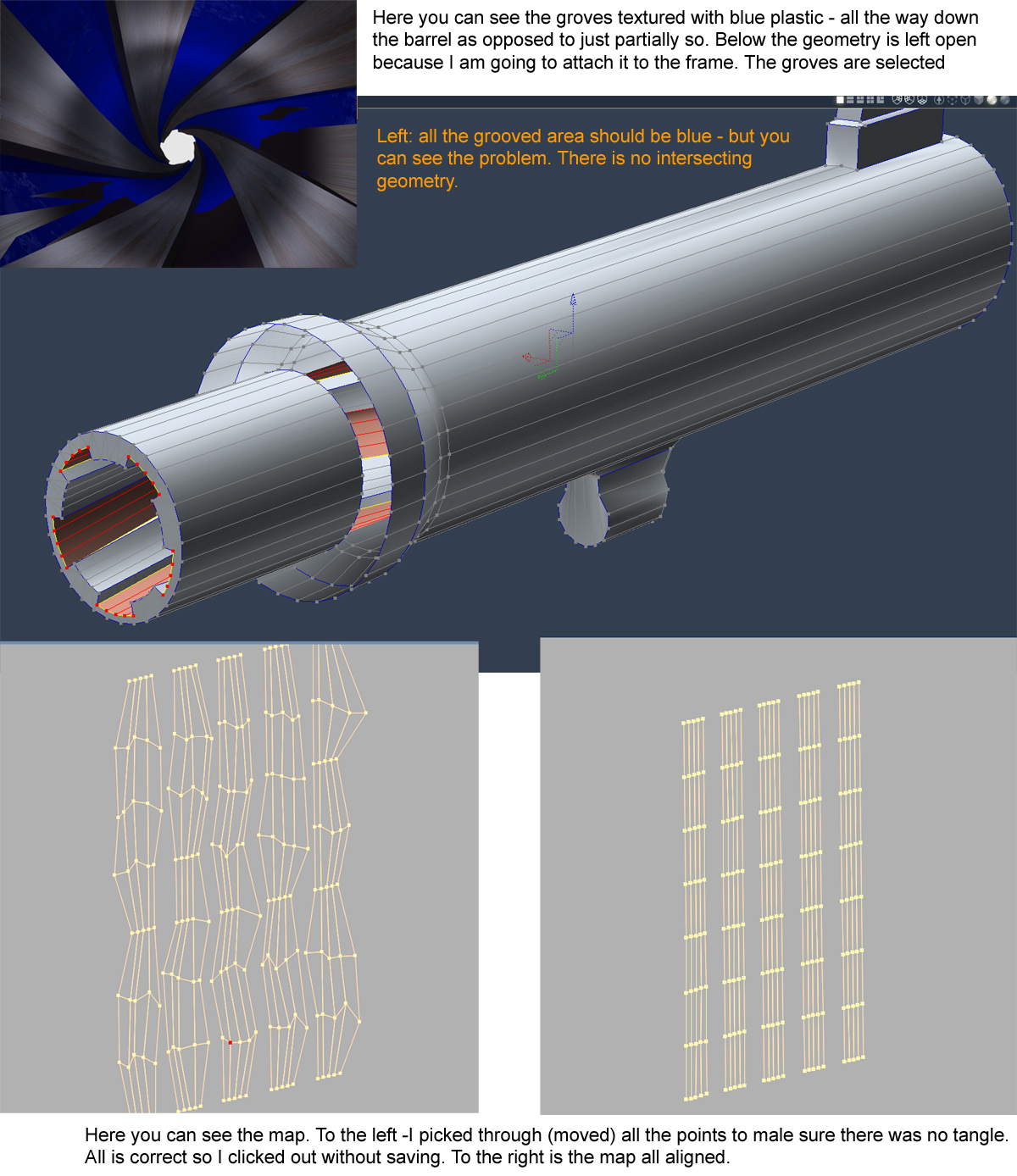
Attached is a more clear look. The geometry is highlighted (note barrel is to be attached to the frame - after I figure out this problem). I rendrered the grooves with the stock blue plastic texture. The grooves (depressed areas) should be blue all the way. You can see that it has the weird anomoly. There is NO intersecting geometry. I picked through the map point by point to see if there was some bizarre tangle - none.
Don't know if this matters - I am using Carrara 5 Pro.
Thanks much!

Privacy Notice
This site uses cookies to deliver the best experience. Our own cookies make user accounts and other features possible. Third-party cookies are used to display relevant ads and to analyze how Renderosity is used. By using our site, you acknowledge that you have read and understood our Terms of Service, including our Cookie Policy and our Privacy Policy.
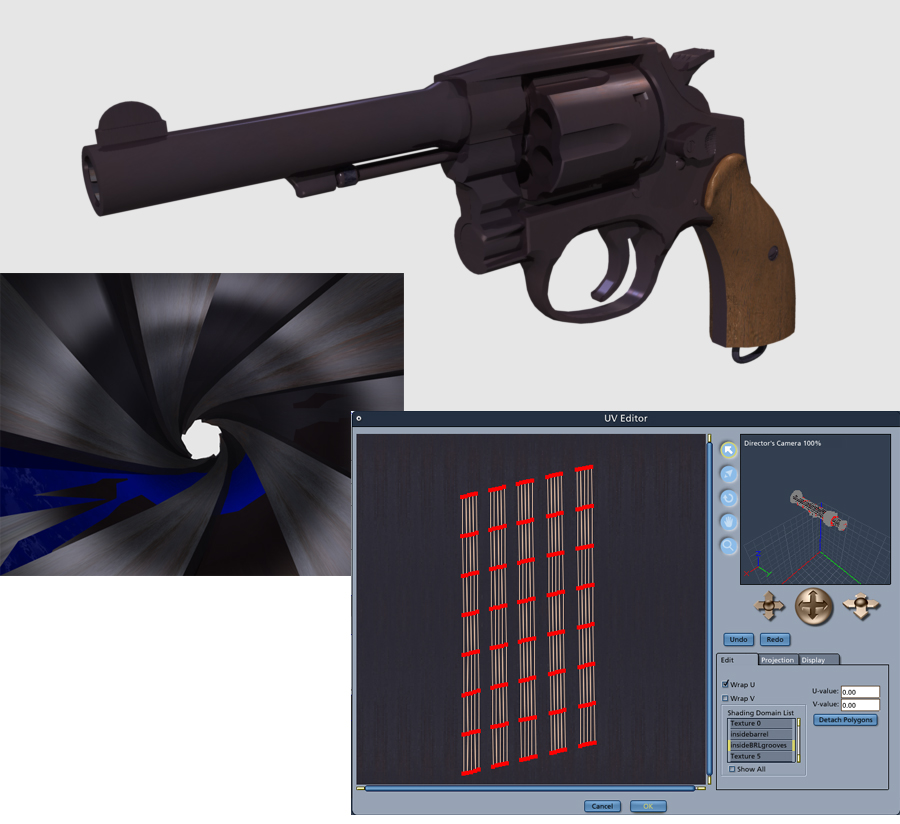
I am having a problem mapping in the vertex room. I am attaching a file that will explain it pretty well. I am mapping out the revolver - an offshoot of one I have been building off an on for a long time. Finally getting them cleaned up to high standards. I am having trouble mapping the lands and groves (actually just the grooves - the depressed areas). I placed a camera inside the barrel and a light bulb to test render. I temporarily mapped some of the trouble area in blue to help highlight the problem. I also put a screen cap of the polygons. You can see the polys are lined up OK in the mapper. I have - as yet found no problem with the actual geometry. Something is obviously wrong - so I was hoping there was someone who may have run into such a problem and might have time to offer up an idea.