
superron opened this issue on Jul 11, 2012 · 6 posts
superron posted Wed, 11 July 2012 at 5:50 PM

MarkBremmer posted Thu, 12 July 2012 at 11:14 AM
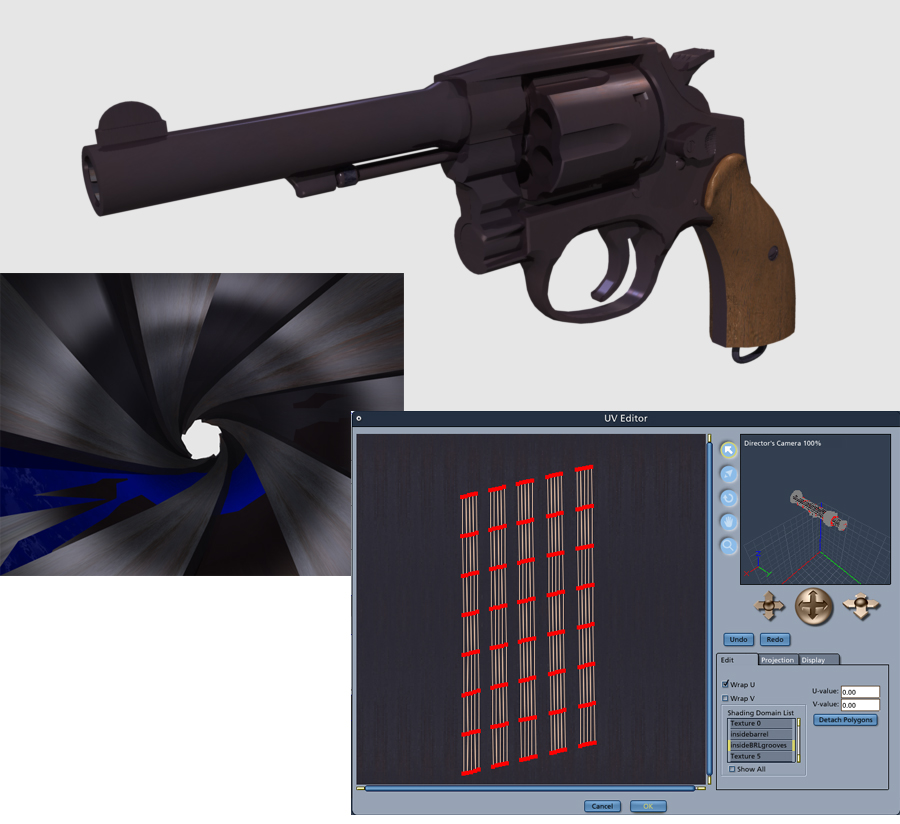
Very nice work. I see the blue areas and thier irregularity but I'm not seeing the blue on the texture map in the UV Editor. What exactly is the issue you are having? Is it sporadic texture placement. (Sorry, I know it's obvious to you since you've been working on it, but the single image isn't telling the whole story to me at the moment)
superron posted Fri, 13 July 2012 at 8:48 PM
Thanks for the reply. I am familar with your work and know your are more experienced in 3D.
The purpose if for reference for me (and it is a relaxing break from other work - er until something like this pops up) - and if I ever cut it for poser - other illustrators who might want fair detail for lighting reference.
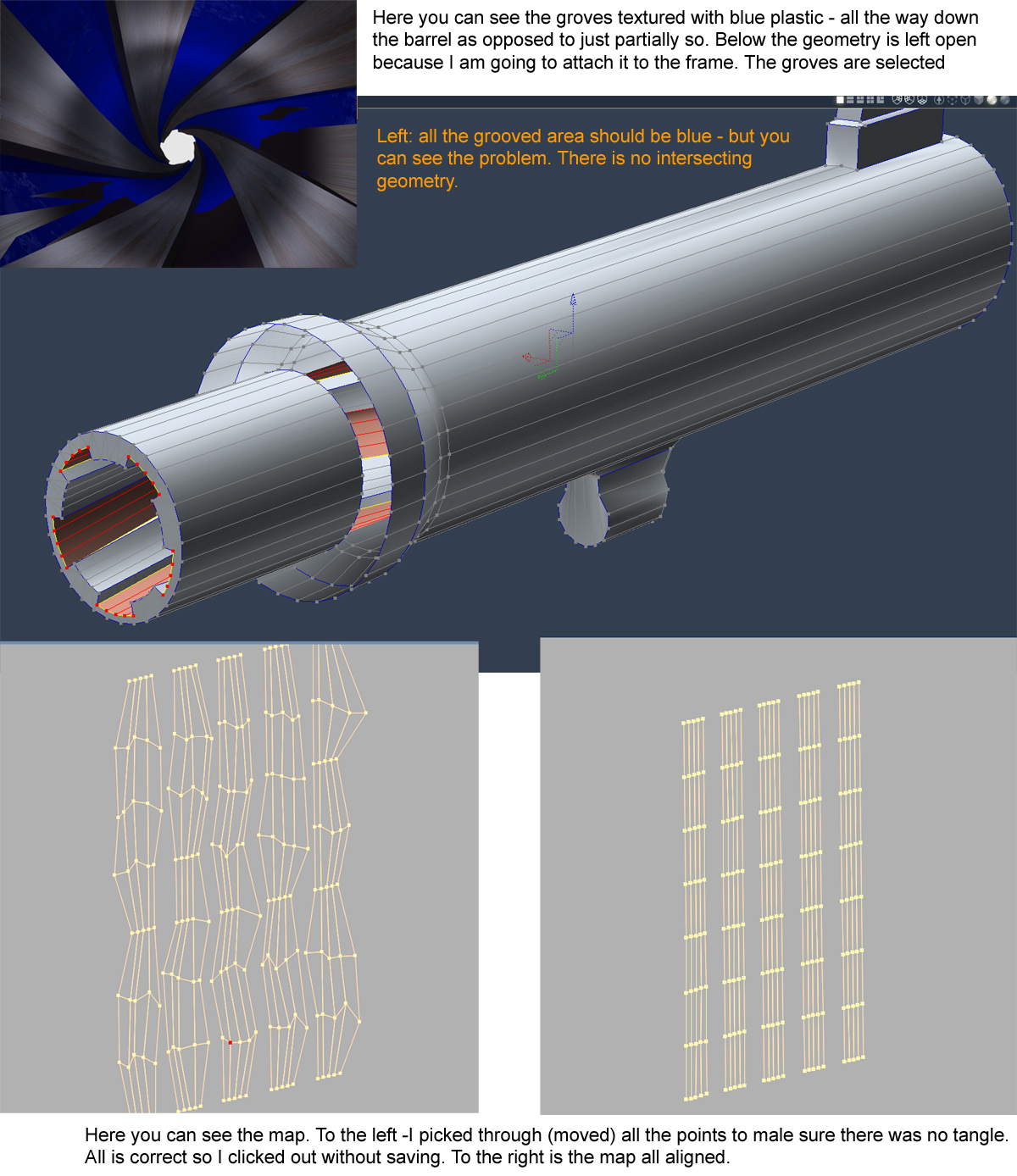
Attached is a more clear look. The geometry is highlighted (note barrel is to be attached to the frame - after I figure out this problem). I rendrered the grooves with the stock blue plastic texture. The grooves (depressed areas) should be blue all the way. You can see that it has the weird anomoly. There is NO intersecting geometry. I picked through the map point by point to see if there was some bizarre tangle - none.
Don't know if this matters - I am using Carrara 5 Pro.
Thanks much!
superron posted Fri, 13 July 2012 at 9:02 PM
ARRGH!!! - forget it - I found the problem. Always the stuff right in front of your eyes!!!
I set up a temp hole in the frame - it was not carefull placed and it is that geometry that is poking through - time to attach the barrel.
Thanks anyway!
MarkBremmer posted Sun, 15 July 2012 at 8:36 AM
Don't you love it when that happens?!
superron posted Sun, 15 July 2012 at 1:58 PM
Wakes you back up. For some reason, I just had to set the mapping before attaching the barrel geometry to the frame. Would have never happened had I just done that first!
Nice waste of time - and a little embarrassing.