
Renderosity Forums / Carrara
Welcome to the Carrara Forum
Forum Coordinators: Kalypso, Anim8dtoon
Carrara F.A.Q (Last Updated: 2026 Jul 11 2:50 am)
Visit the Carrara Gallery here.

Subject: Opinions on Toon! Pro?


try YAtoon that is free:
http://carraralounge.com/index.php?topic=55.0
But Eric plugins have a lot more features to control the look.
Follow me at euQfiz Digital

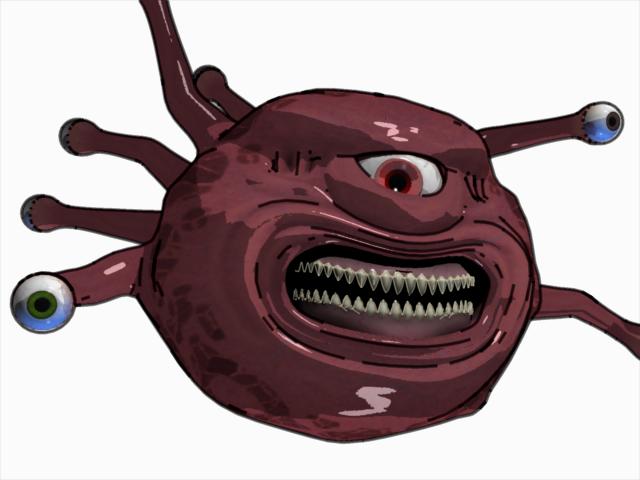
However, if you don't want all shaders or domains to be "tooned", you can override the global setting and turn off the look. There is also a special Toon shader control in the Shader Room for more finessing.
Additionally, ToonPro respects texture maps but does a nice cel coloring job on them. For flat color objects, it quickly creates even more "cel" like results.
Works fine on DAZ/Poser Content. I've never regretted getting - I've actually created some television commercials with it. ;-)
Mark
Mark, why we dont see those commercials online as a portfolio for Carrara??
Follow me at euQfiz Digital

I agree with Mark. ToonPro is a very nice plugin and a must have.
---------------------------------------
Holyforest,
Hundreds of shaders for
Carrara
Alright I bought it! If it's good enough for Mark-Frakkin'-Bremmer, it's good enough for me :)
After playing around with Toon Pro for most of last night, the only issue I'm having is how it handles transparency maps. The plug-in seems to want to outline the actual geometry of Poser hair, eyelashes, etc.
Any advice on this? So far my best bet is too override the Toon settings for anything with a map in the Alpha channel.
You guys rock!
JT
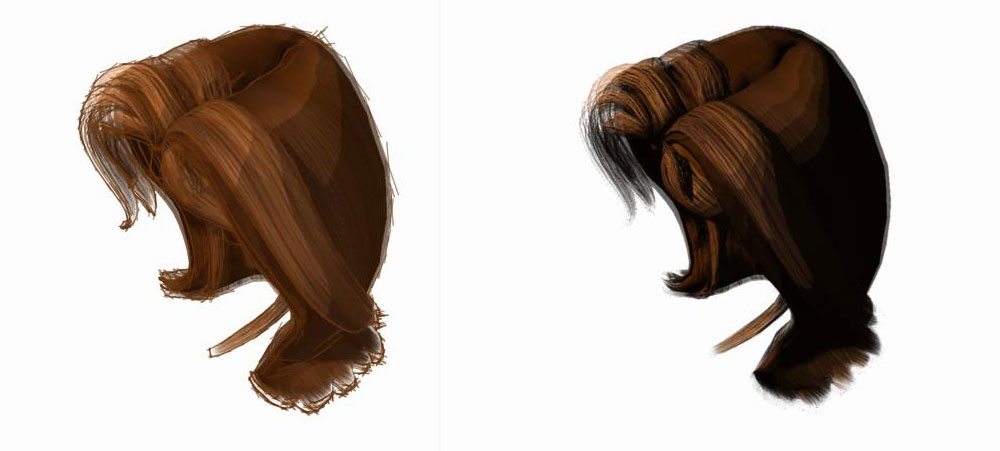
The image on the left shows the hair with lines and overdraw set to about 70% - it's a little more of a drawn look.
The image on the right is what I do more often. I've engaged the Toon shader function on the actual hair shader in the shader room. The I boosted the shadow highlight settings, set the levels at 4 and darkened the shadows. - All this is to preserve the transparency look and flatten out the colors but maintain some of the texture maps detail. This method is a great way to individually control the look of texture maps without specifically setting Toon overrides.
Mark
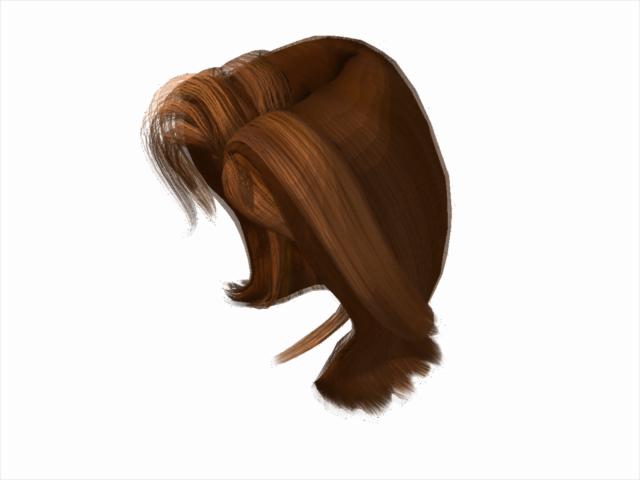

Thanks for the examples Mark; I really appreciate you taking the time to help us out here :)
I think your second example is what I'm going after; nice toon effect, yet the detail from the trans-map is still retained.
It seems like I have to turn off the toon effect to get V4's eyelashes to look right, but I can live with that.
My next trick is gonna be to figure out the best lighting setups for the toon shaders. I'm so used to going after photorealism-I think I'll need to unlearn many of my techniques.
Do you guys go with GI when you're using Toon Pro?
JT

The GI = dark thing was a bug. It's fixed in the latest patch of Toon! Pro for 7.1.1. I still need to go back and make it work correctly in the older versions.
Having said that, unless there's something in your scene not using the Toon! Pro Cel shader, Mark is right. Straight up non-GI lighting is a lot faster to light something that has only a few levels between shadow and highlight.
Regards,
Eric Winemiller
Digital Carvers Guild
Carrara and LightWave
plug-ins

what method do you use for transmapped clothes in toon pro eg the shadowdancer clothes which have transmaps to make the top long or short sleeved or sleeveless etc?
Love esther
I aim to update it about once a month. Oh, and it's free!
Well I finally got around to starting my first project with Toon Pro and I've run into a big issue.
I started getting the "unexpected error has occurred" pop-up and the properties palette in the assembly room seems to have a mind of its own now. After pulling my hair out for a few hours I deleted the Toon Pro files from the extensions folder and all the problems went away; I got identical results on both of my Carrara machines.
Everything's up to date on my end, so I'm wondering if anybody else has had this issue? It's very possible that I'm doing something stupid, so I figured I'd ask before I go crying to DCG :)
Thanks!
jt411,
Do you have a scene and a set of steps to recreate the issue?
Thanks,
Eric Winemiller
Digital Carvers Guild
Carrara and LightWave
plug-ins
Thanks for the response Eric,
I was getting the errors in pretty much every scene I tried. I mainly work with DAZ/Poser content if that helps.
The errors start popping up when I switch from the render room to the assembly room, or vice versa.
The errors are consistent in C7 and C7.1. (The latest build)
If you can't duplicate the problem on your end, I'll reinstall the plug-in and put a scene together for you.
Thanks!
jt411,
There were definitely some Toon! Pro issues when 7.1.1 came out (lots of errors in the render room, simply didn't work), but those should be all good with the latest Toon! Pro. Likewise the latest Toon! Pro will not work in 7.0. If the latest Toon! Pro is giving your fits in Carrara 7.1.1, please send me a test scene.
Thanks,
Eric Winemiller
Digital Carvers Guild
Carrara and LightWave
plug-ins

Privacy Notice
This site uses cookies to deliver the best experience. Our own cookies make user accounts and other features possible. Third-party cookies are used to display relevant ads and to analyze how Renderosity is used. By using our site, you acknowledge that you have read and understood our Terms of Service, including our Cookie Policy and our Privacy Policy.
Hi all,
I've been thinking about picking up DCG's Toon! Pro for a while and I was wondering if anybody here has tried it.
The accompanying gallery at DCG is iffy and the every-other-tile demo isn't exactly representative.
Any thoughts on the product? Does it work well with DAZ figures?
Thanks :)