
Renderosity Forums / Carrara
Welcome to the Carrara Forum
Forum Coordinators: Kalypso, Anim8dtoon
Carrara F.A.Q (Last Updated: 2026 Jul 11 2:50 am)
Visit the Carrara Gallery here.

Subject: Skys render greenish


If you ever find it let me know. I simply can't get Carrara to adjust it's sky color. Every time you move the realistic sky sliders to change the sky and haze light base. The stupid program slides em right back to where they were and doesn't let them be changed. Either that or it changes them back to the green default just after you get the whole scene perfect and ready to render...
Whoever designed the real skies module for Carrara ought to be hung out on a flagpole somewhere near the top of the Empire State Building and be left for the falcons to have as a snack.
Quote - Hi
I'm trying to find a tut that addresses the problem of unnatural greenish skys that carrara tends to render if left on default settings.I've seen the free tut somewhere before. I don't recall if the tut was a video or just stills.
There was just a couple simple lighting adjustments that gets rid of greenish yuck.
Anyone seen that tut? got a link?
Thanks
Frank

I've never had a problem with greenish skies. I have to brighten them up, but haven't seen them green, and I've spent a lot of time in the RS room. Perhaps your monitor is a bit off, I don't know. Look at my gallery and see if the skies look green.
But, the color wheel for the sky is fixed in 7.0. The colors stay, but if you start changing haze also, everything interacts so you have to be careful.
Attached Link: Carraras-Realistic-Sky-Editor-Demystified
Hey Patrick Nice GalleryThe sky in Your picture "Bright lake" leans toward the problem I'm having. but mine is more green
Yours sky is not really green, it's just the blue does not seem right and seems to have another color throwing off the blue I would guess it's green mixed in but not not showing as green, just enough to mess with the blue.
If that makes any sense.
I found the tut and posted a link to it.
Thanks
Frank
Frank Hawkins/Owner/DigitalDaydreams
Frank Lee Hawkins Eastern Sierra Gallery Store
My U.S.A eBay Graphics Software Store~~ My International eBay Graphics Software Store

It's when I render to screen while in carrara. Just render room
A good example of what I mean is in carrara 7 pro assembly room browser under MISC. there is a file called spectral clouds.
It's an animation, just set time to 0 so it only makes one frame
Just render one frame of that and check the sky.
to make the one frame render faster cut the size down to 1000 x 500
You will see the messed up blue green I speak of in the sky.
monitor is good less than a year old and color is good.
Thanks
Frank Hawkins/Owner/DigitalDaydreams
Frank Lee Hawkins Eastern Sierra Gallery Store
My U.S.A eBay Graphics Software Store~~ My International eBay Graphics Software Store

Using yellow sunlight and a blue sky will result in greenish colors.
(I am reading the great tutorial ddaydreams linked to)
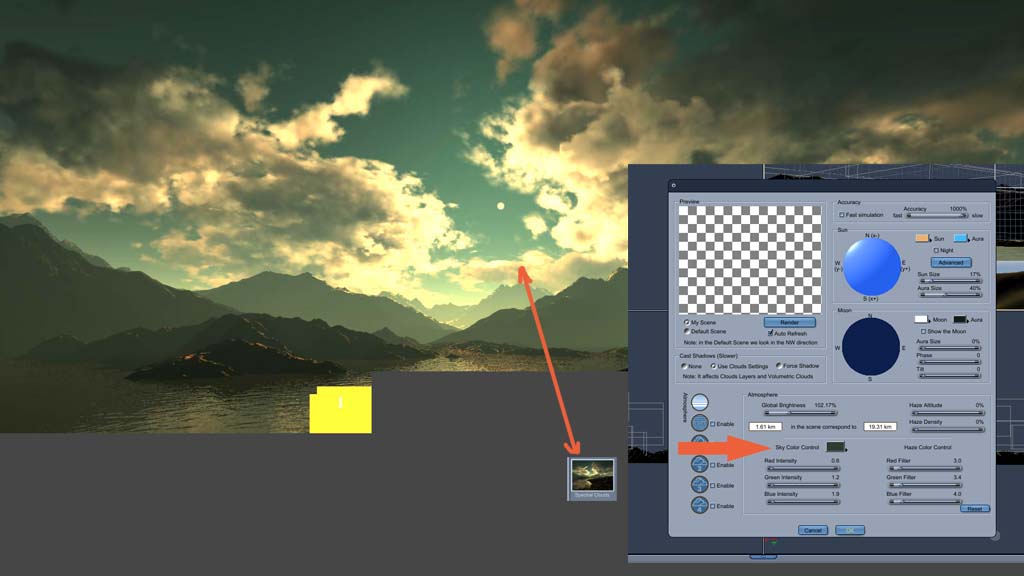
That's funny. I made that spectral clouds scene and it was never an animation. I guess it got saved that way by mistake.
As far as the green, the color wheel in C7 works. So, you should be able to get the sky to stay whatever color you like.
Also, that is a very informative tute for the RSE.
I'll also be posting a new landscape, maybe later today, that will appear in ImagineFX magazine with their Carrara 7Pro review.
Sounds great! I can hardly wait to see it. You know, I just had an idea I may post on the Daz forums. A lot of people use Carrara for space scenes, yet, as it is now, you need to go into a 2D program to do starfields and nebulas etc. Why couldn't the basic realistic sky system be adapted to also do space backgrounds? I think the only major bit of reprogramming that would need to be done would be to put in a generator for stars and suns. The existing cloud system can be used to simulate a nebula. And get rid of the stupid horizon if your not enabling the ground... That annoys the living heck out of me. To get the horizon down below the render scene, ya have to set it at like -7000' or more..... I think when you disable the ground, the horizon should be gone, period.
bwtr
Thanks for posting that pix.
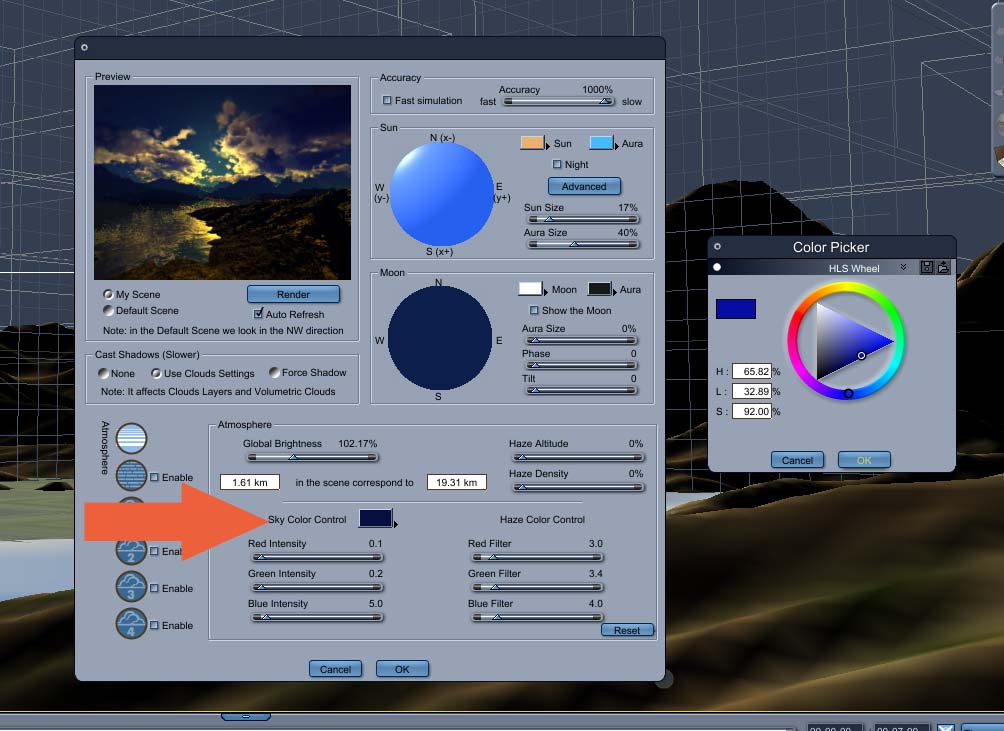
I tried the sky color setting that you point at and could not get the color blue to show up in it at all.
Then I changed the sun to white and then I could get all the blues I needed to show up in the sky color settings. and could generate nice blue skies
So a nice blue sky but have to have a white sun to get it.
Hmmm
I'll be looking at the tut more.
Frank Hawkins/Owner/DigitalDaydreams
Frank Lee Hawkins Eastern Sierra Gallery Store
My U.S.A eBay Graphics Software Store~~ My International eBay Graphics Software Store
Yes Sparrownightmare.
In the real world we have a yellowish sun in a blue sky and it does not turn our sky green. At least not normally. I'm going to have fun looking into this further doing some other things the tut mentions like change the background color from none to blue. Or swapping out the sun for a light and making the light yellow.
Frank Hawkins/Owner/DigitalDaydreams
Frank Lee Hawkins Eastern Sierra Gallery Store
My U.S.A eBay Graphics Software Store~~ My International eBay Graphics Software Store
Hi
Should be simple.
Tried that, but blue was really hard to dial in and still renders green unless you change the sun color to white.
Without doing anything to the sun leaving it orange like in your pix. Change your sky color to light blue (very difficult) the little rectantgle has a hard time showing the blue that gets picked on the color wheel, but when you finally do get some type of blue dialed in, hit render, and the rendered pix comes out green still.
Frank Hawkins/Owner/DigitalDaydreams
Frank Lee Hawkins Eastern Sierra Gallery Store
My U.S.A eBay Graphics Software Store~~ My International eBay Graphics Software Store
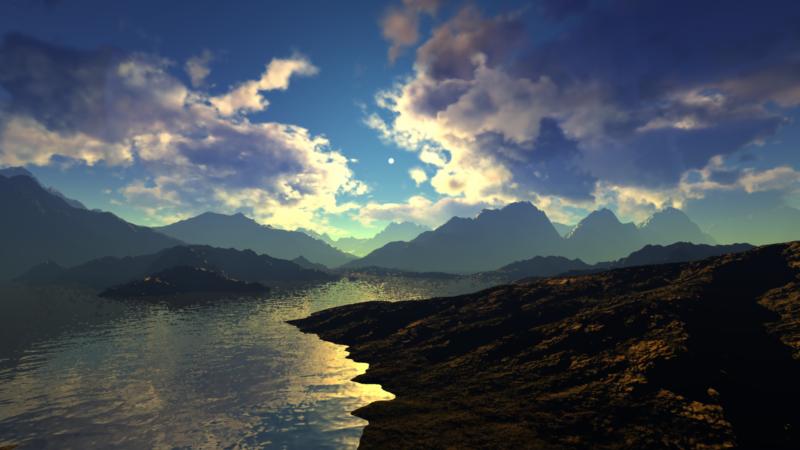
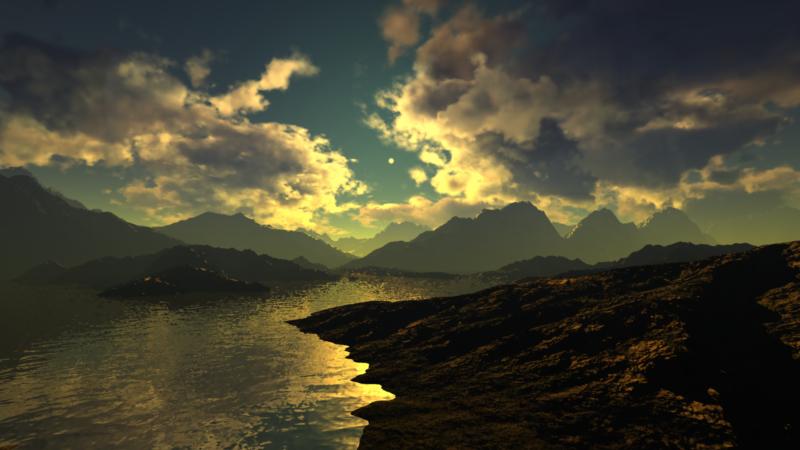
Yep changing the sun makes all the difference. yours looks good like what I get when I change the sun
Without changing the sun( leaving it orange), the sky would still turn out green even with the sky color set to blue.
Odd
Frank Hawkins/Owner/DigitalDaydreams
Frank Lee Hawkins Eastern Sierra Gallery Store
My U.S.A eBay Graphics Software Store~~ My International eBay Graphics Software Store

Privacy Notice
This site uses cookies to deliver the best experience. Our own cookies make user accounts and other features possible. Third-party cookies are used to display relevant ads and to analyze how Renderosity is used. By using our site, you acknowledge that you have read and understood our Terms of Service, including our Cookie Policy and our Privacy Policy.
Hi
I'm trying to find a tut that addresses the problem of unnatural greenish skys that carrara tends to render if left on default settings.
I've seen the free tut somewhere before. I don't recall if the tut was a video or just stills.
There was just a couple simple lighting adjustments that gets rid of greenish yuck.
Anyone seen that tut? got a link?
Thanks
Frank
Frank Hawkins/Owner/DigitalDaydreams
Frank_Hawkins_Design
Frank Lee Hawkins Eastern Sierra Gallery Store
My U.S.A eBay Graphics Software Store~~ My International eBay Graphics Software Store