
Renderosity Forums / Carrara
Welcome to the Carrara Forum
Forum Coordinators: Kalypso, Anim8dtoon
Carrara F.A.Q (Last Updated: 2026 Jul 11 2:50 am)
Visit the Carrara Gallery here.

Subject: Where is the cameraframe?


Aha, that did the trick. Heh, production frame. Didnt ring a bell what so ever that it was the camera :)


Be careful sometimes though. You can actually grab the frame boundaries. I suppose it's considered a feature, but sometimes it's a pain if you do it unintentionally.
Your friendly neighborhood Wings3D nut.
Also feel free to browse my freebies at ShareCG.
There might be something worth downloading.


If all of the above fails to get ye olde picture frame, try clicking on Camera 1, then in the dropdown menu, send it to origin-that will place the camera at the bottom and in the middle of the back and left grids. Now if the model can't be found either, do the same and you will now have the model with the camera and picture frame embedded in it-don't forget to group your model pieces together before doing this though. Jan

Privacy Notice
This site uses cookies to deliver the best experience. Our own cookies make user accounts and other features possible. Third-party cookies are used to display relevant ads and to analyze how Renderosity is used. By using our site, you acknowledge that you have read and understood our Terms of Service, including our Cookie Policy and our Privacy Policy.
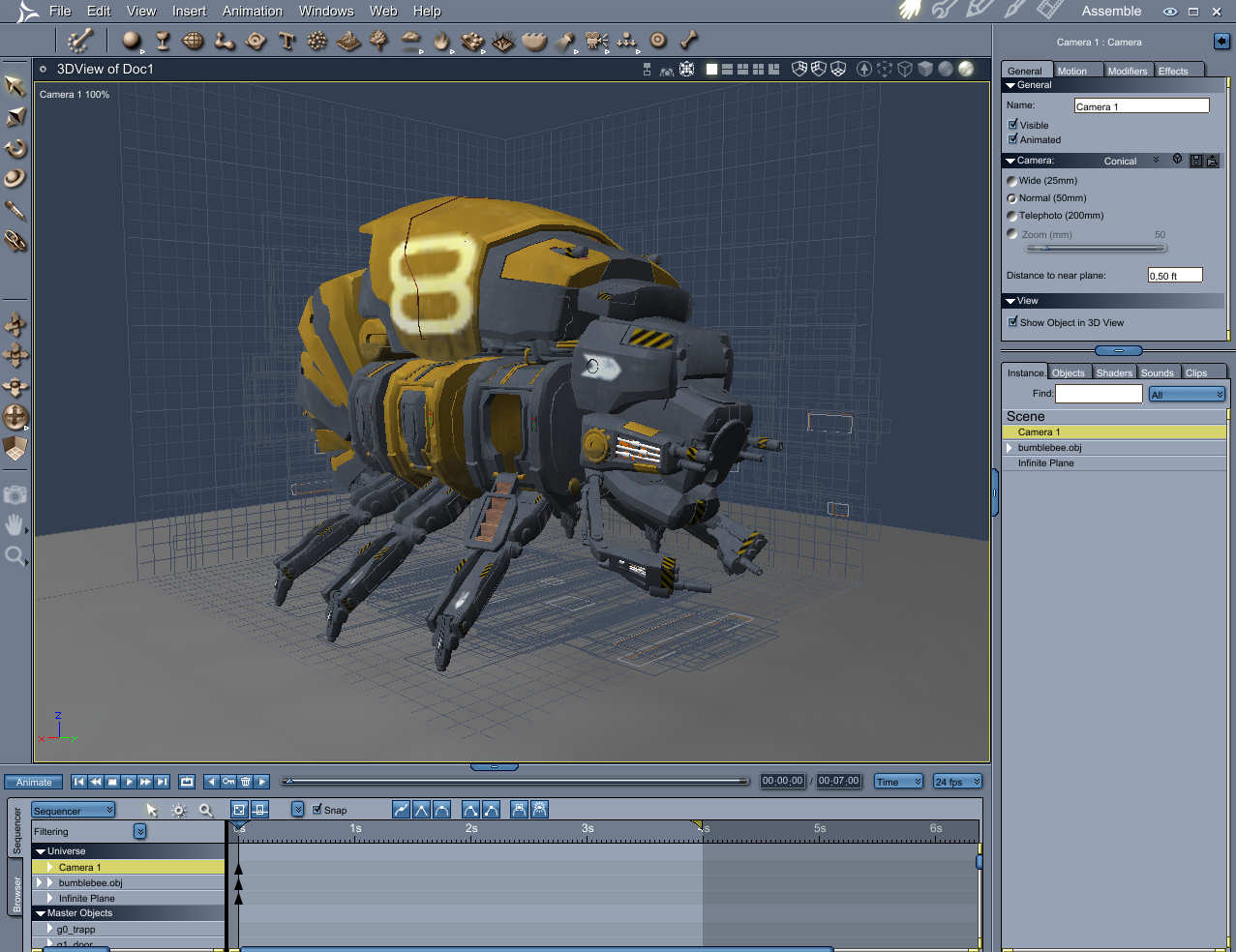
Hello peeps. Been quite some time since I was here on rosity. I have converted more or less over to Carrara from Bryce. But one thing I cant figure out is the darn frame showing what you get when rendering. Sometimes its there, sometimes its not. It looks scene dependent actually. I thought you could turn this of and on when you select the camera and the little figure beside the load button. Att least in version 5 I think it was. Has it been moved in version6? Anyone?My blog