
Renderosity Forums / Carrara
Welcome to the Carrara Forum
Forum Coordinators: Kalypso, Anim8dtoon
Carrara F.A.Q (Last Updated: 2026 Jul 11 2:50 am)
Visit the Carrara Gallery here.

Subject: error occurred!




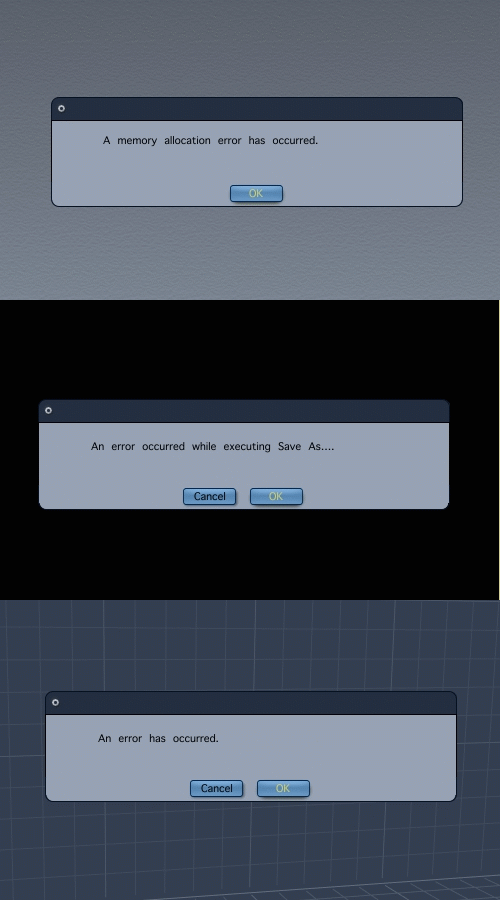
They're seperate error messages in an animated pic. Not exactly the best messages to get from Carrara though. Email DAZ about them.
www.youtube.com/user/ShawnDriscollCG

I have gotten the memory allocation error during batch renders on C6P on a Mac. It seems that there's a memory leak somewhere in the program. We've reported it as a bug, but haven't heard anything back.
Memory leaks, I'm told, are among the hardest sorts of things to track down.
As for the other errors in your posting, I haven't had them, but how annoying! "An error has occurred." That's helpful. At least give some kind of code so I can make some kind of reference!
Though I have no helpful solutions to offer, you have my sympathy.
:D

I get both of those a lot..
I do the following to correct it and it sometimes works.
1. Shut down all other programs and unneeded processes.
2. Save file and shut down C6.
3. Reopen C6 and the file.
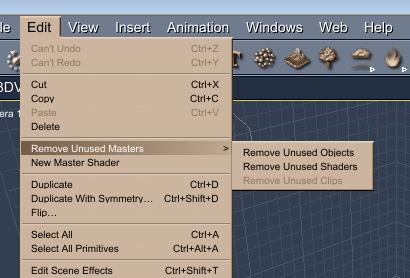
4. Remove unused master shaders and objects.
5. Set main assembly room display to wireframe.
6. Reduce image resolution as well as quality settings a bit.
7. Try to render again.

Privacy Notice
This site uses cookies to deliver the best experience. Our own cookies make user accounts and other features possible. Third-party cookies are used to display relevant ads and to analyze how Renderosity is used. By using our site, you acknowledge that you have read and understood our Terms of Service, including our Cookie Policy and our Privacy Policy.
what avoid mistake in operation?