porno_master opened this issue on Jan 19, 2008 · 9 posts
porno_master posted Sat, 19 January 2008 at 7:24 PM

UVDan posted Sun, 20 January 2008 at 8:32 AM Forum Moderator
That is a first time for me. I have never seen an error code displayed as an animation. I am sorry I cannot help out.
Free men do not ask permission to bear
arms!!

GKDantas posted Sun, 20 January 2008 at 9:05 AM
porno_master posted Sun, 20 January 2008 at 10:39 AM
try ;)

cryptojoe posted Sun, 20 January 2008 at 7:25 PM
Better run an up to date Virus ans Spy-bot program...
...I've seen animated error pop up, they were malware!
Yank My Doodle, It's a
Dandy!

ShawnDriscoll posted Sun, 20 January 2008 at 8:44 PM
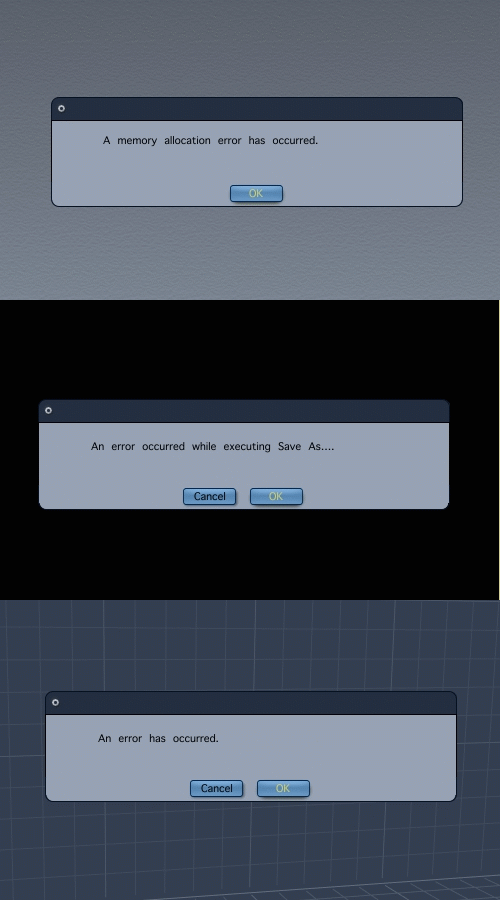
They're seperate error messages in an animated pic. Not exactly the best messages to get from Carrara though. Email DAZ about them.

sfdex posted Wed, 23 January 2008 at 6:54 PM
I have gotten the memory allocation error during batch renders on C6P on a Mac. It seems that there's a memory leak somewhere in the program. We've reported it as a bug, but haven't heard anything back.
Memory leaks, I'm told, are among the hardest sorts of things to track down.
As for the other errors in your posting, I haven't had them, but how annoying! "An error has occurred." That's helpful. At least give some kind of code so I can make some kind of reference!
Though I have no helpful solutions to offer, you have my sympathy.
:D

sparrownightmare posted Thu, 24 January 2008 at 2:50 PM
I get both of those a lot..
I do the following to correct it and it sometimes works.
1. Shut down all other programs and unneeded processes.
2. Save file and shut down C6.
3. Reopen C6 and the file.
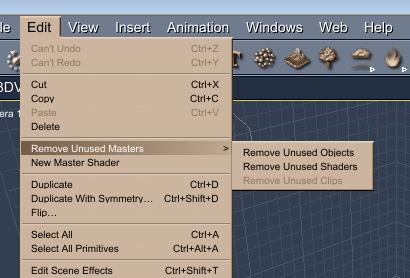
4. Remove unused master shaders and objects.
5. Set main assembly room display to wireframe.
6. Reduce image resolution as well as quality settings a bit.
7. Try to render again.
porno_master posted Sat, 26 January 2008 at 5:23 PM
some files volume over 300 mb are opened and render,others before 50 mb give error!
Remove unused master shaders and objects not always helps!