
Renderosity Forums / Carrara
Welcome to the Carrara Forum
Forum Coordinators: Kalypso, Anim8dtoon
Carrara F.A.Q (Last Updated: 2026 Jul 11 2:50 am)
Visit the Carrara Gallery here.

Subject: Anything Grows: Rotate Tip?


Quote - hi Chuck
If the tip object is a vertex jou can try to move it in the vertex room or use more than one object at once. Sometimes it produces nice results. Mmmh, custom shapes for the strands... Do you mean that the strands can follow a direction or fit a silhouette object?
-TOXE
Hey Davide... look at you, coming out of hiding! Although, I haven't been around here much lately either. ;-) I tried the vertex suggestion, didn't work. As for the custom shape for strands, it would be nice if you could replace the strand with an object as well, kind of like placing an object as the tip.
Chucker
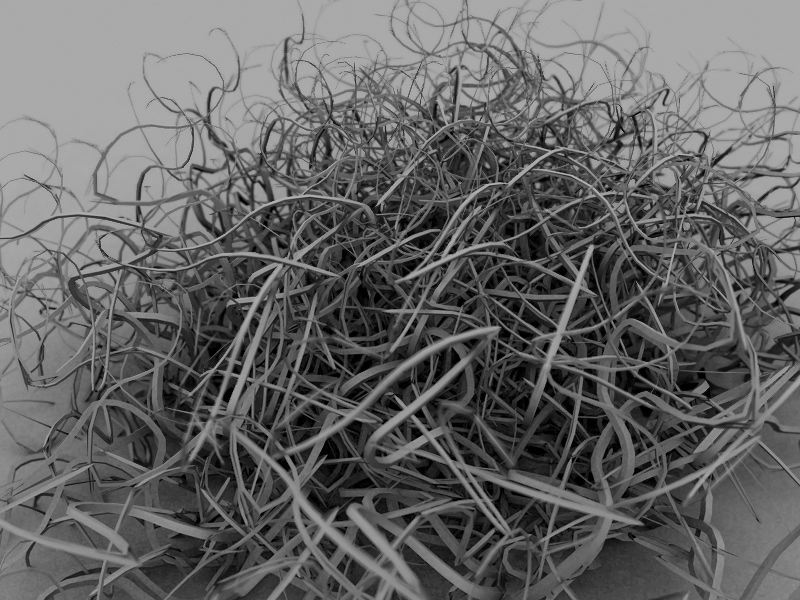
That's a cool image. OK, the vertex suggestion did work to actually rotate the tip object, but it still places the object on the strand at the middle of the tip object. I've got a picture with an alpha mapped to a plane (a leaf) and I want the leaves to stand up straight from the stem. I tried moving the hot point, but that didn't help.
Chucker
Attached Link: http://www.davidetosches.com/carrara/vertextip.zip
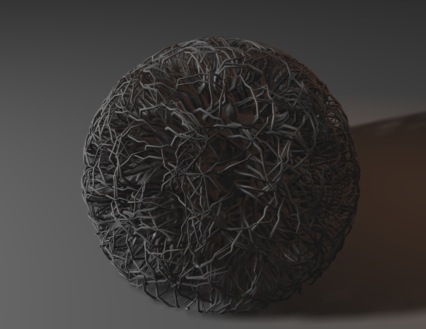
maybe this image can help you? I've used AGws without strands, so this mean that you can model your object with leaves and all the things and the fake strands can start form the surface of the object. The strands lenght is set to 0,01. If you thin it's useful download the file from the link:-)
-TOXE

Privacy Notice
This site uses cookies to deliver the best experience. Our own cookies make user accounts and other features possible. Third-party cookies are used to display relevant ads and to analyze how Renderosity is used. By using our site, you acknowledge that you have read and understood our Terms of Service, including our Cookie Policy and our Privacy Policy.
Those of you who use Anything Grows... is there a way to rotate the tip object? It always seems to place the tip object at the center.
Also, is there way to do custom shapes for the strands? Thanks!
Chucker