
chuckerii opened this issue on Dec 14, 2007 · 10 posts
chuckerii posted Fri, 14 December 2007 at 8:03 AM
Those of you who use Anything Grows... is there a way to rotate the tip object? It always seems to place the tip object at the center.
Also, is there way to do custom shapes for the strands? Thanks!
Chucker

TOXE posted Fri, 14 December 2007 at 8:18 AM
hi Chuck
If the tip object is a vertex jou can try to move it in the vertex room or use more than one object at once. Sometimes it produces nice results. Mmmh, custom shapes for the strands... Do you mean that the strands can follow a direction or fit a silhouette object?
-TOXE
chuckerii posted Fri, 14 December 2007 at 8:33 AM
Quote - hi Chuck
If the tip object is a vertex jou can try to move it in the vertex room or use more than one object at once. Sometimes it produces nice results. Mmmh, custom shapes for the strands... Do you mean that the strands can follow a direction or fit a silhouette object?
-TOXE
Hey Davide... look at you, coming out of hiding! Although, I haven't been around here much lately either. ;-) I tried the vertex suggestion, didn't work. As for the custom shape for strands, it would be nice if you could replace the strand with an object as well, kind of like placing an object as the tip.
Chucker
TOXE posted Fri, 14 December 2007 at 8:44 AM
You cannot replace strand with object, but you can create a tip-strand object like this... For the rotation the best way is to use tip twist. But let me now what do you need exactly. You know, i'm a real fan of challenges;-)
-TOXE
TOXE posted Fri, 14 December 2007 at 8:48 AM
mmmh, why i'm not able to post images today?!
-TOXE
TOXE posted Fri, 14 December 2007 at 8:49 AM
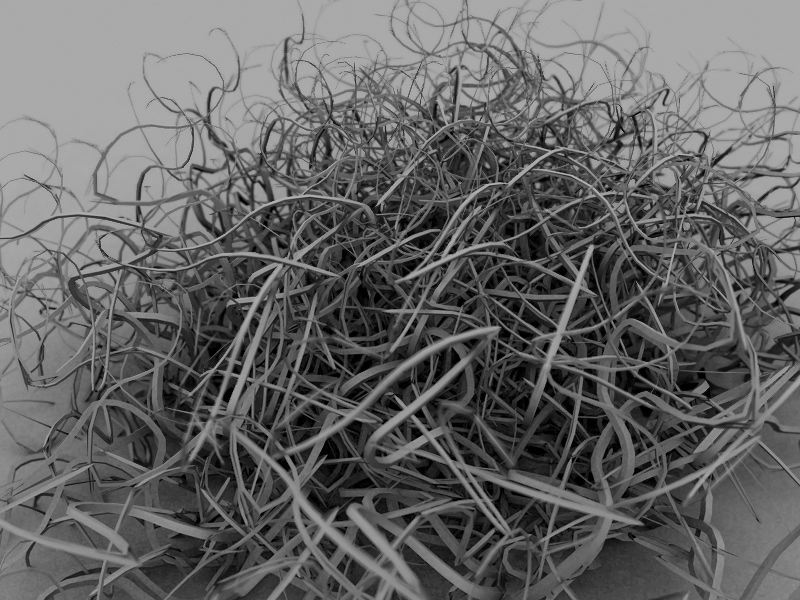
chuckerii posted Fri, 14 December 2007 at 8:57 AM
That's a cool image. OK, the vertex suggestion did work to actually rotate the tip object, but it still places the object on the strand at the middle of the tip object. I've got a picture with an alpha mapped to a plane (a leaf) and I want the leaves to stand up straight from the stem. I tried moving the hot point, but that didn't help.
Chucker
TOXE posted Fri, 14 December 2007 at 9:20 AM
Attached Link: http://www.davidetosches.com/carrara/vertextip.zip
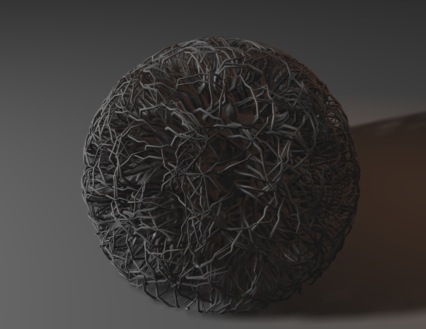
maybe this image can help you? I've used AGws without strands, so this mean that you can model your object with leaves and all the things and the fake strands can start form the surface of the object. The strands lenght is set to 0,01. If you thin it's useful download the file from the link:-)
-TOXE
chuckerii posted Fri, 14 December 2007 at 10:16 AM
Davide.... thanks for the ideas, suggestions (and the file) Good stuff!
Chuck
TOXE posted Fri, 14 December 2007 at 10:18 AM
I'm glad when i can help! Let me know about the results...
-TOXE