Filter: Safe | Fri, Jul 17, 4:39 AM CDT

Renderosity Forums / Carrara


Welcome to the Carrara Forum

Forum Coordinators: Kalypso, Anim8dtoon

Carrara F.A.Q (Last Updated: 2026 Jul 11 2:50 am)


Visit the Carrara Gallery here.

Carrara Free Stuff here.

 
Visit the Renderosity MarketPlace - Your source for digital art content!


Subject: Mapping problem


Pinklet ( ) posted Fri, 07 December 2007 at 12:39 PM ยท edited Fri, 17 July 2026 at 4:39 AM

file_395051.jpg

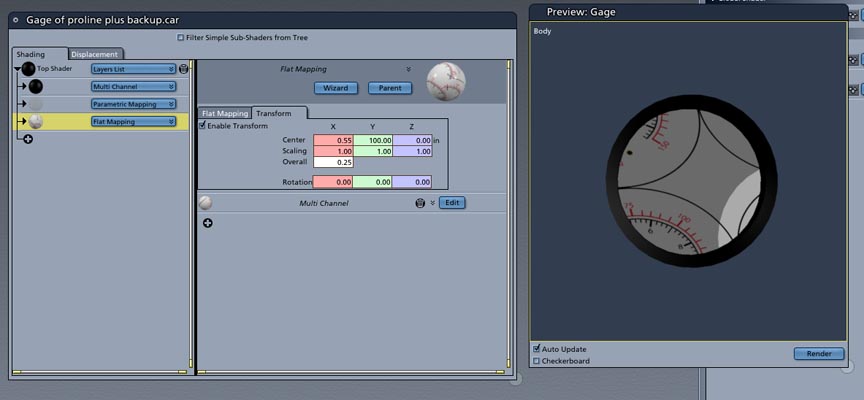
I am working on a gauge for a project. I got my artwork done, and I am trying to position the art in one of the faces of my model. I went in to the Vertex modeling room and assigned a polygon as the face that the numbers artwork is supposed to go. Well I have tried every which way and I can not for the life of me get it right. When I try to use the oval mapping, I get the oval displaying all garbled up. When I try flat mapping I get this. How do you control this. I am using Carrara Pro 5. Please help!


ominousplay ( ) posted Fri, 07 December 2007 at 1:33 PM

For one face I would assign a shading domain to that one domain and use the UV in Carrara to place the texture map on just that face. You'll have to assign the shading domain first, go into the UV editor, save a large template of the uv out of the editor, use Photoshop (or whatever) to paint on the artwork, then take it back into Carrara as a texture map on just that shading domain. That is how I'd try it. R

Never Give Up!


Miss Nancy ( ) posted Fri, 07 December 2007 at 2:40 PM

it's a flat, one-sided disk upon which ya wanna map the gauge label? unclear on how that would be one polygon.


Pinklet ( ) posted Fri, 07 December 2007 at 3:32 PM

file_395055.jpg

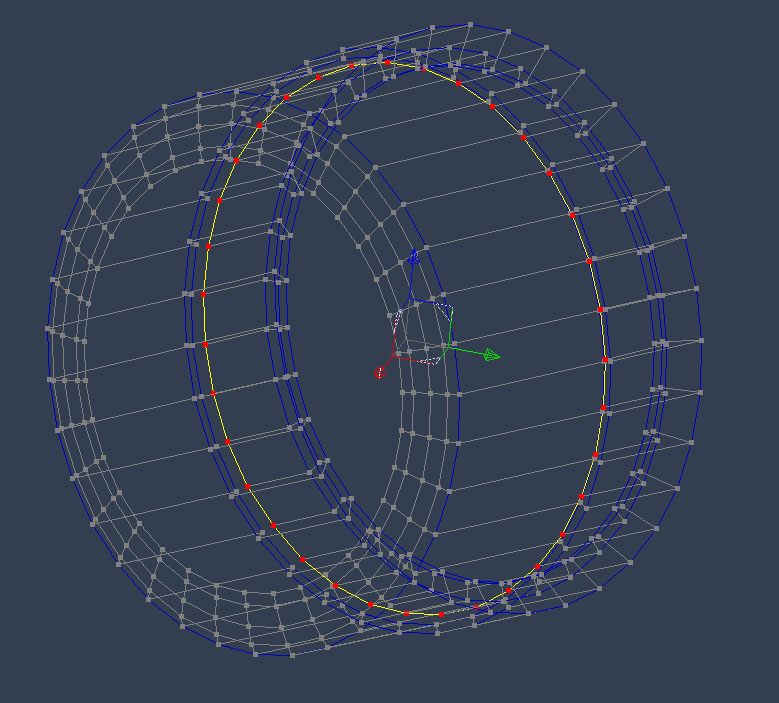
Well I am still trying to figure out the UV tool in Carrara. No documentation in the Help menu. Where can I get a tutorial or the like to learn it's value. The more I use it, the more confused I am. ominousplay: I did name my domain, which consists of one polygon. Miss Nancy: They say a picture is worth a thousand worlds. The selected lines are the surface of my gauge. The rest is the body of it.


Pinklet ( ) posted Fri, 07 December 2007 at 3:46 PM ยท edited Fri, 07 December 2007 at 3:47 PM

I get the gist of the UV mapping tool, the problem is when I export, I don't get a grid, only a gray square box. What am I missing?


Miss Nancy ( ) posted Fri, 07 December 2007 at 3:58 PM

so the yellow and red thing is one polygon with about 30 or 40 sides? maybe triangualte it so there are pie-slice polygons and a centre vertex.


Pinklet ( ) posted Fri, 07 December 2007 at 4:39 PM

O.k. I figured it out. I was only naming one domain. Once I named the rest of the object, it all made sense. Thanks to both. Tessellating the object in to pie slices helped greatly too.


Pinklet ( ) posted Fri, 07 December 2007 at 5:47 PM

file_395060.jpg

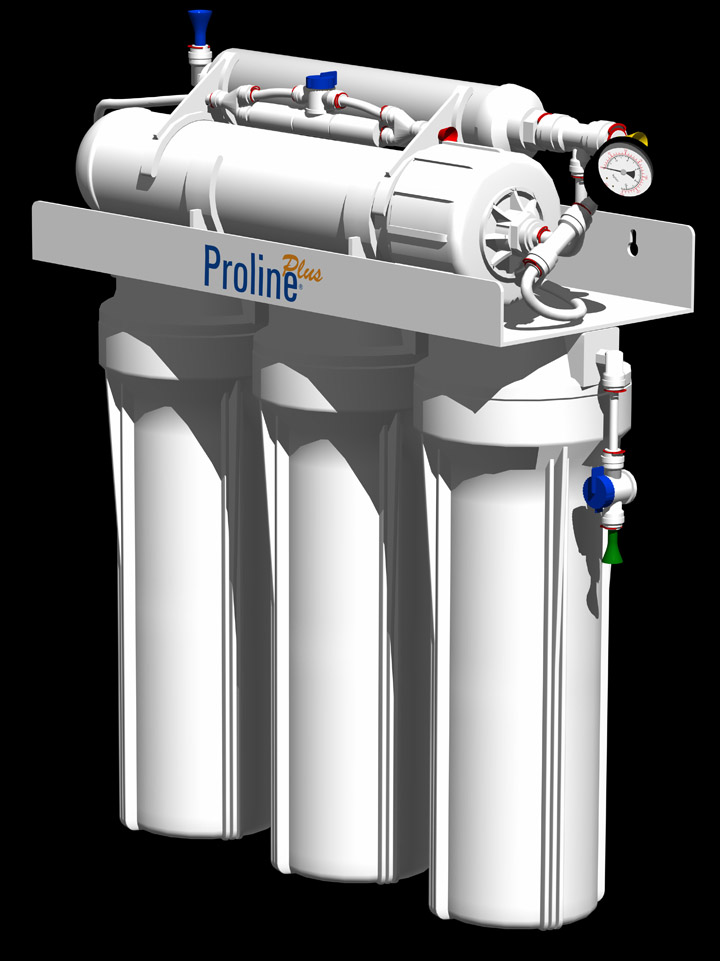
This is what I am working on. I am almost finished.


ominousplay ( ) posted Fri, 07 December 2007 at 6:04 PM

Right on! Looks great. How did you position the Proline label?

Never Give Up!


Pinklet ( ) posted Sun, 09 December 2007 at 2:51 PM

With the rectangle layer list list features. Your UV solution took some learning, but once I figured it out, it's pretty good actually. Thank for your help, both.


Privacy Notice

This site uses cookies to deliver the best experience. Our own cookies make user accounts and other features possible. Third-party cookies are used to display relevant ads and to analyze how Renderosity is used. By using our site, you acknowledge that you have read and understood our Terms of Service, including our Cookie Policy and our Privacy Policy.