
Renderosity Forums / Carrara
Welcome to the Carrara Forum
Forum Coordinators: Kalypso, Anim8dtoon
Carrara F.A.Q (Last Updated: 2026 Jul 11 2:50 am)
Visit the Carrara Gallery here.

Subject: New to Carrara and Questions Questions

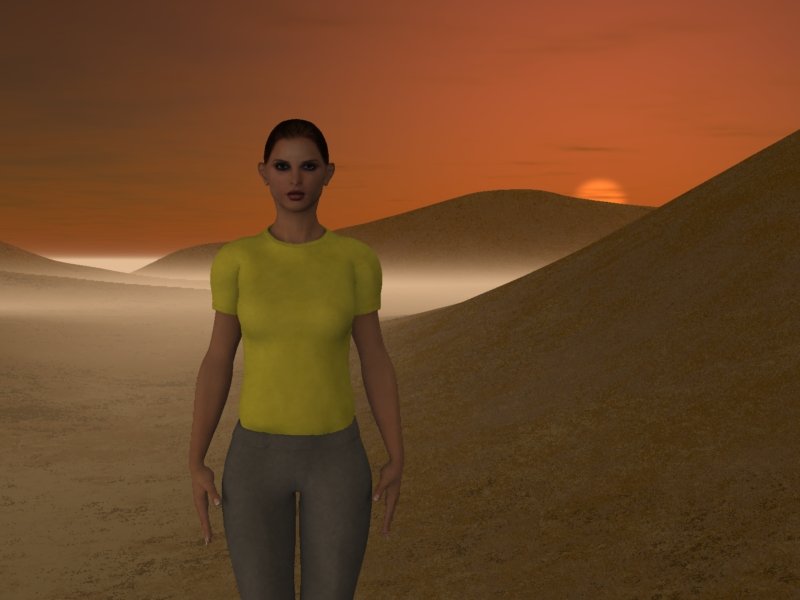

Hi mariner, Just drag the figure from the browser into your scene. (you'll need to add the Runtime folder from Poser if that's where your figures are) Placed figures work best in the defaul Small and Medium scenes. The large scenes will always display the figure very small because of the scall of the scene. Scaling the characters is very easy to do if you need to by using the scaling tool on the top level of the character hierachy displayed in the Properties tray. Also, you can select the figure, choose the Motion tab in the Properties tray and adjust the value numericallly. Mark
Thank you very much for that information Mark.
DR
Quote - Hi mariner, Just drag the figure from the browser into your scene. (you'll need to add the Runtime folder from Poser if that's where your figures are) Placed figures work best in the defaul Small and Medium scenes. The large scenes will always display the figure very small because of the scall of the scene. Scaling the characters is very easy to do if you need to by using the scaling tool on the top level of the character hierachy displayed in the Properties tray. Also, you can select the figure, choose the Motion tab in the Properties tray and adjust the value numericallly. Mark
"That government is
best which governs the least, because its people discipline
themselves."
Thomas Jefferson

Privacy Notice
This site uses cookies to deliver the best experience. Our own cookies make user accounts and other features possible. Third-party cookies are used to display relevant ads and to analyze how Renderosity is used. By using our site, you acknowledge that you have read and understood our Terms of Service, including our Cookie Policy and our Privacy Policy.
New to Carrara and Questions Questions.I have been using Bryce and Poser since versions 4 were released and also have used Hexagon for awhile.
I very much prefer Hard Copy as opposed to OnLine Pdfs etc. I have been through the pdf that came with CP6 several times. I have even ordered the CP5 Manual, just to have a Hard Copy to read.
I want to use a Preset Scene, so I Load a Preset Scene.
OK, now I want to Add a Figure (Cr2).
If I Try OpenCr2, I get a New Scene with just my Figure.
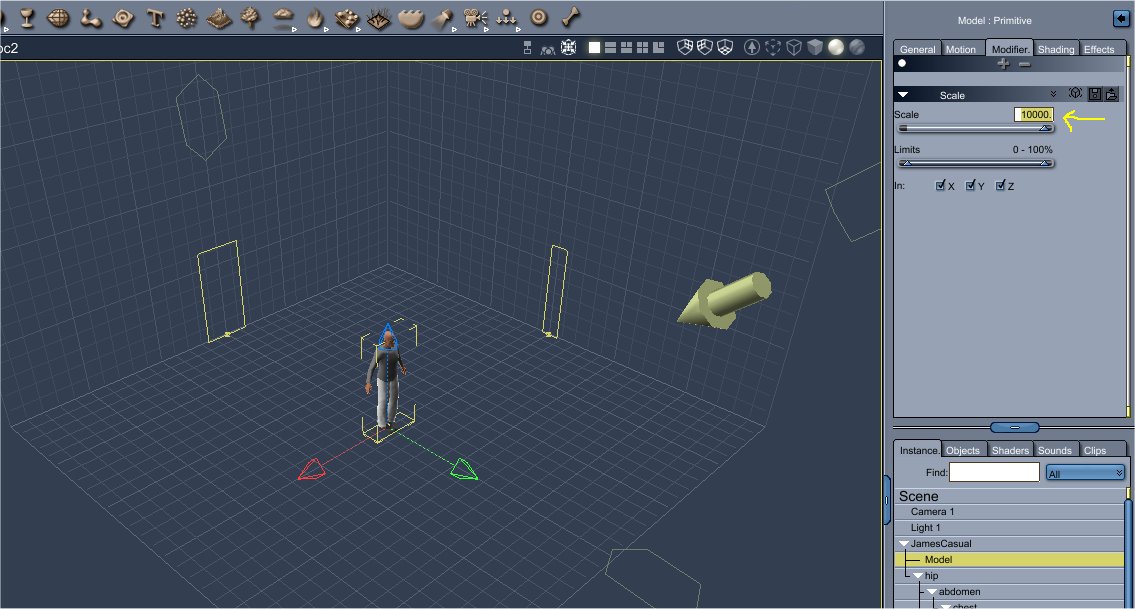
If I Try ImportCr2, my figure comes in soooooo small that I can barely find it to work on it.
I select the FigureModel and then Modifier+Basic DeformersScale. I then change the "Scale" 100% to something like 10000.00. I can then see my Imported figure well enough to move it, rotate it etc etc etc......
Is there an easier way to Import my Poser Cr2 Figure into a CP6 Preset Scene?
I have also tried the BrowserContentPoser 6Figures and dragged and dropped the Figure Cr2. Still soooo small, so I increased the scale to 10000.00
Even if I start with a NewEmpty Scene, my Figure comes in Imports in soooooo small.
What is the best way to place a Figure Cr2 into a CP6 Scene????
Lights and Textures do not seem to be tough for me.
Adding CP6 PropsTerrainsOceans etc aren't any problems either.
Many Thanks for any and all help.
"That government is best which governs the least, because its people discipline themselves."
Thomas Jefferson