
Renderosity Forums / Carrara
Welcome to the Carrara Forum
Forum Coordinators: Kalypso, Anim8dtoon
Carrara F.A.Q (Last Updated: 2026 Jul 30 8:26 pm)
Visit the Carrara Gallery here.

Subject: Does Carrara 6 Pro have anything like a subpatch?


Download my free stuff here: http://www.renderosity.com/homepage.php?page=2&userid=323368

That sounds promising. I'll look for that. When I load a subpatch model into Zbrush, it's all blocky until I raise the subdivision level, at which point it resumes its true shape. Maybe I can do that in Carrara as well.
Download my free stuff here: http://www.renderosity.com/homepage.php?page=2&userid=323368

Paloth,
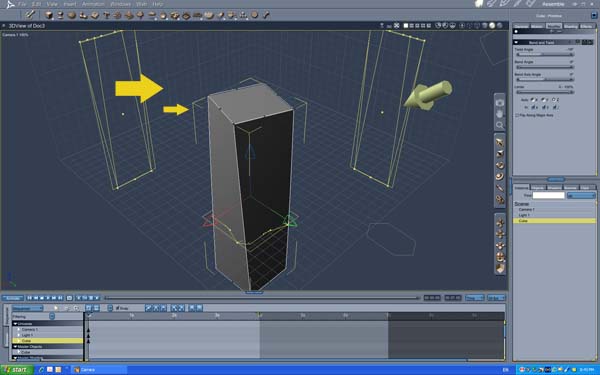
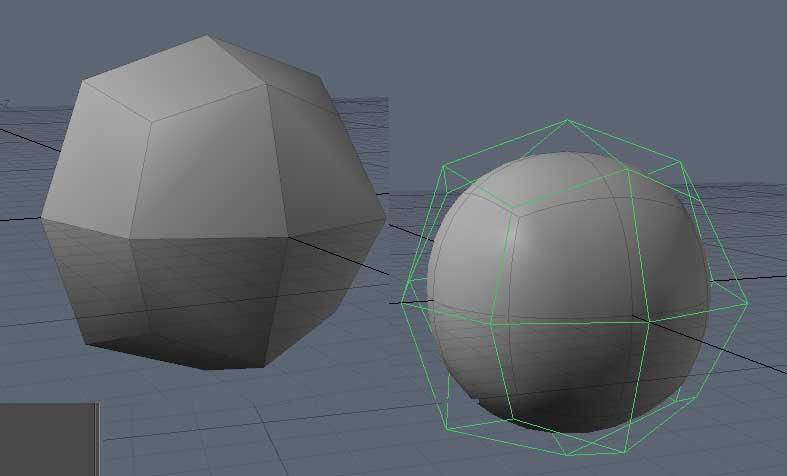
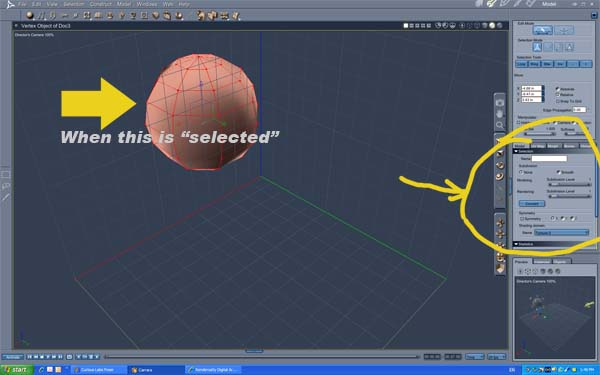
Subdivision smoothing is the Carrara equivalant to what your looking for. You can design your object in a very low Poly version then ad subdivision levels to create a more organic flow. Yuow will continue to operate on the lower poly "cage" until either you "Convert" the object OR if you export it as a .OBJ file the exported object will automatically convert to the higher poly version, saving a .CAR will not convert the subdivided object. The object will look like the subdivided object in both the "Assembly" room and when rendered in Carrara without being converted.
Other tools relavant to these oberations is the "Crease" tool which will create hard edges and the "bevel" tool which will create rounded radius edges.
mike
bwtr, the resolution in the image is too small. I can’t see the writing. I haven't put any time into Carrara today. My morning was spent making a saddle blanket for my beast in Modo, and my evening was wasted editing with my Renderosity avatar. Eventually I'll get around to perusing the Carrara manual.
Download my free stuff here: http://www.renderosity.com/homepage.php?page=2&userid=323368
Ok. Thanks trav and bwtr.
Download my free stuff here: http://www.renderosity.com/homepage.php?page=2&userid=323368

Privacy Notice
This site uses cookies to deliver the best experience. Our own cookies make user accounts and other features possible. Third-party cookies are used to display relevant ads and to analyze how Renderosity is used. By using our site, you acknowledge that you have read and understood our Terms of Service, including our Cookie Policy and our Privacy Policy.
Most modelers have the means of converting a simple object into a cage extending over a rounded, organic shape. The cage, the vertices, polygons and edges become control points for altering the shape. I can import a Lightwave object (a biological form) but it shows up in Carrara as angular geometry. I searched for 'subpatch' in the manual but came up empty. Maybe it’s called something different. Wings, Blender and everything under the sun has its version of the ‘subpatch.’ Surely Carrara does as well….
Download my free stuff here: http://www.renderosity.com/homepage.php?page=2&userid=323368