Filter: Safe | Thu, Aug 6, 4:13 AM CDT

Renderosity Forums / Carrara


Welcome to the Carrara Forum

Forum Coordinators: Kalypso, Anim8dtoon

Carrara F.A.Q (Last Updated: 2026 Jul 30 8:26 pm)


Visit the Carrara Gallery here.

Carrara Free Stuff here.

 
Visit the Renderosity MarketPlace - Your source for digital art content!


Subject: Rock Overhangs and Hoodoos made easier and more realistic with Enhance C


danamo ( ) posted Fri, 09 February 2007 at 1:40 AM · edited Thu, 06 August 2026 at 4:12 AM

file_368377.jpg

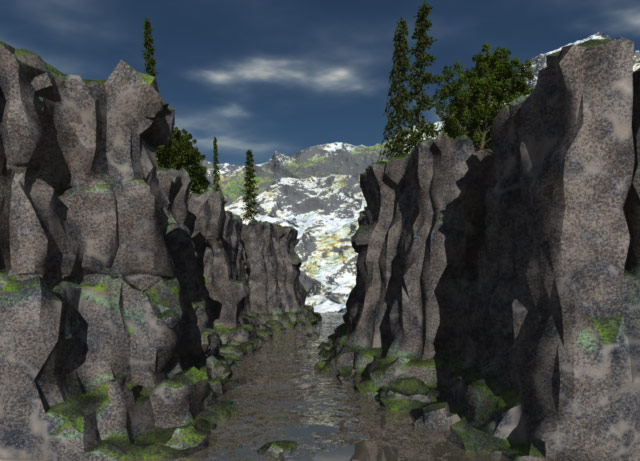
I wanted to replicate the look of a wild, water-carved river canyon that I have frequently rafted through, and this is not easy to do with terrains.    There are so many features of Carrara that really excite me with their possibilties, but one of the coolest, to my mind, is displacement. I haven't seen a lot of documentation for Carrara's implementation of displacement, other than some clues from Mark, but I always liked to tinker anyway, and I haven't been able to break Carrara yet,lol.   I got DCG's Enhance C plug-in sometime back and I am really starting to enjoy the possibilities it gives for designing textures, but then another thought occured to me; what would happen if I tried using it in the displacement channel? I made some low-poly "rock formations" with overhangs and some hoodoo-like rock stacks in Wings, and then imported them as .obj files. Each formation is around 1700-3000 polys(after one "smooth") so Carrara handles them easily.


danamo ( ) posted Fri, 09 February 2007 at 1:50 AM · edited Fri, 09 February 2007 at 1:56 AM

file_368378.jpg

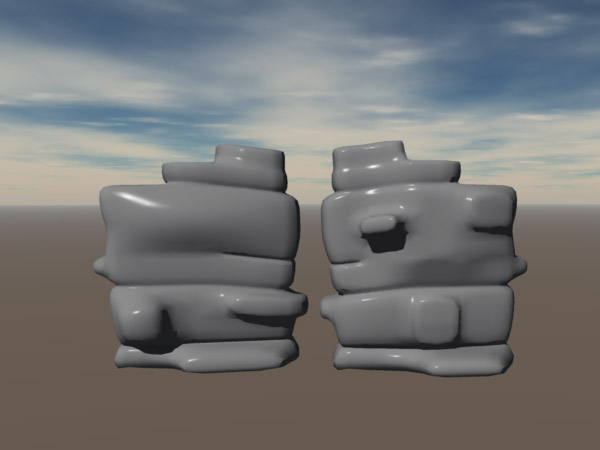
(click picture to enlarge) I made the formations 2-sided so I could turn them around and use them again elsewhere in the same scene. Anyway, I applied a slightly tweaked Gray Granite preset mat to them and then applied various Enhance C filters in the displacement channel, and then Viola!  Another thing that is really cool is taking several very-low poly "rocks", applying displacement and then using them in the surface replicator. I used thousands of 'em and Carrara doesn't even blink! Can you tell I love this app? This is probably old news to all of you Carrara veterans, but on the off chance that it might be helpful to some of the newer users,(like myself) I thought I would share what I just learned. Obviously I have too much specularity, or shine on my rock mat, but I thought I'd leave it that way for the thumbnails 'cause it helps show more detail. Cheers, Dan


bwtr ( ) posted Fri, 09 February 2007 at 1:51 AM

What you are saying sounds interesting but I can not grasp the relationship to the image?

Maybe you need to show a sequence of images which show the steps you took and the changes resulting. (Sorry if I am a bit dense--I am having one of those days!)

bwtr


danamo ( ) posted Fri, 09 February 2007 at 2:00 AM

No problem. I will try to do just that.  God knows how many things I've read in this forum that have gone miles over my head until someone took the time to illustrate what they were talking about,lol.


danamo ( ) posted Fri, 09 February 2007 at 2:26 AM

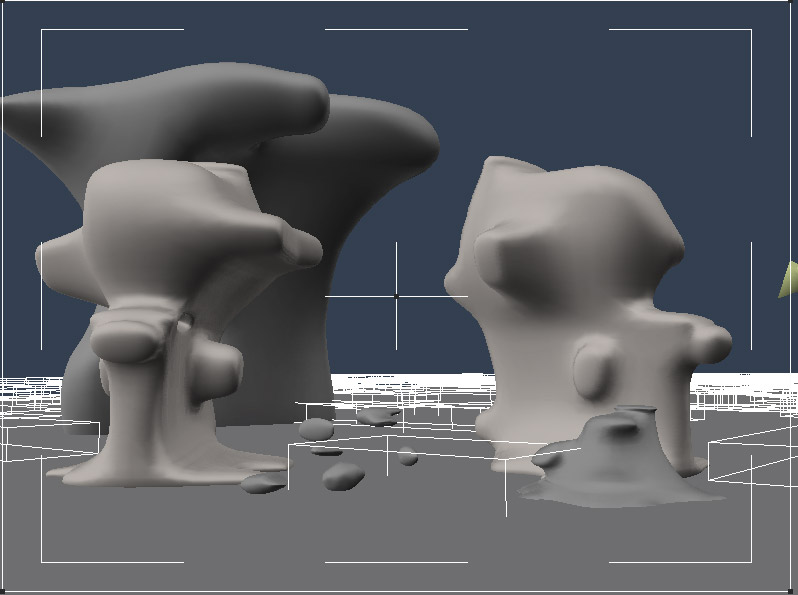
file_368380.jpg

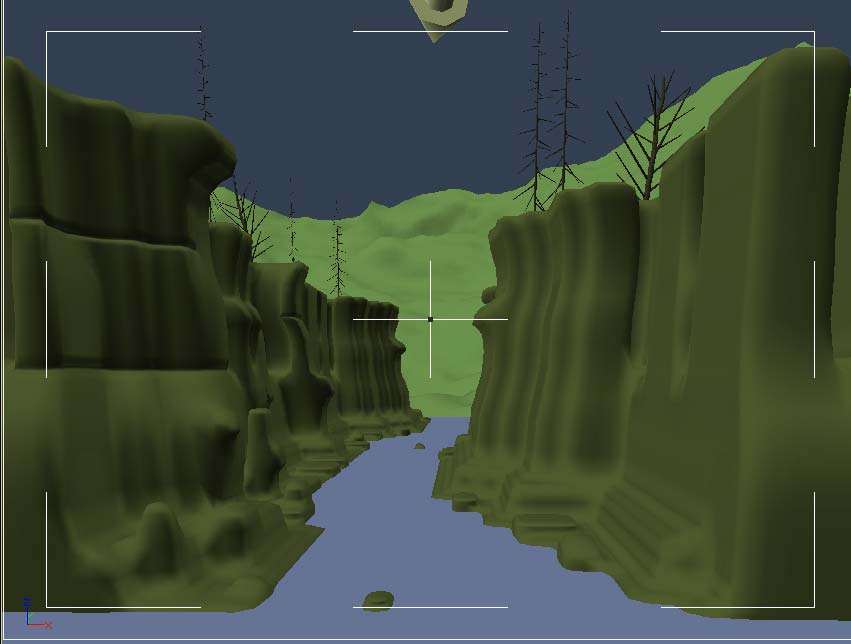
Here is a screenshot of an unrendered sample scene. Not so impressive yet,eh?


danamo ( ) posted Fri, 09 February 2007 at 2:38 AM

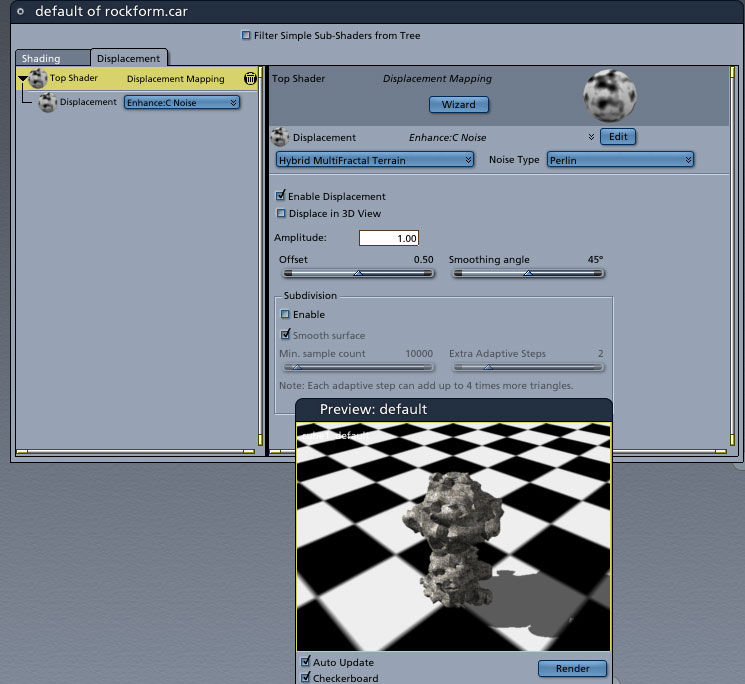
file_368381.jpg

I apply a regular rock preset shader to the rocks and make it a master shader. Then I click on the displacement tab and pick an Enhance C filter from the dropdown menu of available shaders and filters and apply it. Every "rock formation" I apply the master shader to now will get the same kind of displacement. I also used a flat terrain and some low-poly rocks and applied the same master shader to them. This is just a quick-and-dirty scene to show what kind of effects you can get. I would take alonger time to carve out the bottom of the river bed for an actual scene,lol.


danamo ( ) posted Fri, 09 February 2007 at 2:45 AM

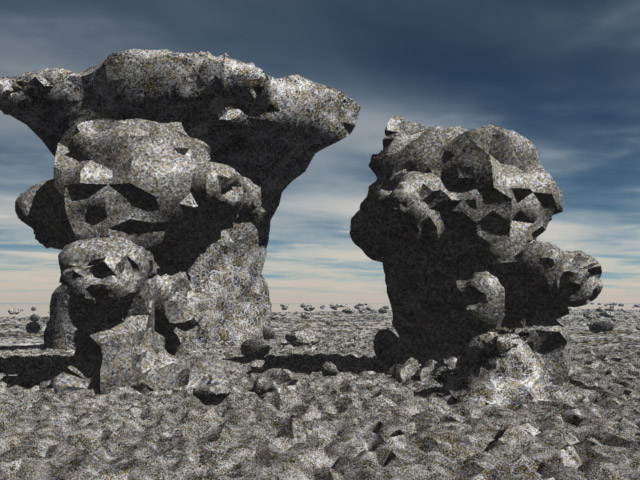
file_368382.jpg

I recommend many of the noise, fractal, and skin filters, with perlin, or enhanced perlin, but the others are also worth a try. Believe me, there are many hundreds of possible combinations. I spent most of a day just trying as many as I could, and I still have more to try. Here is a render of the sample scene. Does this make any sense yet? If not, no worries, I'll explain further.;-)


Xnah ( ) posted Fri, 09 February 2007 at 2:57 AM

Thanks, that's a great tip :)


bwtr ( ) posted Fri, 09 February 2007 at 3:00 AM

Keep up the good work--what you are showing is way different from my wildest interpretations of your original post.

I will make a pdf of this thread when you are completed to add to my Carrara/EnhanceC tutes.

Your trouble is much appreciated.

bwtr


danamo ( ) posted Fri, 09 February 2007 at 3:45 AM

file_368386.jpg

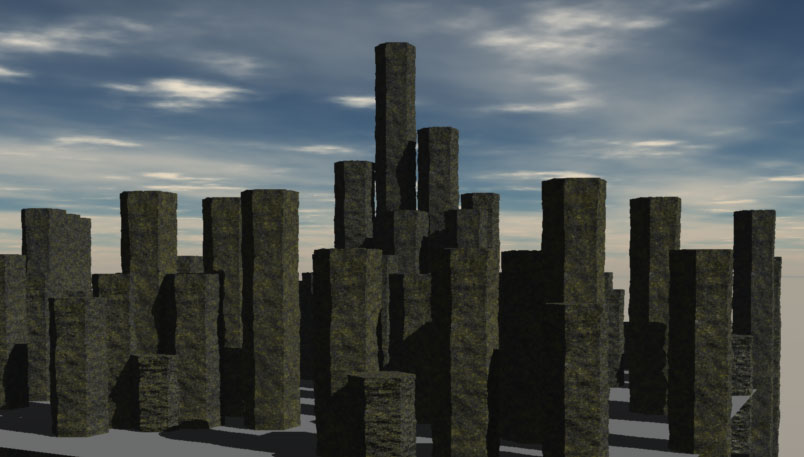
Thanks bwtr.  Happy to do so. I've just started to really get into experimenting with displacement and I was really surprised how easy it is to use. Here's a simple hexagonal shape extruded into some low-poly columns. I applied the Black Basalt preset(oddly enough) and added an Enhance C fractal into the displacement channel. I like the way it adds an unevenness to the columns and makes them much more natural and rocklike. I may make a few more variations and some rubble to the replicator and have a go at modeling the "Devil's Postpile".;-)


danamo ( ) posted Fri, 09 February 2007 at 3:57 AM

Thanks  Xnah.


bwtr ( ) posted Fri, 09 February 2007 at 5:05 PM

It's strange how we have mental blocks. Using EnhanceC as you have would never have entered my head. I too will have a bit of fun today. Thanks.

bwtr


bwtr ( ) posted Fri, 09 February 2007 at 6:10 PM

I have just been playing around using  EnhaneC,Organic1.   WOW--the variations are amazing.

bwtr


danamo ( ) posted Fri, 09 February 2007 at 8:51 PM

Lol, yeah it gets to be a bit addictive trying out all the variations and seeing how they displace the mesh. 


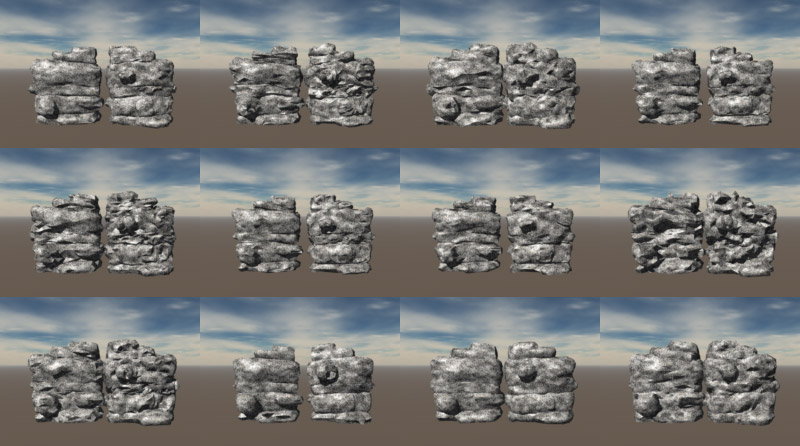
bwtr ( ) posted Sat, 10 February 2007 at 4:31 AM

file_368477.jpg

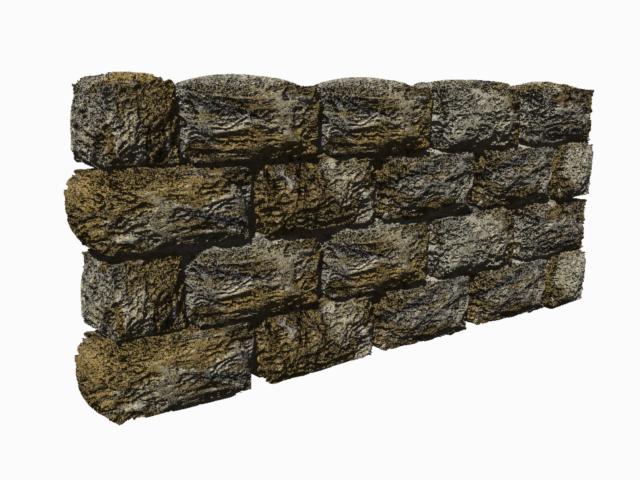
An Old Stone Wallusing your EnhanceC idea.

bwtr


danamo ( ) posted Sat, 10 February 2007 at 12:52 PM

Man! That  looks great! Now you're giving me ideas right back. Ya gotta love a forum like this for sharing ideas and information back and forth.


bwtr ( ) posted Sat, 10 February 2007 at 6:48 PM

file_368588.jpg

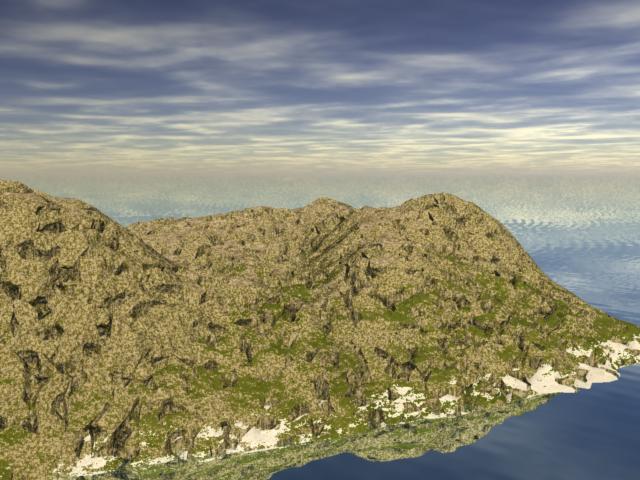
Some great potentials with Terrains also!

bwtr


bwtr ( ) posted Sat, 10 February 2007 at 7:04 PM

file_368592.jpg

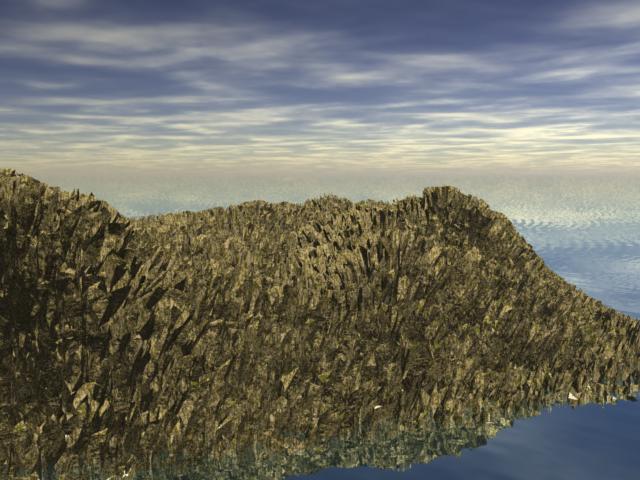
Just too many choices!

bwtr


bwtr ( ) posted Sun, 11 February 2007 at 1:49 AM

file_368631.jpg

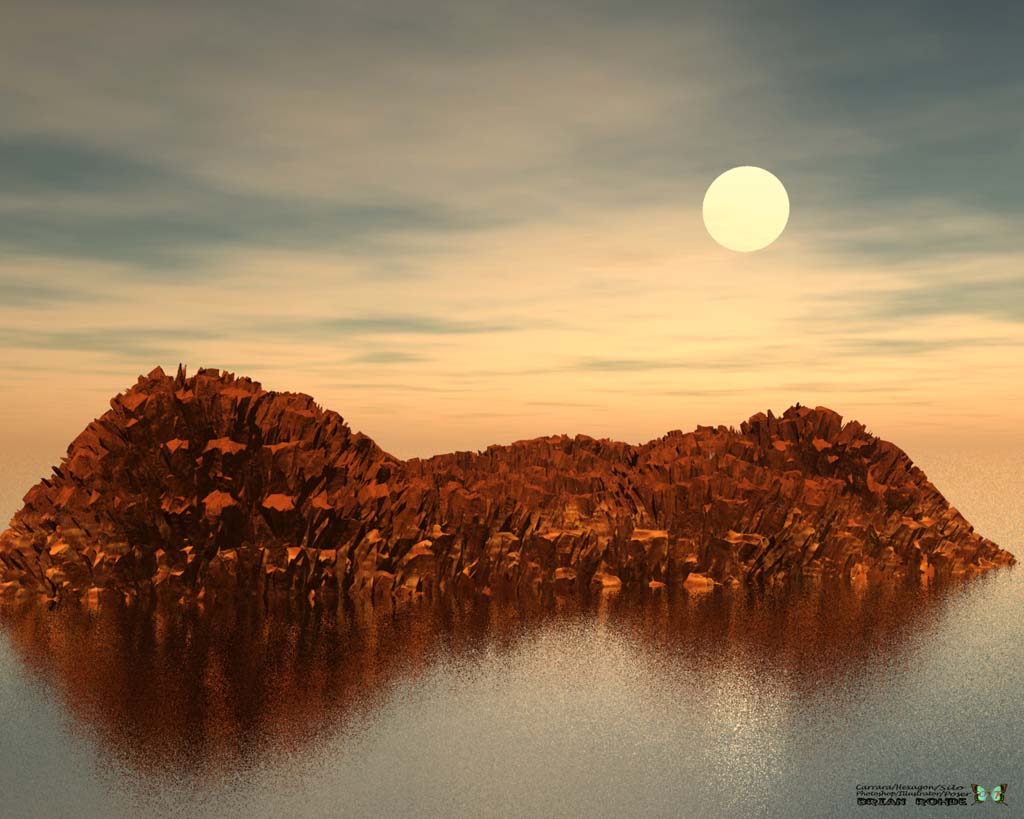
Last one.  "Hells Island!"

bwtr


Xnah ( ) posted Sun, 11 February 2007 at 3:37 AM

That stone wall is really delicious, it looks a bit like old wood as well :).

As was stated in one of the threads at the daz forums: Once you get one of the DCG plugins, you'll want them all :D. This was the one that I didn't have yet.


danamo ( ) posted Sun, 11 February 2007 at 6:19 AM

file_368660.jpg

Here's a quick little WIP; more of a "proof of concept" render. I plan to make the canyon wider, add some stair-step type rapids, snags(fallen trees and branches) lots more distant trees and vegetation, and a raft full of people. The rock texture is the first one that I totally made by scratch. I added a slope operator with a little green gradient and I liked the "mossy" sort of look it seemed to add. I've had Carrara5 for almost a year now (March) and I'm just now starting to come to terms with the shader room. I want to get the DCG Terrain Tools plug next so I can experiment with trying to get some froth or spray effects. I'd also like to see if I can use it to try to add a band of wet looking rock just above the river.


danamo ( ) posted Sun, 11 February 2007 at 6:21 AM

file_368661.jpg

Heres the unrendered scene.


Privacy Notice

This site uses cookies to deliver the best experience. Our own cookies make user accounts and other features possible. Third-party cookies are used to display relevant ads and to analyze how Renderosity is used. By using our site, you acknowledge that you have read and understood our Terms of Service, including our Cookie Policy and our Privacy Policy.