
Renderosity Forums / Carrara
Welcome to the Carrara Forum
Forum Coordinators: Kalypso, Anim8dtoon
Carrara F.A.Q (Last Updated: 2026 Jul 30 8:26 pm)
Visit the Carrara Gallery here.

Subject: Playing with replicated birds


Looks brilliant. Perhaps when you render it at a large size you could put some depth of field in so that the focus is taken off the background.
There's also a tool called "swap" from http://www.inagoni.com which you could use to put some balls or low rez models in place of birds then swap them back when you are happy.
I wish swap would work for what I doing. I think if I had 33 actual boned birds in the scene, I'd drash for sure. Another thing I was thinking was to bring in each bird as a posed, not boned, maybe low polycount with nice texture.. then I could have a lalf dozen poses instead of three - or twelve poses - and the little legs are not tucked back. I don't have enough depth of field going, just a little. Thanks for the tip. R
Never Give Up!
What you are attempting to do would not work well as an animated gif which only support 256 colours.
Depending on your platform, you could export as a .MOV (probably best for posting here) or a series of frames (to convert in a video package of your choice) or I use uncompress AVI and then use Microsoft Movie maker to convert that into a WMV.

Hi Onimousplay, Animated gif are THE lowest common denominator. To get get good quality usually results in files too big to post here at Renderosity. Gifs are better for non-photographic subjects. It's just a curse of the format. That said, the settings of Adaptive and 256 colors are usually the best. I wouldn't be optimistic that these will yield satisfactory results. :-/

Privacy Notice
This site uses cookies to deliver the best experience. Our own cookies make user accounts and other features possible. Third-party cookies are used to display relevant ads and to analyze how Renderosity is used. By using our site, you acknowledge that you have read and understood our Terms of Service, including our Cookie Policy and our Privacy Policy.
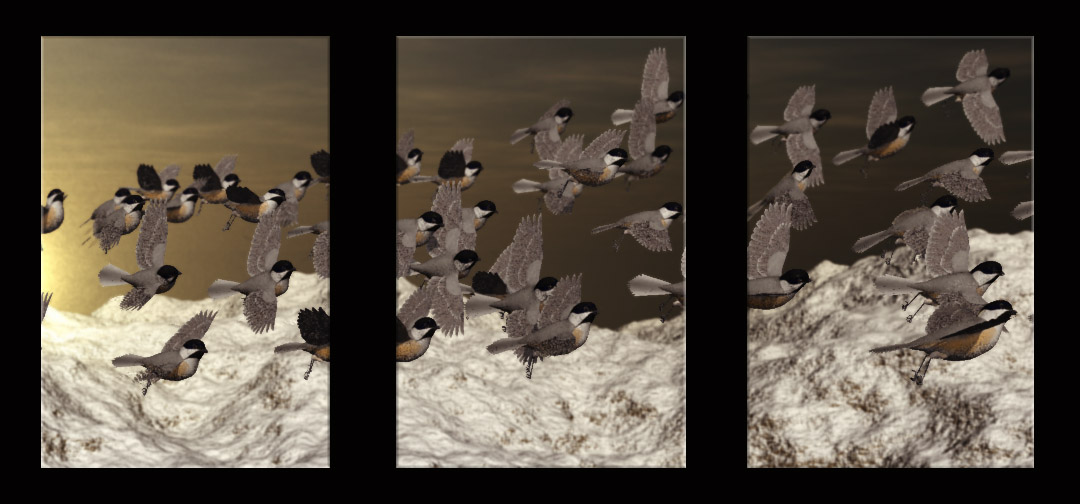
I wanted to have a flock of birds - after loading three, all with bones from Poser, I was able to replicate them - with luck. My computer put up a fight with just 3 poser birds in the set up room at the same time. Can't afford a new computer yet. This image is a test to see how these will look matted/ framed. Any suggestions? I wish I could move the replicated place holders individually- That would be da bomb. RNever Give Up!