
Renderosity Forums / Carrara
Welcome to the Carrara Forum
Forum Coordinators: Kalypso, Anim8dtoon
Carrara F.A.Q (Last Updated: 2026 Jul 11 2:50 am)
Visit the Carrara Gallery here.

Subject: C5, P6 Imports, and major headaches.


I don't know what happened in the file, but the render quality is simply a matter of you learning lighting and how to use the renderer. It has a lot of options. You may have to also tweak the textures. Lots of power in the shader room. The lighting does need some rework. Did you use transposer? Are you on a mac or PC? Make sure you remove unused master shader and objects. If you brought things in multiple times you may have trash that needs removal. Usually, the quality of the textures effect the render greatly tho and I don't know what textures you are using, but poser procedurals are not going to look the same in carrara. Learning how the lighting works is key. Probably should turn off you ambient lighting also. It starts at 20% so turn it to 0. Some lighting and special effects and even texture effects can quickly add to render time. Depends on what they were. Did you see what happened to you ram usage when you tried to do this?
No need to think outside the box....
Just make it
invisible.
Well, The textures for the figures are straight out of Poser, so I know they won't look the same in C5. It's a shame C5 can't directly import the skin bitmap and remap it on the fly. The lighting looks the way it does becauseno matter what I tried, I could not get the point sources I created to work the way they should, and I had to use a dim ambient light or you couldnt even seethe figures. I also had to mess with color channels and such as well as brightness post render in Paint Shop Pro to get the details visible. Yes I used transposer. I am thinking of trying native, since I have no dynamic clothes on the models. I am on a PC. AMD Athlon 64x2 3800, Dual core processor, 2GB DDR400 ram, about 125GB free disk space on the swap file drive. Right now I am going to try it in reverse. I am going to render the hall, then import it into P6 as a background image and then render the final draft with the P6 firefly renderer. Lighting might get a bit trickier, but the only other option I have is what I call paper dolling it. Basically you create a simple cube object, make it as 2D as possible, then use a layered list shader on it. For the master shader you want it completely transparent, then create a shadig domain and import therendered image from P6 for that domain. I'll let you know how it comes out both ways.
Quote - I don't know what happened in the file, but the render quality is simply a matter of you learning lighting and how to use the renderer. It has a lot of options. You may have to also tweak the textures. Lots of power in the shader room. The lighting does need some rework. Did you use transposer? Are you on a mac or PC? Make sure you remove unused master shader and objects. If you brought things in multiple times you may have trash that needs removal. Usually, the quality of the textures effect the render greatly tho and I don't know what textures you are using, but poser procedurals are not going to look the same in carrara. Learning how the lighting works is key. Probably should turn off you ambient lighting also. It starts at 20% so turn it to 0. Some lighting and special effects and even texture effects can quickly add to render time. Depends on what they were. Did you see what happened to you ram usage when you tried to do this?
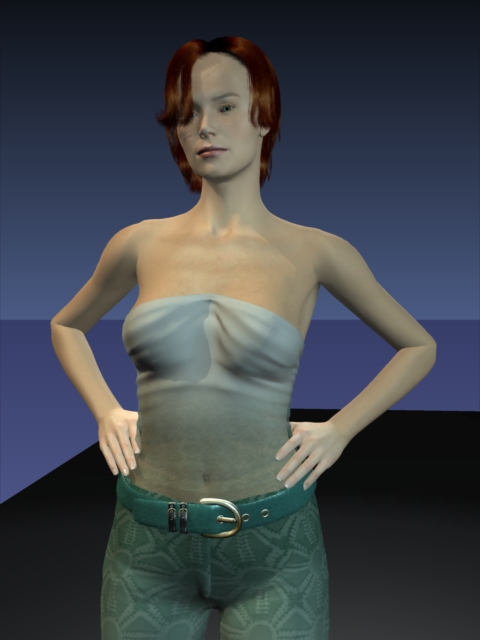
No need to think outside the box....
Just make it
invisible.
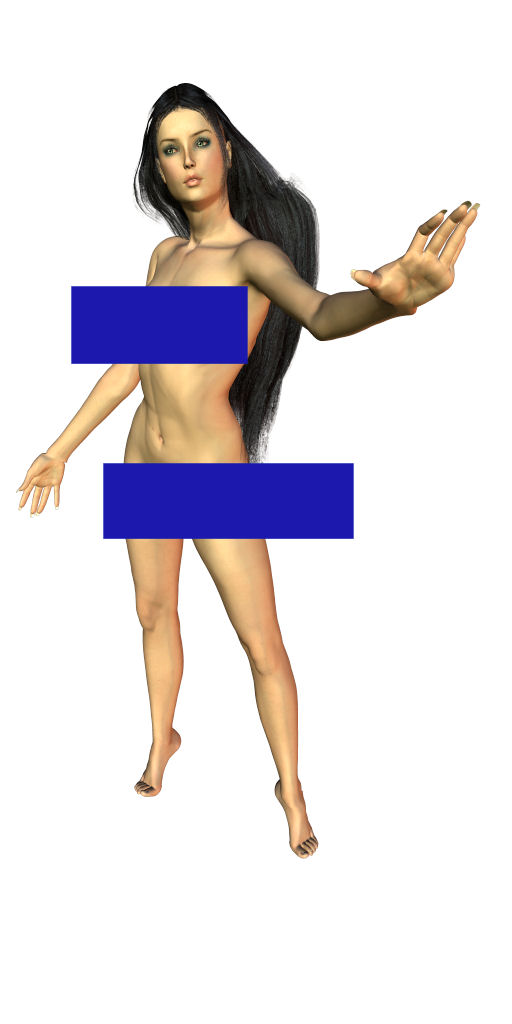
Thanks for the advice
Rich
Quote - There is alot to c5 lighting and it can really vary. So it takes a bit to master. I assume you just got c5. I haven't been using c5 long myself. The bump should come in, but doesn't always look great depending on the texture. Here is a render w/ no global illumination at all. Not saying you have to have no ambient, but start w/ none. Just a simple set w/ 3pt. Haven't worked on the hair. The skin uses SSS. Rendered w/ good antialias, but that is it. Learning what to light, how the shadows will work etc all matter. There are tons in the lights. The sss adds to render time and some textures don't benefit that you would think might. So unless it really adds it is not worth the render time. There is no bump w/ this the texture is very realistic and looks better w/o it, which is a bonus. Got 10% ambient. Haven't really worked on hair tho...it can be tricky.
The thing about all these programs is they are unique and when you are used to another program is can actually often create more of a learning curve. I don't think there will be a workflow that will be just import and render in carrara. The options in carrara maybe frustrating at the moment, but once you start learning all the things you can do with them I think you will love it. I don't use poser never have so I didn't have to adjust to anything else. I am far from having all the lighting down. I am always trying different options.
No need to think outside the box....
Just make it
invisible.
If you mean importing via transposer limits how you can position things. I think that is true, but I don't use it. I use native. Any GI option will add render time, of course there are times when it is really worth it. I don't think it is a bad or good thing, just differnt tools require a different approach. I did more of that a few months ago when I got c5 now I am spending more time using actual lights and all the options there. It is important to learn, it saves render time, gives more options and you can save the lighting to reuse. Irradiance maps are probably cool, but haven't even gotten to those yet :biggrin:.
No need to think outside the box....
Just make it
invisible.
Most of the learning I still have to do in C5 is using Vertex Objects. I usually use the spline modeler almost exclusively, but I am starting to play with the other modeler. As I said I have been using various versions of Carrara and RDS for years. Until recently, I have not had a machine that could handle all of C5s best toys. I am starting to wish I had started with the vertex modeler a while back. It gets harder to learn new tricks as you get older :) lol.
I don't use, but a bit of Carrara's modeller's really, I prefer HEX much easier, I feel. I think it's more about motivation and inspiration than age. People can tend to get into habits. You definitely have a machine that can handle it. That machine should cut normal render times in half.
No need to think outside the box....
Just make it
invisible.
Well, right now I am in a bit of a bother. I somehow picked up the win32.polip virus and norton's instructions for removal, not only didn't work but trashed my OS on that machine. I plan on trying the vertex modeler more often once I get the system back into functional condition. It takes me a bit longer nowadays to learn new tools. I had a major medical problem a few years ago involving an aneurysm of the brain and I have had some trouble with math and such ever since. I can still get there but it seems to take me a bit longer. :)
I was very lucky, I went to the hospital for an ear infection, they did a CT and they caught the aneurysm before it burst. Instead of cutting a hole in my head they used a procedure similiar to an angiogram to insert metal wire coils through an artery to form a ball and keep the aneurysm from expanding any more and popping. Of course having a golf ball sized ball of wire in your head has all kinds of interesting effects lol... I just got the good box back online. Now all I have to do is reinstall all of my software and the Gigs of add ons I have aquired over the years. That should keep me busy for the next week or so. I wish Ihad the writer of that bug here. He'd have a ball of wire in his head too by now.....

Hi ren-mem and bionic buddy. I have exactly the same memory allocation error on my mac when I tried to render a PZ3 of a classroom with about 12 fully dressed and posed mil figures. It just kept crashing or giving me that memory allocation error. I submitted a bug report. O kay it was a huge file about 650 megabytes, but I have a very good computer and 5 gig of ram. I thought it would work. It almost worked until I added an apollo. that seemed to be the last straw. And no, it wasn't because he was apollo, as it happened after that even when I removed him. I also had files not opening again at times. Very sad. I had to render it by making several figures invisible at a time, rendering multiple times, then putting it all together in photoshop. Love esther PS seemed to happen the most when I used the toon renderer.
I aim to update it about once a month. Oh, and it's free!

I'm having very similar troubles with C5_Pro. Some scenes it flat out won't load. Some I can manage to load after a number of tries, but when I try to render, C5 blinks out. Gone. With still others, I get the "unknown error"s or the "memory allocation error"s. I'm starting to wonder if I didn't have a lot less trouble with "vanilla" C5, rather than C5.1?? Do these problems seem worse on 5.1 to anyone else. We're talking scenes in the 150-225 megabytes range with multiple figures and hi-res textures.
I was also tinkering with the idea of loading scene elements in bite sized chunks. In otherwords, set the scene in Poser, and then save out the scene elements in separate files. Then using Import in C5, rather than Open.
I'm not a happy camper. I switched to Carrara to get away from this sort of problem. Belive it or not, last night I rendered a 'toon in Poser, at medium resolution, that C5 wouldn't even load. Talk about a turn about.
I have noticed that C5 is pretty picky about the scenes you import. I was never able to get a file I wanted to render in C5 to load, it had multiple figures (3), dynamic clothes and hair, with hi res textures. I ended up doing it the other way you said, by saving the figures one at a time in P6 and loading them seperately in C5, then I got the memory allocation error in C5. I ended up rendering the scene in C5 then putting the figures in, in P6. Oh well... I'll figure it out eventually. I did notice that Bliss Vision hair does not work very well in C5, you always end up with a visible skull cap where it should be transparent. And you can never figure out which of the dozen or so procedural shaders C5 creates for it are the skull cap to remove it properly.Maybe with Eovia being bought by Daz, they will improve the rendering of poser figures and dynamic hair, or better yet, if they integrated Daz Studios functions into the next version of Carrara it would be awesome.
Quote - I'm having very similar troubles with C5_Pro. Some scenes it flat out won't load. Some I can manage to load after a number of tries, but when I try to render, C5 blinks out. Gone. With still others, I get the "unknown error"s or the "memory allocation error"s. I'm starting to wonder if I didn't have a lot less trouble with "vanilla" C5, rather than C5.1?? Do these problems seem worse on 5.1 to anyone else. We're talking scenes in the 150-225 megabytes range with multiple figures and hi-res textures.
I was also tinkering with the idea of loading scene elements in bite sized chunks. In otherwords, set the scene in Poser, and then save out the scene elements in separate files. Then using Import in C5, rather than Open.
I'm not a happy camper. I switched to Carrara to get away from this sort of problem. Belive it or not, last night I rendered a 'toon in Poser, at medium resolution, that C5 wouldn't even load. Talk about a turn about.
Oh, I fogot to mention. The troubles that I detailed were with TransPoser. With the native importer? The scenes I was having trouble with came in scrambled. Poses gone. Textures gone. Everything in the scene at XYZ zero. Useless.
I do hope that since DAZ now owns eovia, these sorts of problems will be rapidly sorted out. It's now in DAZ's best interest to WAY outdo Poser, if they can. Presumably they got some hotshot code writers with eovia's Carrara operation. Should be doable.
I still wish there were a good Poser scene to Lightwave translator. I'd buy it in a second. LW has none of these issues. A very hot rendering engine, too. Got a memory error? Split the render into more segments. Nothing to it. Lightwave doesn't load all your scene objects into one file. It references the original model files, instead. Oh, well.
I just discovered something interesting. I ran C5 and did a fairly involved render, with no poser imports. I have a memory manager that keeps track of memory usage by applications. During the render, C5 was stuffing about 1.2GB of data into the swap file. In addition to about a gig of normal ram. After the render, C5 did NOT clean up the page file area and left a ton in normal RAM. When I exited the program, C5 still did not clean up after itself properly, and left about 400MB in page file, and 300MB in RAM, all of it highly fragmented. I think this is half the problem with memory allocation errors. The program simply isn't cleaning up after it completes tasks and then tries to use the same RAM. I restarted C5 without cleaning the memory manually and the next render I did, sure enough, memory allocation error. I closed C5 again, ran my memory optimizer, and then back to C5, and then it would render. I am not sure if this is a windows problem or a C5 issue, but it's definitely not good.
Quote - Hi ren-mem and bionic buddy. I have exactly the same memory allocation error on my mac when I tried to render a PZ3 of a classroom with about 12 fully dressed and posed mil figures. It just kept crashing or giving me that memory allocation error. I submitted a bug report. O kay it was a huge file about 650 megabytes, but I have a very good computer and 5 gig of ram. I thought it would work. It almost worked until I added an apollo. that seemed to be the last straw. And no, it wasn't because he was apollo, as it happened after that even when I removed him. I also had files not opening again at times. Very sad. I had to render it by making several figures invisible at a time, rendering multiple times, then putting it all together in photoshop. Love esther PS seemed to happen the most when I used the toon renderer.
Yes, I think that's part of the problem. I've been able, on occasion, to get C5 to load a scene properly after doing a reboot. It's not the whole answer, though. Textures can choke it badly. And it seems to give me more trouble when I've got a ton of parent-child stuff in a scene. Which happens a lot with these combined beasts I've come up with lately. I'm still thinking that if you broke the scene into pre-posed components, used the native importer, then brought them into the C5 scene bit by bit, you might have better luck. I'll try it when I have time. Unfortunately, I have very little of that right now. My day job is working me six days a week, ten hours on weekdays. And I'm still trying to maintain the two 'toon per week posting on www.fotoonz.com . Eeeesh.
i had the most problems with memory whenrendering using toon Pro plugin. love esther
I aim to update it about once a month. Oh, and it's free!
I notice Toon Stuff seems intense to render. OT abit.
Can somebody confirm for me whether you can animate Poser characters from within Carrara after using transposer 2? Can you apply poses etc from with in Carrara...? My understanding is basically it is linked to Poser. Would unlinking the file make a difference? Curious.
No need to think outside the box....
Just make it
invisible.

Transposer allows you to LINK to animated Poser files. You can adjust textures but not motion. If you sever the link, you are left with an object and no bones. With Transposer, animations/poser movement adjustments must be done in Poser. C5's Native Import option lets you bring in characters with bones for animation within Carrara. C5Pro allows for BVH and FBX import of motion to attach MoCap to figures. Native Import will not bring in motion information from Poser in the same manner that TransPoser does. Clear as mud?
Thanks mark.
I was sure about native import. I also thought that was the relationship with transposer. Thought I would ask tho. Really , if you want to animate in Carrara (with poser characters) and do the actual animation in Carrara you need to use native then, correct? I don't use Poser so I just wanted to confirm that.
No need to think outside the box....
Just make it
invisible.

Privacy Notice
This site uses cookies to deliver the best experience. Our own cookies make user accounts and other features possible. Third-party cookies are used to display relevant ads and to analyze how Renderosity is used. By using our site, you acknowledge that you have read and understood our Terms of Service, including our Cookie Policy and our Privacy Policy.
Content Advisory! This message contains nudity
Hi.
I just uploaded an image to the galleries (http://www.renderosity.com/viewed.ez?galleryid=1205040&Start=1&Sectionid=0&filter_genre_id=0&WhatsNew=Yes) Warning, has nudity, but I am having a problem with the original file. Let me start from the beginning..
I started by creating a single poser scene with 3 figures in it. 2 Are based on V3 and one on A3, then added three more figures for the hair for each. Next, after posing them and saving the file, I opened my C5 and opened the scene file I had created for the building that they are in. This was a fairly complex model, with multiple light sources. I managed to keep the transparents down to next to none though.
Next I touched up and finalized the room model, then imported the poser scene into C5 using transposer, keepign the link to the P6 file, but not importing the lighting or animations.. No problems so far and the scene imported into the hall with no problems. Next I created three groups, one for each main figure and their hair. I resized the three new figure groups to about 50% to get them to scale with the rest of the scene. I then added some lighting and special effects, and set the final position for them. This is when the first of the headaches occured. I tried initially for a 1600x1200 200DPI render, using Indirect Lightin and only ambient occlusion, I set all other settings at about mid level. I tried the render and got the common Memory Allocation Error. Now I am running an Athlon 64x2 with 2GB physical RAM and about 100GB of hard disk space available... I changed some of the settings, turned off indirect lighting altogether, reduced the antialiasing quality etc, changed it to only 100DPI and managed to get it to render.
After the render as complete, I realized I needed to change some of the lighting, but I was tired and saved the changes and closed C5. No problems during the final save or the shutdown. A few hours later, I reopened C5 and tried to open the file. It looked like it was opening fine, but afterthe bar got all the way across, I got a (An unknown error has occured during the open operation.) message. It simply will not let me reopen any of the saved versions I have with the figures imported. Has this happened to anyone else? Also the figure quality in the final render was not nearly as good as in P6.
I think I am going to have to resort to rendering the Guild hall itself in C5, then rendering each figure seperately in P6, then putting them together in PSP X and adding lighting there. I really wish C5 could render P6 docs as well as the P6 Firefly renderer. It does so well on other objcts but makes even the best textured P6 figures look like plastic dolls. Oh well, it anyone has any suggestions or comments, please let me know. I would attach the C5 file here but it is absolutely huge.
Thanks in advance, Rich.