
Renderosity Forums / Carrara
Welcome to the Carrara Forum
Forum Coordinators: Kalypso, Anim8dtoon
Carrara F.A.Q (Last Updated: 2026 Jul 11 2:50 am)
Visit the Carrara Gallery here.

Subject: Extrude spiral objects along a sweep path?


I know this is easy to do in C4D (you did mention other 3D apps). Create a helix spline and a circle spline (setting the circle to the desired radius for your phone lead), then drop them both into a sweep nurbs object. Make sure the circle is above the helix. Thats it! Sorry I cant give any advice for Carrara, my demo has expired:( Michael;)
I never intended to make art.
Attached Link: http://www.renderosity.com/viewed.ez?galleryid=1005681&Start=1&Artist=sailor%5Fed&ByArtist=Y
I wrote a rope tutorial in the Hexagon forum at 3DXtract. I am not sure you will find it helpful but you can find it by searching "sailor_ed" as user and "rope" as keyword. The url will lead you to an image using the technique 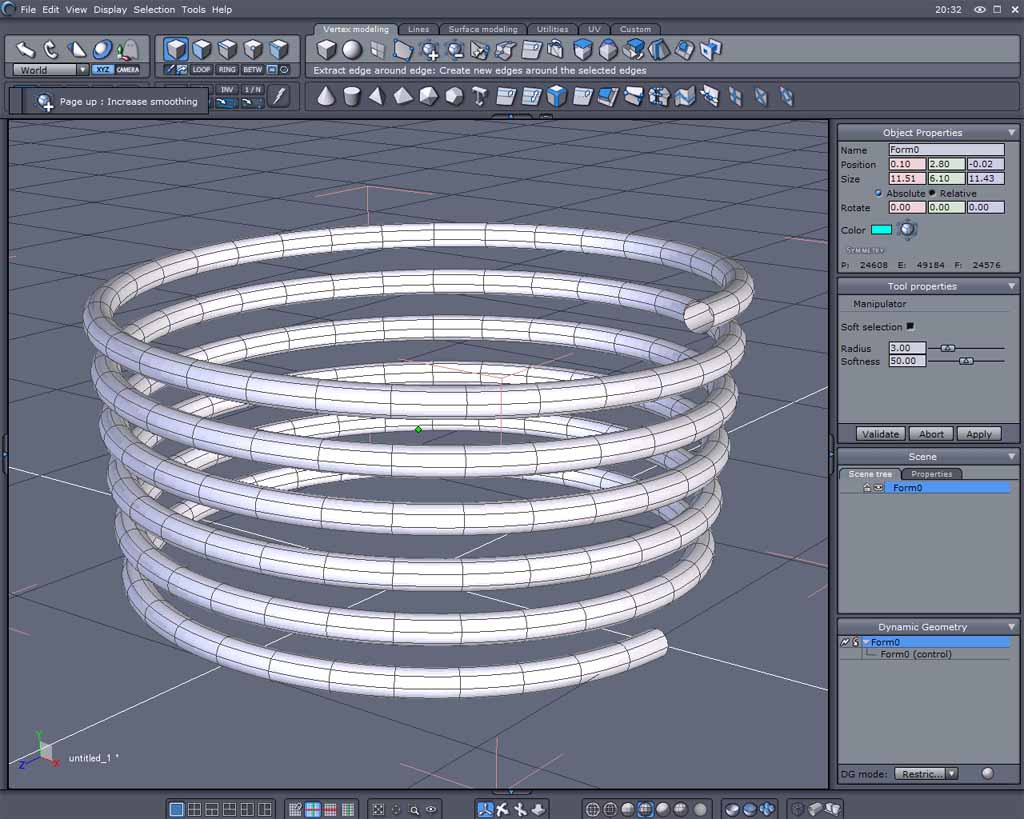

Privacy Notice
This site uses cookies to deliver the best experience. Our own cookies make user accounts and other features possible. Third-party cookies are used to display relevant ads and to analyze how Renderosity is used. By using our site, you acknowledge that you have read and understood our Terms of Service, including our Cookie Policy and our Privacy Policy.
Does anyone know whether it's possible to create a spiral (spline) object and then extrude it along a secondary sweep path? The idea is to create a telephone chord, rope etc. The Carrara modifiers only do a limited job. Are there other 3d programs / modellers that can do it? I've tried it in Hexagon but, again, the result is limited.
Advice would be highly appreciated!