Filter: Safe | Wed, Jul 15, 5:47 PM CDT

Renderosity Forums / Carrara


Welcome to the Carrara Forum

Forum Coordinators: Kalypso, Anim8dtoon

Carrara F.A.Q (Last Updated: 2026 Jul 11 2:50 am)


Visit the Carrara Gallery here.

Carrara Free Stuff here.

 
Visit the Renderosity MarketPlace - Your source for digital art content!


Subject: SSS and skin revisited


ShawnDriscoll ( ) posted Thu, 19 January 2006 at 4:34 AM · edited Wed, 15 July 2026 at 5:46 PM

file_319780.jpg

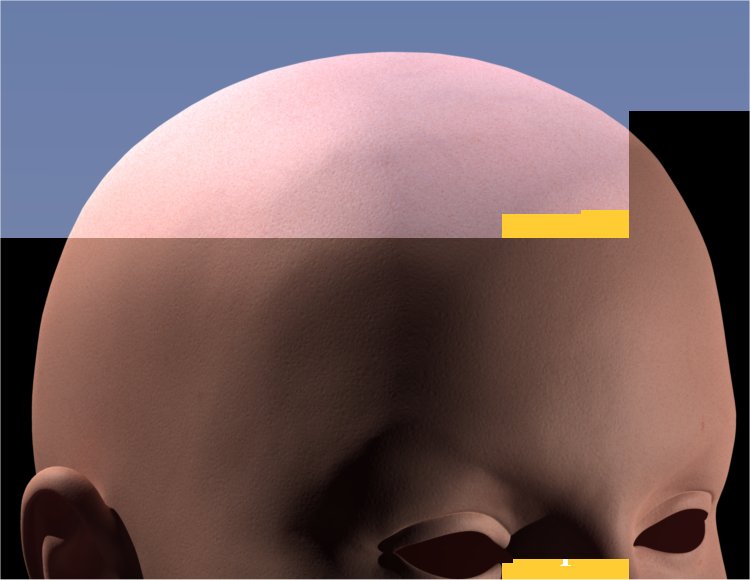
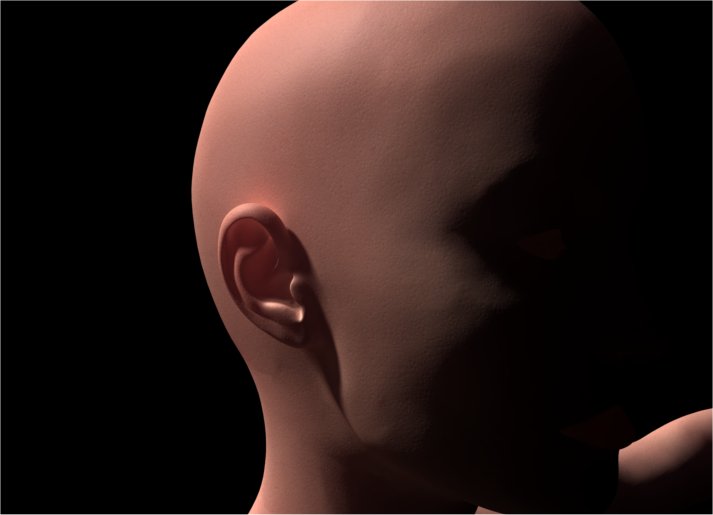
Testing Carrara Pro 5's SSS on a DAZ V3 ear mesh. Procedural skin was borrowed from Athena. Ignore the eyes and lips for now.

www.youtube.com/user/ShawnDriscollCG


Sans2012 ( ) posted Thu, 19 January 2006 at 6:41 AM

Nice, ear, work;)

I never intended to make art.


GWeb ( ) posted Thu, 19 January 2006 at 10:28 AM

Hrmm is there transcluent avialable in renderer?


ren_mem ( ) posted Thu, 19 January 2006 at 2:29 PM

Yeah, Gweb there is.The translucence is there. It will vary on strength/position of light. You also have limited control compared with real world solids, but I would say that definitely makes a difference. You should show the ear w/out it Shonner to compare difference.

No need to think outside the box....
    Just make it invisible.

ShawnDriscoll ( ) posted Thu, 19 January 2006 at 10:05 PM · edited Thu, 19 January 2006 at 10:10 PM

file_319781.jpg

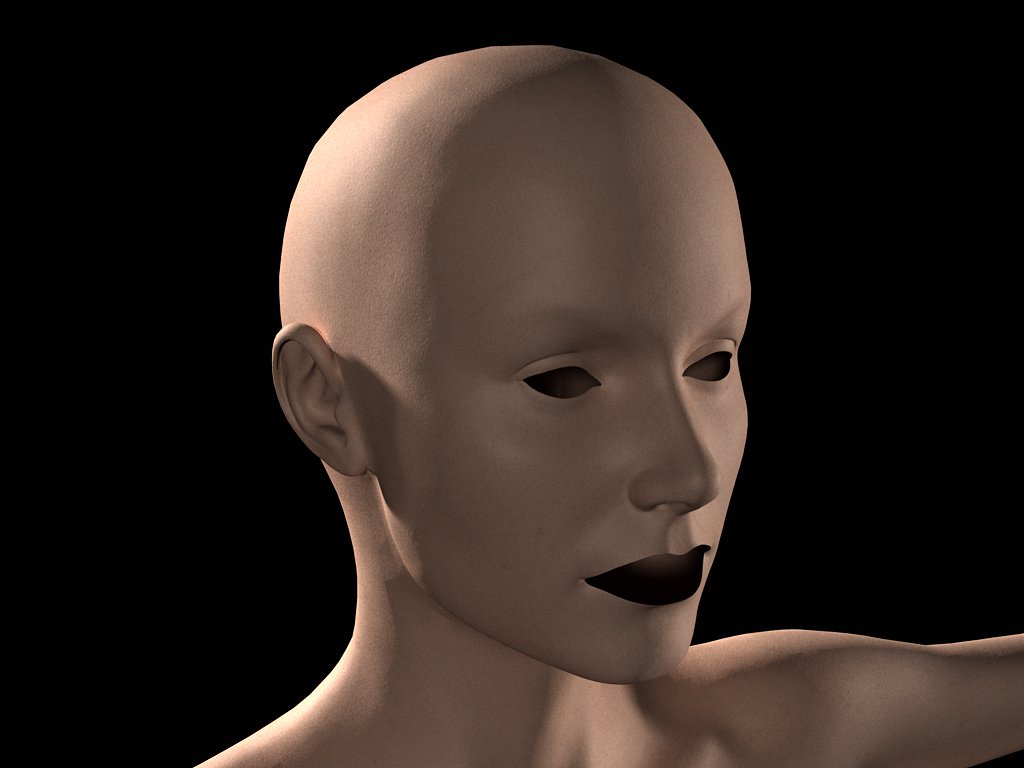
Here's the V3 mesh with SSS turned off. The skin is less pink because that was the color I used for SSS. The object still looks great because I'm using good lighting and skin shader. But when you see the SSS object above, this one might not look all that great anymore.

Message edited on: 01/19/2006 22:10

www.youtube.com/user/ShawnDriscollCG

ren_mem ( ) posted Thu, 19 January 2006 at 10:10 PM

Big difference.

No need to think outside the box....
    Just make it invisible.


ShawnDriscoll ( ) posted Sat, 21 January 2006 at 8:02 PM

file_319782.jpg

I couldn't increase the SSS without making her whole head light up. So I put a spotlight behind the ear to see if more light would show through.

www.youtube.com/user/ShawnDriscollCG


ren_mem ( ) posted Sat, 21 January 2006 at 11:06 PM

Couldn't you do it w/ shading domains? They might look the same, but the ears would have more sss.

No need to think outside the box....
    Just make it invisible.


ShawnDriscoll ( ) posted Sun, 22 January 2006 at 12:38 AM · edited Sun, 22 January 2006 at 12:40 AM

If I use shader domains the whole ear would be more red-ish than the rest of her head. Or the ear might not work at all with SSS because it wouldn't have enough mass of its own for calculating SSS. I'm gonna try tweaking the SSS and GI settings somemore.

Message edited on: 01/22/2006 00:40

www.youtube.com/user/ShawnDriscollCG


steama ( ) posted Sun, 22 January 2006 at 10:47 AM

Looks great. You taught me a lot about SSS. Thanks Shonner.


ShawnDriscoll ( ) posted Sun, 22 January 2006 at 5:08 PM

file_319784.jpg

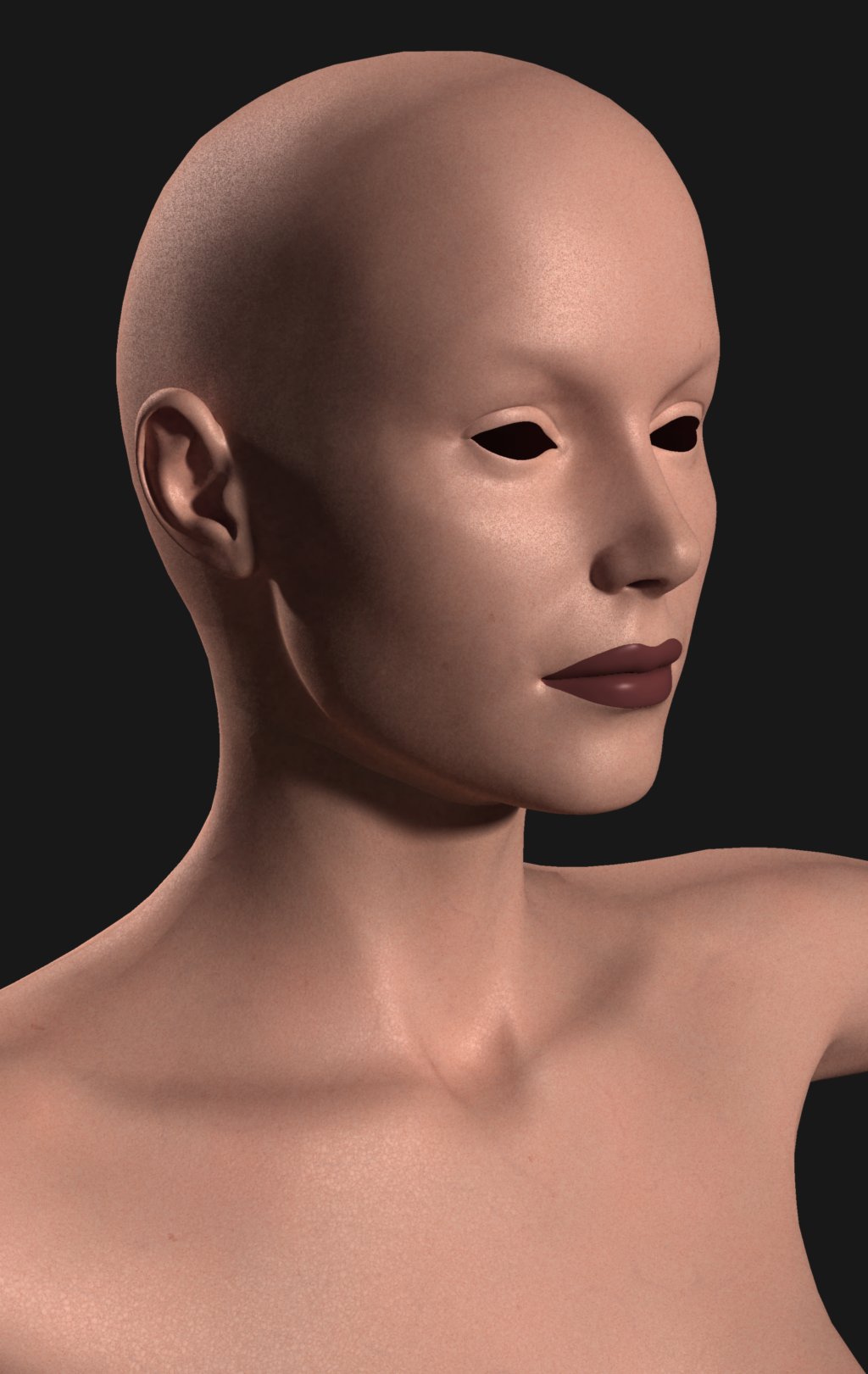
Here's another sample. I was pleased with the results of the first render pass. I gave up on the ear and just focused on a good lighting for the rest of V3's head. There is a hint of both SSS and skin texture in the render. Now I'm trying another render with skylight turned on using a gradient color background for additional lighting. SSS really sucks in the light and makes pink out of it, the more light you give it. The skin texture is a tan color. We'll see if she turns out to be a pink alien of some kind. Otherwise, I'll have to turn down the skylight brightness.

www.youtube.com/user/ShawnDriscollCG

ShawnDriscoll ( ) posted Tue, 24 January 2006 at 12:26 AM · edited Tue, 24 January 2006 at 12:32 AM

file_319785.jpg

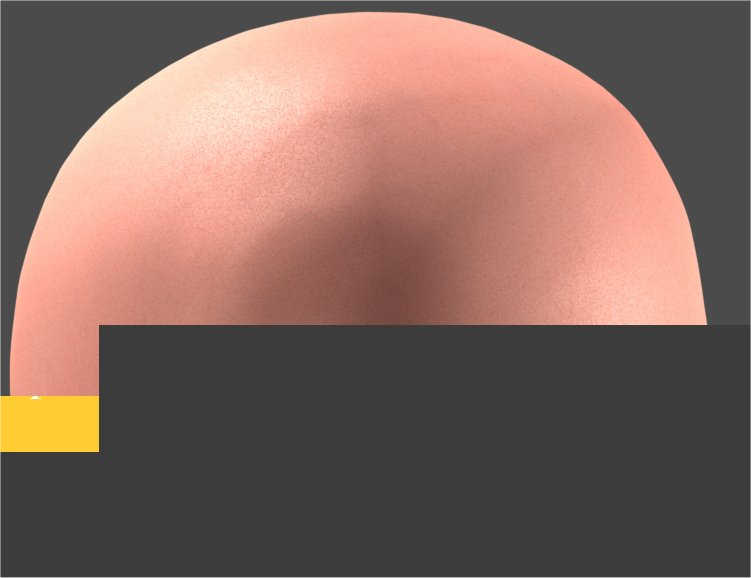
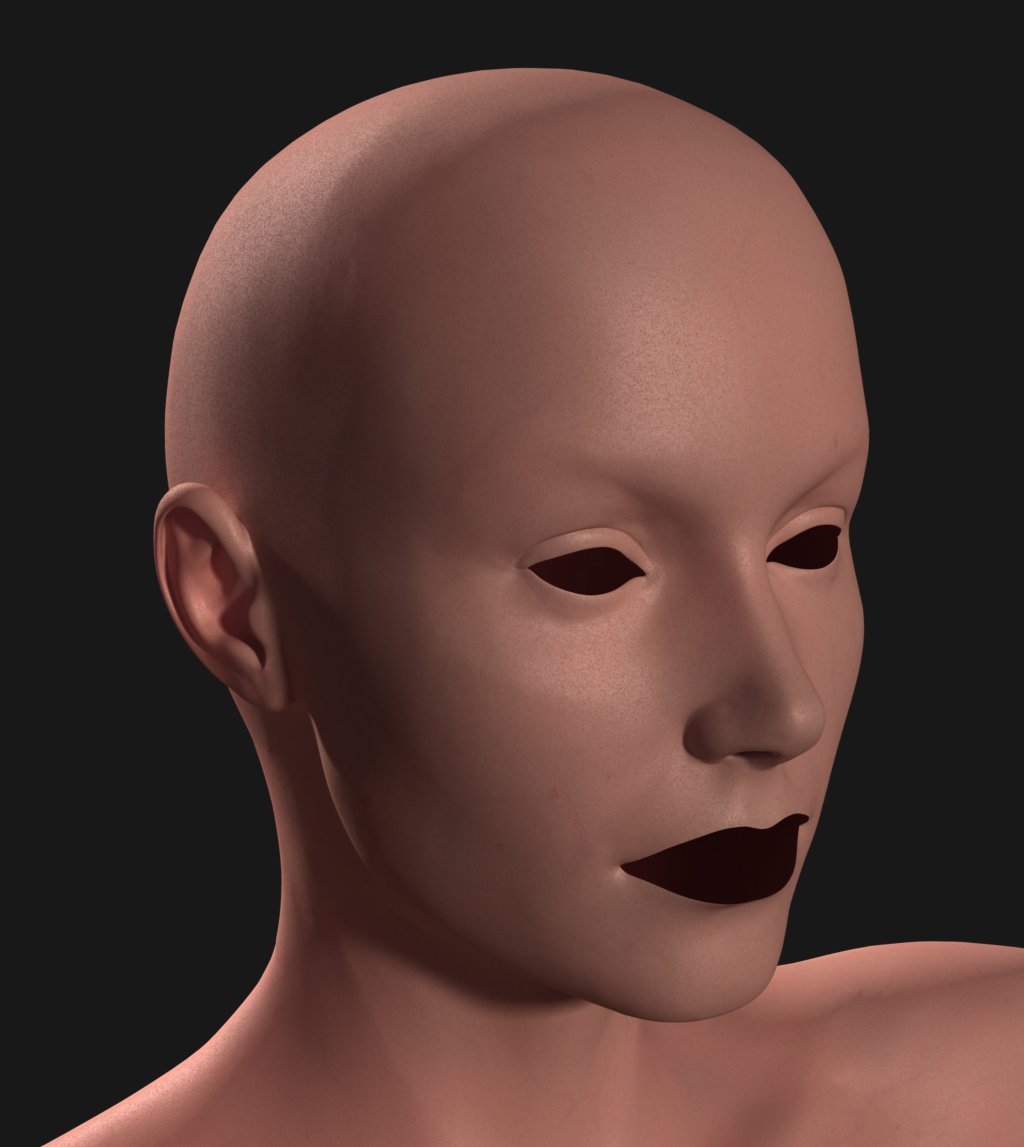
Decreased the SSS Refraction Index by 5% and decided to try procedural highlighting of the skin (for the first time, took awhile to figure out) to show the skin pores better and give an oily skin look (I didn't like the blanketed highlighted skin in post #1 which didn't have much going for it). Also toned done the background so as not to wash out the skin with too much GI. Also tightened up the pores a bit so it doesn't look like male skin. Here's a sample.

Message edited on: 01/24/2006 00:32

www.youtube.com/user/ShawnDriscollCG


ren_mem ( ) posted Wed, 25 January 2006 at 11:44 AM

You mean carrara is using fast bssrdf...probably due to the speed issue with bssrdf. Interesting what you said about domains. I would have thought shading domains would give you the option to adjust the sss differently for different areas. I will have to play with that myself. Very interesting stuff shonner.

No need to think outside the box....
    Just make it invisible.


ShawnDriscoll ( ) posted Wed, 25 January 2006 at 7:04 PM · edited Wed, 25 January 2006 at 7:05 PM

Attached Link: http://graphics.ucsd.edu/~henrik/images/subsurf.html

I looked up what bssrdf was and yes, I'm getting the same results from Carrara Pro 5 as what the link describes. Right now I'm playing a balancing act with texture, lighting, and SSS values to get the most realistic render.

Message edited on: 01/25/2006 19:05

www.youtube.com/user/ShawnDriscollCG

GWeb ( ) posted Wed, 25 January 2006 at 7:18 PM

You probably want to try displacement or bump map with transcluent effect. I dont think transcluent really work with bump map in Carrara 5.


GWeb ( ) posted Wed, 25 January 2006 at 9:59 PM

Yeah of course but it can be great for bump too. I am wondering if photons work well with displacement for SSS&Transcluent effect.


ShawnDriscoll ( ) posted Wed, 25 January 2006 at 10:20 PM

file_319786.jpg

Here is V3 with background lighting turned down to just 10%. Her skin is still too pinkish. Her entire body is using a new skin that has tiny pores.

www.youtube.com/user/ShawnDriscollCG


GWeb ( ) posted Wed, 25 January 2006 at 10:25 PM

It looks like it need some multi-layers? BTW, the ear looks awesome because it looks like it had some multi-layers effect.


ShawnDriscoll ( ) posted Wed, 25 January 2006 at 10:27 PM

file_319787.jpg

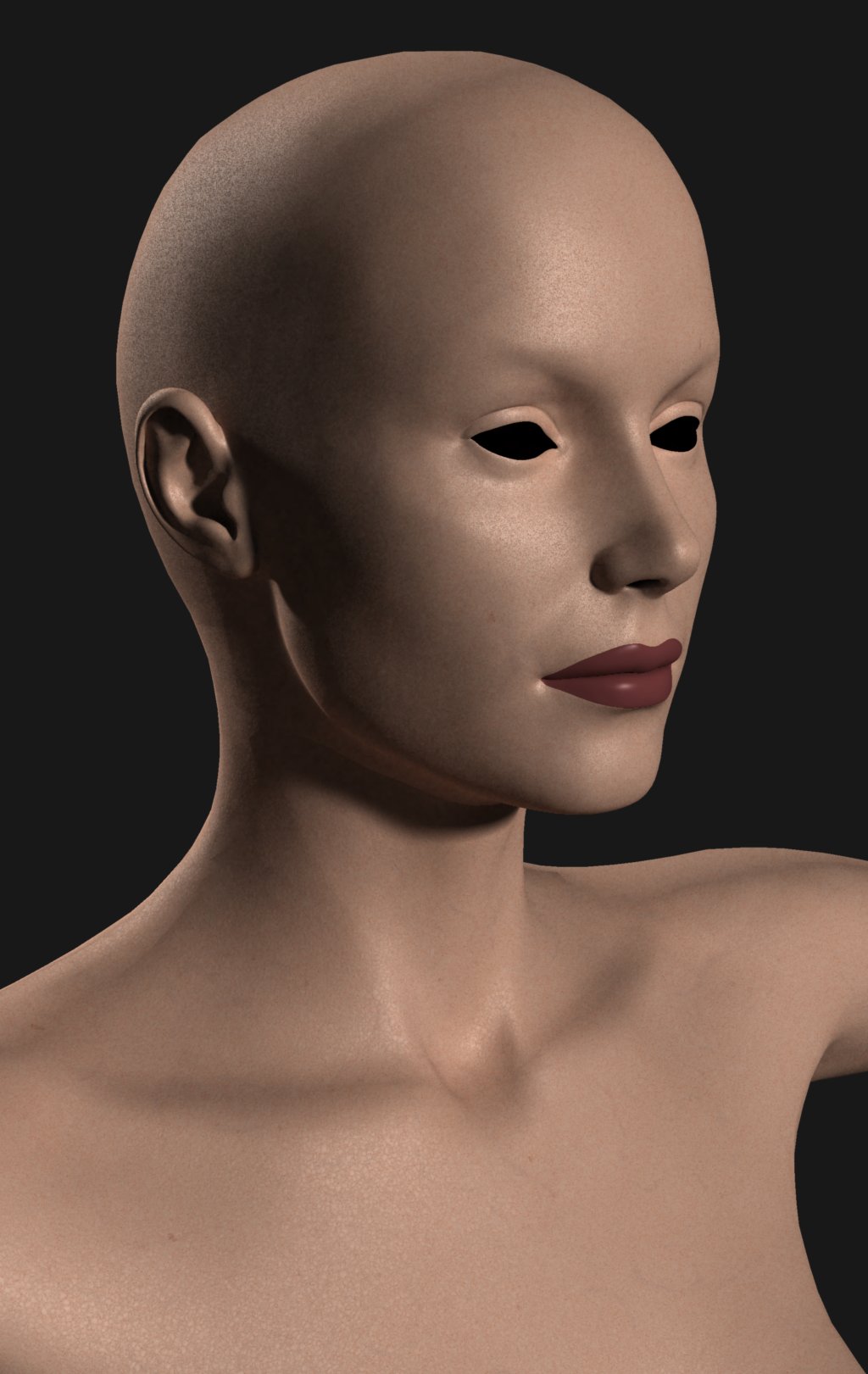
This time I seperated her head mesh from her body mesh so that I could use the tiny pores skin just for her head and then use something like goose bumps skin for the rest of her body. This caused trouble with my SSS setting. I had to adjusted it differently for the head and for the body meshes because they had totally different masses for SSS to deal with. This was a fast render just to see if the skin colors of both the head and body still matched each other with different SSS values assigned to them.

www.youtube.com/user/ShawnDriscollCG


ShawnDriscoll ( ) posted Wed, 25 January 2006 at 10:28 PM · edited Wed, 25 January 2006 at 10:43 PM

I increased the refraction index for both meshes (the body, more so than the head) so that her procedural skin showed up more than the pink.

Can you see the seam in her neck? Yes, her ear looks great when the light hits it just right. I moved both lights to get a better look at her skin layers.

Message edited on: 01/25/2006 22:43

www.youtube.com/user/ShawnDriscollCG

GWeb ( ) posted Wed, 25 January 2006 at 10:47 PM

Skin is wax/plastic alike. It has multi-layers effect. The image you posted is showing flat tone skin. I still suggest that you explore more into transcluent effect and possible multi-layer shaders. I do not think Carrara 5 supports multi-layers shader, am I correct?


ShawnDriscoll ( ) posted Wed, 25 January 2006 at 11:25 PM · edited Wed, 25 January 2006 at 11:28 PM

file_319788.jpg

Here's V3 with SSS turned off, to compare with.

Modo 201 and ZBrush 2 have what you're talking about. I don't know how complicated Carrara shaders can get for skin. Turning up translucent effect only makes her skin look more like wax or embryo tissue. This is all trial and error so far for me.

Message edited on: 01/25/2006 23:28

www.youtube.com/user/ShawnDriscollCG


GWeb ( ) posted Wed, 25 January 2006 at 11:42 PM

Transcluent shader is probably what needed to work on to make skin look thick and wax. I am back in school to work on two of my majors so I don't have time to play around with Carrara. :(


GWeb ( ) posted Thu, 26 January 2006 at 12:08 AM

I want to comment what I noticed that the eye lids did not show SSS or Transcluent at all in your prior images. Try to get ears, nose, and eye lids on SSS and transcluent effect then see what happen. ;)


ShawnDriscoll ( ) posted Thu, 26 January 2006 at 2:35 AM · edited Thu, 26 January 2006 at 2:39 AM

I visited some SSS sites. I notice that all the realistic skin renders were done with nearly no background or sky lighting. Just medium-level point lighting. So now I'm afraid to try this skin outside in the bright sun again. Or even onboard the orbiting Hilton in 2001. The GI in that giant curved hallway might give her SSS overdose. Oh what the heck. I'll be brave and try her skin in one of those white rooms from THX-1138.

Message edited on: 01/26/2006 02:39

www.youtube.com/user/ShawnDriscollCG

ShawnDriscoll ( ) posted Thu, 26 January 2006 at 3:48 AM

file_319789.jpg

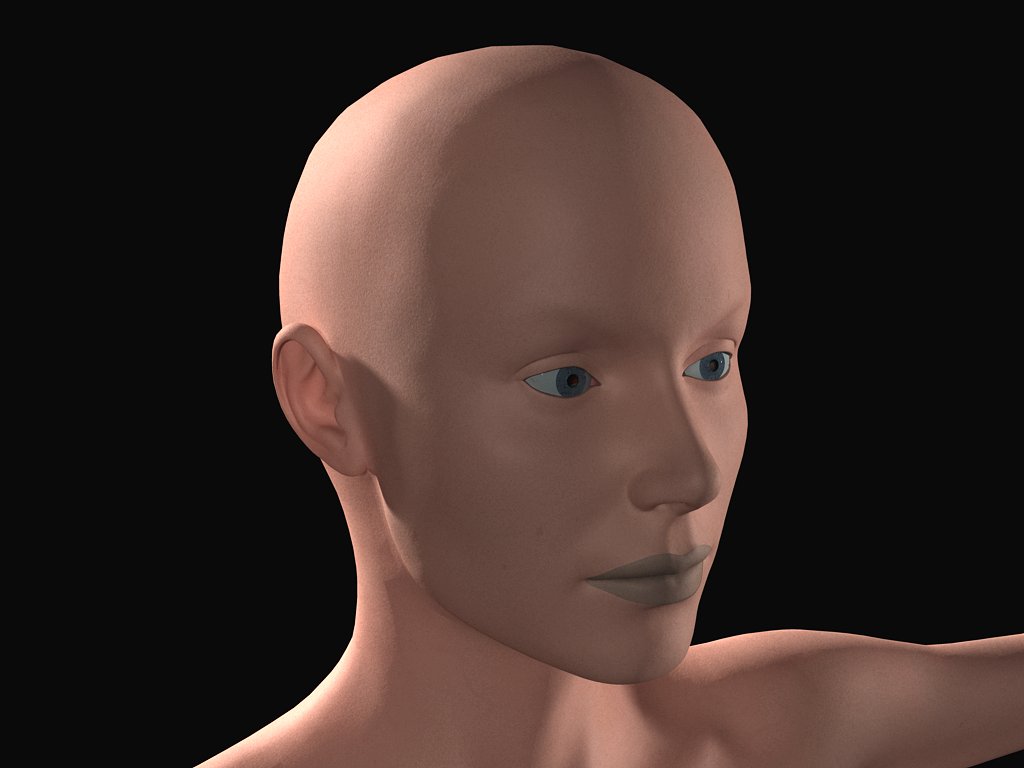
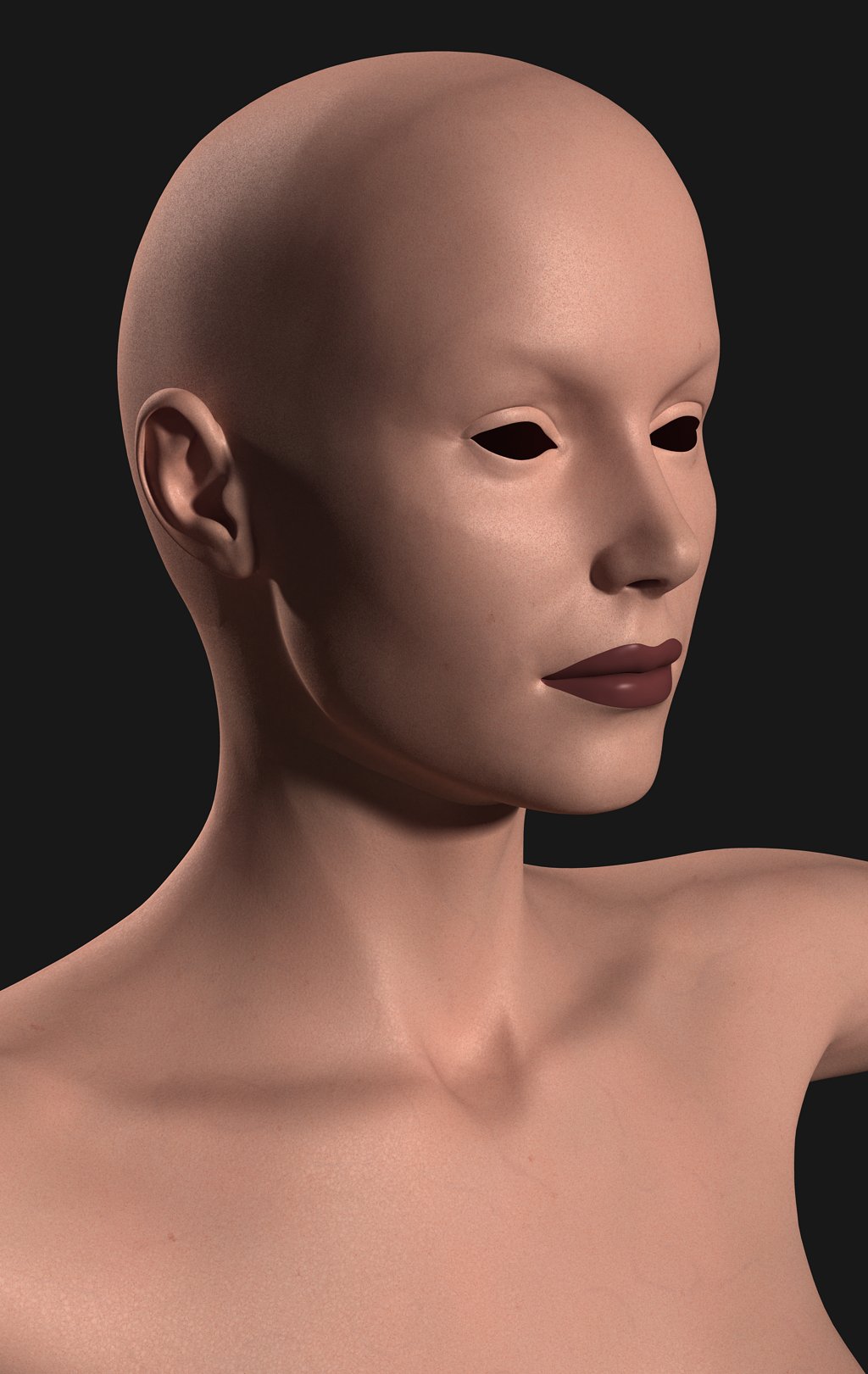
Here's an AA render with reduced bump and highlight intensity. SSS was turned back on.

www.youtube.com/user/ShawnDriscollCG


GWeb ( ) posted Thu, 26 January 2006 at 10:24 AM

You are about 1/4 way there but still have not seen wax-like transcluent through the bump to make skin look thick.


GWeb ( ) posted Thu, 26 January 2006 at 10:27 AM

Attached Link: http://206.145.80.239/zbc/showthread.php?s=3b2e81e298f329fb5459a10419f4a407&t=31398&page=2&pp=15

Attached ia a link that may be useful for your approach. http://206.145.80.239/zbc/showthread.php?s=3b2e81e298f329fb5459a10419f4a407&t=31398&page=2&pp=15


GWeb ( ) posted Thu, 26 January 2006 at 10:33 AM

Attached Link: http://206.145.80.239/zbc/showthread.php?t=028517

Here is other link to look at 'Wax-like' images. http://206.145.80.239/zbc/showthread.php?t=028517


GWeb ( ) posted Thu, 26 January 2006 at 12:03 PM

Thats fine. I just thought I should share my opinion and some links to revisit SSS and skin to make it possible for Carrara. Sorry if I offended any.


ShawnDriscoll ( ) posted Fri, 27 January 2006 at 3:59 AM

Content Advisory! This message contains nudity
file_319791.jpg

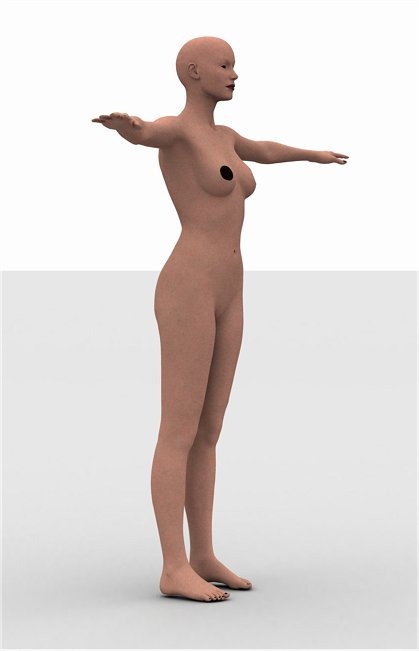
Here's V3 testing Athena's procedural skin in a THX-1138 environ with SSS enabled. The front and back distant lights were turned off and the skylight background was cranked up to 100% white for GI lighting.

www.youtube.com/user/ShawnDriscollCG


ShawnDriscoll ( ) posted Fri, 27 January 2006 at 4:02 AM · edited Fri, 27 January 2006 at 4:04 AM

file_319792.jpg

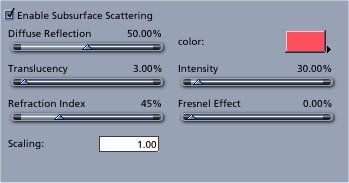
Here are the SSS settings for V3's body. She is 5'10" tall. Which is perfect for these settings.

Message edited on: 01/27/2006 04:04

www.youtube.com/user/ShawnDriscollCG


ShawnDriscoll ( ) posted Sat, 28 January 2006 at 3:44 AM · edited Sat, 28 January 2006 at 3:45 AM

Content Advisory! This message contains nudity
file_319793.jpg

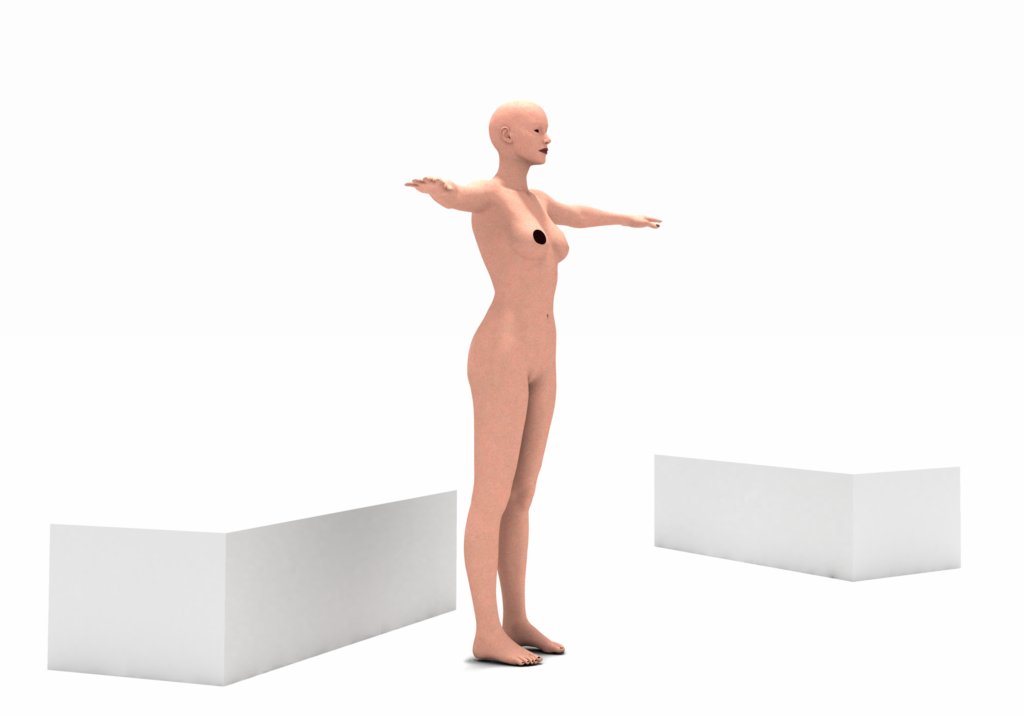
The same THX-1138 scene but with a 50% white distant light from above and some furniture added. V3's SSS held up well in this light. She didn't turn bright pink or see-through.

Message edited on: 01/28/2006 03:45

www.youtube.com/user/ShawnDriscollCG


ShawnDriscoll ( ) posted Sun, 29 January 2006 at 2:16 AM · edited Sun, 29 January 2006 at 2:19 AM

Content Advisory! This message contains nudity

Attached Link: http://www.shonner.com/drafts/carrara_skin_tutorial_a.htm
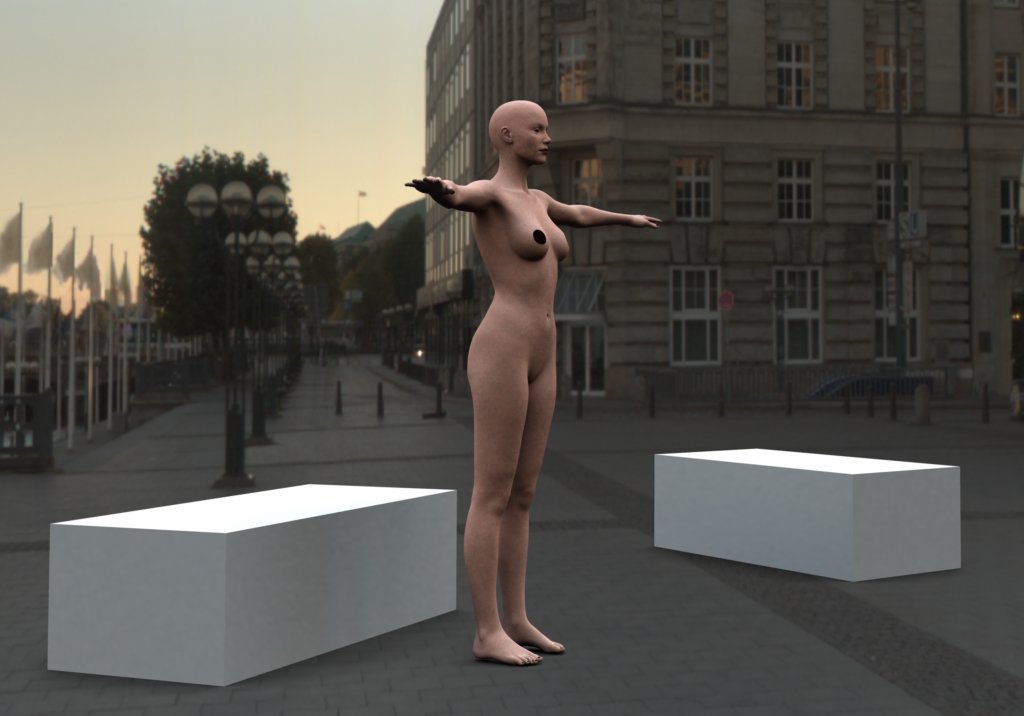
file_319794.jpg

I always say lighting makes 50% of a scene. Here V3 is homeless with all her belongings. A 200% intensity HDRI skylight illuminates the scene. Her SSS procedural skin really held up well.

Click the link for a quick tutorial on making your own procedural skin.

Message edited on: 01/29/2006 02:19

www.youtube.com/user/ShawnDriscollCG


ShawnDriscoll ( ) posted Tue, 15 January 2008 at 3:33 AM · edited Tue, 15 January 2008 at 3:34 AM

Content Advisory! This message contains nudity

Here is another SSS comparison at http://www.shonner.com/drafts/carrara_skin_sss_rendering.htm with less pink color.

www.youtube.com/user/ShawnDriscollCG


Privacy Notice

This site uses cookies to deliver the best experience. Our own cookies make user accounts and other features possible. Third-party cookies are used to display relevant ads and to analyze how Renderosity is used. By using our site, you acknowledge that you have read and understood our Terms of Service, including our Cookie Policy and our Privacy Policy.