
Renderosity Forums / Carrara
Welcome to the Carrara Forum
Forum Coordinators: Kalypso, Anim8dtoon
Carrara F.A.Q (Last Updated: 2026 Jul 11 2:50 am)
Visit the Carrara Gallery here.

Subject: I can't find the sun to reposition it.


The Sun Light is part of the Sky or Realistic Sky Atmosphere. You need to add one of them to the Atmosphere Scene effect and then click Edit to change the sun position. Click on Scene in the Properties Tray, then choose Effects>Atmosphere and Realistic Sky. Click the Edit button.
Message edited on: 01/18/2006 06:13
hmm I tried that but I still can't see where the sun is compared to the rest of my picture. Love esther
I aim to update it about once a month. Oh, and it's free!
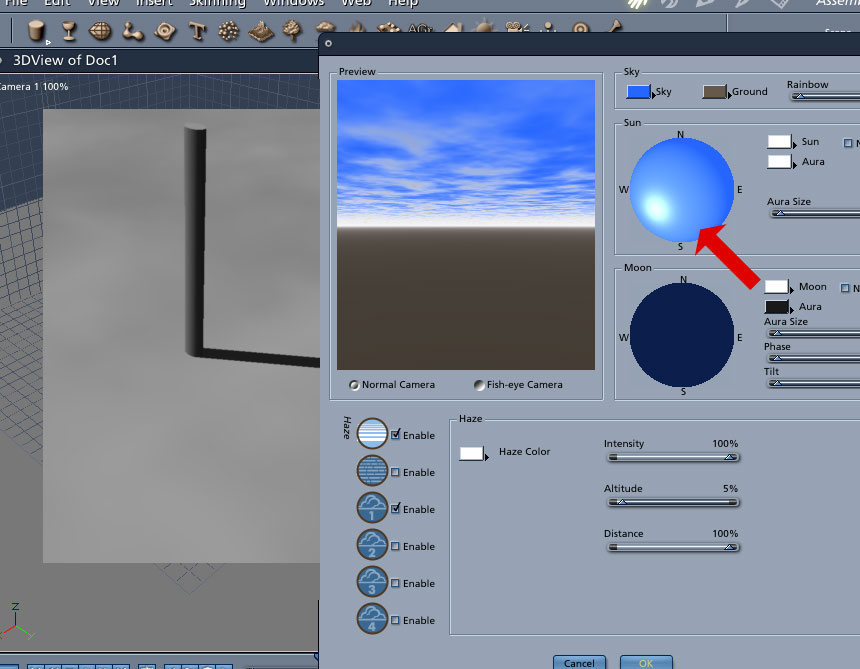
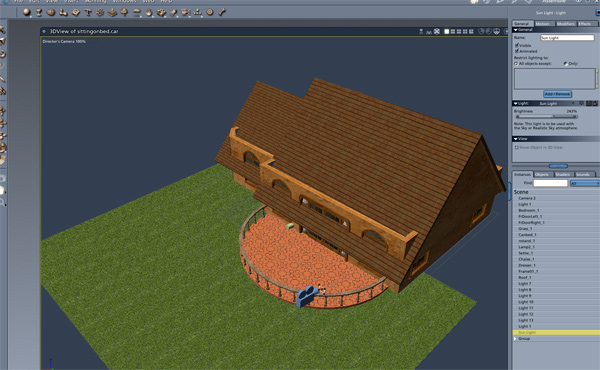
To see where the sun is in relation to your scene do a preview render so that you can see the shadows. Note that if you have other lights in your scene their shadows may confuse you so switch those off. NB. North-South is along the X axis.
Message edited on: 01/18/2006 06:52

Thanks everyone! I think what was confusing me is I thought I would see the sun in the scene preview asse3mbly room like I see other lights. Love esther
I aim to update it about once a month. Oh, and it's free!

A couple of things help, first make sure you have turned on both the sun and the aura (click in the checkboxes). Then to help locate the sun in the preview box, make the aura very large. By making the aura very large, it makes it easier to determine when the sun is getting close. Then move the sun around but keep it close to the horizon until you can see the aura. Once you see the aura, then it becomes easier to actually get the sun into the preview screen (and thus into the render). This technique also works well for finding the moon in a night sky.

Privacy Notice
This site uses cookies to deliver the best experience. Our own cookies make user accounts and other features possible. Third-party cookies are used to display relevant ads and to analyze how Renderosity is used. By using our site, you acknowledge that you have read and understood our Terms of Service, including our Cookie Policy and our Privacy Policy.
Heeeeelp.MY ONLINE COMIC IS NOW LIVE
I aim to update it about once a month. Oh, and it's free!