
Renderosity Forums / Vue
Welcome to the Vue Forum
Forum Moderators: wheatpenny Forum Coordinators: bwsupport
Vue F.A.Q (Last Updated: 2026 Feb 27 3:10 pm)

Subject: problem with alpha planes

Not certain - I don't use Truespace. In general, any program you can put an image into and draw a spline around the image should do. You'll need to export the spline as a Vue readable file though(3ds, obj etc.) I use Illustrator because its easier - you could probably use Freehand or any vector based program that allows you to draw a vector outline and save it as something like a dxf or whatever. PS I don't think you have to outline the gaps in the middle (I've never needed to) of the trees or anything - just the top, bottom, left and right extents of the image. The rest should be okay.
OK I'm trying it now as I type but I'm not sure if I followed the instructions properly. I placed a rendered image of a fir tree as the background in Truespace; used the spline drawing tool to trace roughly around it; converted it to a variety of formats including COB, DXF and 3DS. Now what? What if I'd like to use a transparency in Vue? Otherwise it just looks solid and not tree-like. Also, once I've applied a transparency to it (one I had already made and thought would fit) I get strange artefacts surrounding the tree, even though I made sure the tree was exported as a single mesh and closed. Vue acts like it's multiple objects warning me if I apply a material to one object it'll be applied to all others, etc. Anyhow, I'll keep trying. JoeBlack BTW: I added your suggestion to the Eonsoftware forum
Kinda sounds like you have a spline that wasn't closed. It should be a single object. It may also be extraneous geometry was added when converting from the spline into a mesh object. I do it in 3ds - apply the bit maps and the alpha image in whatever program you're using so that it creates the uv mapping before importing it into Vue. In Max , I just put an Edit mesh modifier on it after I make it into a spline. That makes it into a plane the shape of the spline. Don't add any additional geometry though. Bot

Privacy Notice
This site uses cookies to deliver the best experience. Our own cookies make user accounts and other features possible. Third-party cookies are used to display relevant ads and to analyze how Renderosity is used. By using our site, you acknowledge that you have read and understood our Terms of Service, including our Cookie Policy and our Privacy Policy.
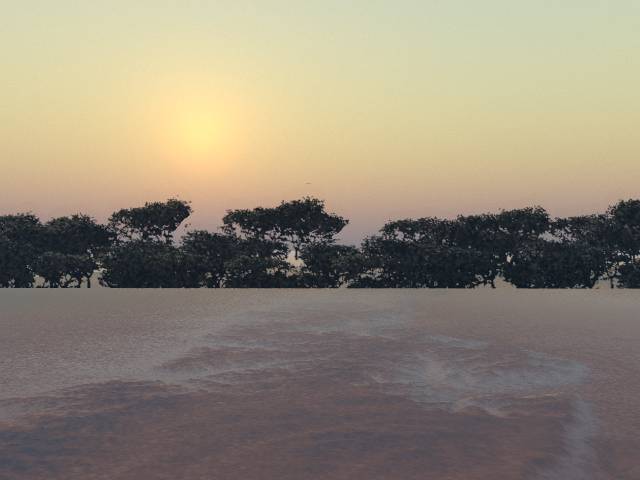
I use alpha plane trees quite a bit, it saves render time. But I find that under certain conditions I get a faint square outline, slightly opaque, around the trees. I don't understand why this happens because I render them first against a white background and then flip the transprency over (in the alpha plane dialog box)when loading the image and alpha plane to leave just the tree. The background should therefore be totally transparent but it never is. Even if I prepare the tree in the scene I am to use them for, against the sky etc, it still produces the artefact (because the sky is colourful and therefore not transparent). But the same thing happens if I use a solid white. I often use the trees in silhouette backlighting. What am I doing wrong? I want a clean crisp tree outline! JoeBlack