
Renderosity Forums / Poser - OFFICIAL
Welcome to the Poser - OFFICIAL Forum
Forum Moderators: RedPhantom Forum Coordinators: Anim8dtoon
Poser - OFFICIAL F.A.Q (Last Updated: 2026 Jul 31 2:07 am)

Subject: Anyone had DukeM3, PosetteV3's male counterparts



The file dphoadley created and posted was on rapidshare, they dont tend to last long there.
I did download it back in the days but not shure if it could be shared or not, the readme says:
---------------------------------------------
16 April, 2007 C.E.
David P. Hoadley /
I wish to dedicate this figure to Jean Paul (Stahlratte), who's been a good and true friend over the past few years. Stahlratte, keep on morphing!
P4DukeM3 is basically nothing more than the standard P4NudeMan with a remapped texture configuration that allows him to make use of DAZ's M3 texture maps.
The figure loads with BastBlacks Duke face as default (along with the SmoothBrow1 set to a value of 0.350 and CleftChin to 0.500). This in no way affects the mesh itself, and if this face is undesired, then simply zero these morphs.
I wish to express my sincere gratitude to Pitklad for the use of his Domas Cr2, which forms the basis of the P4DukeM3 Cr2; and I also wish to thank Tery Sanders for the generous contribution of his extensive genital morphs archive. As he himself has said: "Why should Mike have all the fun!" I wholeheartedly agree.
I also wish to extend my sincere gratitude to Stephen Ray for the contribution of his large collection of P4Male head shaping morphs.
I also wish to thank both Anat Dayag and AhJah respectively for their Jack and Valentino personae morphs.
And last, but not least, I wish to thank all those whose generous time, effort, and encouragement have helped me to bring this project ot fruition.
The file zip contains:
P4DukeM3.pcf Geometrie (use obj.Mover)
P4DukeAlternateHip.pcf Geometrie (use obj.Mover)
Domus_Sock_L.obj Geometrie
Domus_Sock_R.obj Geometrie
DomusNoGen.obj Geometrie
P4DukeM3 (Distribution).Cr2 Character
P4DukeM3 (Distribution).Png thumbnail
Since the Cr2 was borrowed from a beta version of Pitklad's Domus, it includes a couple of his innovations as to the feet and genital: 'The new genital system D3 uses doesn't need to have 2 hips,you just turn on and off genitals from hip. No need for double morphs for hip any more! The hip is Dorks hips without genitals. The toes have a geometry switcher to make them socks.' (Not quite sure how the socks work yet, but if you figure it out, let me know).
I've since restored the alternate hip to the figure, but have remapped it to take M3 textures as readily as the regular figure, and have also given it a seperate material zone so that ti can be textures as underware or a loin cloth without haveing to fiddle around with the M3 textures themselves.
INSTALLATION:
To install P4DukeM3, you need to download the FREE ObjectionMover (Mover101) utility from the Utilities section of Renderosity.com (Just type 'Objaction' in the Freestuff seach guide).
Unzip the files.
1) Place the P4DukeM3.pcf file in the P4NudeMan subfolder of your Runtime/Geometries folder.
2) Next, Open Object mover, and locate the blNudeMan_Gen.obj (Runtime\Geometries\P4NudeMan\blNudeMan_Gen.obj) as your "seed file". Then locate the P4DukeM3.pcf (It SHOULD be in the same folder) as "Difference file" Next, Click on the 'Decode' radio button at teh botoom of the utility, and then Press the 'Convert' button.
3) Yon can put the P4DukeM3.Cr2 and Png anywhere you please, just so long as it's in the 'Character' section of your Libraries folder (Runtime\libraries\character).
This figure may be used for both Private and Commercial renders (but please give me some sort of honorable mention); but some to its morphs are under copywrite and still remain the property of their creators (AJ, Traveler, Pitklad, and Stahlratte), and these may not be used in the creation of commercial figures. There are no restriction on the reposting of the Pcf. file
Good luck, and DO have fun with P4DukeM3!
-----------------------------
So...
The readme says its ok to share the pcf-files but no mention of the cr2 and othe files contained in the ZIP.
As the CR2 (as stated in the readme) contains morphs from other artists it may not be legal to distribute, maybe someone else here can give their opinion on this.
The pcf-files let you create OBJ-files but that only gets you half the way, I guess you could edit a copy of the original dork cr2 to point to the newly created 4DukeM3.obj and P4DukeAlternateHip.obj

So...
The readme says its ok to share the pcf-files but no mention of the cr2 and othe files contained in the ZIP.
As the CR2 (as stated in the readme) contains morphs from other artists it may not be legal to distribute, maybe someone else here can give their opinion on this.
The pcf-files let you create OBJ-files but that only gets you half the way, I guess you could edit a copy of the original dork cr2 to point to the newly created 4DukeM3.obj and P4DukeAlternateHip.obj
I asked an AI what we can do if we only have the OBJ but are missing the CR2. The process actually sounds pretty straightforward. Could you share the .pcf file with us?
- Copy the original: Locate the original
Dork.cr2in your Poser Runtime folder (Runtime/Libraries/Character/...). - Duplicate & Rename: Copy this CR2 file into the same folder and rename it (e.g.,
Dork_Modified.cr2). - Open in a Text Editor: Open this new CR2 file using a plain text editor (like Notepad++ or standard Notepad). CR2 files are just text documents.
- Find the OBJ reference: Search the document (press
Ctrl + F) for the keywordfigureResFile. Next to it, you will see the file path pointing to the original Dork OBJ (usually located insideRuntime/Geometries/...). - Replace the path: Change this path so it points exactly to the location and filename of your new, modified OBJ file. (Important: This reference usually appears twice in the file – make sure to update both entries).
- Save: Save the file. When you open Poser now, the new CR2 will automatically load your modified mesh while instantly keeping all the bones and joint parameters from the original figure.

IIRC, the ObjectionMover was used to transfer the remapping to what you already have. Sharing the cr2 would be a copyright issue.
Available on Amazon for the Kindle E-Reader Monster of the North and The Shimmering Mage
Today I break my own personal record for the number of days for being alive.
Check out my store here or my free stuff here
I use Poser 14 and Windows 11
"IIRC, the ObjectionMover was used to transfer the remapping to what you
already have. Sharing the cr2 would be a copyright issue."
Yes that was what I suspected also, hence I asked for the communitys opinion.
The readme says its ok to distibute the pcf-files and that should be enough to create a functional figure (with a little work).
I will not upload it to some free stuff place but I can rezip it with just the pcf-files + the readme and maybe sitemail it to people who wants it?
With the help of the readme and midinick´s AI tutorial it should work out just fine.
A little note on the tutorial:
Dork.cr2 in your Poser Runtime folder (Runtime/Libraries/Character/...).Duplicate & Rename: Copy this CR2 file into the same folder and rename it (e.g., Dork_Modified.cr2).Open in a Text Editor: Open this new CR2 file using a plain text editor (like Notepad++ or standard Notepad). CR2 files are just text documents.Find the OBJ reference: Search the document (press Ctrl + F) for the keyword figureResFile. Next to it, you will see the file path pointing to the original Dork OBJ (usually located inside Runtime/Geometries/...).--------------------------As i recall it, notepad also lets you do a search and replace (blNudeMan_Gen with P4DukeM3)------------------------------Replace the path: Change this path so it points exactly to the location and filename of your new, modified OBJ file. (Important: This reference usually appears twice in the file – make sure to update both entries).Save:
Save the file. When you open Poser now, the new CR2 will automatically
load your modified mesh while instantly keeping all the bones and joint
parameters from the original figure.----------------------------------------------------------------------
Count me in! I'd love to have the .pcf file too. 😄"IIRC, the ObjectionMover was used to transfer the remapping to what you already have. Sharing the cr2 would be a copyright issue."
Yes that was what I suspected also, hence I asked for the communitys opinion.The readme says its ok to distibute the pcf-files and that should be enough to create a functional figure (with a little work).
I will not upload it to some free stuff place but I can rezip it with just the pcf-files + the readme and maybe sitemail it to people who wants it?With the help of the readme and midinick´s AI tutorial it should work out just fine.
"IIRC, the ObjectionMover was used to transfer the remapping to what you already have. Sharing the cr2 would be a copyright issue."
Yes that was what I suspected also, hence I asked for the communitys opinion.The readme says its ok to distibute the pcf-files and that should be enough to create a functional figure (with a little work).
I will not upload it to some free stuff place but I can rezip it with just the pcf-files + the readme and maybe sitemail it to people who wants it?With the help of the readme and midinick´s AI tutorial it should work out just fine.
I want it .pcf files too, I'm so excited to get him 😃
Hi!
@TOTOBooth05
Ive sent you the Zip from o******g@gmail.com, Its also now in my file locker as i saw Midinicks suggestion after I sent you the mail.
@Midinick
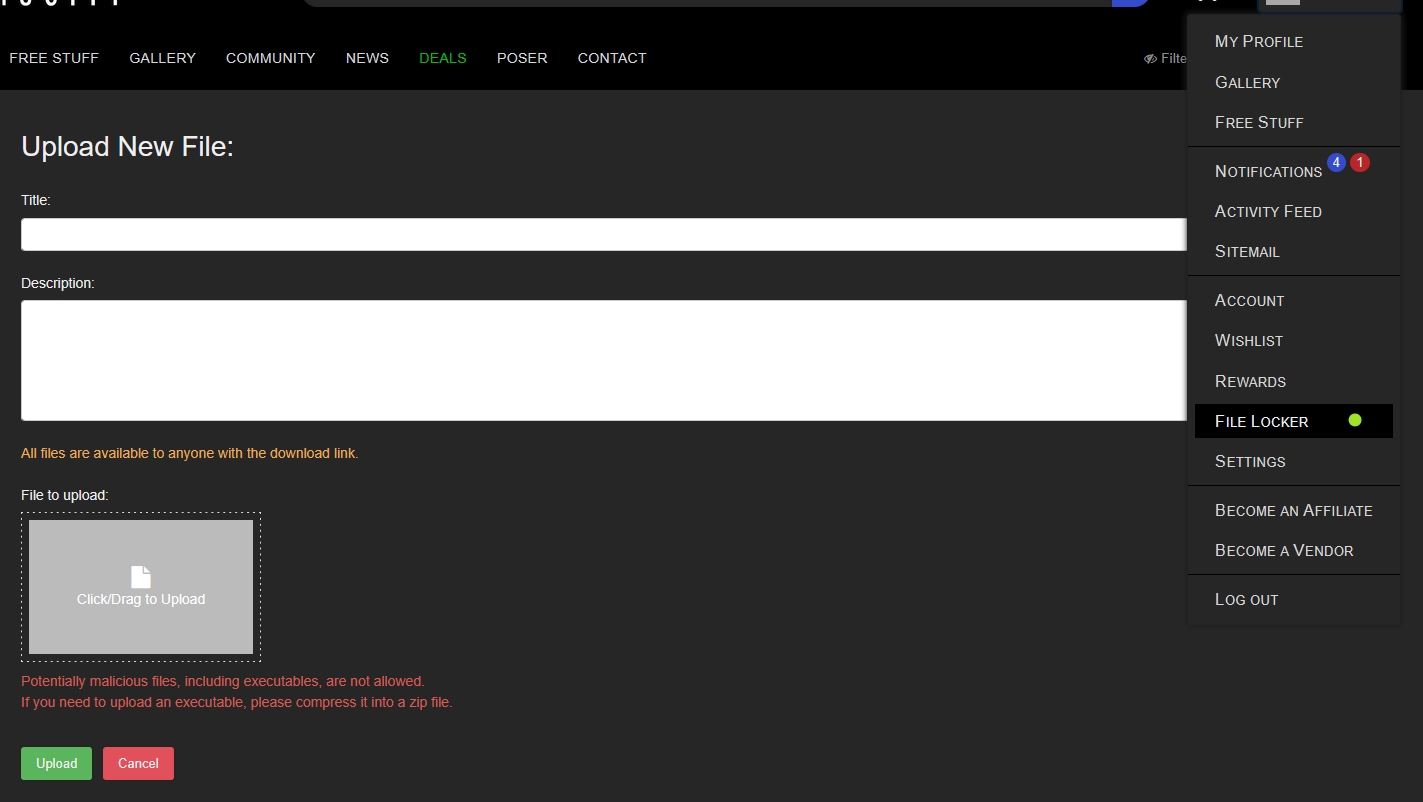
Thanks, i was indeed looking for the file locker as I was sure that ive seen that in use by other people, looked in the wrong place!
Can you see and dload the file now?
jonnybode posted at 9:53 PM Thu, 23 July 2026 - #4508615
Hi!
@TOTOBooth05
Ive sent you the Zip from o******g@gmail.com, Its also now in my file locker as i saw Midinicks suggestion after I sent you the mail.
@Midinick
Thanks, i was indeed looking for the file locker as I was sure that ive seen that in use by other people, looked in the wrong place!
Can you see and dload the file now?
oh thank you ^^
you need to "copy link" the "View" in your file locker, the link is the downloadlink you can share with everyone you like :)


Privacy Notice
This site uses cookies to deliver the best experience. Our own cookies make user accounts and other features possible. Third-party cookies are used to display relevant ads and to analyze how Renderosity is used. By using our site, you acknowledge that you have read and understood our Terms of Service, including our Cookie Policy and our Privacy Policy.
Now PosetteV3 has been found in this forum
https://www.renderosity.com/forums/comments/4507778/permalink
But what about DukeM3 when I try to download but it's deadlink,
https://www.renderosity.com/forums/comments/3004155/permalink
If anyone had P4DukeM3 and already download him, please let me know
Thanks.