
Renderosity Forums / Poser - OFFICIAL
Welcome to the Poser - OFFICIAL Forum
Forum Moderators: RedPhantom Forum Coordinators: Anim8dtoon
Poser - OFFICIAL F.A.Q (Last Updated: 2026 May 12 9:20 am)

Subject: Poser 13 won't register HELP



I hope you will enjoy P13. I really like it and although I miss some scripts I had in P11 there are so many other things that made it worth the upgrade and I've found Ken1171_Design's scripts very helpful if not entirely replacing the cool scripts by Dimension3D and others. Good luck and happy rendering! <3
Teh Mollz
PS-- Starting to work more and more with P14. ;-)

MollyFootman posted at 4:40 PM Tue, 24 March 2026 - #4504709
What kind of scripts are you missing?I hope you will enjoy P13. I really like it and although I miss some scripts I had in P11 there are so many other things that made it worth the upgrade and I've found Ken1171_Design's scripts very helpful if not entirely replacing the cool scripts by Dimension3D and others. Good luck and happy rendering! <3
Teh Mollz
PS-- Starting to work more and more with P14. ;-)
I’m asking because I’m currently experimenting with some scripts for Poser 13 (Windows, I have no iedea if they will work on Mac too). Since I can’t program myself, I’m using AI, which is usually able to bring my ideas to life.
I’m planning to release them as freebies after testing on another computer and possibly with some beta testers using Poser 12 and Poser 14.

I’m glad to hear that 🙂That sounds interesting. It would be nice to get fresh scripts into the newer versions of Poser.
That’s exactly what I was thinking too Poser could really use some fresh scripts.
I’m still in the early stages and testing things out, but if everything works as expected, I’ll definitely share them here. Hopefully they’ll be useful for others as well.
Yeah, they’re mostly small “lazy helper” scripts to speed things up 😄
For example, I’ve been working on a random pose script, either full or partial body, and another one that slightly tweaks the current figure’s pose, also full or partial body.
Then there’s one of my absolute favorites: a script that lets you copy a finished material zone to multiple others with a single click using multi selection.
My second favorite is similar, copying a selected material zone from one figure to another, also with multi selection. I made versions of both of those for props as well. (it can run outside the Material Room, I usually only setup one zone for each region and now I can copy this to other regions too)
I’m not sure how useful all of this will be for everyone, but I personally find them really practical.
Right now I’m also working on a small scatter script for figures and props. You can never have too much confetti… or too much background crowd 😄
I’ve got a few more ideas too, but I still need to figure out if they’re technically possible.
Oh, and another one I really like: dealing with dynamic hair can be quite tedious since you usually have to set up each part individually. This script makes it easier. You still have to apply all the hair parts, which can be a lot, like on a tiger, but you only need to style one of them the way you want. The script then uses that as a master and copies the settings to all the other hair parts. You can do this all at once, but I wouldn’t recommend selecting too many at the same time.
And there’s also a version for materials. It copies the “master” material to the other parts, again with multi selection. It might get a bit slow if you select too many at once.
So yeah… mostly little tools to support my own laziness 😄
Some of my favorite scripts were those by D3D like XLC which made it easy to edit lights in much the same way Ken1171_Design's Mat Edit makes it easy to edit materials. I also had one that replaced the Poser library with many enhancements which was also by D3D, I think, or maybe Shaderworks. I'll have to but up P11 and have a look.
It's been a while and I'm old... old, I tell you! ;-)
Teh Mollz
P.S. All the scripts you are developing sound really interesting, Midinick! =)

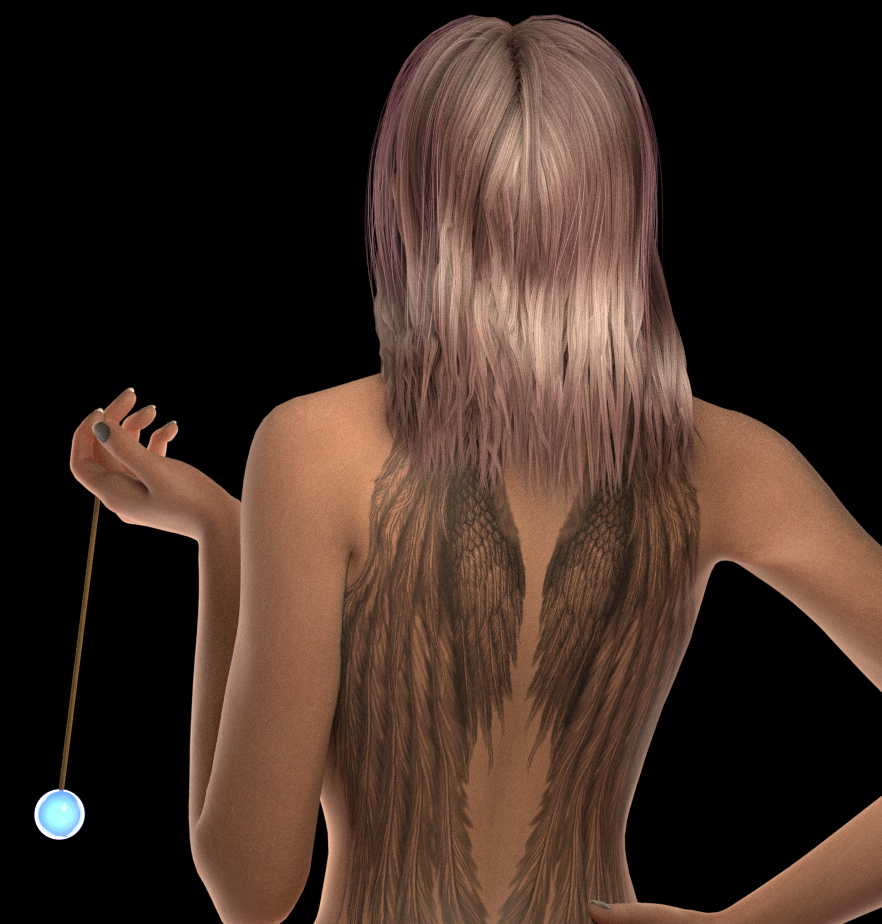
Let me add a reminder: I have developed a script for Shana's Tattoo sets. And it can be used for your own tattoo or whatever bitmap you would like to us to overlap any skin part.
Here: https://www.renderosity.com/forums/threads/2991817/poser-tools-for-shanas-tattoo-sets
For example Rhia4764 used this tool to add freckles, scars, etc...
Of course, the script is free and does not contains Shana's tattoos.
It's written for Python 3.7, so that it should be usable with Poser12 at least.
Freshly tested on Poser14:
𝒫𝒽𝓎𝓁
(っ◔◡◔)っ
👿 Win11 on i9-13900K@5GHz, 64GB, RoG Strix B760F Gaming, Asus Tuf Gaming RTX 4070 OC Edition, 1+2 TB SSD's, 6+4TB HD
👿 Mac Mini M2, Tahoe 26.4.1.2.3.4.5.6.7...., 16GB, 500GB SSD
👿 Nas 10TB
👿 Poser 13 and 14 ❤️
I have also added this ref in this thread, that keep together all kinds of tips and tricks that everyone can share:
𝒫𝒽𝓎𝓁
(っ◔◡◔)っ
👿 Win11 on i9-13900K@5GHz, 64GB, RoG Strix B760F Gaming, Asus Tuf Gaming RTX 4070 OC Edition, 1+2 TB SSD's, 6+4TB HD
👿 Mac Mini M2, Tahoe 26.4.1.2.3.4.5.6.7...., 16GB, 500GB SSD
👿 Nas 10TB
👿 Poser 13 and 14 ❤️
I can add freckles, and I'd like but I don't know how to create them. I suppose that I will find something in Blender's tutos 😅😁Oh, I needed that reminder. I had already completely forgotten that I wanted to play around with that too, especially with freckles :D there can never be too much variety :)
𝒫𝒽𝓎𝓁
(っ◔◡◔)っ
👿 Win11 on i9-13900K@5GHz, 64GB, RoG Strix B760F Gaming, Asus Tuf Gaming RTX 4070 OC Edition, 1+2 TB SSD's, 6+4TB HD
👿 Mac Mini M2, Tahoe 26.4.1.2.3.4.5.6.7...., 16GB, 500GB SSD
👿 Nas 10TB
👿 Poser 13 and 14 ❤️

Y-Phil posted at 3:32 PM Wed, 25 March 2026 - #4504748
midinick posted at 3:29 PM Wed, 25 March 2026 - #4504746It is a very simple method, but how about using Turbulence? I often use it in combination with Displacement for raindrops on glass.I can add freckles, and I'd like but I don't know how to create them. I suppose that I will find something in Blender's tutos 😅😁Oh, I needed that reminder. I had already completely forgotten that I wanted to play around with that too, especially with freckles :D there can never be too much variety :)
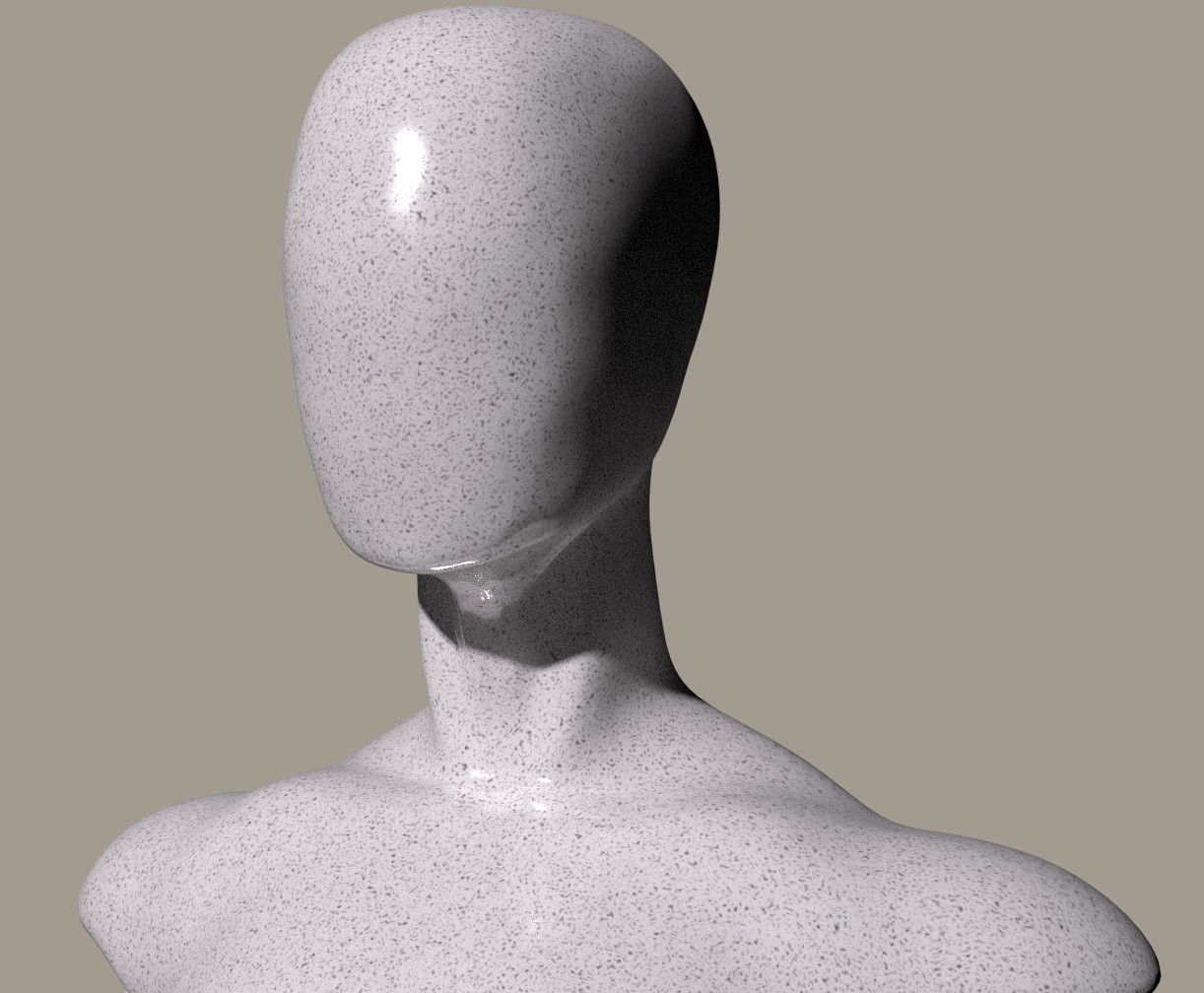
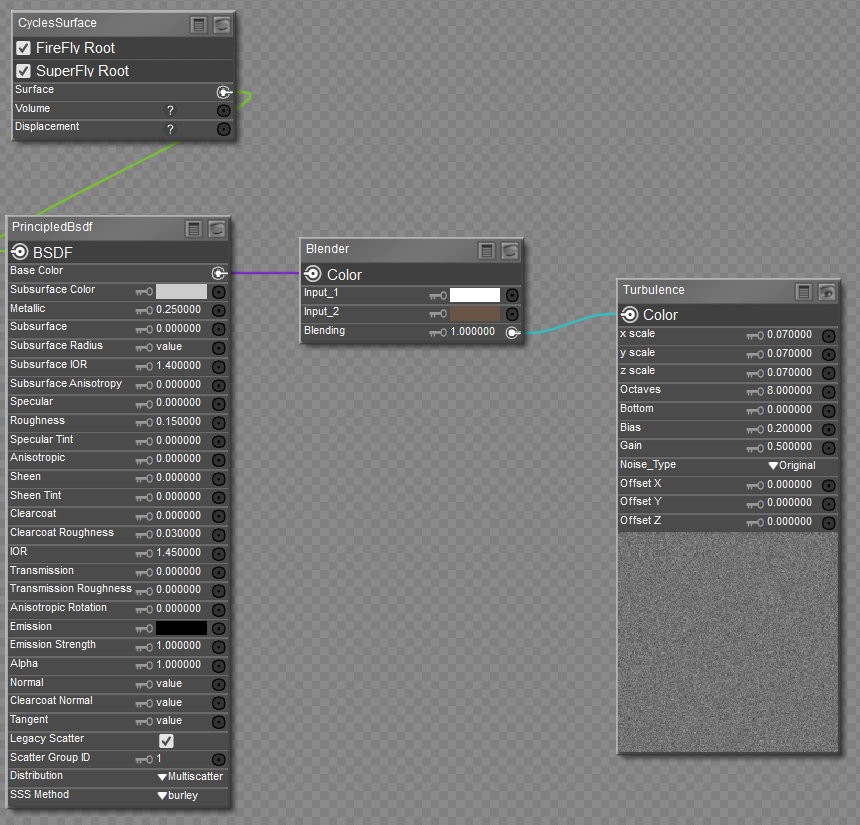
Cool idea. I may need to do some more tests but at first, it looks great, and it's something I could definitely add to EZSkin:
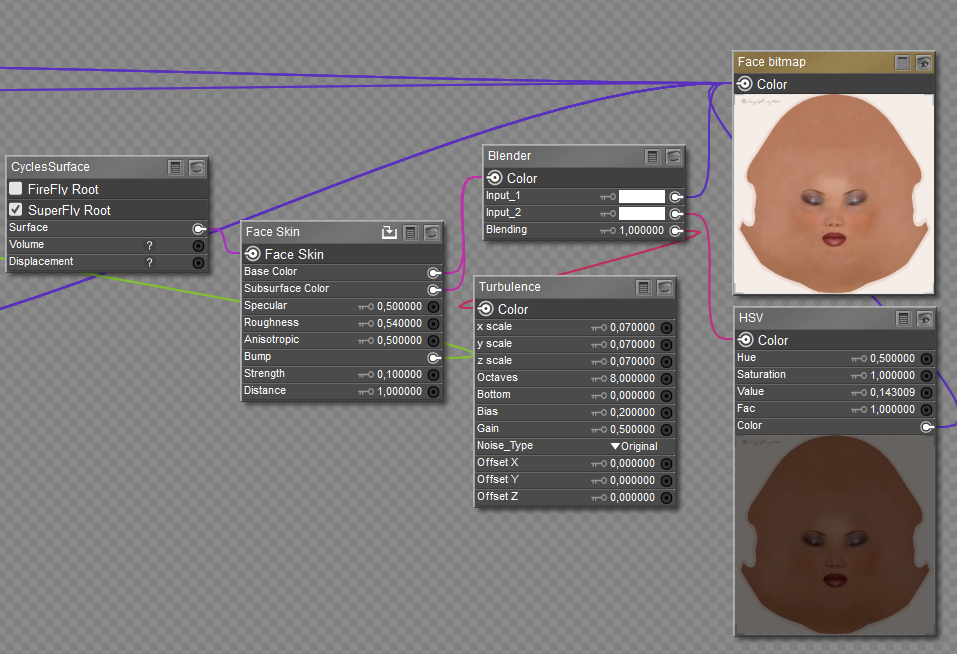
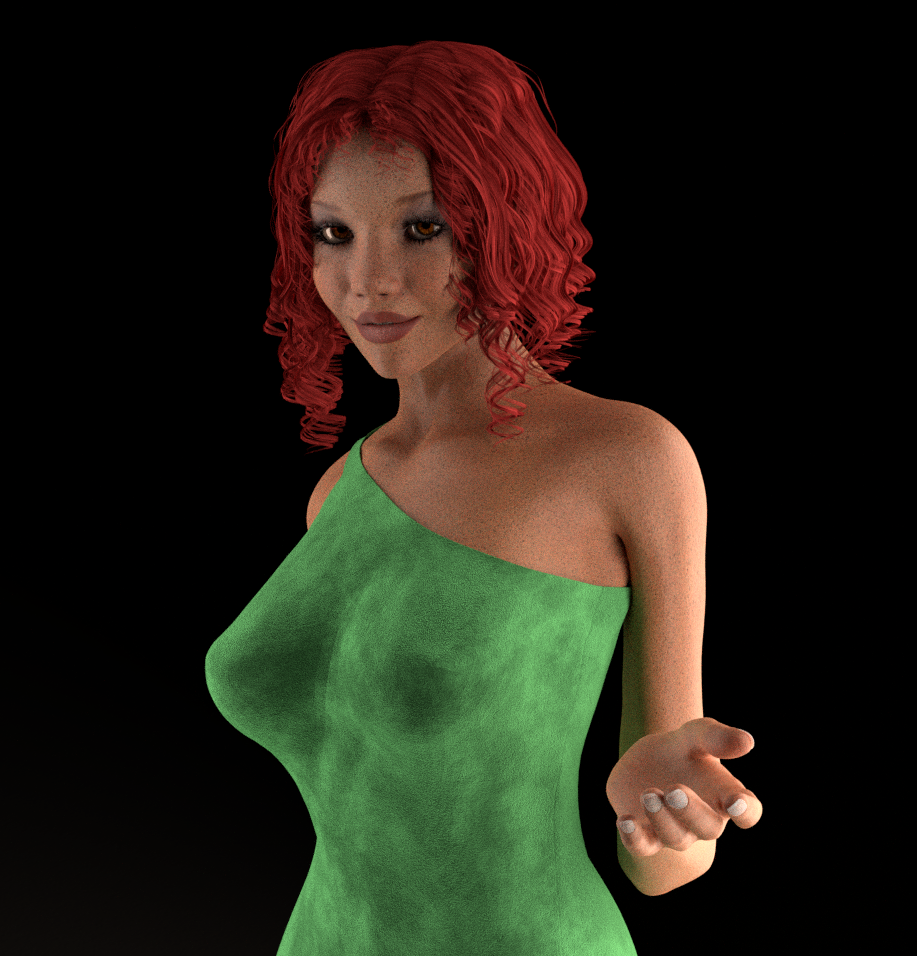
Thanks!
𝒫𝒽𝓎𝓁
(っ◔◡◔)っ
👿 Win11 on i9-13900K@5GHz, 64GB, RoG Strix B760F Gaming, Asus Tuf Gaming RTX 4070 OC Edition, 1+2 TB SSD's, 6+4TB HD
👿 Mac Mini M2, Tahoe 26.4.1.2.3.4.5.6.7...., 16GB, 500GB SSD
👿 Nas 10TB
👿 Poser 13 and 14 ❤️

hborre posted at 10:27 AM Thu, 26 March 2026 - #4504777
This. Hence why a simple overlay may not solve the process. If you only do a portrait, it may work, but for something involving more of the body you need something else and that may need to be handpainted maps for a realistic all freckled skin.I do believe that freckles are not homogeneous throughout the body. There are varying degrees of melanin pigmentation from torso to extremities, with hardly any pigmentation on the palms and the soles of the feet. Getting it just right realistically will be a difficult process.
Or math to very the density of the overlay.
All of this is very hypothetical anyway.
I do not think it is that difficult. You would just need to work with a layer where you combine the transparency of the freckles with an uneven transparency, so that the result looks more irregular.
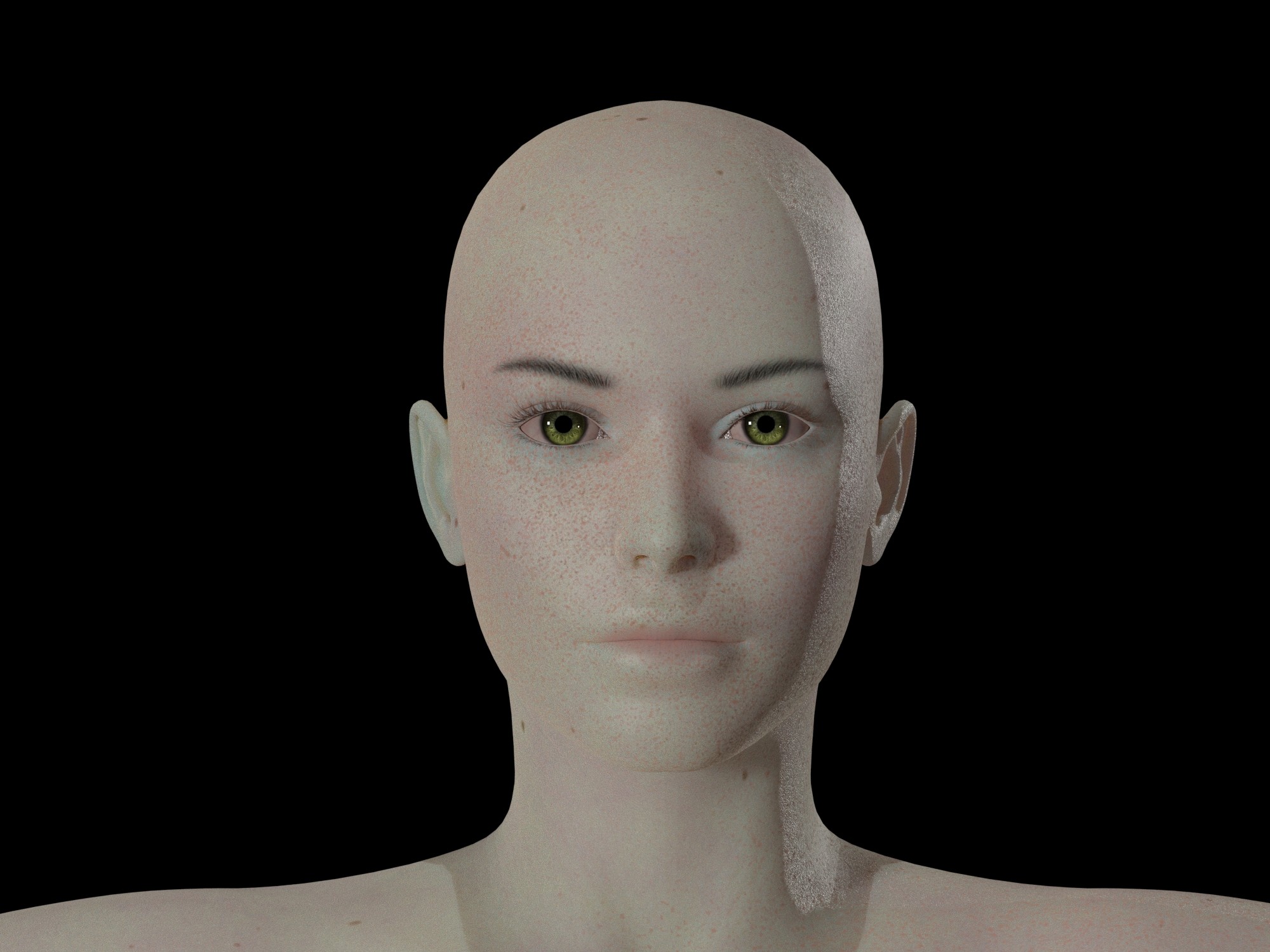
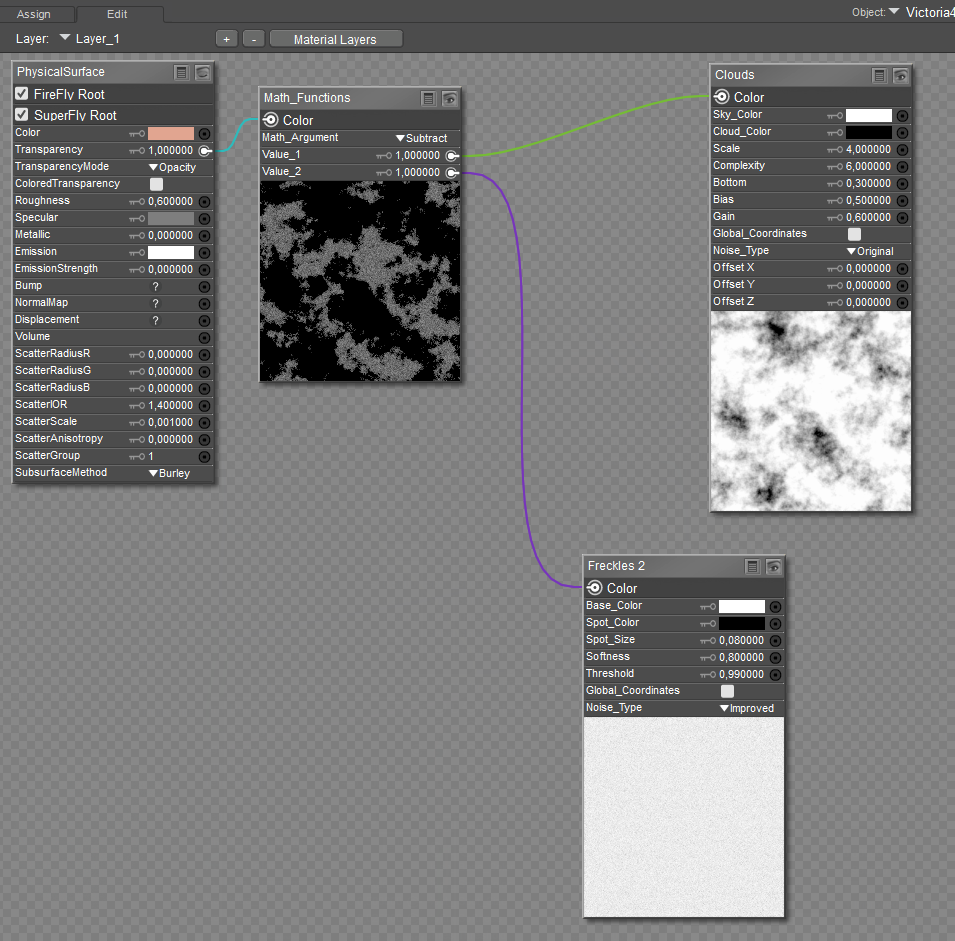
I am still experimenting myself to figure out the best way to achieve this. This is what one layer looks like for me, although I also use several of them in different sizes and with different gradients :)
The tricky part is finding the right combinations. Clouds work really well, but I have not found settings yet that I am truly happy with.
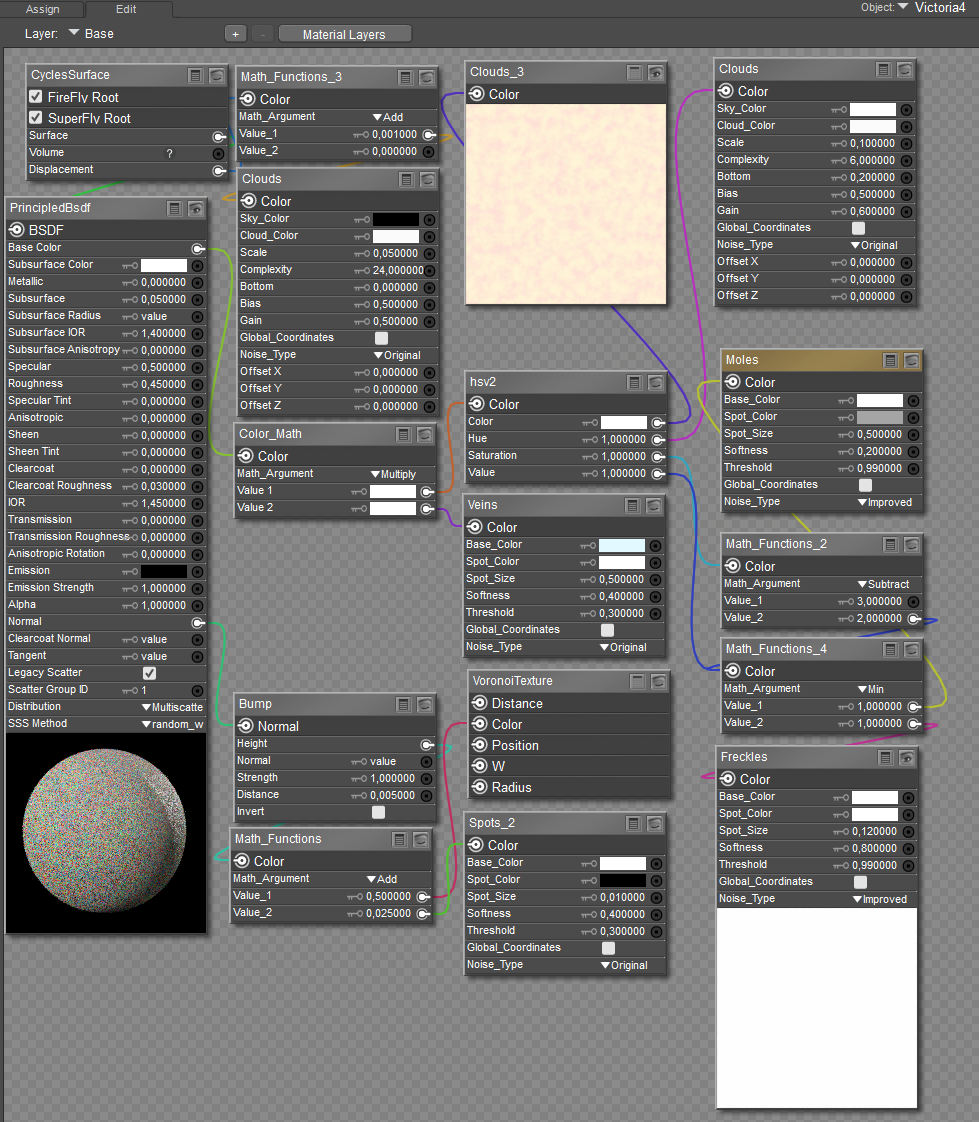
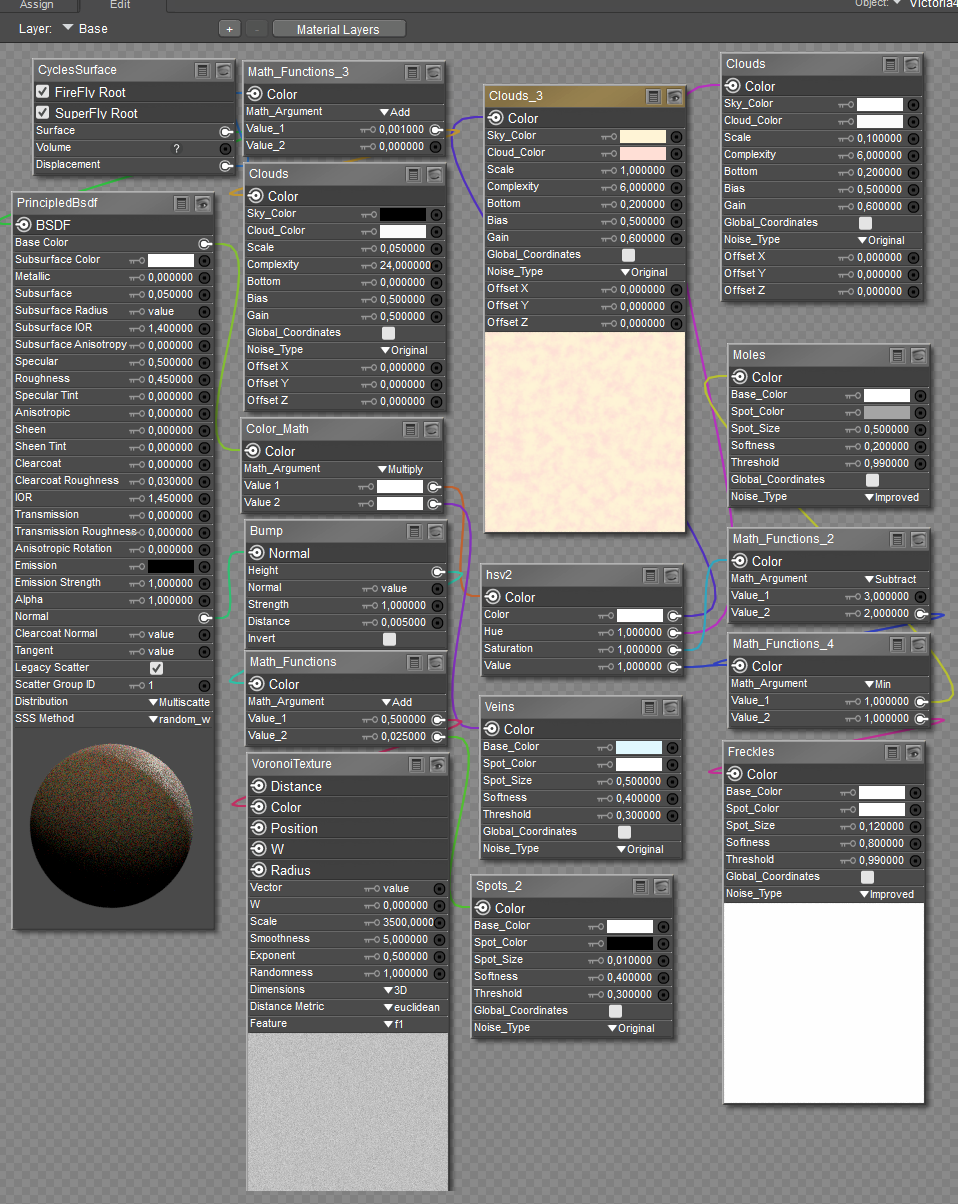
The base skin here is fully procedural, it is the one from ODF. Instead of using a map and a bump, I worked with clouds and Voronoi. The individual layers were basically just one experiment after another, but I think it does not look too bad XD Lashes and Lips are transparences.
I also have no idea what certain nodes mean or how they work in combination, I really just went by how it looks. I know, that is a lot of freckles XD
Base
Layers
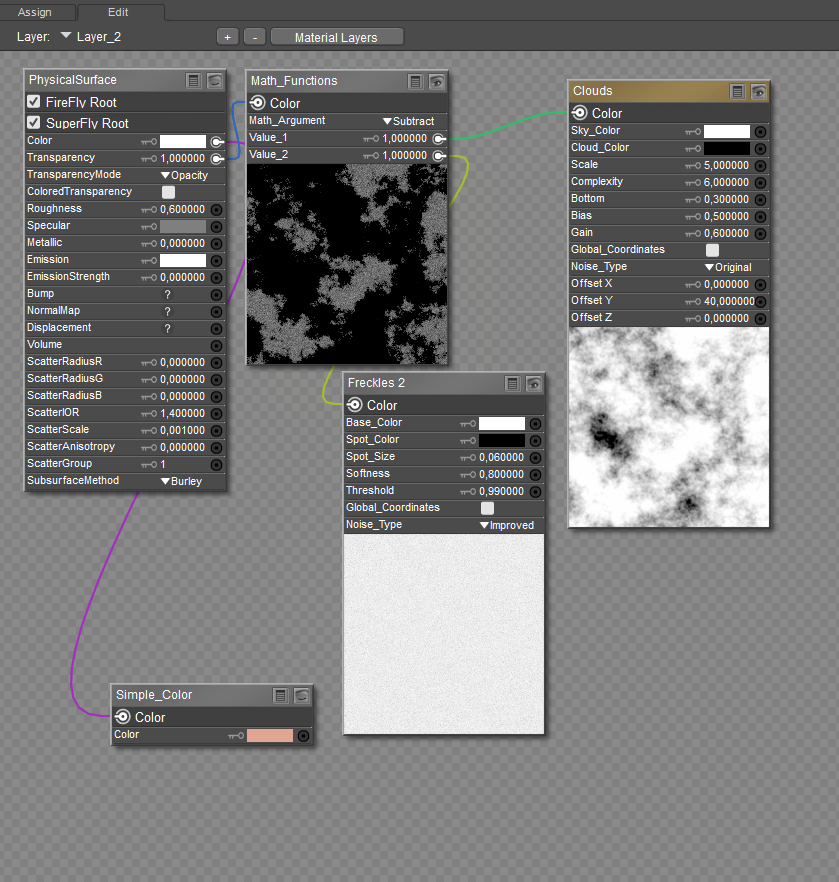
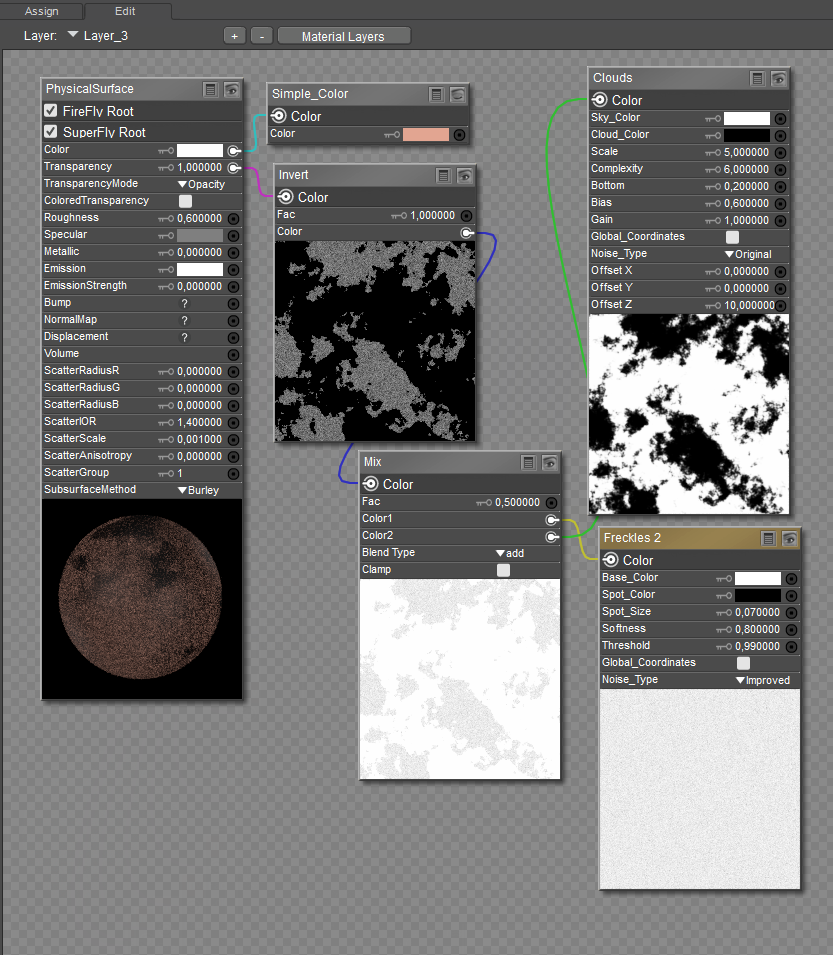
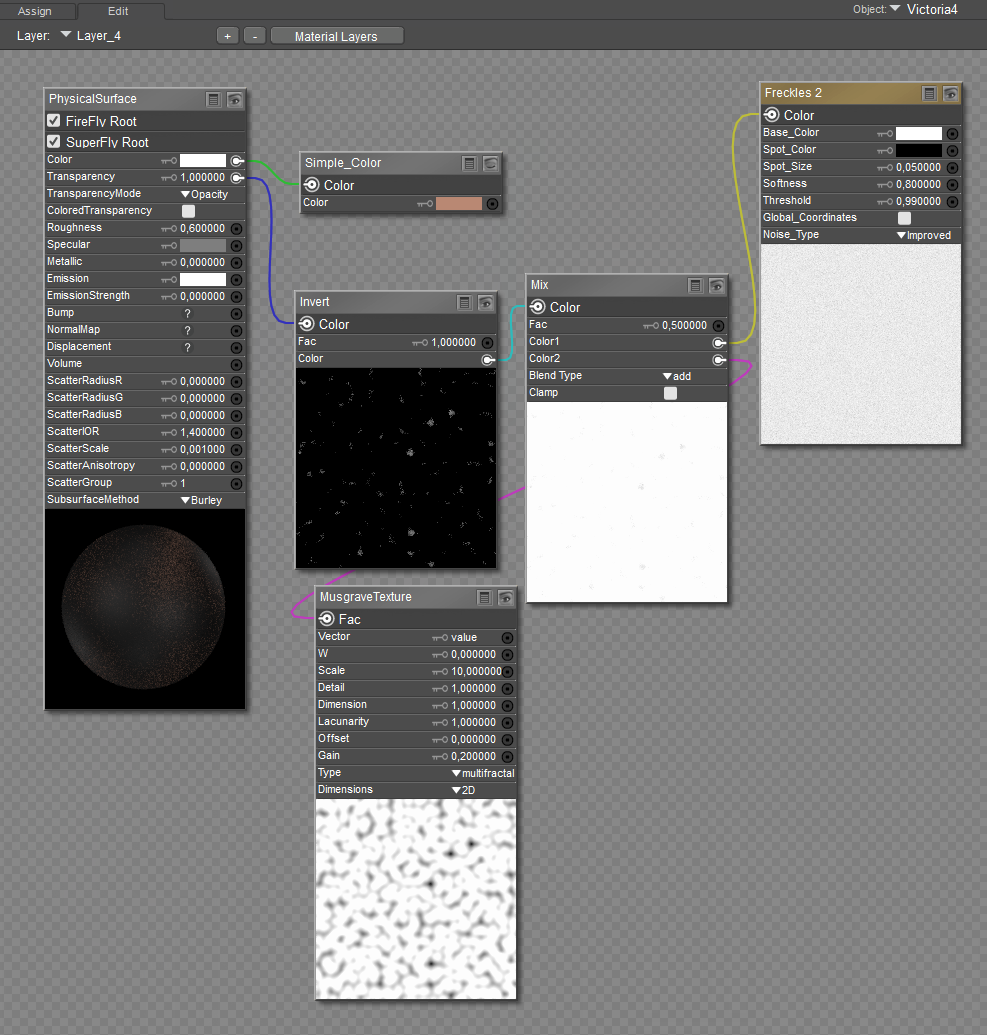
My observations and opinions on the procedural base skin: your subsurface scatter scale is too high (0.05). That explains the blue nose tip and the area surrounding the eyes. This is dependent on the scatter radius; high radius values require a low subsurface value, and low radius values require a higher subsurface value. Also, uncheck legacy scatter; that feature disables the random walk setting. Poser 13 has a displacement node; use it instead of the math node. You have a combination of legacy and cycles nodes in the shader. There may be a better way to set it up, but, at the moment, they appear to be doing what you intend. I have issues with the HSV2 node in the shader; I don't think you will get the same result with the actual Cycles HSV in its place. You are missing the set up information for the Cloud_3 and VoronoiTexture nodes; it would be nice to see that in order to reproduce the procedural texture.
Thank you so much for your help. I'm actually having trouble with the blue areas, but I wasn't quite sure what to change. This is the skin from this thread, the first one, so without your modifications, because I liked it except for the blue areas. :) I usually use it with a texture instead of the clouds. I was just in the mood to see what I could do.
Forgive me for saying this, but those freckles are too small and too even (in size, distribution AND color) for what you see in real life. Especially around the lip area, between the eyes on the forehead, and on the cheeks.
I'm very eager to see what people can come up with--to this day the most realistic ones I saw where the ones where the freckles were directly on the skin from photo resources.
You're absolutely correct, Rhia. Distribution, size, and color do need to be controlled to get the desired effect. I am finding that trying to create a procedurally imperfect skin texture with moles and freckles requires precise setting values to keep the overall base color in check. Otherwise, you will get tone-color variation throughout the torso, head, and extremities. I rearranged and applied math node corrections wherever necessary to comply with cycles. So far, this is what I have managed to come up with:
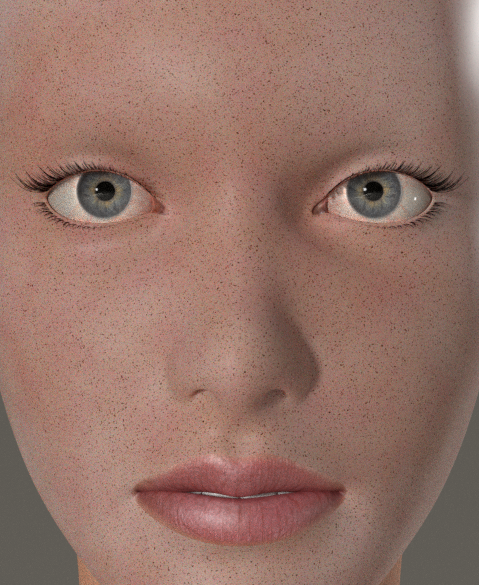
This is as close to realism with Superfly as I can get it without introducing bump and displacement or layers.
Okay, new attempt. I started over again. Maybe someone can guess… yep, V3 :D and a free texture from around 2006 from Renderosity.
The background is that I remembered an old script, which I can only get to run in Poser 7 now, that included a mask for freckles. So this time I created the material using a map combined with a bit of procedural work. I am not even sure if that is the right way to say it.
I know it is not perfect, but it works for me. The reason why the SSS freckles are connected the way they are up there, I honestly have no idea how or why, or if that is even something people normally do. But it gives me a full layer of freckles, and by attaching the texture there as well, I think the result looks nicer. It blends better in my opinion.
The mask is then used in the first and only layer. I also made it a bit stronger. Originally it was much weaker around the nose. Now I have five versions of it with different intensities.
I would have liked to add AO to the base material as well, but I just cannot find that RGB Ramp node. I really need to update my Poser, but that is one of my main fears… never touch a running system. I hate updates, something is always worse afterward.
I think the mask really makes a big difference, especially for the distribution.
Yes I know freckles also appear on the forehead, but for example mine are mostly around the nose and cheeks, and the rest are even lighter than in my image.
I also included the other masks for you to see. The first one on the left is the original. The product was “Unimesh Realism Kit” by face_off from 2005, with an update in 2008.
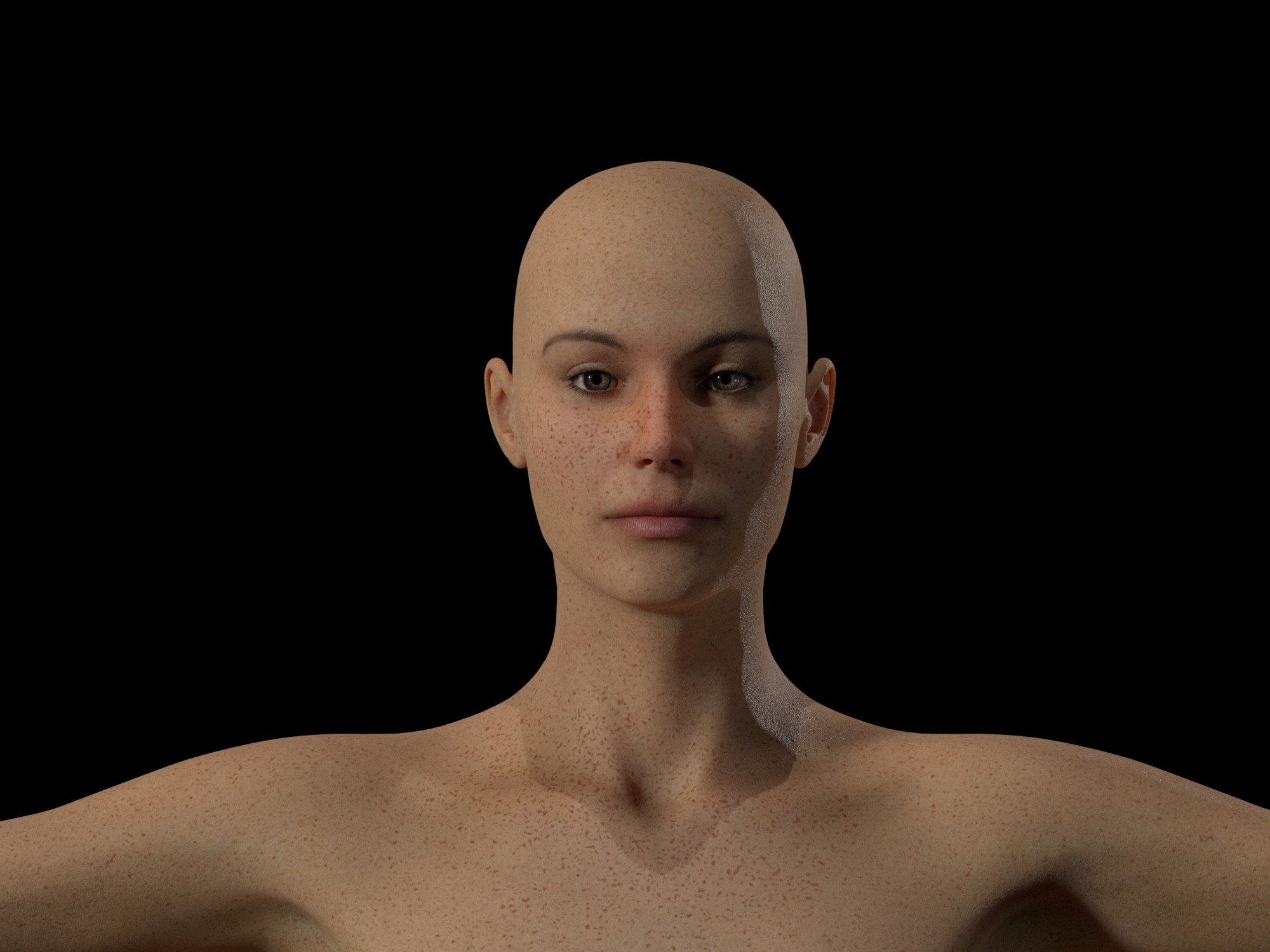
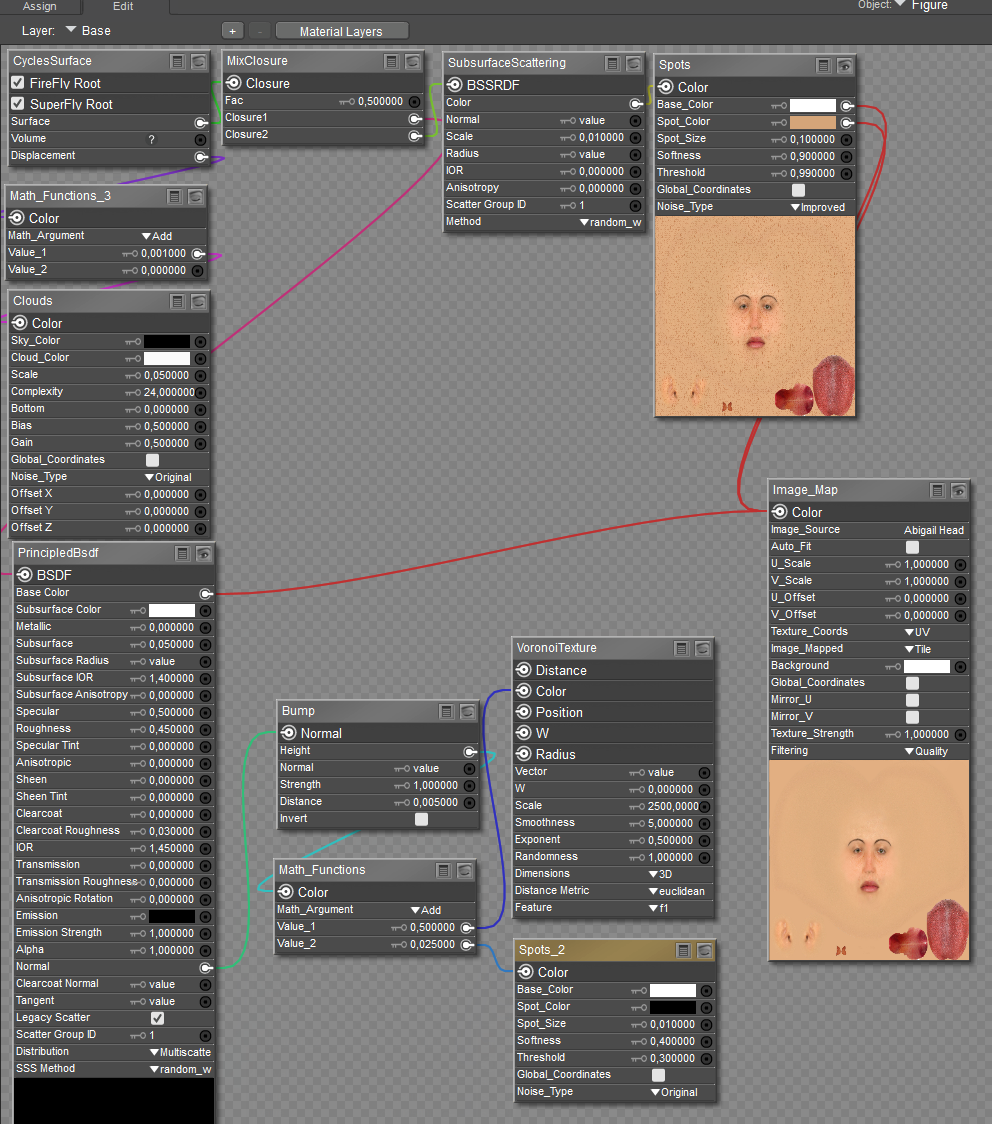
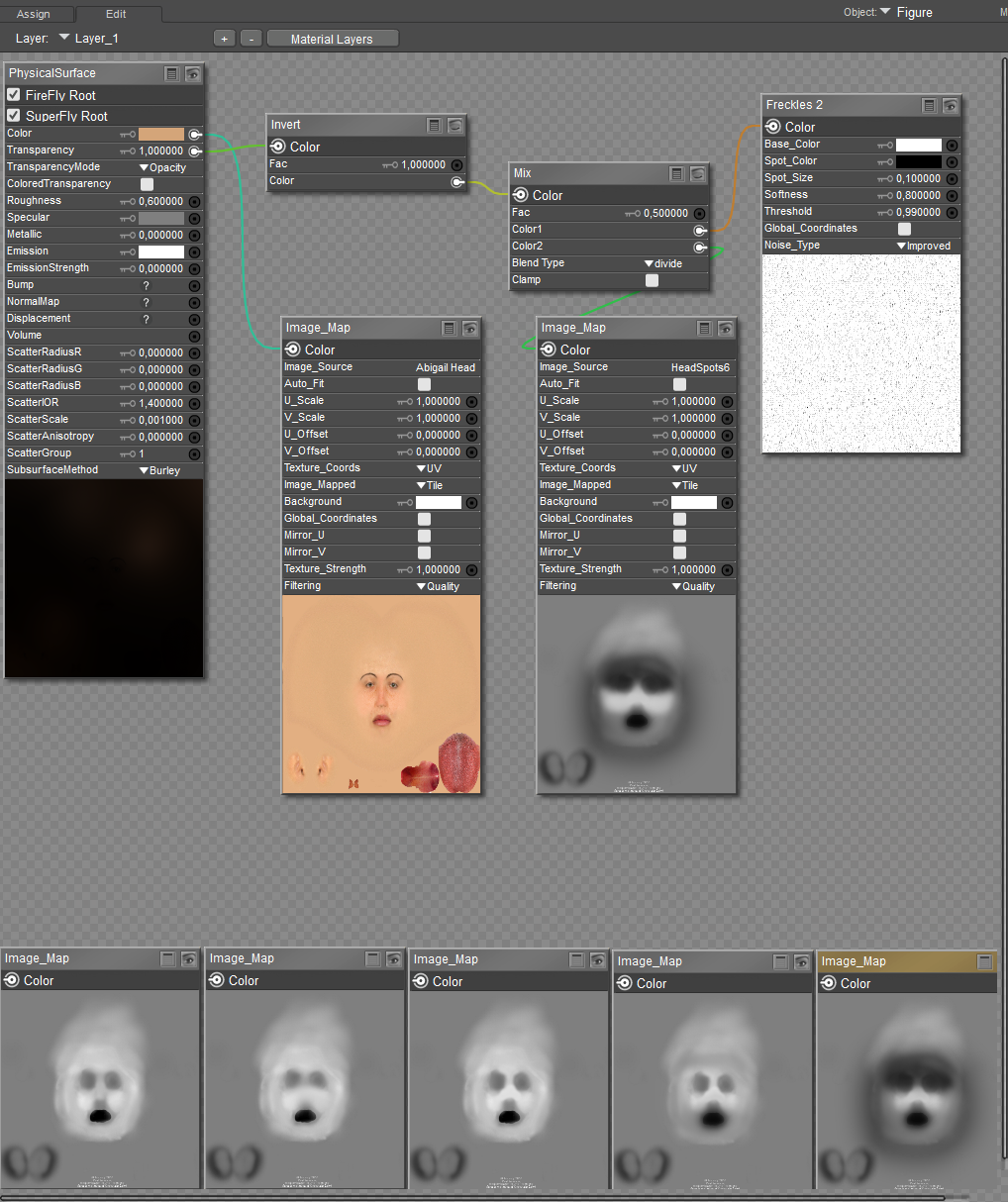
@ midinick: I managed to play with your shader arrangement and made the necessary modifications to be Cycles-friendly. Fortunately, I still have face_off's kit in my Poser 7 runtime, so replicating the shaders was simple enough. Below is the render of V3 with freckles.
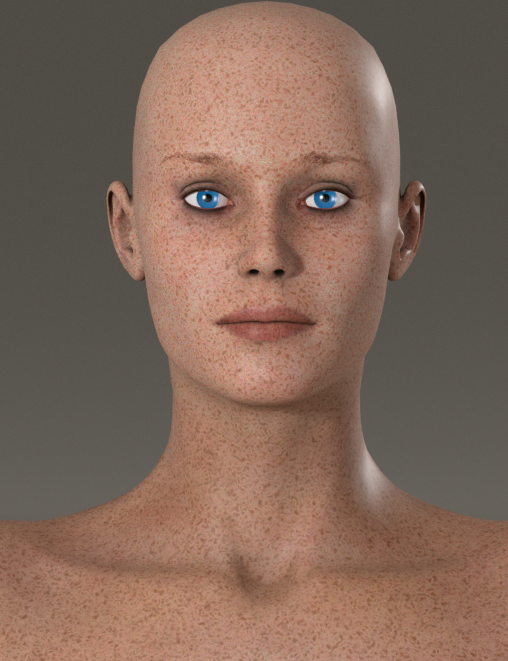
I purposely made the freckles larger for the demonstration. Below are the base and layer_1 material layers.
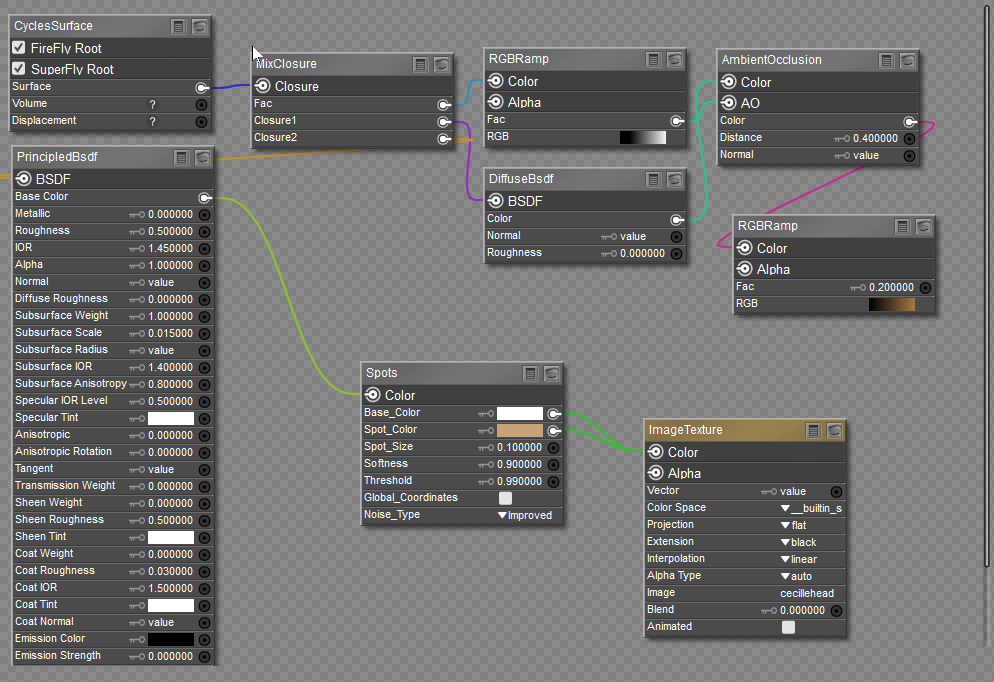
I decided to concentrate on just the skin texture alone without adding the bump, displacement, and specular maps. This is the best way to troubleshoot any problems by isolating each section one step at a time. Notice I have added an ambient occlusion modification using an RGBRamp node to modulate the occlusion. I am adding a color rather than allowing the darker areas to go black. It is more realistic where PBR is concerned.
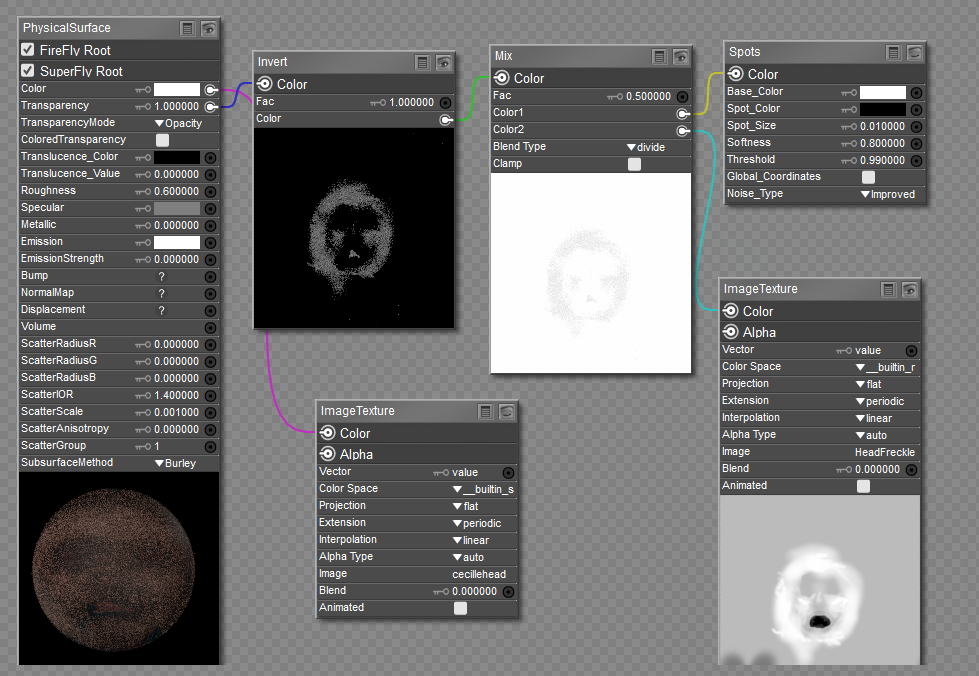
Layer_1 is virtually the same except the color chip on the PhysicalSurface node was changed to pure white. You need to keep in mind that each channel plugin is a multiplier with black=0 and white=1; if you change the color chip to a color, then whatever texture that is plugged into that channel will be multiplied by that color.
So far, this is somewhat working. I will add the other maps later to see the overall effects.

Privacy Notice
This site uses cookies to deliver the best experience. Our own cookies make user accounts and other features possible. Third-party cookies are used to display relevant ads and to analyze how Renderosity is used. By using our site, you acknowledge that you have read and understood our Terms of Service, including our Cookie Policy and our Privacy Policy.
The slot to put the serial number in the box below is greyed out. I can't even register to open it help please!!!!!!!!!!! Upgraded from 11 to 13! New computer today!