
Renderosity Forums / Poser 13
Welcome to the Poser 13 Forum
Forum Moderators: nerd, RedPhantom Forum Coordinators: Digitell
(Last Updated: 2026 Apr 19 1:36 pm)

Subject: Rendering Superfly
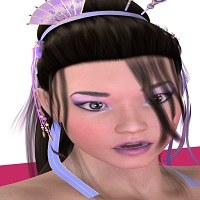

Are you optimizing the content material shaders to render in Superfly, or are you using the original shaders packaged with it? It does make a difference, especially for Superfly rendering. Usually GPU rendering pushed to its highest settings should give you a decent image, but it will be at a cost of speed, depending on the textures used in the scene.

These are my go-to render settings for the final render.
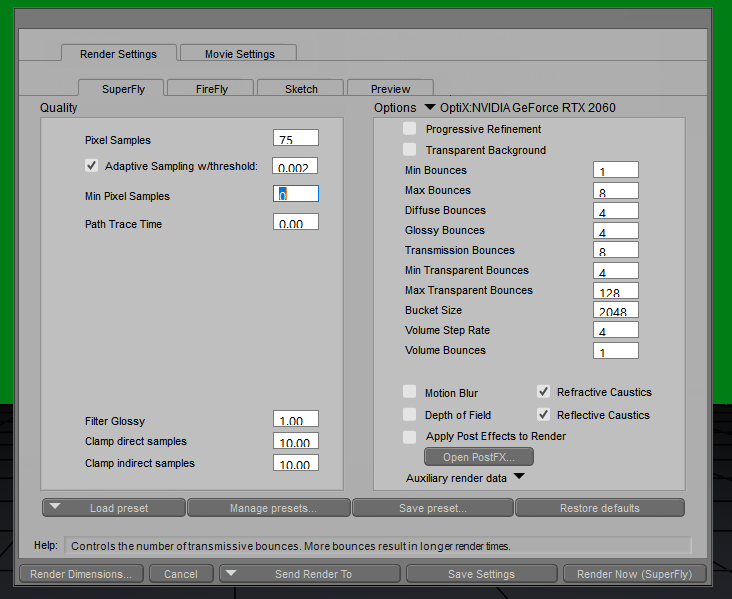
But these might be overkill, especially if you don't have Optix. Settings can depend on what you're rendering and the look you want to achieve. What problems are you having with your rendering? Is it just too much grain, or are there other issues, such as transparencies not turning out right when layered?
Available on Amazon for the Kindle E-Reader Monster of the North and The Shimmering Mage
Today I break my own personal record for the number of days for being alive.
Check out my store here or my free stuff here
I use Poser 13 and win 10

One tip to add to Red Phantom's setup. Enable Progressive Refinement instead of setting the bucket size really high. As long as you have enough GPU memory it will actually render faster in Progressive mode with equal quality.
And your ideal settings will vary widely depending on you computer hardware.
Let us know what your computer has for a graphics device and what look you're going for.

I'm no artist and I'm impatient and I only make pix for my comic-style stories, so I use the Optix High with 50% denoise. I've saved that setting as Optix HIgh Denoise. On my computer, it renders in a blink.
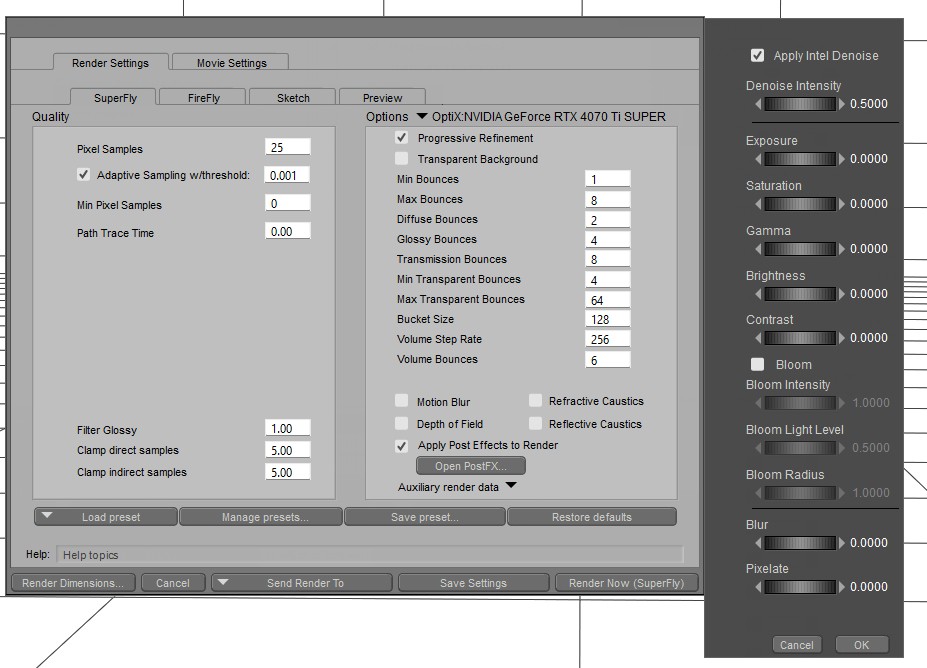
W11,Intel i9-14900KF @ 3.20GHz, 64.0 GB RAM, 64-bit, GeForce GTX 4070 Ti SUPER, 16GB.
Old lady hobbyist. All visual art or fiction is "playing with dolls."
VISIT MY ALBUMSFOR COMICS: https://www.renderosity.com/users/VedaDalsette/gallery/albums
You can also get to my comics from my book website: https://www.vdbooks.com.

These are my settings. Also, please consider that in Superfly you need a lot less lights and a lot more intentionally placed. The traditional Poser 3 light setup will look awful and washed out and/ or result in a million fireflies. So you'll need to use a/ Superfly compatible lights at a lot less strength and b/ I recommend some sort of dome or enclosed environment for pulling realistic lighting off. Or, use a HDR in the background: there is both a free and a paid version for P13.
I use the below with either a sphere with a HDRI or a HDRI on the Background node that provides most of the lighting.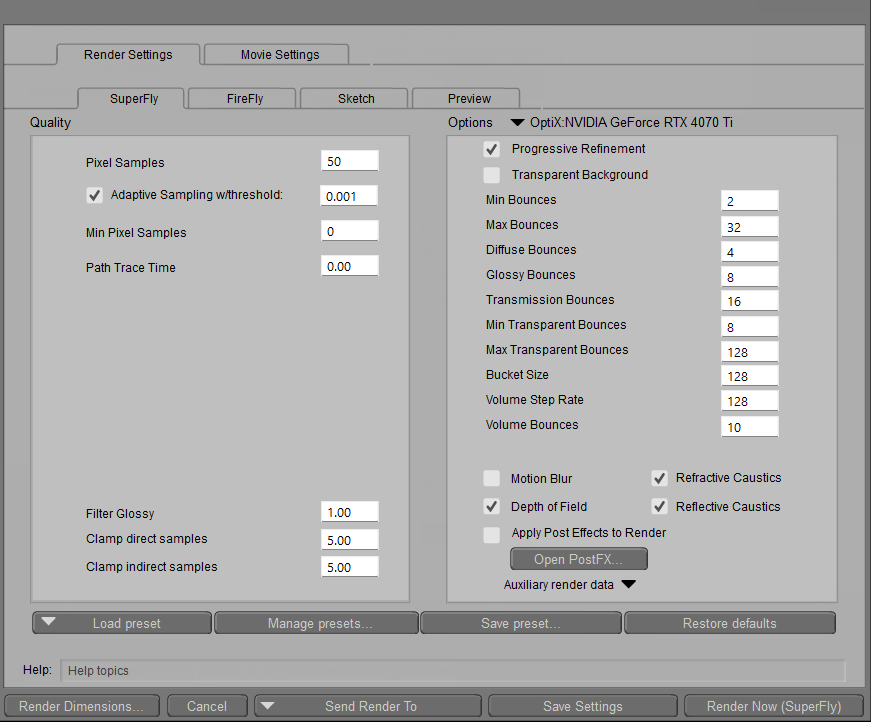

Privacy Notice
This site uses cookies to deliver the best experience. Our own cookies make user accounts and other features possible. Third-party cookies are used to display relevant ads and to analyze how Renderosity is used. By using our site, you acknowledge that you have read and understood our Terms of Service, including our Cookie Policy and our Privacy Policy.
Hello community, can you tell me what the best rendering settings are for Superfly? What settings do I need to adjust to achieve the best results?