
Renderosity Forums / Carrara
Welcome to the Carrara Forum
Forum Coordinators: Kalypso, Anim8dtoon
Carrara F.A.Q (Last Updated: 2026 Sep 09 4:39 am)
Visit the Carrara Gallery here.

Subject: Weekend Project Failure (Terrain Problems)


Terrains take awhile to get the hang of. The best trick with terrains is to not try and connect them together. This is true for Vue and other applications that have terrain functions. (Vue has method to create an infinite terrain procedurally but it hits render times pretty hard) Carrara has the option to create a tiling terrain which is good, but you will see the pattern if the camera gets above the scene much.
The most common tactic in terrain and environmental scenes (Vue, C4D, Carrara etc.) is to create multiple terrains and stagger and stretch them to disguise their edges - this requires attention to camera angles.
Another trick is to create a couple of terrains and stack them so they intersect.
The surface replicator is your friend when populating terrains. Creating a custom distribution map is the way to create controlled chaos.
Carrara's terrain shader is extremely flexible and powerful. But all that power comes with the penalty of learning to control the complexity with the large array of options and controls. Tearing apart some of the terrain shaders that come with Carrara is a great way to do than.
Just the crazed ravings of a lunatic madman....

Some of us may say that even if you are a heavy user of Carrara, Bryce is still worth having around for this specific usage. Its terrain editor is a lot easier to use, and then you just save out the terrain heightmap and import it into Carrara's terrain generator. If you're trying to make a specific road or riverbed shape, the Bryce option looks even better yet. Try doing that in Carrara, and you end up having the height of everything else you don't want changed messed up. And Bryce also does the fractal terrain tiling thing, but I don't know how that stacks up against the one in Carrara.
Carrara does have the better procedural shader, so you don't really need to go the .obj route with Bryce in this case. Just get the heightmap from the Bryce terrain and then use it under the Carrara terrain editor.
Your friendly neighborhood Wings3D nut.
Also feel free to browse my freebies at ShareCG.
There might be something worth downloading.
Don't like what you see? Press the Shuffle button in the lower left corner of the terrain editor to create a different terrain using the same parameters. This is also quick way, after duplicating an existing terrain, to create a new terrain that looks like it is still part of the same geology.
Just food for thought.
This is all excellent feedback. Unfortunately, I'm done with my three day weekend of madness and am back at work today. I will play around with a bunch more of this stuff.
Excellent comment on the terrain shader. As is always the case, the more power a tool has, the more complex it is and the harder it is to learn. I just need to play with it when I have time.
There are several resources out there for dealing with all this stuff. One thing I seem to have noticed though is that,
1.) There is no real comprehensive "book" on buiding outdoor, "terragen" scenes the Carrara way.
2.) I'm not convinced that it can be done given the current tools in Carrara. However, I think you can get a lot of good results IF you know how.
Somebody needs to write such a book. I think it would boost C's marketability quite a bit.
-Kix


Link to large version: http://tinyurl.com/2asvfuq
I recommend GeoControl for terrain creation, it's very easy to use and has lots of flexibility.
They also have a demo-version:

Privacy Notice
This site uses cookies to deliver the best experience. Our own cookies make user accounts and other features possible. Third-party cookies are used to display relevant ads and to analyze how Renderosity is used. By using our site, you acknowledge that you have read and understood our Terms of Service, including our Cookie Policy and our Privacy Policy.
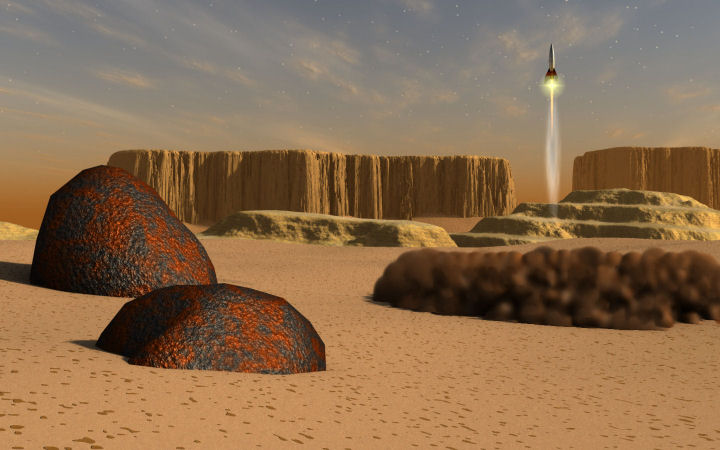
This is one of a series of threads that I'm posting. I worked on an image all weekend and encountered several problems with it. In fact, I posted it in my gallery and the first comment I got on it fully confirmed my opinion that it sucked so I took it down. I thought it would have some value to write what happened and post it for two reasons.1.) My experience might be interesting for some to see what kinds of things happened during the development of the image.
2.) I would like feedback on what I could try to get it better.
I think these issues are big enough to have a separate thread for each so I have broken this up into separate threads with images and text to support each issue.
I am happy for any and all feedback!
Thanks!
Terrains
What worked.
Nothing.
What didn't Work.
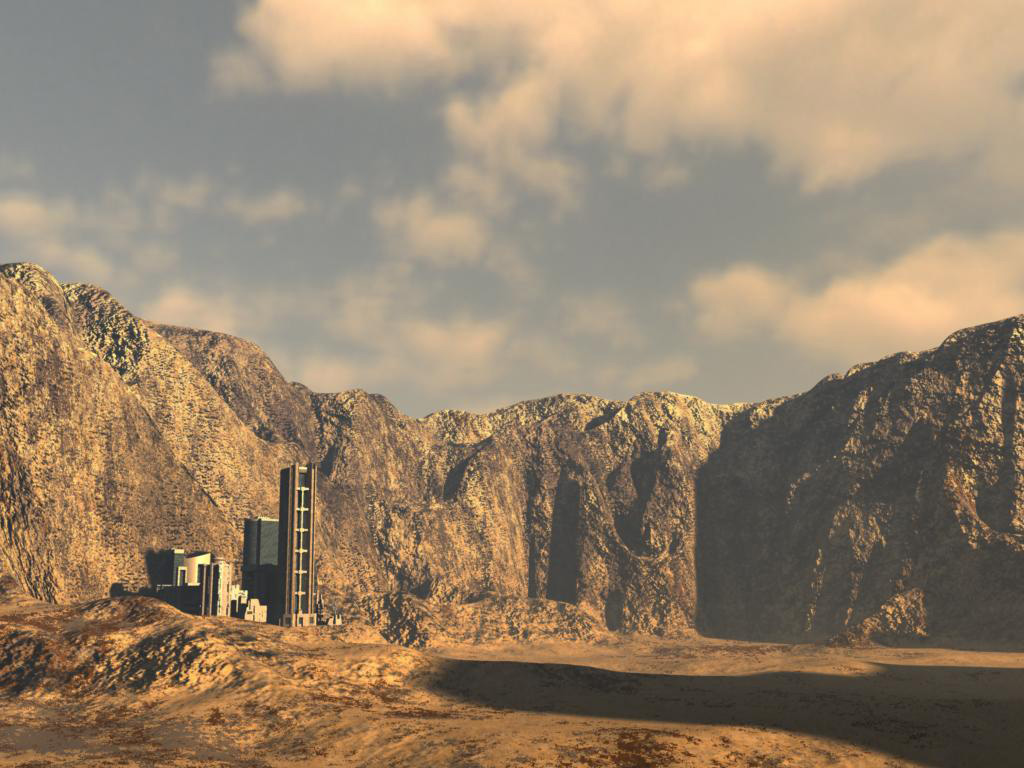
Everything! I wanted a rocky sand planet. This was really my first time to bang on the terrain modeler. So I learned to put in a generator and then add filters to get a result. I also learned that if you pump up the render and previeiw scales much, it will take a long time for everything (saving, rendering, yak yak yak). Bottom line, the terrain generator didn't produce terracing in a fashion that was random enough. I also couldn't generate terrains that I could lay together or hook up in ways that was easy without taking them into the vertex modeler for surgery (very stupid). I also wanted to put my rocket ship initially on the terrain but it was too hard for my needs. I've done it before. I just wasn't in the mood this weekend.
What I tried.
I tried lots of different filters and generators to try to get what I wanted. It just couldn't get it to gel for me. I also really hate the default terrain texture that it dumps on the terrain. It's a very confusing shader to start with (in fact, I'm still quite confused about it). That whole aspect of the shading setup is a mystery. Not sure how I want to deal with that one yet.
What I learned.
Realistic terrains are difficult to generate. They are also challenging to shade and are difficult to have the variance in them that would make them look natural. It's hard to make a mountain on a plain without having to take it into the vertex modeler or without boolean operations for specific surgery. It's hard to have multiple terrains in a scene because the edges don't line up in a way that makes it easy.
Bottom line, Terrains are hard to get them to behave! I own ground control. Maybe it's time I really explore that plug-in and see what sorts of trouble I can get into with it (dang!).
-Kix