Filter: Safe | Tue, Jul 14, 2:44 AM CDT

Renderosity Forums / Carrara


Welcome to the Carrara Forum

Forum Coordinators: Kalypso, Anim8dtoon

Carrara F.A.Q (Last Updated: 2026 Jul 11 2:50 am)


Visit the Carrara Gallery here.

Carrara Free Stuff here.

 
Visit the Renderosity MarketPlace - Your source for digital art content!


Subject: How do you get water to start out as 1 color then fade to another?


dlk30341 ( ) posted Mon, 27 February 2006 at 3:27 PM ยท edited Wed, 06 May 2026 at 3:13 PM

As stated above. I've tried using a gradient...but it seems like it's all or nothing...not a gradual color shift. Thanks :)


MarkBremmer ( ) posted Mon, 27 February 2006 at 9:01 PM

file_329988.jpg

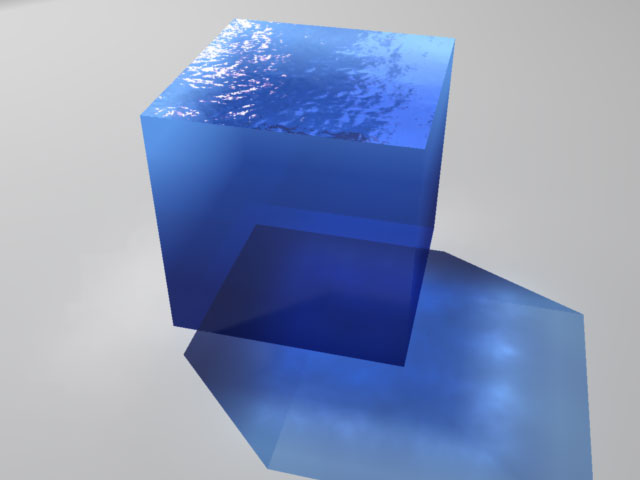
Hi dlk, I can't tell from your post if this is the effect you're looking for. Mark


Singular3D ( ) posted Tue, 28 February 2006 at 12:39 AM

Looks great Mark, can you show us the settings?


dlk30341 ( ) posted Tue, 28 February 2006 at 9:22 AM

Yep...that's it. & ditto Singulard3d.


MarkBremmer ( ) posted Tue, 28 February 2006 at 10:25 AM

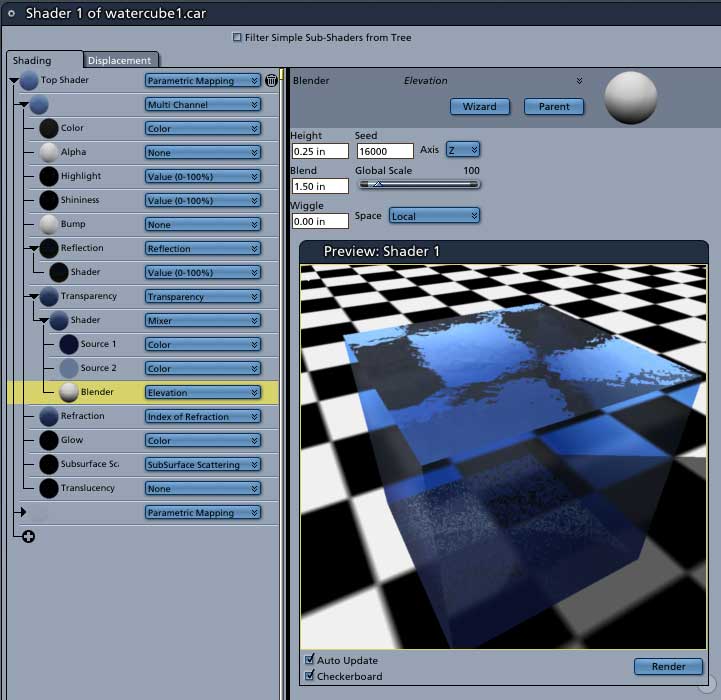
file_329989.jpg

I suspect you've used the gradient blender exclusively in the color channel. A better method is to make your water color almost black and then apply the color to the transparency channel. In this example, I have two blue's mixed in the transparency channel and blended with an Elevation modifyer. This gives you the ability to specifically control change over distance. (make sure to check "local" in the channel option for elevation) Since Carrara doesn't have volumetric shaders, this is a useful way to fake it. In actual water scenes I use a large cylinder instead of a cube so there are no corners. I keep the base of the cylinder below the ocean bottom if there is one. The top of the water is mapped to the top surface. (parametric mapping). I used the same shader but added bump and refraction. Combining this technic with blue fog in your scene will work pretty well if you camera is underwater. Hope this helps. Mark


dlk30341 ( ) posted Tue, 28 February 2006 at 11:06 AM

XLT! Thank You :)


Singular3D ( ) posted Tue, 28 February 2006 at 11:50 AM

Excellent, thanks!


Kixum ( ) posted Tue, 28 February 2006 at 9:53 PM

file_329990.jpg

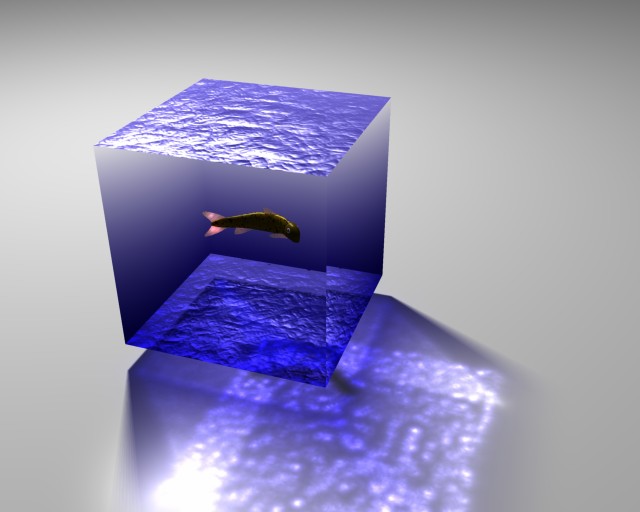
Coolness. Just too much fun not to play! -Kix

-Kix


Privacy Notice

This site uses cookies to deliver the best experience. Our own cookies make user accounts and other features possible. Third-party cookies are used to display relevant ads and to analyze how Renderosity is used. By using our site, you acknowledge that you have read and understood our Terms of Service, including our Cookie Policy and our Privacy Policy.