
Renderosity Forums / Bryce
Welcome to the Bryce Forum
Bryce F.A.Q (Last Updated: 2025 Feb 17 1:22 pm)

Subject: Ore Mining 2505


not bad at all! it's weird how bryce always randomizes the creation of rocks in the same way. like that square-y one always pops up in the first 10 clicks :) nice work, the only thing i'd work on is the blue jet exhaust, seems to be rather finite. maybe some blur in postwork or having it as blurry in the material properties would fix it :)

Thanks Quest, I never thought about dodging it. As far as the rocks, (lol), I went around and flipped every other one around about 15 degrees each in a different way, and they still seem they are cookie cutted. I do like the way the planet turned out. Amazing what you can do with fractals eh! No bump map tho, but at that POV, I don't think you need one.

I like the cinemascope, I'm trying to get away from the 800x600 myself... Bryce NEEDS more way more realistic random rocks, only so much you can do with a bump map set to 999. AS
Contact Me | Gallery |
Freestuff | IMDB
Credits | Personal
Site
"I want to be what I was
when I wanted to be what I am now"
Attached Link: http://www.renderosity.com/viewed.ez?galleryid=881967
Kimpe, when you do the linear dodge or the screen color mode, duplicate the flame onto a new layer above the original then change the mode on the duplicated layer. You may can even add more linear dodge layers on top of that for more glow. Or you can Ctrl+B to change the hue of the dodged flame.Message edited on: 03/18/2005 06:04
Message edited on: 03/18/2005 06:06


Attached Link: http://www.grass3d.com/
Grass3D can generate rocks as well as grass, and it's still free.:-)Oh, here's the link(for Drac);-)

Attached Link: http://www.shatters.net/celestia/
Attached Link: http://www.lns.cornell.edu/~seb/celestia/
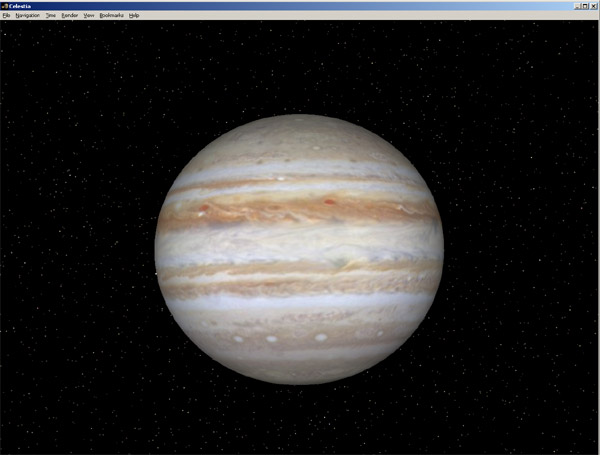
No problem, You can add add a lot of great FX shots by something they call "Billboards", (that's are cool way to do your own nebulas), which are basicaly a 2d plane like you would have in Bryce, and are also transparent and let the correct star positions show through. It does get rather involved, but is accurate astronomicaly. Celsestia allows you to use DXT file formats which include layered and alpha channels, bump maps, etc, etc, like the ones used in Microsoft Flight Simulator 2k2 and 2k4. You have multiple render resolutions options, AA, ambience and such. Well worth the D/L if you like to do Space Shots and love astronomy! Check out the link I included in this post and see all that you can find. Very fascinating. Enjoy! ;)

Privacy Notice
This site uses cookies to deliver the best experience. Our own cookies make user accounts and other features possible. Third-party cookies are used to display relevant ads and to analyze how Renderosity is used. By using our site, you acknowledge that you have read and understood our Terms of Service, including our Cookie Policy and our Privacy Policy.
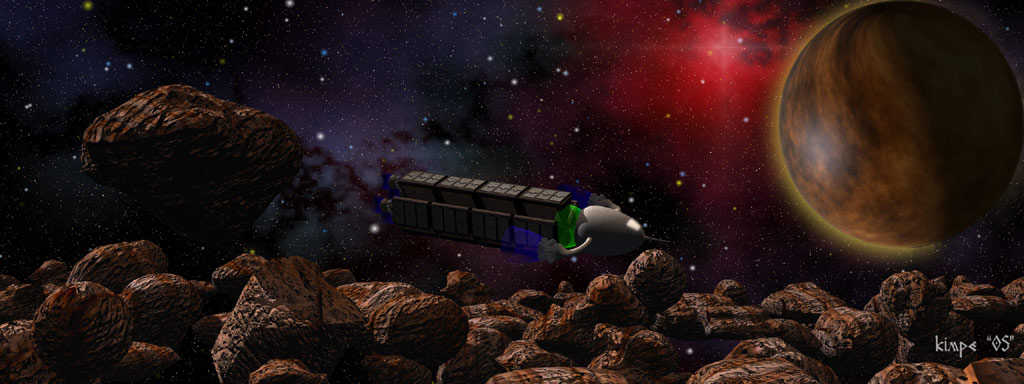
I did this pic in Cinamascope for some darn reason. The background is done with Universe Image Creator. The Planet is a fractal image I made and then sphere mapped onto a planet and rendered in Celestia. The Tug Spaceship I made in Wings 3D and textured in Bryce 5. The asteroids are Bryce. It's all assembled in Photoshop 7. I just wanted to let you guys know I was still bumping around with space images. Let me knnow what you all think. ;)