
-
Marketplace
- Free Stuff
-
Galleries
-
Community
Forums General
- News
- Deals
- Poser
- Contact
Renderosity Forums / Bryce
Welcome to the Bryce Forum
Bryce F.A.Q (Last Updated: 2025 Feb 17 1:22 pm)

Subject: How do you eliminate excess edge on imported objects?

Report Post
Attached Link: http://calyxa.best.vwh.net/~calyxa/pearl/terraintut/fractaltile.html
I'm not sure I understand what your problem is (I've been at the sherry bottle early :) but wondered if Section 3: Fixing the Gaps on the attached page might be of help?

Have you tried opening the "Attributes" tab on each object and looking at the settings ? Might have something to do with onjects being set to either "Nuetral" or "Positve" Just a wild guess,.........but you never know,.......sometimes Bryce can give you some very strange artifacting for seemingly no reason at all.
"Any club that would have me as a member is probably not worth joining" -Groucho Marx
-
- Renderosity Page
- Renderosity Communities
- Blender 3D
- iClone
- Poser Users
- Poser Software
- Become an Affiliate
- Memorials
-
About
- About Us
- Contact Us
- Team
- Policies
- Terms of Service
- Copyright Policy
- Refund Policy
- Licenses
- Standard License
- Extended License

Privacy Notice
This site uses cookies to deliver the best experience. Our own cookies make user accounts and other features possible. Third-party cookies are used to display relevant ads and to analyze how Renderosity is used. By using our site, you acknowledge that you have read and understood our Terms of Service, including our Cookie Policy and our Privacy Policy.
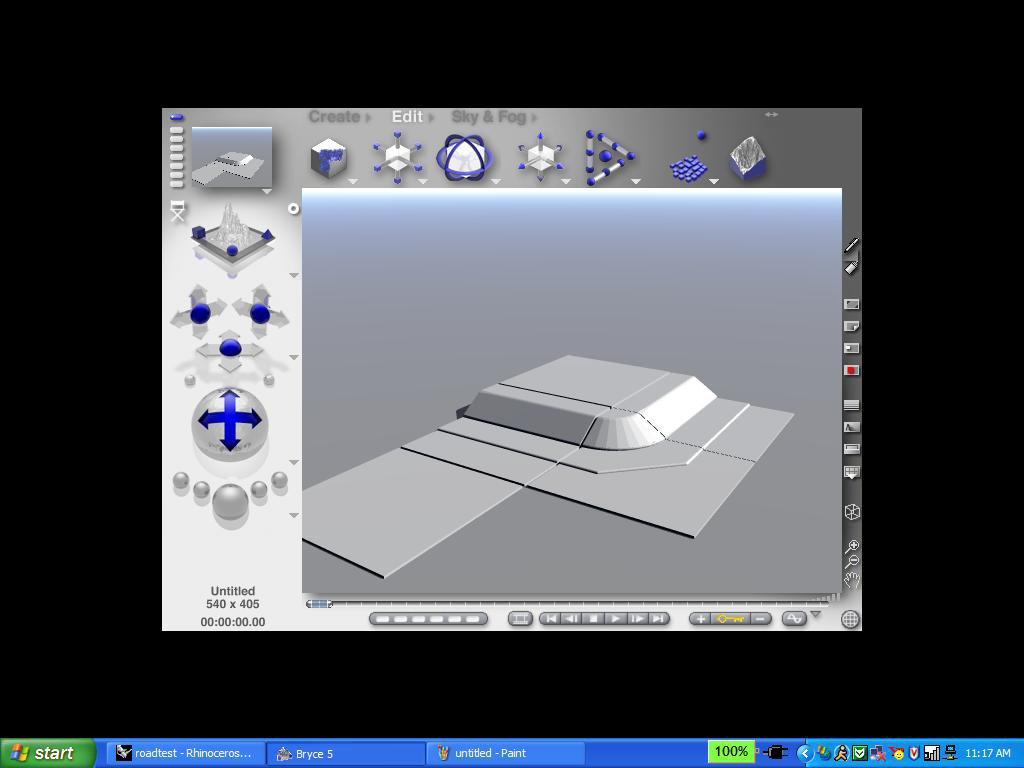
I am trying to find a way to import some square pieces into Bryce so that I can move then around using the shift key. However, when I import the objects there is extra space around the edge even tho there are no polygons occupying this space. Is there anyway to eliminate these edges and make the edges of the object at the edges of the polygons? I have tried numerous different file types, and all of them have the edges. I know I could just resize the objects, but if the edges are eliminated, connecting the individual pieces would be easier and quicker. Here is what some of my separate pieces imported into Bryce and moved looks like. I want to make it so the edges of each square piece meet.