
Renderosity Forums / Poser - OFFICIAL
Welcome to the Poser - OFFICIAL Forum
Forum Moderators: RedPhantom Forum Coordinators: Anim8dtoon
Poser - OFFICIAL F.A.Q (Last Updated: 2026 Apr 03 5:15 pm)

Subject: Transparency problem


What version of Poser are you using?
I'm guessing it's the gamma correction settings on the transparency map. Old versions of Poser set everything to 1. Newer versions have the gamma correction at 2.2 for the texture map, but the transparency map should be a custom setting of 1.
If that's not it, post a screen shot of the material settings, and tell us what version of Poser you're using.
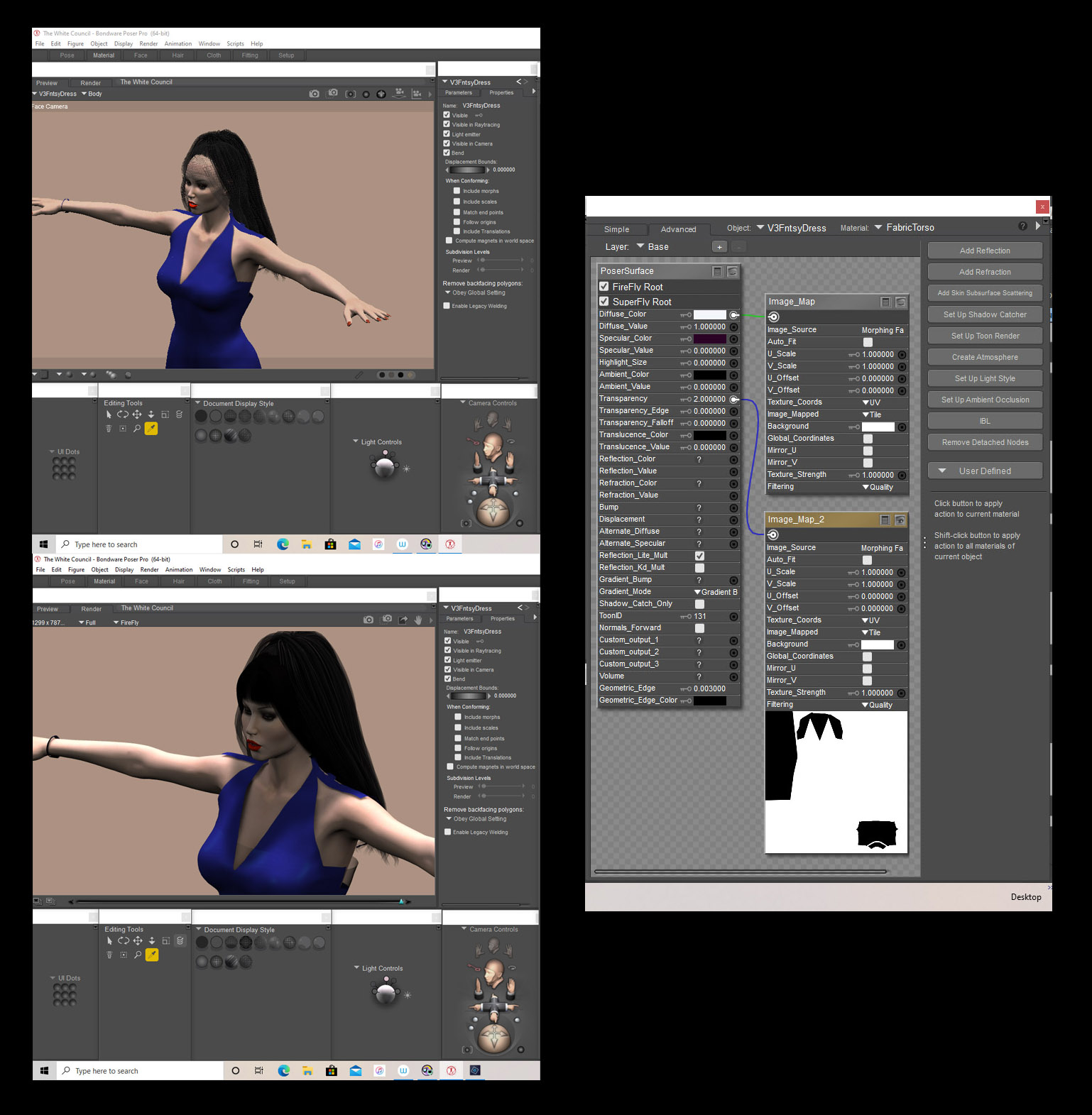
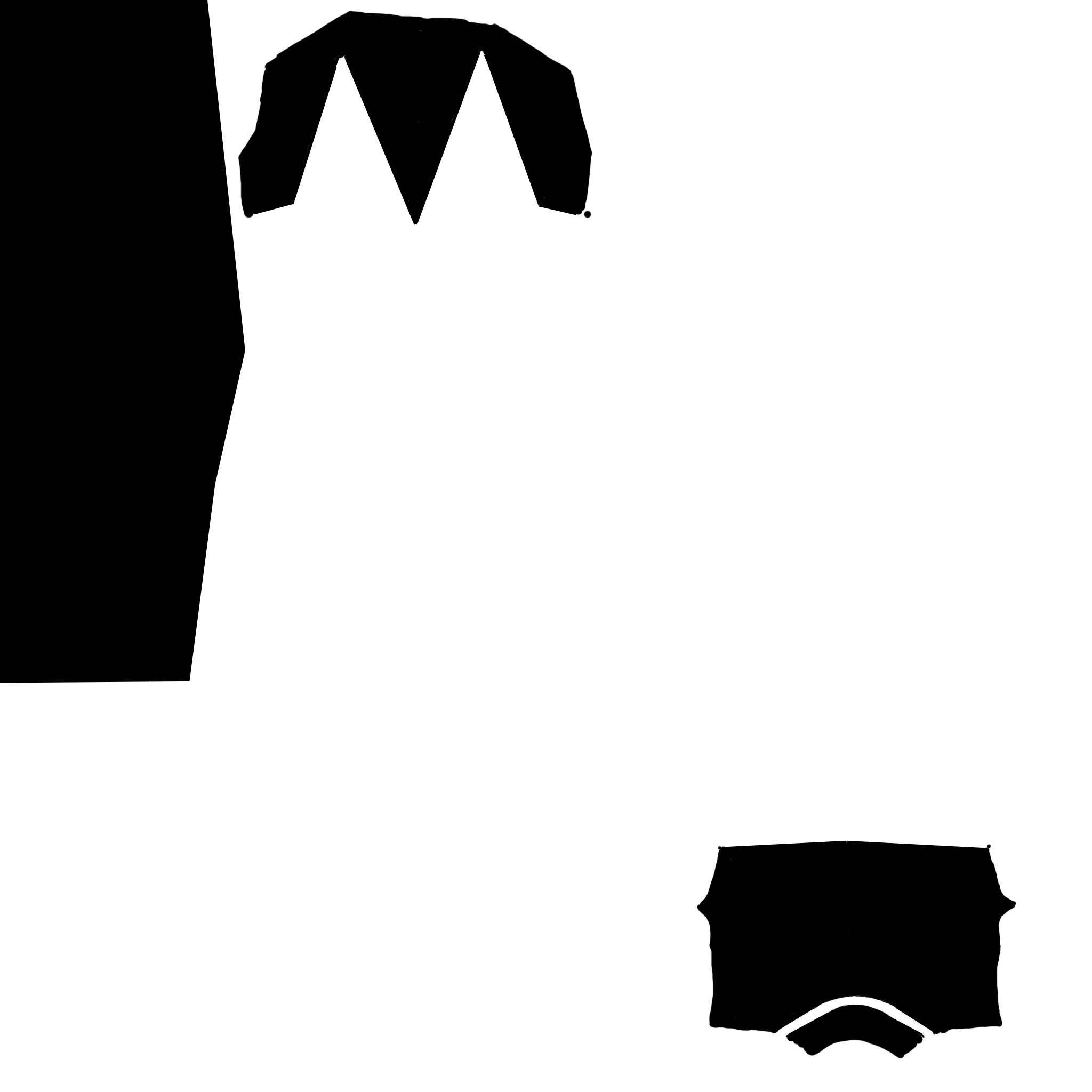

Reload your transmap. The gamma setting is available on load selection. Set to custom 1. Also change your texture filtering to crisp or none. Trans map only needs to be set to 1. in transparency value.
W10 Pro, HP Envy X360 Laptop, Intel Core i7-10510U, NVIDIA GeForce MX250, Intel UHD, 16 GB DDR4-2400 SDRAM, 1 TB PCIe NVMe M.2 SSD
Mudbox 2022, Adobe PS CC, Poser Pro 11.3, Blender 2.9, Wings3D 2.2.5
My Freestuff and Gallery at ShareCG
Happy 4th
W10 Pro, HP Envy X360 Laptop, Intel Core i7-10510U, NVIDIA GeForce MX250, Intel UHD, 16 GB DDR4-2400 SDRAM, 1 TB PCIe NVMe M.2 SSD
Mudbox 2022, Adobe PS CC, Poser Pro 11.3, Blender 2.9, Wings3D 2.2.5
My Freestuff and Gallery at ShareCG
ghostship2 posted at 10:23PM Sat, 04 July 2020 - #4393895
I'll load up that transmap and see what it's doing.
Do you want the map i used? I had to take the dress into UV mapper to make one.
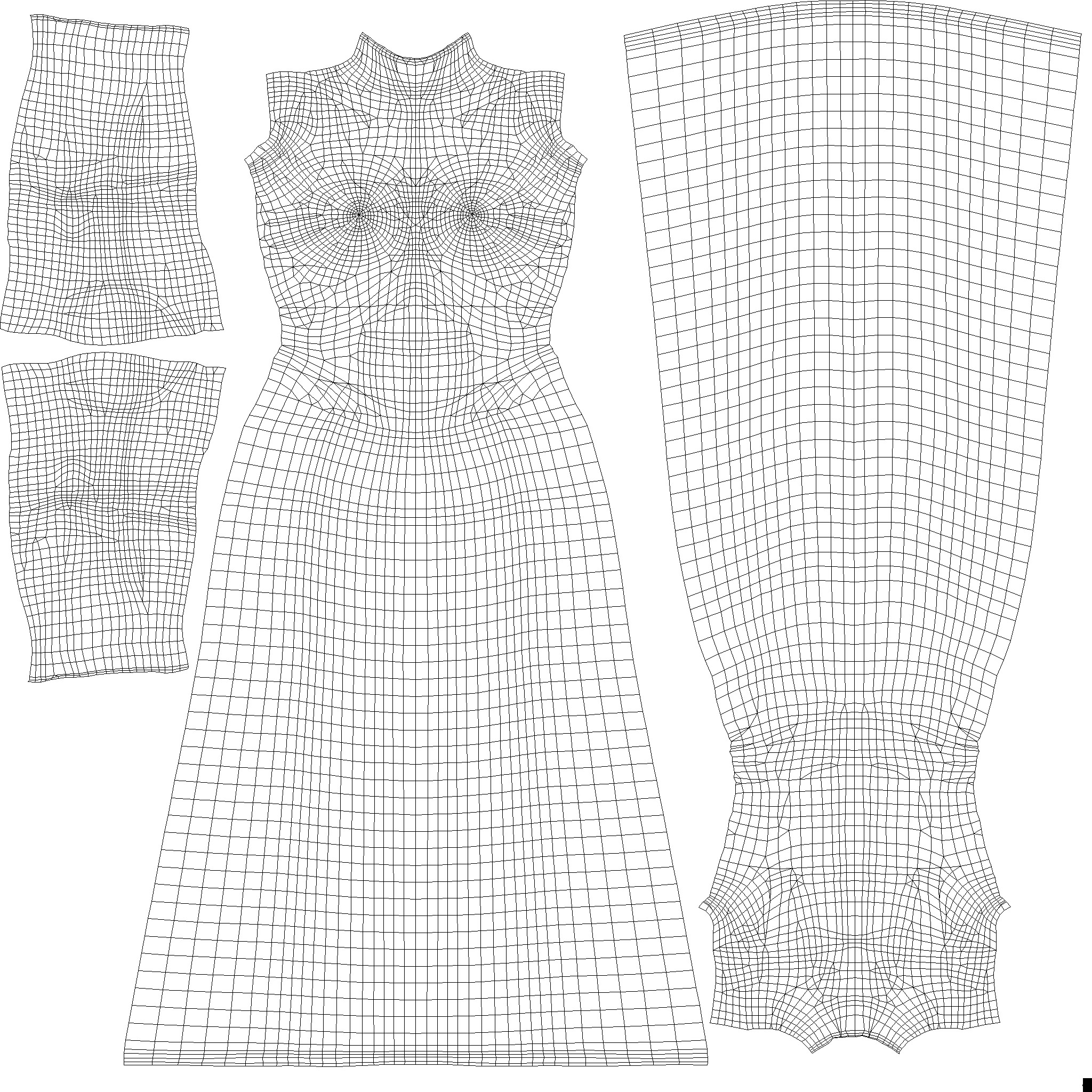
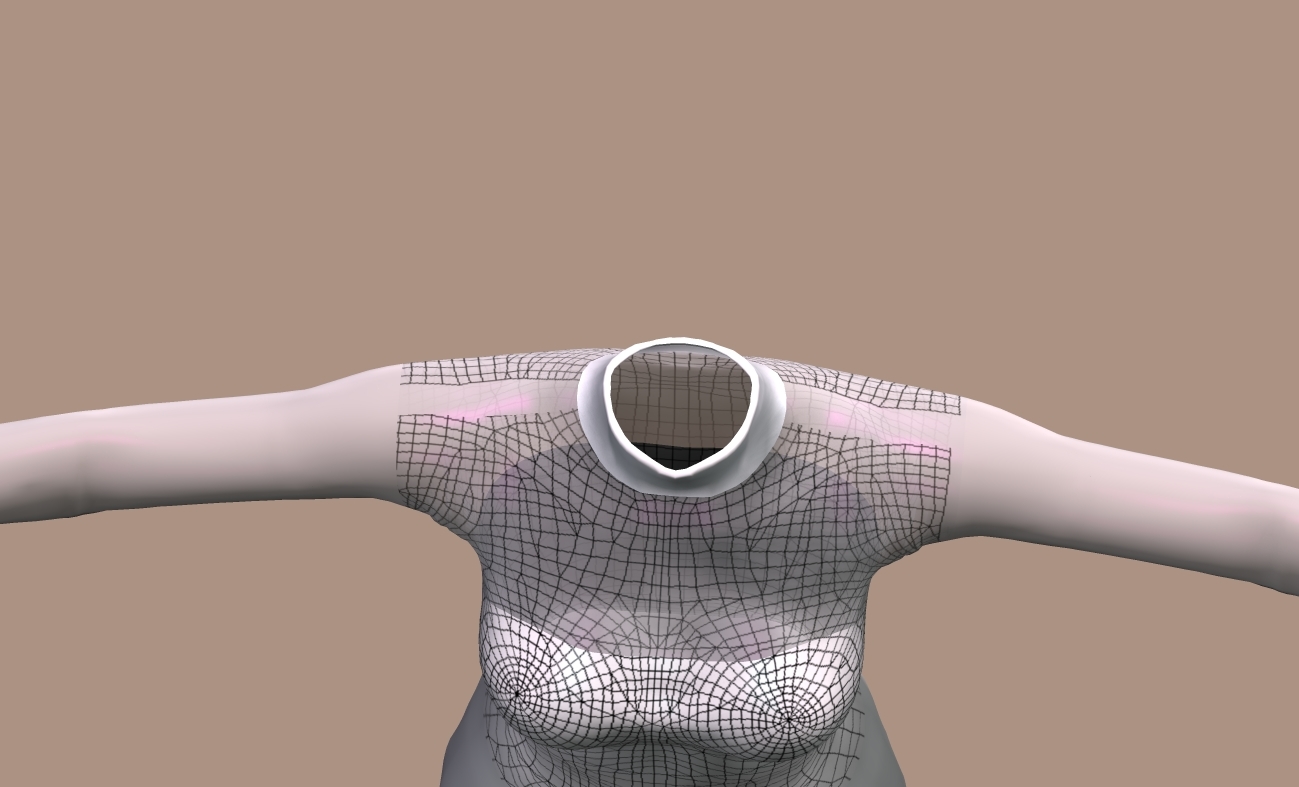
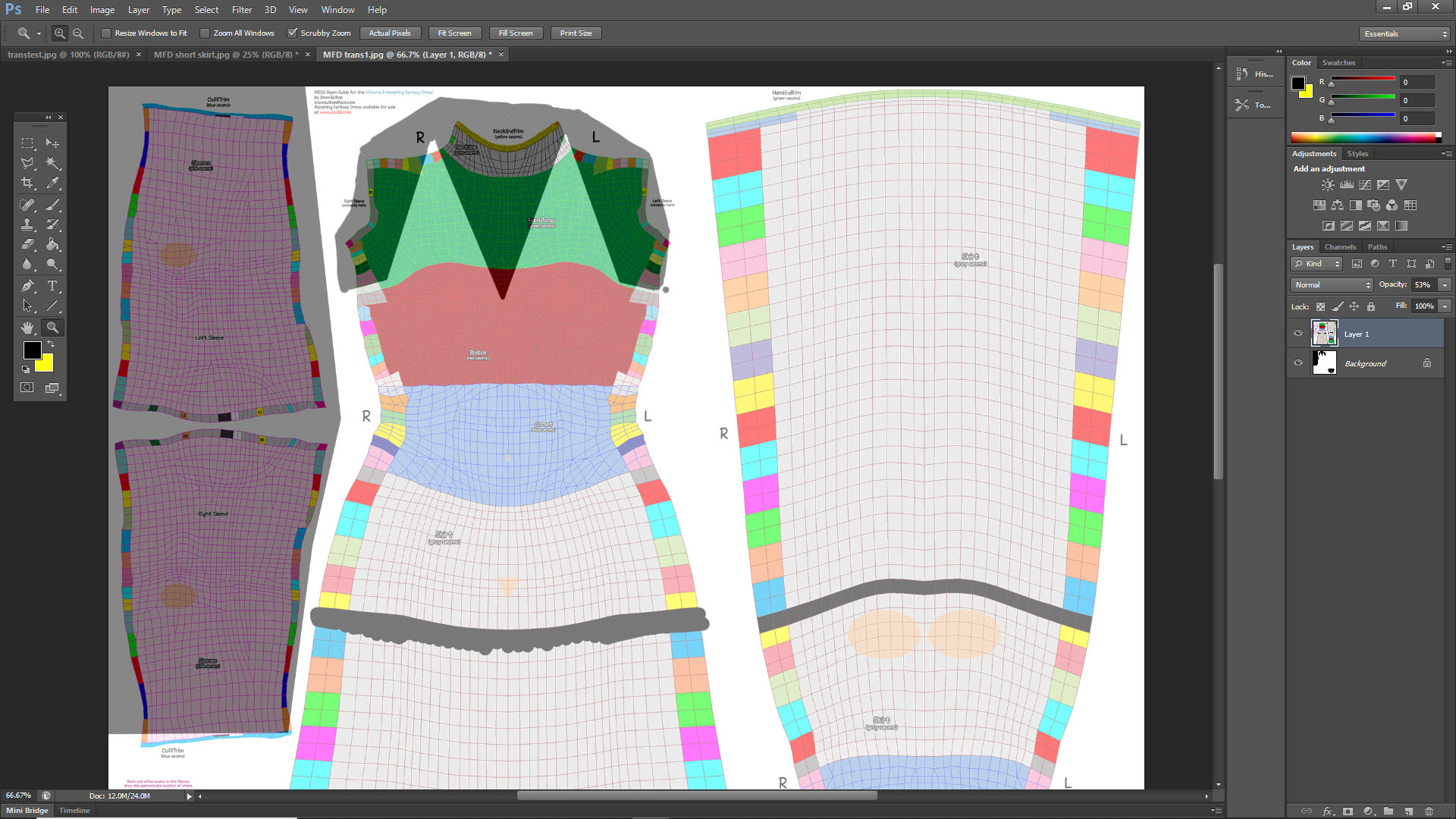
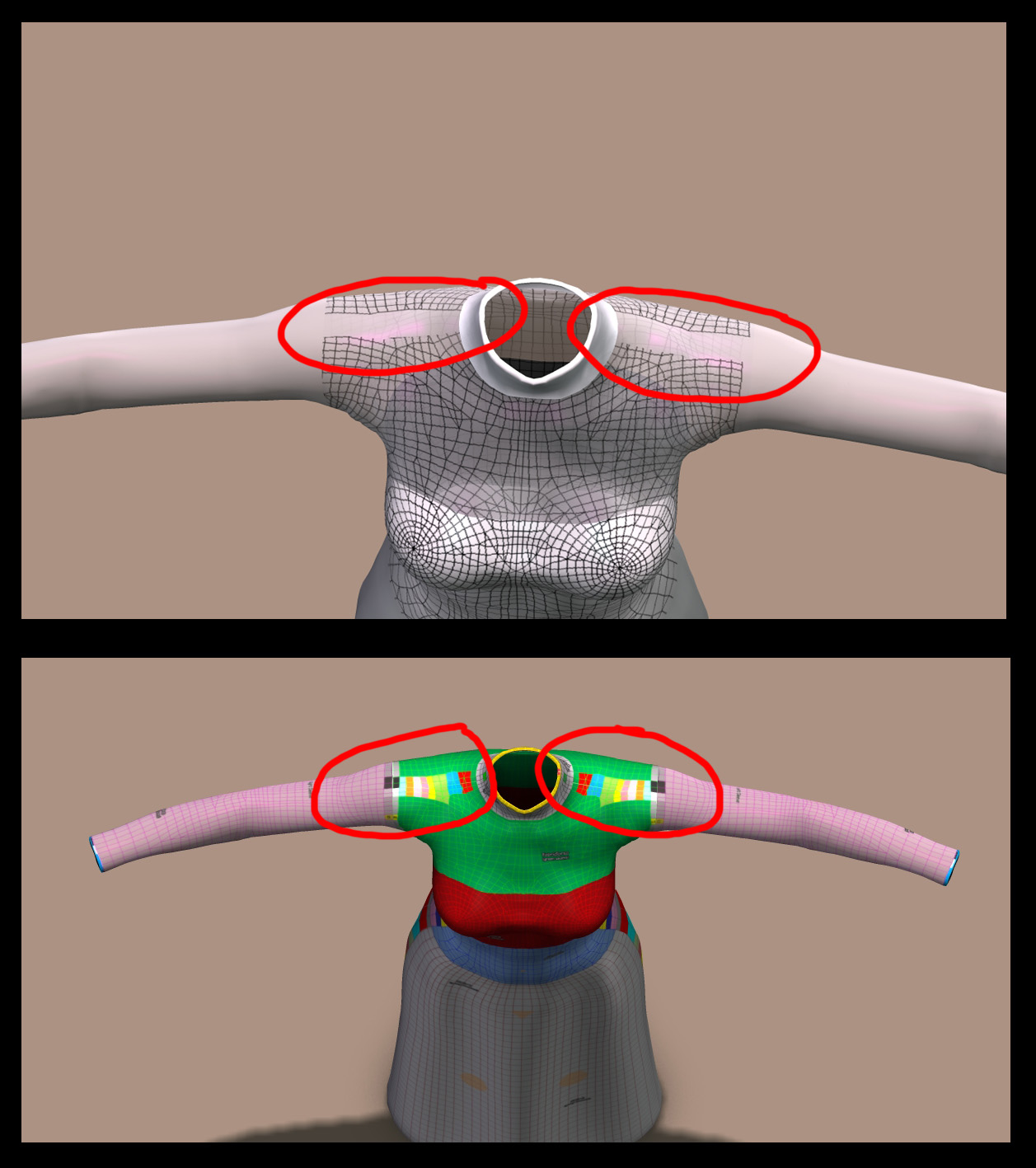
It does look like you have to expand the transparency map on the cuff and the shoulders. I dimly recall that this was an issue with old Poser products being used in newer versions of Poser. You had to "color outside the lines," or the seams would show. Something about the way Firefly handled textures, vs. the old Poser 4 renderer.
People used to get around it by ticking "texture filtering," but that was a bad solution. It blurred the textures. The correct solution was to expand the texture beyond the lines on the texture map.
I think the parts that aren't fully transparent are a different problem. The material room settings aren't right.
ghostship2 posted at 10:48PM Sat, 04 July 2020 - #4393907
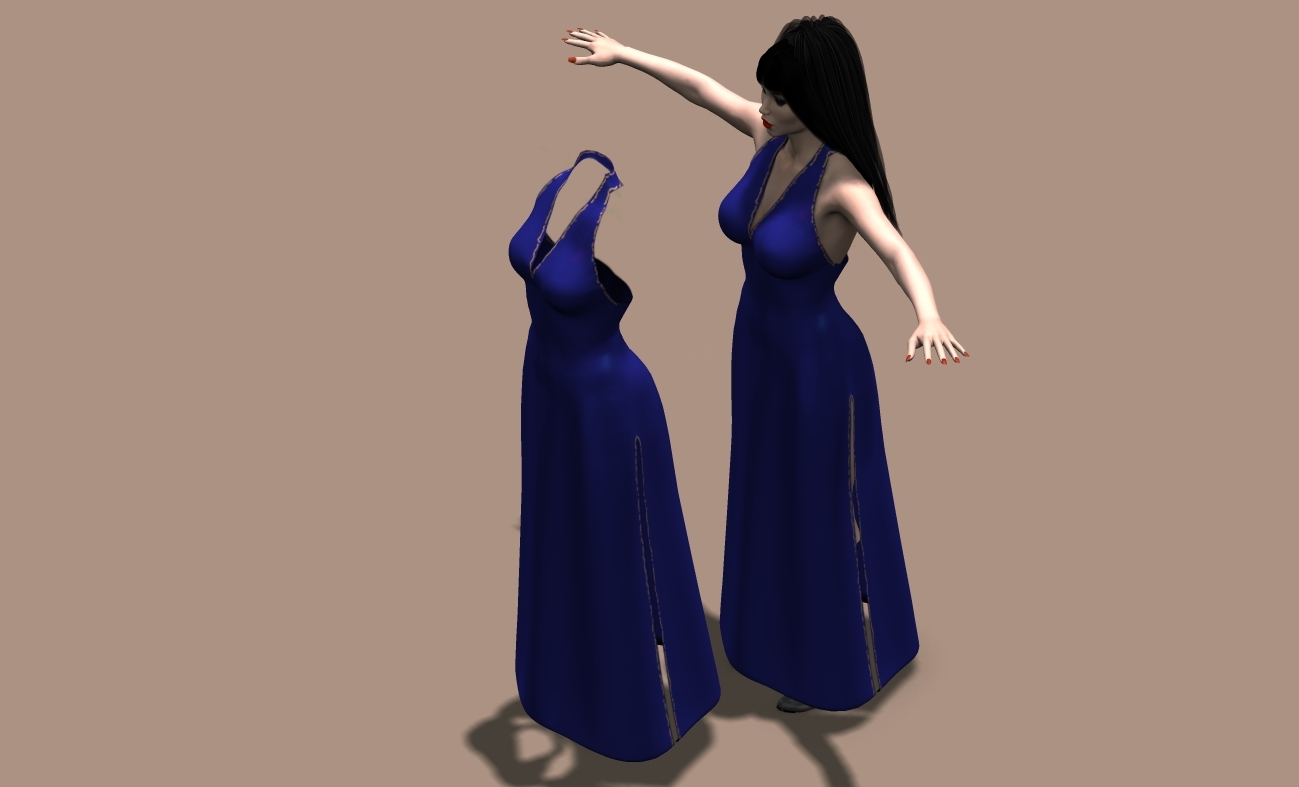
as you can see from this shot with the seam guide layered over the transparency you can tell nothing lines up. the sleeves have a bit poking out.
I see that now yes. That explains the sleeve cuff. What about the shoulders not matching up? Is that just a glitch with UV mapper? I think I need to go back and start over now that I have a proper map to use. Thank you for that.
Paint your transmap in a modeler with 3d painting capabilities (blender is one) and save yourself all the headaches and guesswork. These kinds of problems are a thing of the past.
W10 Pro, HP Envy X360 Laptop, Intel Core i7-10510U, NVIDIA GeForce MX250, Intel UHD, 16 GB DDR4-2400 SDRAM, 1 TB PCIe NVMe M.2 SSD
Mudbox 2022, Adobe PS CC, Poser Pro 11.3, Blender 2.9, Wings3D 2.2.5
My Freestuff and Gallery at ShareCG
Just watch a few YouTube vids. Painting is pretty easy in there.
W10 Pro, HP Envy X360 Laptop, Intel Core i7-10510U, NVIDIA GeForce MX250, Intel UHD, 16 GB DDR4-2400 SDRAM, 1 TB PCIe NVMe M.2 SSD
Mudbox 2022, Adobe PS CC, Poser Pro 11.3, Blender 2.9, Wings3D 2.2.5
My Freestuff and Gallery at ShareCG

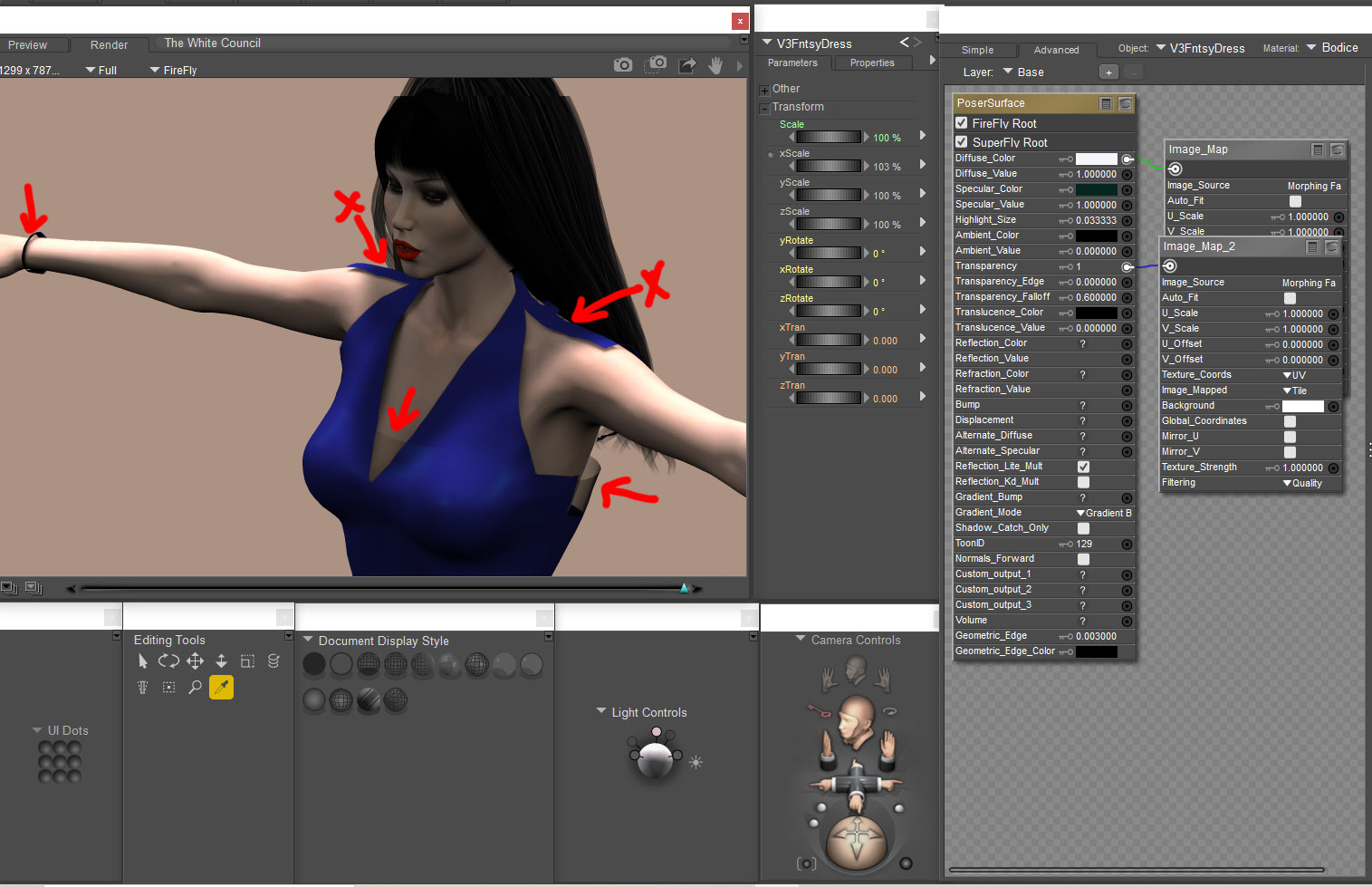
for the part that is partly transparent under the arms and between the breasts, set your transparency edge to 1.
Available on Amazon for the Kindle E-Reader Monster of the North and The Shimmering Mage
Today I break my own personal record for the number of days for being alive.
Check out my store here or my free stuff here
I use Poser 13 and win 10

Privacy Notice
This site uses cookies to deliver the best experience. Our own cookies make user accounts and other features possible. Third-party cookies are used to display relevant ads and to analyze how Renderosity is used. By using our site, you acknowledge that you have read and understood our Terms of Service, including our Cookie Policy and our Privacy Policy.
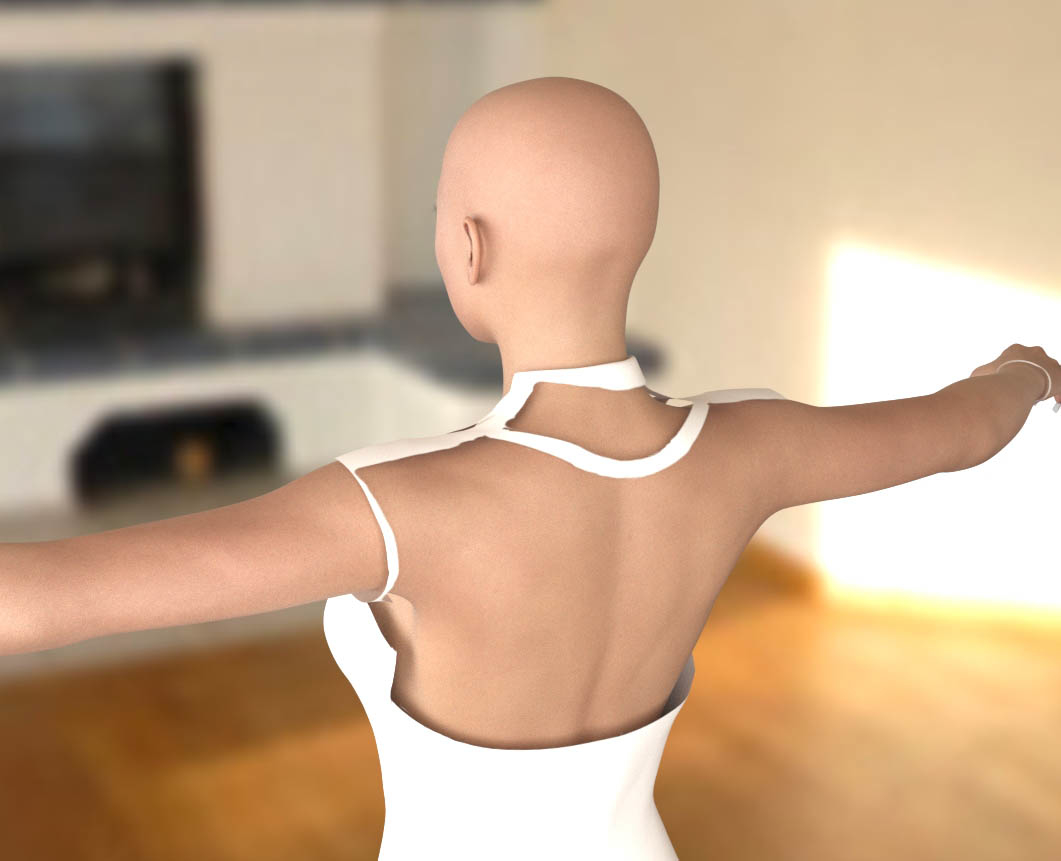
I'm using V3 and trying to use the V3 morphing fantasy dress. But I can't get the transparency map I've made to work right.If you'll look at the areas circled in red,they should be gone like the rest of the areas. Anyone have any ideas?