
Renderosity Forums / DAZ|Studio
Welcome to the DAZ|Studio Forum
Forum Moderators: wheatpenny Forum Coordinators: Lobo3433
DAZ|Studio F.A.Q (Last Updated: 2026 Jun 30 1:11 am)


Subject: Reality Render thread. A new beginning.


I just had another idea pop into my head for you, Bob. In many films, the director of photography is known to use camera tricks to make certain items looks big, or people small, in an environment. A recent one that comes to mind first is Eternal Sunshine of the Spotless Mind. There's a scene where Jim Carrey's character is beneath a table and the set is altered to make him look like a small boy. How they did that was with camera tricks of perspective, and a really, really long table. No CG involved.
Perhaps another solution, where you can, is set your camera off in the distance from a normal sized figure, scale your props up, and set a deep DOF to blur out the foreground, then increase the size of the Studio lens 'zoom'. Might be worth a try, once you get the root of your problems squared away.
crimsonworx.com; free ebooks and previews
I've bowed down to facebook: https://www.facebook.com/crimsonworx
Quote -
I guess for those who won't be attending SIGGRAPH (like myself), there is no possibility of a pre-release of this announcement .......... ;)
No pre-release but there will be an announcement on the 7th.
Cheers.
Paolo
https://www.preta3d.com
FB: https://www.facebook.com/RealityPlugIn
Tw: @preta3d
G+:
https://plus.google.com/106625816153304163119
The
Reality Gallery: https://reality-plug-in.deviantart.com


Quote - I just had another idea pop into my head for you, Bob. In many films, the director of photography is known to use camera tricks to make certain items looks big, or people small, in an environment. A recent one that comes to mind first is Eternal Sunshine of the Spotless Mind. There's a scene where Jim Carrey's character is beneath a table and the set is altered to make him look like a small boy. How they did that was with camera tricks of perspective, and a really, really long table. No CG involved.
Perhaps another solution, where you can, is set your camera off in the distance from a normal sized figure, scale your props up, and set a deep DOF to blur out the foreground, then increase the size of the Studio lens 'zoom'. Might be worth a try, once you get the root of your problems squared away.
Useless for hand helds. As I say my PS skills are really good check out the final result. Considering it looked like a full beard worth of noise I think I did a good job. As Paolo says its all about the end result. Due to my unique use of 3Deeing perhaps post work is just something thats needed. As long as I can tell my stoties its all good. Going back to 3Dlight is not the answer since I already appreciate the results LUX is giving me and am managing reasonable render times. My hope was that someone who had the same issue & resolved it may have offered a solution. Looks like its not going to happen. So be it...
http://fav.me/d59meqv (Warning sexual content)
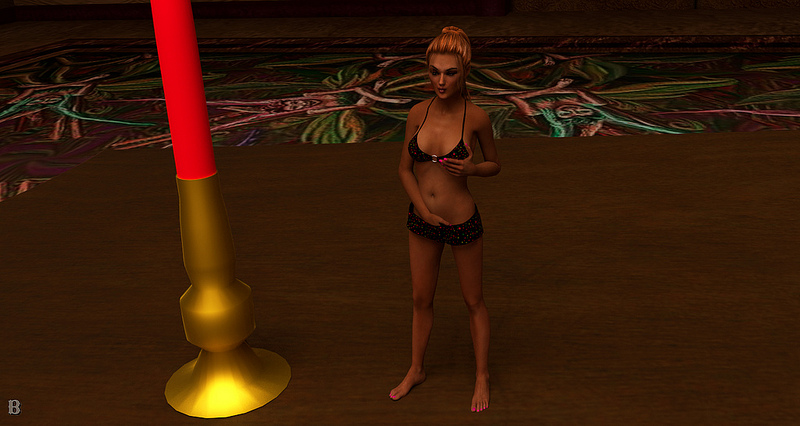
I was on a mission to try something different the other day, and this was the result. I was going for your typical sci-fi cloaked figure look, which sort of worked. What I'd really like to figure out is how to make that steathy Predator look of bent light. Any ideas? By the by, the background props looks extremely flat and would benefit from some map work, which I may or may not get around to  In the mean time, I added a healthy gaussian blur to soothe my offended eyes. Full size for reference: http://fav.me/d59opvo

crimsonworx.com; free ebooks and previews
I've bowed down to facebook: https://www.facebook.com/crimsonworx

Quote - > Quote -
That looks great Rick. Love the contrast and the use of BW is a nice touch.

Thank you Paolo - I just love the software. the only issue is the time to render because of my older dual core. This was only 156 sample per pixel but it took me 46 hours to render. I need to try and convince the boss (wife - ~wink~ ) that I need to invest in a new rig now!
Quote - Thank you Paolo - I just love the software. the only issue is the time to render because of my older dual core. This was only 156 sample per pixel but it took me 46 hours to render. I need to try and convince the boss (wife - ~wink~ ) that I need to invest in a new rig now!
That you should! Desktops are so cheap right now, even store-built ones. Build it yourself and save even more, and you still get top-shelf parts. :-)
crimsonworx.com; free ebooks and previews
I've bowed down to facebook: https://www.facebook.com/crimsonworx

Quote - Ambush!
Full size click will go to higher quality on dA. It always loses so much converting to jpg for the forums.

Oh, ambush, where's the aftermath image, LOL
Nicely done!
Regards, Michael
Quote -
My thirs Reality render. - Rick
Nice work, although she might be a little overdressed for the room, LOL.
Regards, Michael
Content Advisory! This message contains nudity
Picked up a new set of heels for Genesis (about time!!) and had to test them out. Hope the vendor does some more! (click for much larger)

Regards, Michael
Quote - Mike are those genesis or V4? If Gen please provide link.
Genesis Bob, they are a bit pricey, but I'll take what I can get at this point, LOL
http://www.renderosity.com/mod/bcs/xth-pumps/94620
Regards, Michael
Quote - > Quote - Mike are those genesis or V4? If Gen please provide link.
Genesis Bob, they are a bit pricey, but I'll take what I can get at this point, LOL
http://www.renderosity.com/mod/bcs/xth-pumps/94620
No worries I have money from the Cyclops commish to pay for it
Just scored them thanks Mike!!
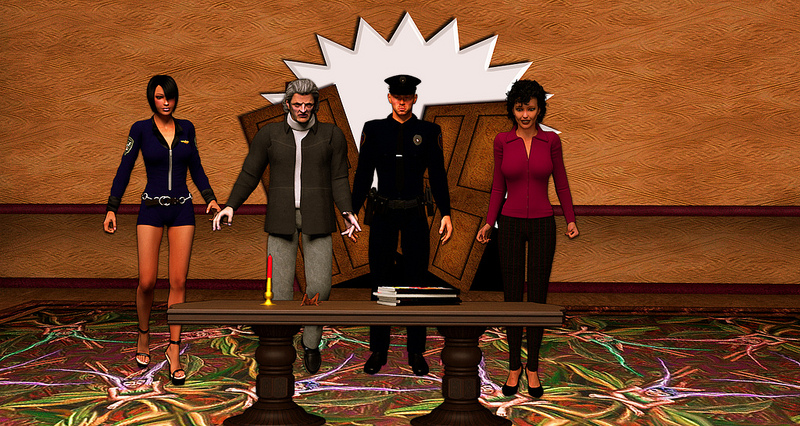


Quote - I tried not to, but I have to ask. Who is this Charley that Bob mentioned?
Only the queen of Reality herself Callad! I was referring to her signature character that Doc and other seem to be using... It was humor...
Xandi and others who may be wondering toning down the gloss on skin and hair surface has significantly reduced that pesky noise in one render will have to see if it consistantly works...
Attached Link: Comments here
No plan - Just playing around and let it run last night. I kinda like how she turned out.


Quote - Love the pearls.... although.. for realism's sake.. they seem to be levitating. Perhaps a morph or d-form or something to get them to all lay on her neck/upper chest w/o seeming to float?
Agreed. When (if) I get a faster computer I'll re-do it. - That or in PS. Also tweek the hair - there is something un-natuaral about it, the more I look at it.
You may want to use these settings for pearls (they were created by Paolo):
Diffuse: 208 207 184
Specular: 172 191 204
Coat: 232 230 205 Thickness: .30
Gloss: 7000
There is also a Translucency setting, which I don't think is needed:
255 196 183 19%
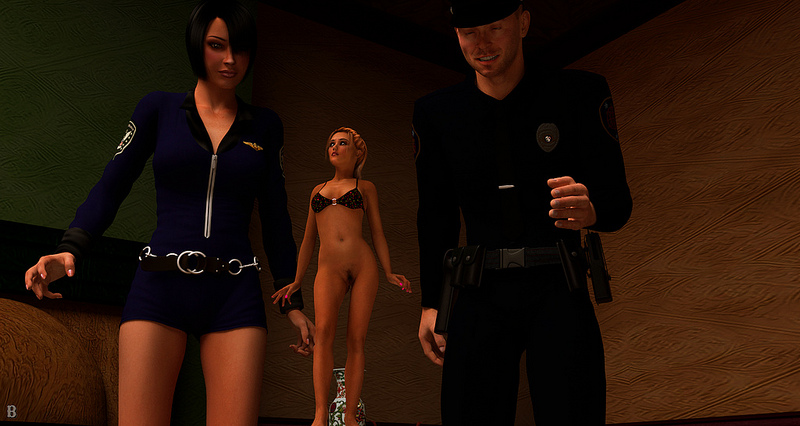
Quote - > Quote - Love the pearls.... although.. for realism's sake.. they seem to be levitating. Perhaps a morph or d-form or something to get them to all lay on her neck/upper chest w/o seeming to float?
Agreed. When (if) I get a faster computer I'll re-do it. - That or in PS. Also tweek the hair - there is something un-natuaral about it, the more I look at it.
As far as the hair goes.. I don't have an issue with it.. I'm a redhead myself in a family full of redheads(dad, 2 brothers, sister, daughter and one son) and we all have hair so course it's like a red haystack when it gets longer. Frankly... when mine was shoulder length in high school(stoner/metal-head) it didn't look much diiferent from your model's except for the color.
Quote - Arumbus, I think the render looks great. I was just thinking that her hair looks wonderful. What don't you like about it? Do you know what hair it is, I might want to get it.
I'd have to agree on the hair. Other than patches where the light didn't quite hit it, it's fairly life-like. Did you try a mild translucency setting?
crimsonworx.com; free ebooks and previews
I've bowed down to facebook: https://www.facebook.com/crimsonworx
Thinking of grabbing a copy of reality 2.2. I'm running 2.0 now and don't have the ability to just do an upgrade; so, I have to buy a fresh copy. Was wondering(and paolo is prolly the guy to answer this if he's not too busy at siggraph) what are the benefits of 2.2 over 2.0? Does it affect render speed at all or what?
Here is the link to the list of changes:
http://preta3d.com/blog/2012/03/29/reality-2-2-has-been-released/
Paolo
https://www.preta3d.com
FB: https://www.facebook.com/RealityPlugIn
Tw: @preta3d
G+:
https://plus.google.com/106625816153304163119
The
Reality Gallery: https://reality-plug-in.deviantart.com
Quote - Arumbus, I think the render looks great. I was just thinking that her hair looks wonderful. What don't you like about it? Do you know what hair it is, I might want to get it.
The hair is an oldie but goodie I use it a lot and usually love it. Quaker's Saphire Fox Hair. using the In Love Again expansion.
I may be too critical on myself - I often am with my own renders. The issue I have is the geomentry of the hair at the bottom (how I styled it) it seems to clump up ove the pearls. That, and maybe shorten up the bangs (the hair comes with an AMAZING set of adj morphs).
And yes it could use some translucency. I took the time to set up a hair light and you can hardly notice it because I did not adjust the materials properly in Reality.
EDIT: If you get it you will likely want to get a V4 fit - it was made for V3
Quote - Here is the link to the list of changes:
http://preta3d.com/blog/2012/03/29/reality-2-2-has-been-released/
Well, I tried starting DAZSTudio4 (Mac) up so that Reality2.2 would download. Nope. I know, I can have my order number and registration, etc., and go to the regular download page. Nope, at least not now. I'm a bit in a frump about apps that don't work. Maybe some other day.
inquire, what exact version of Reality do you have? Also, what version of Studio do you use?
Paolo
https://www.preta3d.com
FB: https://www.facebook.com/RealityPlugIn
Tw: @preta3d
G+:
https://plus.google.com/106625816153304163119
The
Reality Gallery: https://reality-plug-in.deviantart.com
It would help if you can provide the exact number. You can find it in the About tab. Thank you.
Paolo
https://www.preta3d.com
FB: https://www.facebook.com/RealityPlugIn
Tw: @preta3d
G+:
https://plus.google.com/106625816153304163119
The
Reality Gallery: https://reality-plug-in.deviantart.com
OK, this is what it says:
Reality version 2.2 -- Build: 2.20.1.117
The date for the plugin is given as April 25, 2012, not in the About Tab, but for the plugin in the plugins folder.
However, did it not update because it already is version 2.2? Or, should a newer build have triggered another download?

I need some help. Something has happened. When I render an image in Lux I no longer get the .png file. All I did was as add a number at the end of the the file name. When I went to look at the .png it's not there. Here are my screenshots. not sure what do to fix this..
I feel so stupid.
Quote - OK, this is what it says: Reality version 2.2 -- Build: 2.20.1.117
That is the latest version.
Attached Link: http://www.jeweledwaters.com/images/untitled-4.jpg
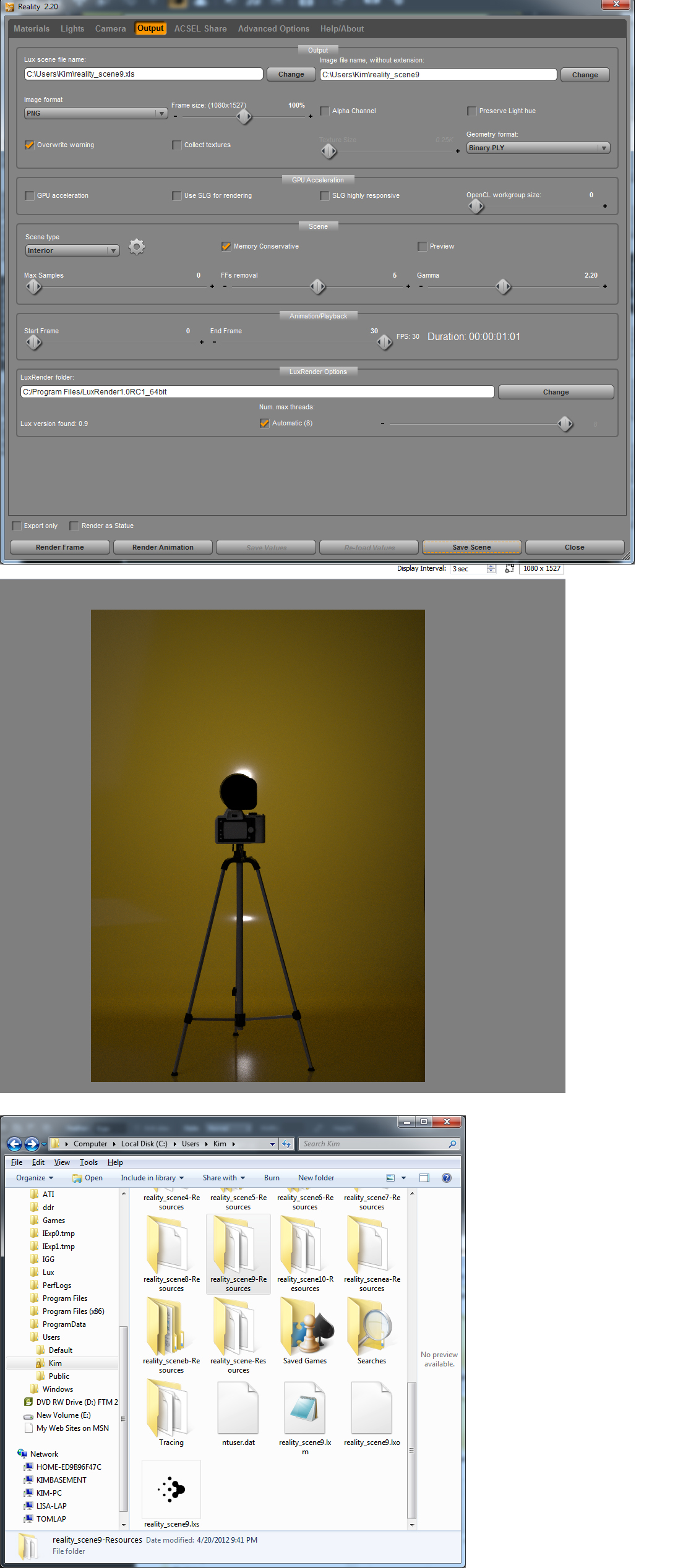I need some help. Something has happened. When I render an image in Lux I no longer get the .png file. All I did was as add a number at the end of the the file name. When I went to look at the .png it's not there. Here are my screenshots. not sure what do to fix this..
I feel so stupid.
Quote - OK, this is what it says: Reality version 2.2 -- Build: 2.20.1.117
The date for the plugin is given as April 25, 2012, not in the About Tab, but for the plugin in the plugins folder.
However, did it not update because it already is version 2.2? Or, should a newer build have triggered another download?
There are no newer builds, you have the latest so the program works as expected.
Cheers.
Paolo
https://www.preta3d.com
FB: https://www.facebook.com/RealityPlugIn
Tw: @preta3d
G+:
https://plus.google.com/106625816153304163119
The
Reality Gallery: https://reality-plug-in.deviantart.com
Attached Link: http://www.jeweledwaters.com/images/untitled-5.jpg
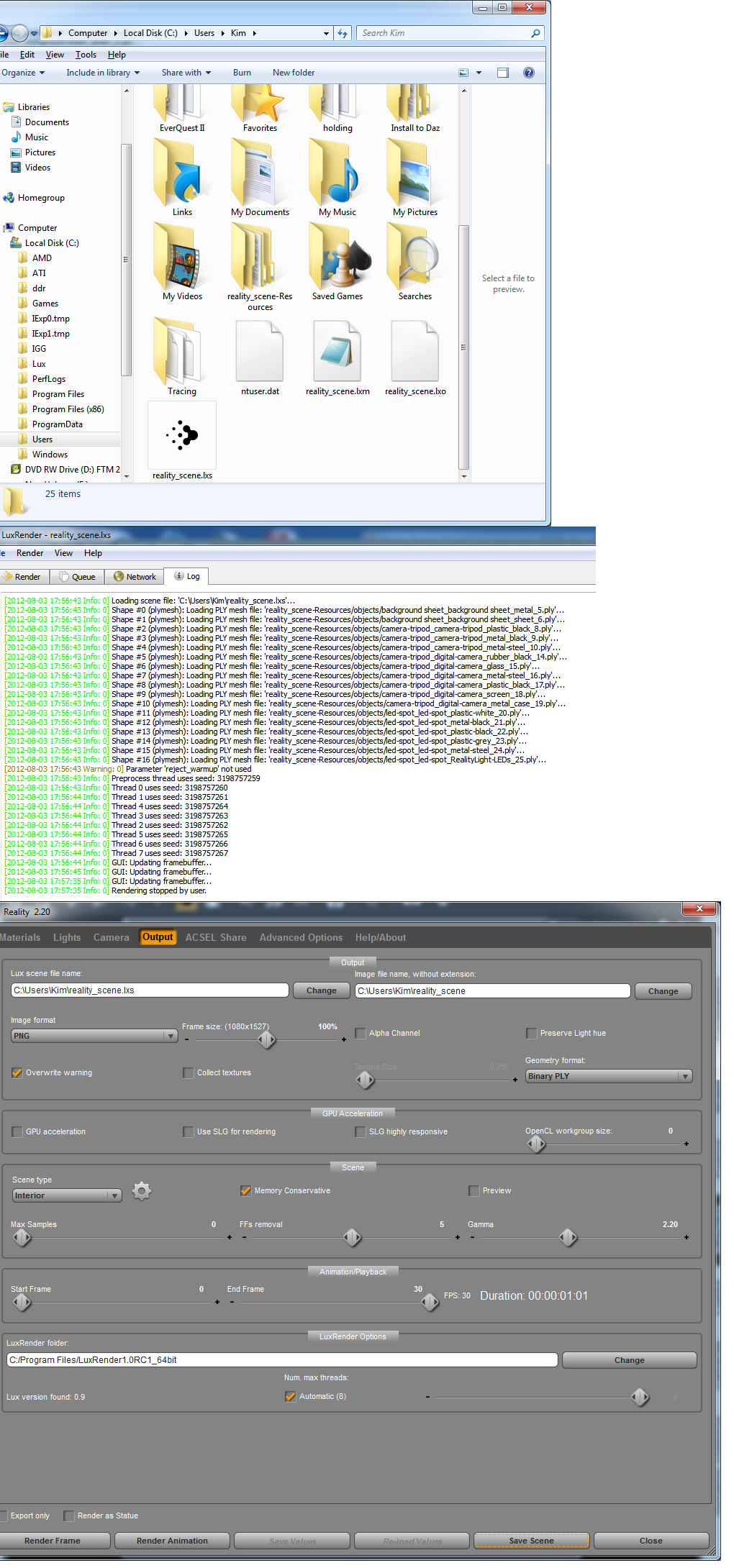Thanks Doc, but changing it didn't fix the issue. :( I still get no .png file. Now I'm really worried. I even closed everything down and rebooted my computer. New image showing the change in the ext.
Any other suggestions?
The PNG only gets created when the write interval has elapsed, e.g. every 5 mins, etc. Check on the Advanced Options tab what your setting for Lux write Interval is.
Quote - The PNG only gets created when the write interval has elapsed, e.g. every 5 mins, etc. Check on the Advanced Options tab what your setting for Lux write Interval is.
Doc you are the man! I feel so foolish now. the interval is set at 5 .. I guess I've never looked for the .png so soon after starting a render. Thank you for helping me out :) My heart can now start to slow down..

Privacy Notice
This site uses cookies to deliver the best experience. Our own cookies make user accounts and other features possible. Third-party cookies are used to display relevant ads and to analyze how Renderosity is used. By using our site, you acknowledge that you have read and understood our Terms of Service, including our Cookie Policy and our Privacy Policy.
I guess for those who won't be attending SIGGRAPH (like myself), there is no possibility of a pre-release of this announcement .......... ;)
My DA Gallery