
Renderosity Forums / Carrara
Welcome to the Carrara Forum
Forum Coordinators: Kalypso, Anim8dtoon
Carrara F.A.Q (Last Updated: 2026 Jun 30 12:55 pm)
Visit the Carrara Gallery here.

Subject: Problem with Boleans and texture Maps


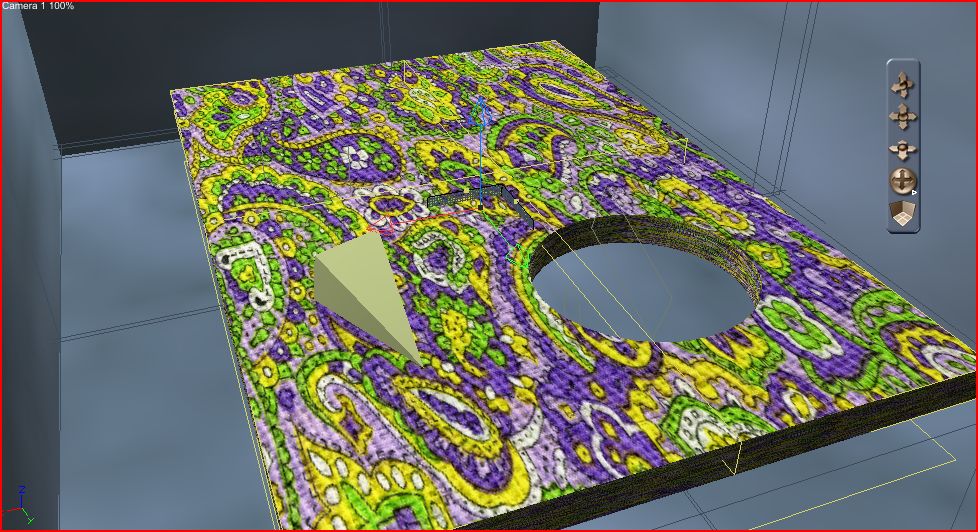
I believe you have to UV-map it after the boolean.
Your friendly neighborhood Wings3D nut.
Also feel free to browse my freebies at ShareCG.
There might be something worth downloading.

Paul is correct. Carrara assigns a default UV map upon object creation based upon the geometry. Since booleans fundamentally alters the geometry, the UV map becomes useless be cause it is trying to map the old coordinates to the new geometry - which doesn't work.
This is true for all 3D software.
To fix this issue, open the object in the vertex room and engage the UV mapping options. There you can realign the geometry to the UV space.

Privacy Notice
This site uses cookies to deliver the best experience. Our own cookies make user accounts and other features possible. Third-party cookies are used to display relevant ads and to analyze how Renderosity is used. By using our site, you acknowledge that you have read and understood our Terms of Service, including our Cookie Policy and our Privacy Policy.
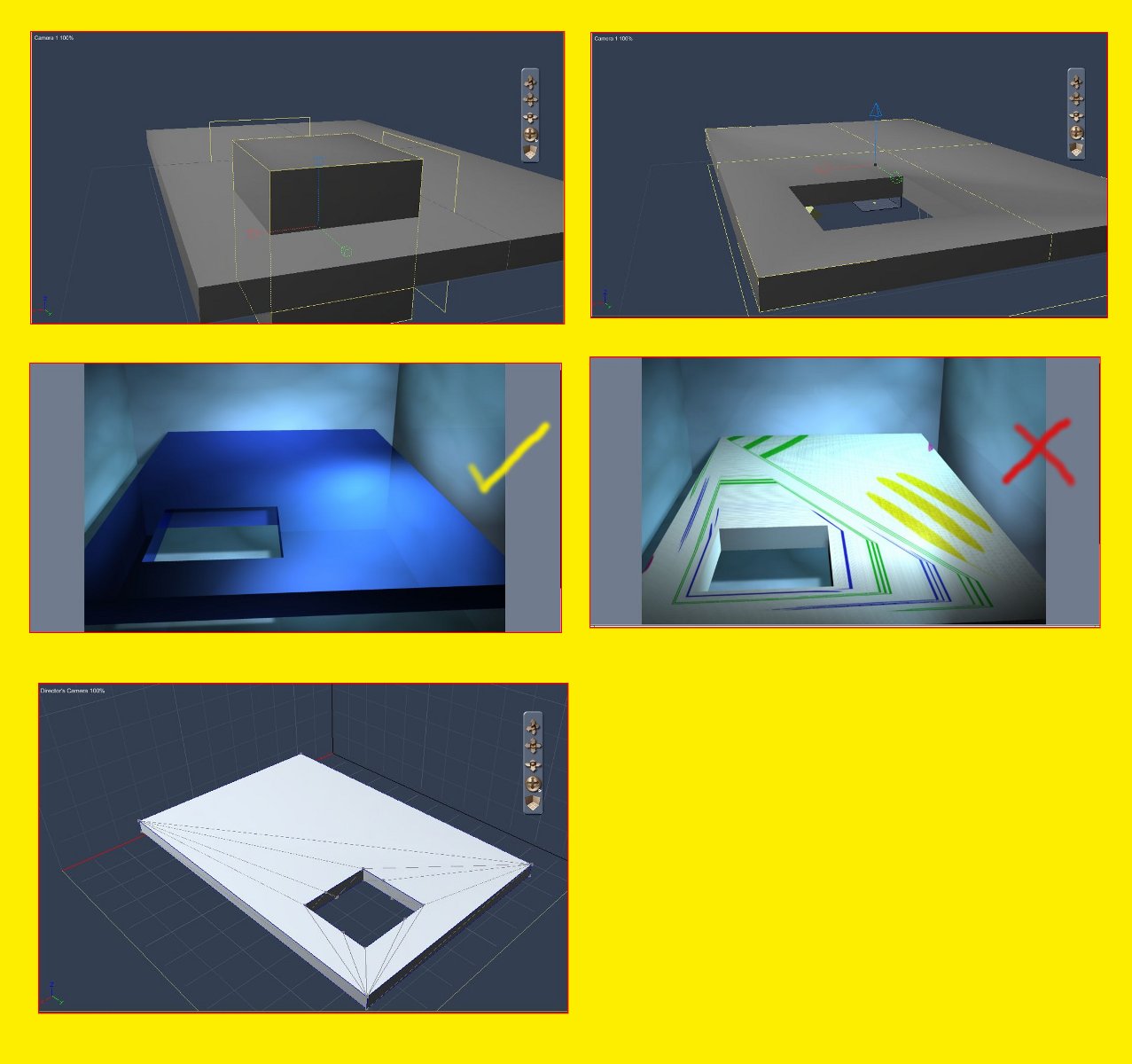
I I make a simple Boolean object 2 I apply a shader and it looks fine 3 If I apply a texture it looks wrong 4 When I look at the model in the modeling room I see triagles 5 How do I correct this Please see Diagram.