
Renderosity Forums / Carrara
Welcome to the Carrara Forum
Forum Coordinators: Kalypso, Anim8dtoon
Carrara F.A.Q (Last Updated: 2026 Jul 11 2:50 am)
Visit the Carrara Gallery here.

Subject: Subdivision methods


select whole figure in modeling room, Subdivision smooth, modeling level 1 and rendering level 3....render...memory allocation error has occured.....faaaaantastic
Latest version of Carrara 6pro loaded in June 08
Core 2 duo 3ghz 6mb L3 cache
8 gigs ram
320 gig harddrive
Geforce 9800 GTX 512mb ram (not that the vid card is being used)
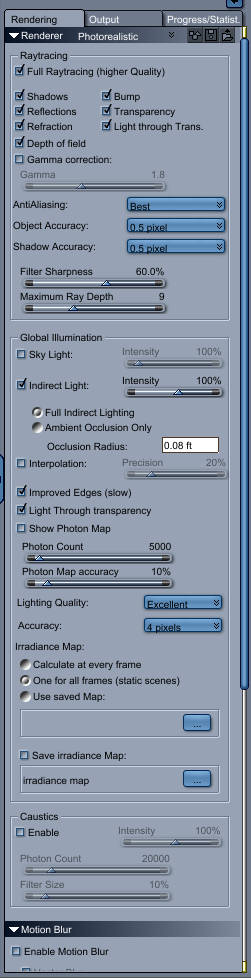
By modeling room I assume you mean the vertex modeler room. I have never found it necessary to set the modeling level in there. I usually just subdivide once and that yields good results. Could you send up a screen capture showing your exact render settings? A few things to try.
Anti-Aliasing can be set to best with no problem, I always use .5 for object and shadow accuracy. If I am using indirect lighting, I usually set the intensity to 80% or so. This for some reason seems to make softer shadows and a bit less intense and more realistic lighting. You can usually get away with setting Lighting quality to good, and accuracy to 4 pixels. If you are not using refractions or light through transparency make sure to turn them off. I usually use the improved edges and light through transparency functions under indirect lighting as well, but it is a resource hog.
Oh yeh, set the tile size to 32 or even 16 if you are having memory issues. Sometimes this helps with renders.
If you are getting the error while still in the moddeling room, well... I have had that problem a few times. It seems to be rather obscure as to what causes it.
I hope this helps.
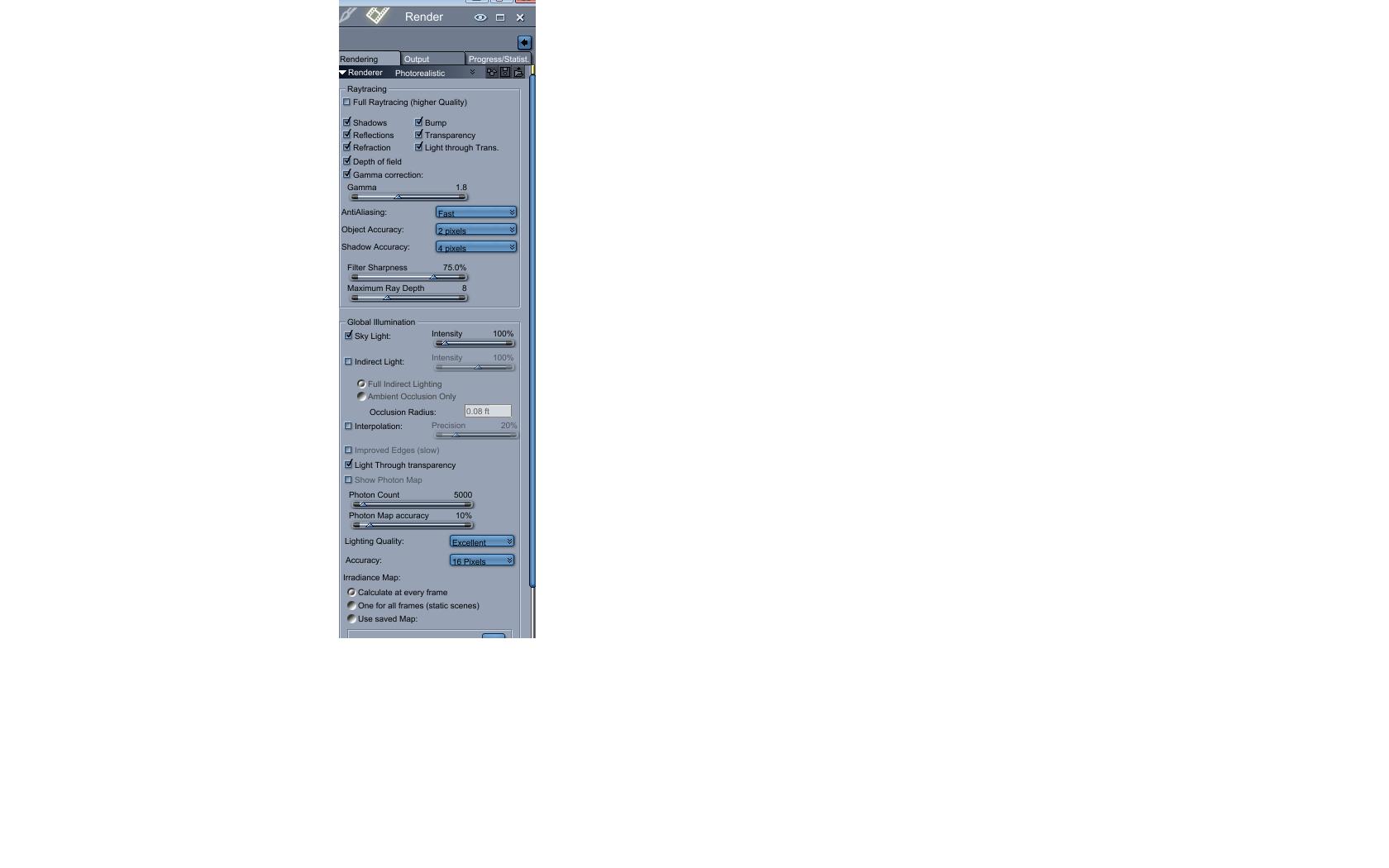
I'll take you're advice and subdivide the model and rendering in the assembly room. I noticed I never have a problem with the subdivision levels for both in the vertex modeling room set to 1 and modeling subdivision set to 1 and render set to 3 in the assembly rooom.
Thanks a bunch!

Privacy Notice
This site uses cookies to deliver the best experience. Our own cookies make user accounts and other features possible. Third-party cookies are used to display relevant ads and to analyze how Renderosity is used. By using our site, you acknowledge that you have read and understood our Terms of Service, including our Cookie Policy and our Privacy Policy.
Hello folks, been wondering about the proper way to subdivide in C6 pro. For V4 I usually click on the figure name in the instance tab and under Subdivision I slide the sliders to 1 for Modeling Level and 3 for Rending Level...is this all that needs to be done or must she be taken to the modeling room and subdivided there?
Thanks