
Renderosity Forums / Carrara
Welcome to the Carrara Forum
Forum Coordinators: Kalypso, Anim8dtoon
Carrara F.A.Q (Last Updated: 2026 Jul 11 2:50 am)
Visit the Carrara Gallery here.

Subject: Transparency and the Mill horse Question


2 options:
1 - the transparency image is in teh Transparency channel - It need to be in the ALPHA channel no in the transparency
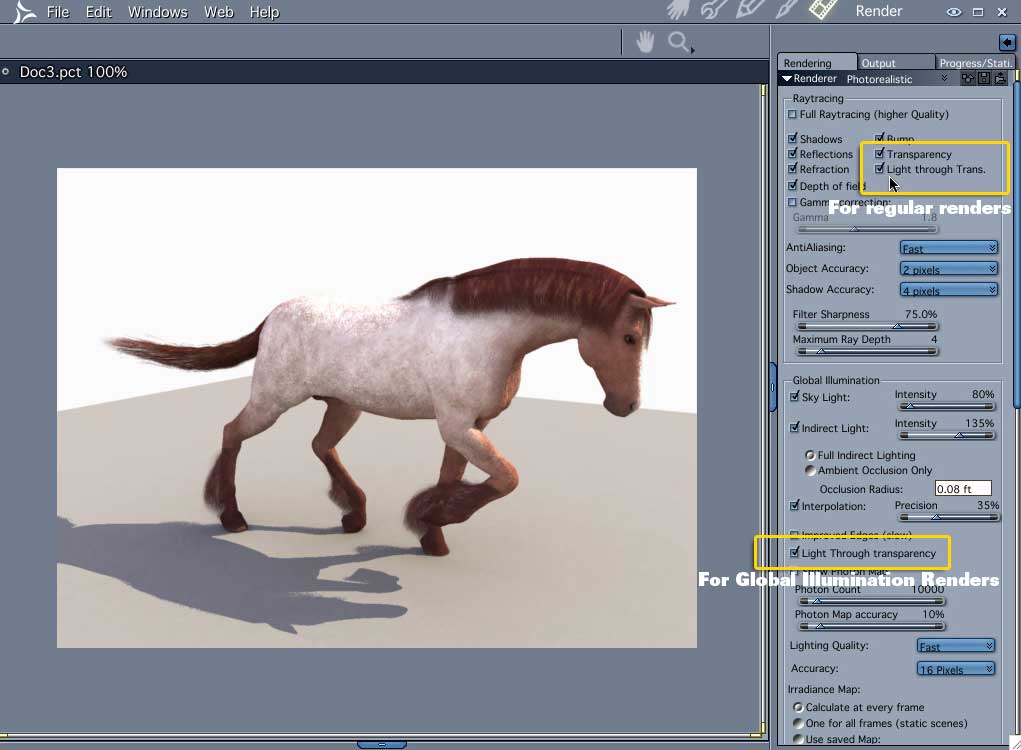
2 - In the render room there are 2 transparency options that need to be turned on: 1 for the normal render in the top of the window and other that only is needed when doing render with GI (Sky light or Indirect Light), and it is located above the GI options
Follow me at euQfiz Digital

I don't know if you can see the mane. There's not much to see but that is right out of the browser. What I want to do is do away with these parts. So I can try making hair from the hair room for the mane and tail. I don't want the fetlocks at all right now. I can't get rid of them no matter what I have tried so far. Even when I use the hide option in the browser. They are still there.
Poser Pro 2010

Privacy Notice
This site uses cookies to deliver the best experience. Our own cookies make user accounts and other features possible. Third-party cookies are used to display relevant ads and to analyze how Renderosity is used. By using our site, you acknowledge that you have read and understood our Terms of Service, including our Cookie Policy and our Privacy Policy.
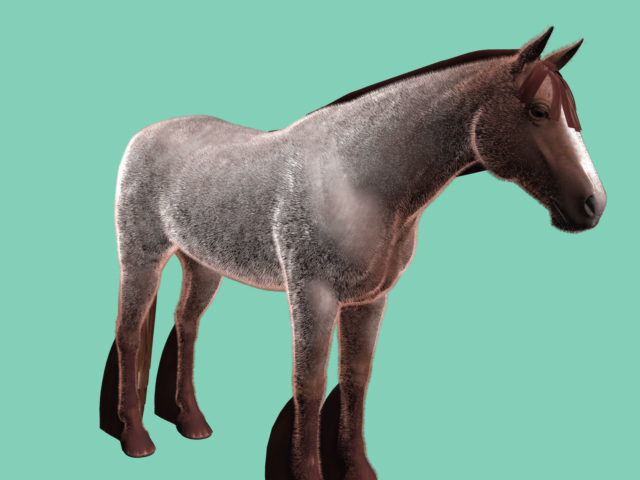
How do I make the fetlocks, mane and tail transparent. Everything I have tried so far has failed. I even tried using the Carrara 6pro default transparent shader but still get black fetlocks. I have not put a lot of effort into the mane and tail yet.Will I need to export the horse to a modeling program to remove these parts? Doing this will require re-boning the horse, right?
Has anyone else run into this issue?
I have attached a picture that is using the Carrara transparent shader.
Poser Pro 2010