
Renderosity Forums / Carrara
Welcome to the Carrara Forum
Forum Coordinators: Kalypso, Anim8dtoon
Carrara F.A.Q (Last Updated: 2026 Jul 30 8:26 pm)
Visit the Carrara Gallery here.

Subject: Moving objects from Poser 6 to Carrara


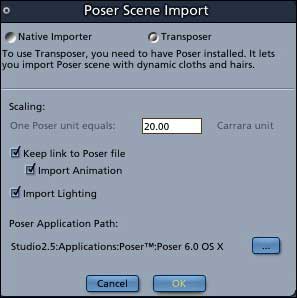

Have you tried making a very small change of some type to the poser file and then resaving it under a different name? Also try a test render in Poser to make sure that poser sees all of the files it needs for the figure skin textures etc. I run Transposer with Carrara 5 pro and Poser 6 with no problems on imports but it could have something to do with 4.1 I guess? Also look and see how many frames you have and make sure there is only one frame, remove any extras. I had a texturing issue last year which drove me nutz for 2 weeks until I figured out poser had for some reason created lots of frames and was saving the wrong one. I hope this helps.
Rich

I see your using the figures supplied with Poser, so you probably need to uncompress their geometry files.
These are in the same library folder as the CR2 for the figure, and can be uncompressed using the script supplied with Poser.
I can't remember if the binary morphs are a problem, but they usually are,so if you using any morphs at all, make sure you turn off "Use external binary morphs" before saving your PZ3.
Quote - Can you tell me more about using the script in P6.
P6 introduced compressed geometry (OBZ) files.
The supplied figures have these instead of OBJ files.
To uncompress these, you can either use the supplied script (Windows menu | "Python Scripts", then on the script pallete, "Utility Funcs" | "UnCompress Files"), or use something like WinZip or 7Zip.
You may have to change the extension to GZ, if your chosen program isn't recognising the files as an archive.
There is also a program in the FreeStuff (by kawacki if IIRC), and ISTR at least one python script (check the Python and Poser forums).
As you only need to unpack the OBZ files to OBJ, I'd try that if you don't get anywhere with one of the other methods.
I ran the script on the Poser 6 folder and seemed to do a lot of work. I made a new Poser file and transfer it to Carrara 5.1 and still only the hair came over. So still no success their.
I did another file in P5 with poses, saved it and brought it over to Carrara 5 and the whole figure came over but the poses were gone. Shucks I went back into Poser and sho' nuff, the pose was done on frame 30 and frame 1 was the default position. I changed the frames to just 1 and that did the trick. I was able to take the Poser 5 file into Carrara with the poses and all the colors and textures. So I'll work with Poser 5 until I figure out Poser 6.
I much rather render Poser files in Carrara 'cause it's easier to get around and see what's going on. I hope C6 will use the Daz Studio files. Poser is still a clunky pain to use.
Quote - I ran the script on the Poser 6 folder and seemed to do a lot of work. I made a new Poser file and transfer it to Carrara 5.1 and still only the hair came over. So still no success their.
I did another file in P5 with poses, saved it and brought it over to Carrara 5 and the whole figure came over but the poses were gone. Shucks I went back into Poser and sho' nuff, the pose was done on frame 30 and frame 1 was the default position. I changed the frames to just 1 and that did the trick. I was able to take the Poser 5 file into Carrara with the poses and all the colors and textures. So I'll work with Poser 5 until I figure out Poser 6.
I much rather render Poser files in Carrara 'cause it's easier to get around and see what's going on. I hope C6 will use the Daz Studio files. Poser is still a clunky pain to use.
Yeh I hate the frame system in Poser. I don't do much animation but what I do do I usually do in Carrara.
Oh BTW, I found a little tip out for when your carrara suddenly crashes.. Select every item in your scene and group them into one group. Next reduce everything so it all fits in the modeling grid box. I had been modeling objects very large so I could get abit more precision and detail, but apparently if you don't reduce the size, Carrara is likely to crash when you render it.

Privacy Notice
This site uses cookies to deliver the best experience. Our own cookies make user accounts and other features possible. Third-party cookies are used to display relevant ads and to analyze how Renderosity is used. By using our site, you acknowledge that you have read and understood our Terms of Service, including our Cookie Policy and our Privacy Policy.
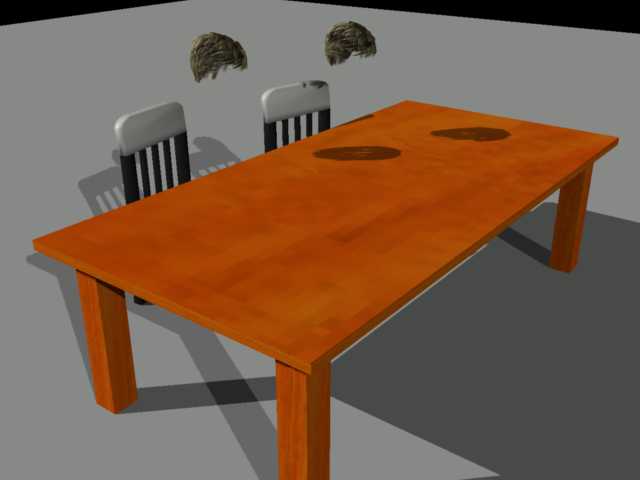
I created a nifty pose in Poser 6 but when I move it to Carrara 4.1 pro (I have Transposer 2) , the figure comes over: 1. In the default Poser position. Lost my hard pose work.or
Any one have a clue?
Here is an example;
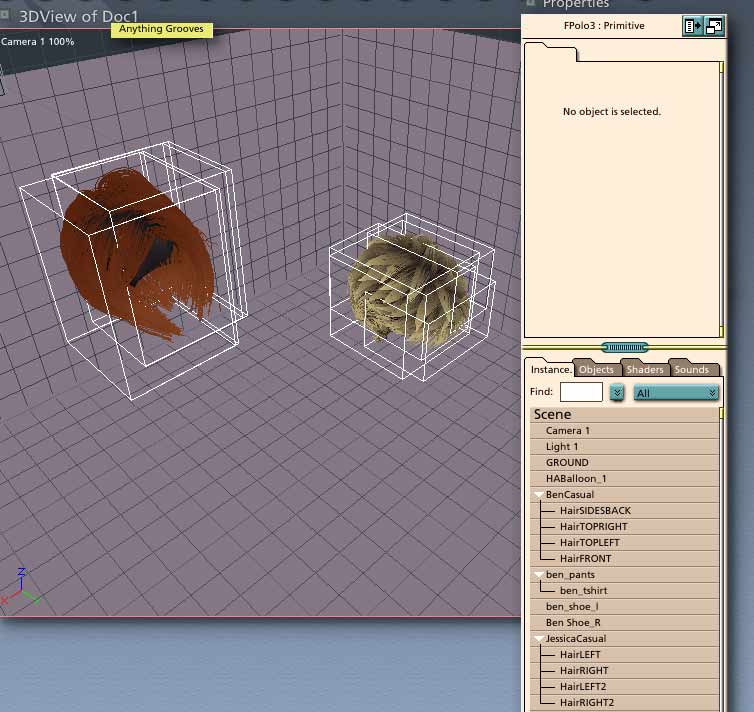
Two Bens sitting at a library table reading a posable book. The book and the 2 kids don't show up. If you look in the properties list boths Bens, all the parts, and the book show up.
This doesn't happen all the time. Is it Posers fault or Carrara 4.1 and Transposer 2's fault.
This thread was also posted in Poser land.