
Renderosity Forums / Carrara
Welcome to the Carrara Forum
Forum Coordinators: Kalypso, Anim8dtoon
Carrara F.A.Q (Last Updated: 2026 Jul 30 8:26 pm)
Visit the Carrara Gallery here.

Subject: More fun with Poser and C5, loading errors.

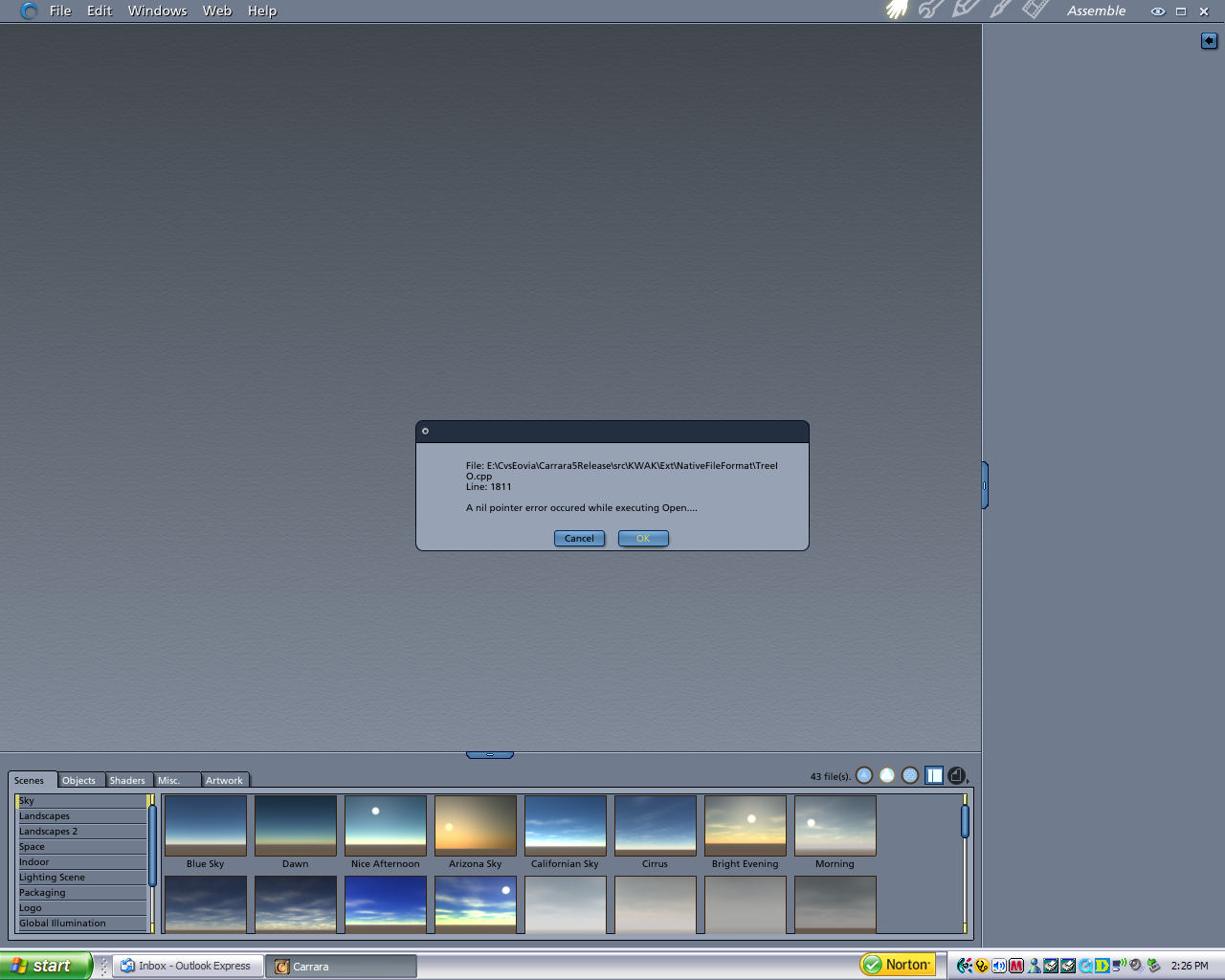


Nil point errors are usually when Carrara encounters what it considers as an "illegal" instance of something - either texture maps or geometry that it doesn't like. Over the years, when I've personally encountered those nasty little things, I'll trouble shoot the scene by importing one object, then closing the scene and reopening. I'll then add another object and repeat the drill until it fails. It's a pain but works 95% of the time. Then when you identify the culprit, you can fire off a bug report indicating that you can repeat it with "object X". That usually gets some attention because it's identified and repeatable. In the mean time, you can continue with your scene avoiding the problem object. Sorry for not replying earlier. I've been just slammed lately and there is no "short" answer to this one. Good luck. Please post back if you find the issue. Mark
I suspect the culprit might be one of the morphing objects because P6 maintains morph targets in a separate file and no longer embeds them with the source file. If one of the morph "instructions" isn't tracked down by Carrara, then you may get the Nil nasty. I'd try everything but the morph objects first.
:-P Well, that's just charming. The fastest way then will be to create two duplicates of the Poser file. In each dup, delete half the characters and their props/morphing objects. (obviously in the second dup file you delete the 'other' half of the objects :-) Then do the half/half trick again on the on the one that breaks.
Okay, I already have two seperate files one for each of the characters and their attached items. I will try that. I really appreciate all the help folks. If you ask me about hardware I can tell you most anything, but the nuts and bolts of this software is not something I have had time to get into yet, so I appreciate the non sarcastic help. A lot of help forums tend to make the poster feel like a complete moron, but here you actually get help.
Well, the only thing I can think of is the problem must be with the voctorian street elements, but they render fine without the characters. I have tried redoing the poser figures with different clothing, different morphs, different skin textures, and all to no avail. As soon as I hit render, kablooey, drop to windows. I am about ready to say the heck with this whole scene. Oh one more thing keeps happening now, when I go to resize the poser elements in C5, I get a memory allocation error, but it does resize and the program doesn't crash, at least not until I try to render it that is. Has anyone anywhere ever managed to get multiple poser characters to work in C5 without having to jump through 30 hoops?
Hey, your'e taking all the easy answers away. :-( Based on your error message and other symptoms, I'm still betting it's a texture thing at this point. Here's one trick that I use to speed up my Poser-in-Carrara renders and it may help out here too. Most of the M3, V3 etc. have High and Low fidelity textures with them. Unless you're doing a close-up on all the characters, High fidelity texture maps only add time (and memory usage) to a render WITHOUT adding to the quality of the final image. Swap High to Low textures for all characters that aren't close to the camera. (easy to say, righ?) BTW, having Low fidelity texture maps also accelerates opening the Carrara file that has all the Poser content in it. Hope this one is the silver bullet. :-/

Privacy Notice
This site uses cookies to deliver the best experience. Our own cookies make user accounts and other features possible. Third-party cookies are used to display relevant ads and to analyze how Renderosity is used. By using our site, you acknowledge that you have read and understood our Terms of Service, including our Cookie Policy and our Privacy Policy.
Okay. Well this has to do with my previous thread. To recap, I am attempting to create a scene with mostly poser characters. I am using the victorian street winter scene with two poser characters, one is Micheal 3 with Nathaniel for M3, Flip hair for M3, and Uzilite's MC series suit, jkacket and holster gun belt. The other is V3 with Thistle for V3, and the V3 Morphing Skirt and leather jacket. Also using the V3 morphing boots and a hand clutch. I have redone the Poser characters about three times, abandoning my original idea of a victorian themed wardrobe for them. Now I have seperately imported the street scene, then imported the characters. I managed to get C5 pro to import the files and let me do setup and lighting without it crashing. However, it was not totally cooperative. After completing the scene and saving a combined Carrara file, I went to the render room. I have toned down the render settings to try and lower the brain drain on my system, but the instant I click the render button, woof! The program completely crashes and drops me totally back to windows. No error message, no warning. Now I figured I could reopen the file and lower fidelity etc and try again, but now when I try to open the file, I get an error message at about 30% and the program will not continue loading the scene. I am attaching a screen shot of the error message in case someone has some kind of idea just what the heck I am doing wrong. This is getting very frustrating. This scene is not all that complex. I even removed about half the light sources. I can see why more professionals do nto use C5 if this is any kind of indication of just what it can and cannot handle. I really hope C6 is better when it comes out.