
Renderosity Forums / Poser - OFFICIAL
Welcome to the Poser - OFFICIAL Forum
Forum Moderators: RedPhantom Forum Coordinators: Anim8dtoon
Poser - OFFICIAL F.A.Q (Last Updated: 2026 Mar 19 1:05 am)

Subject: How to select a single polygon in the setuproom?


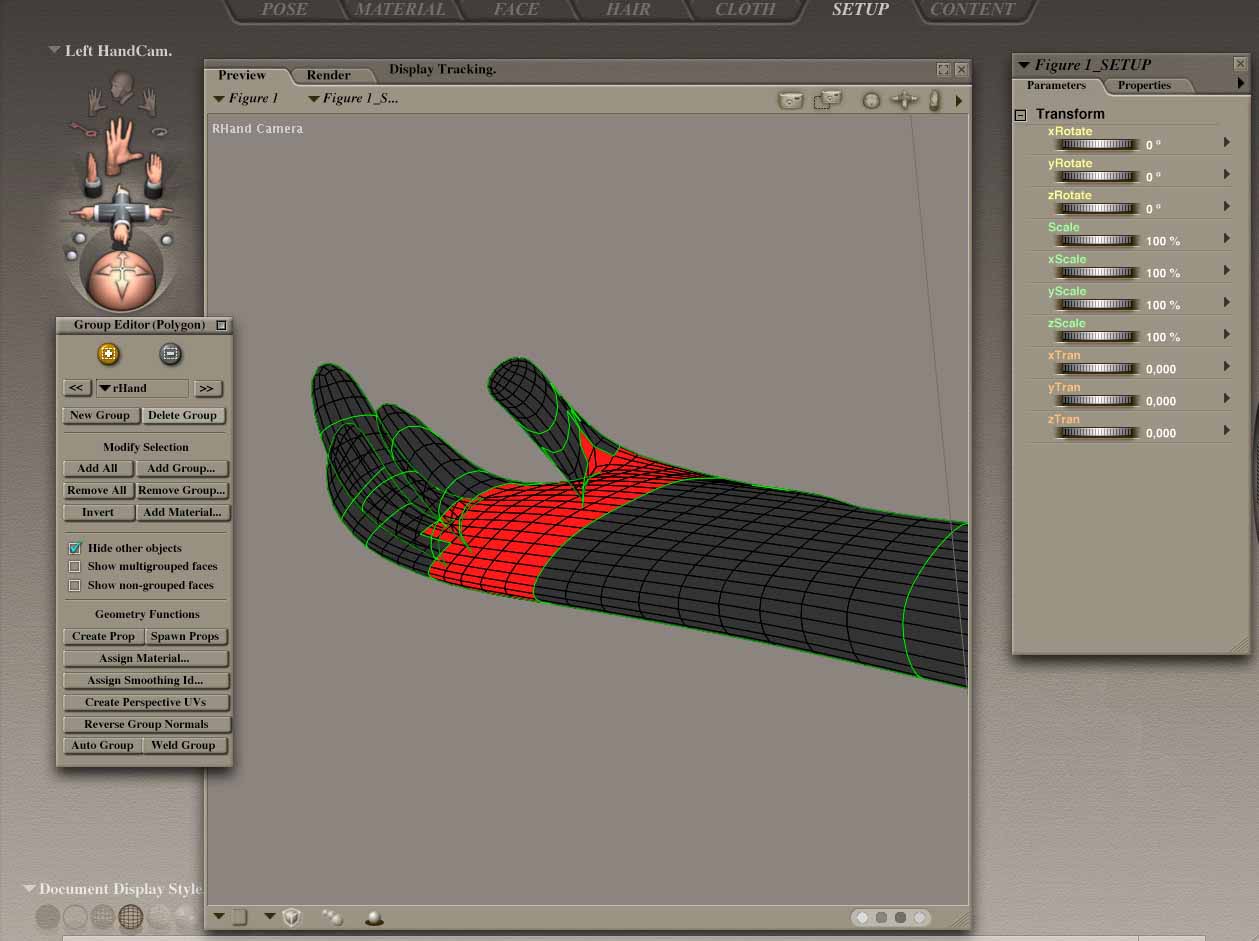
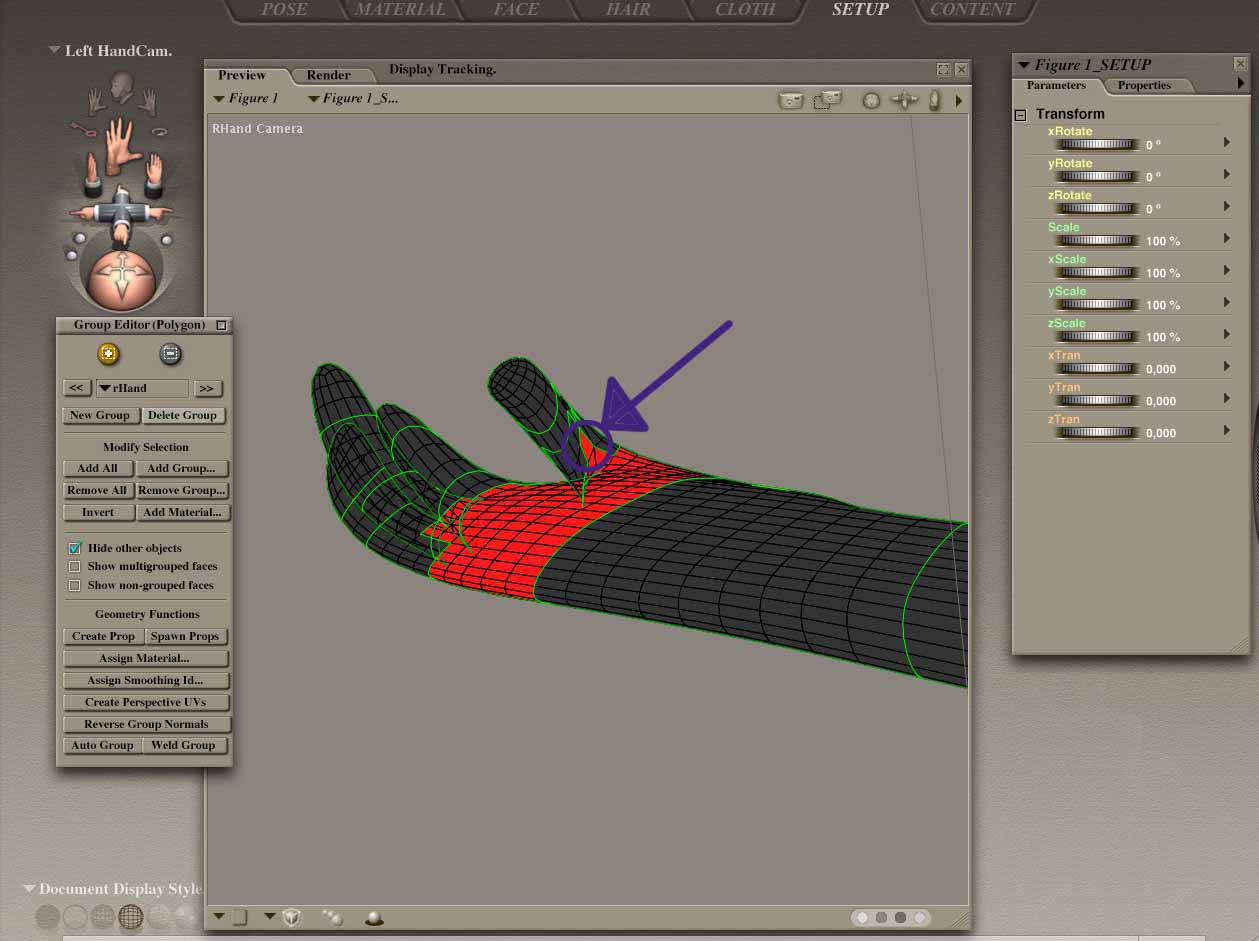
OK - last try (I hope somebody is still following this stupid threat) , just to make sure... when I choose the "+" or -"" icon to add or substact something should my curser change shape when i choose it? Mine doesent.... And to select a polygone; do i have to click the polygon or do i just have to move over it? cause when i click and try move over different polygones i just move the whole figur. It must sound so redicciulus and it really annoys me, cause I have done this 4 years ago (i builded the whole figur in cinema and rigged it in Poser) but i cant figur out what im doing wrong right now :-( Please help me out of it regards Chiropraktiker PS: Thanx to Philc so far...
i'm not sure but i thi8nk when it says you can fine tune it means when you go to the set up room for the first time.. i know that i couldn't get a work round so i had to start again with the naming groups and spawning props. then i used the bones of the figure i had created beforehand.. if there is a work around i'd love to know it.
billy
OK got the files, This is what I found. If I work with the grouping tool in the Pose room on the figure I get what you get. I then took the figure into the set up room and from the drop down menu selected the right hand. With the grouping tool "-" I selected the polygons that I wanted to remove from the right hand group. I then selected the rThumb1 from the drop down menu. Now with the grouping tool "+" I added these polygons to that group. Next with the rThumb still selected I clicked on the grouping tool's weld button. Return to the Pose room and resaved with a new name. This will ensure that existing files are not overwritten.
Another method would be to import the figure's OBJ file and work on that in the Pose room.
One more way would be to do this regrouping in UV Mapper.
Hope that helps. Hope your Poser works the same as mine :)
PhilC
Thank you for trying to help. I tried it again, the same way you pictured - no chance to regrouop, the curser is just also not changeing his shape. Ive never been working with UV-Mapper, so Could you maybe be so kind to send the new grouped file back to me email, i just want to figure out if the wrong grouped polygone is maybe the reason of my interposer problem i told you in my mail, or if its still messed up there .... I think ill start e new installation of poser this weekend :-) Thanx a lot Chiro

Privacy Notice
This site uses cookies to deliver the best experience. Our own cookies make user accounts and other features possible. Third-party cookies are used to display relevant ads and to analyze how Renderosity is used. By using our site, you acknowledge that you have read and understood our Terms of Service, including our Cookie Policy and our Privacy Policy.
Hallo, i have to change something on an existing character. The room info said, that i can fine-tune my existing body groups by manually assigning polygons. To do this I have to do it by selecting the group I want to add them to and the nessesary polygons i want to add, But whatever I try, I just only can select groups, I remember i did this once years ago, the curser changed fo that , and it was just like painting on the geometry to select the polygons, what buttons do I have to press to gain access to the single polygons? Would be so cool if somebody could help me regards Chiro