
Renderosity Forums / Cinema 4D
Welcome to the Cinema 4D Forum
Forum Moderators: CHMedia Forum Coordinators: Kalypso
Cinema 4D F.A.Q (Last Updated: 2024 Aug 27 11:07 am)

| C4D Gallery | Speed Modeling Sessions | C4D Freestuff |

Subject: Boolean problem


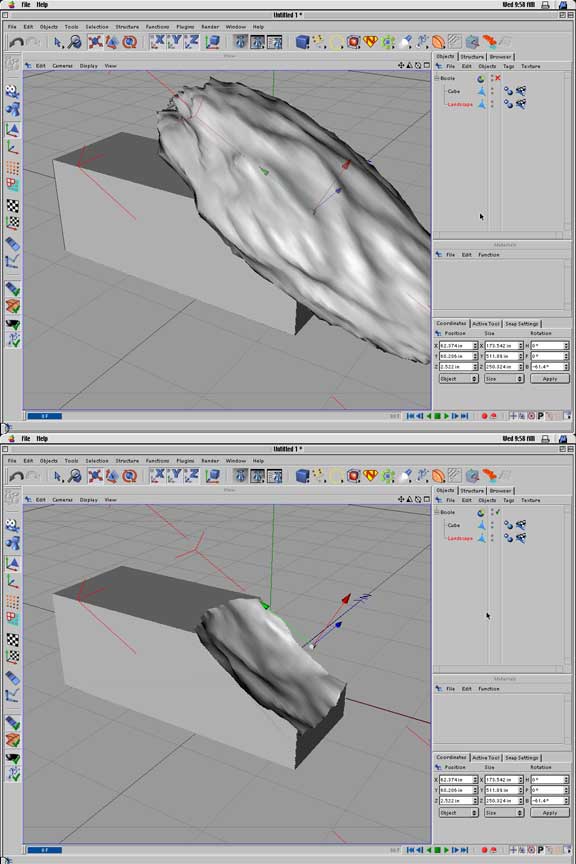
Well, to cut away such a large part of the cube you would need a very high terrain. When you create such a high terrain the difference between the lowest and highest point gets bigger and creates a 'valley' effect when applied as a Boolean. Again, what I would really like to know is why I can't substract more then one object! Thanks, Sabra

This happens because the landscape object is just a plane distorted along the Y-axis. It has no thickness so part of the cube pokes through it and is unaffected by the boolean. To do what you want, select all the polygons in the landscape then either use the make thicker plugin, or in R9 do extrude with 'create caps' set. Once your landscape has some thickness make sure the area of the cube to be cut away is totally enclosed within it and the boolean will work as intended.
Steve


Privacy Notice
This site uses cookies to deliver the best experience. Our own cookies make user accounts and other features possible. Third-party cookies are used to display relevant ads and to analyze how Renderosity is used. By using our site, you acknowledge that you have read and understood our Terms of Service, including our Cookie Policy and our Privacy Policy.
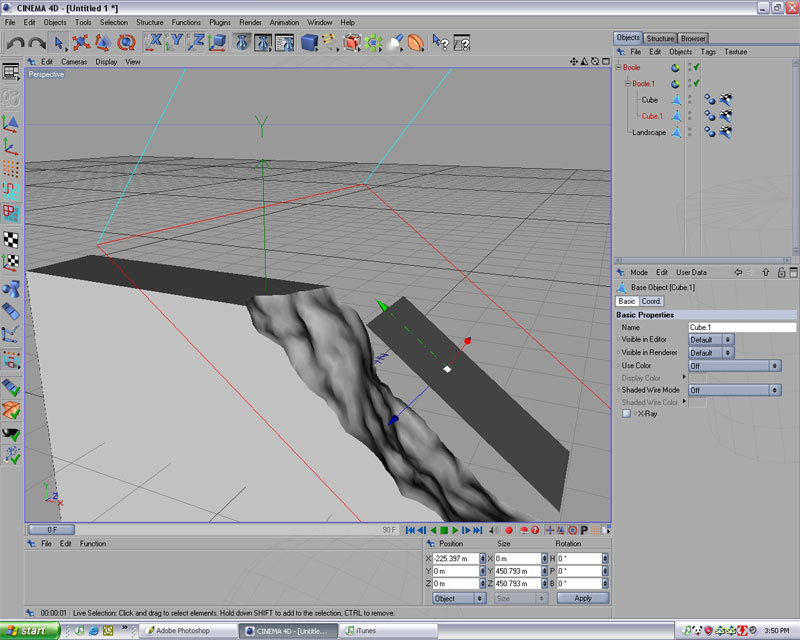
Hey everyone, I've been having some problems creating a wall for a ruin. I created a sphere, and wanted to cut away part of the corner and cut away a terrain structure. My problem is that part of the sphere I use to cut away the corner remains visible. I've attached the screenshot, and hope that someone here has the answer!Thanks,
Sabra