
Renderosity Forums / Carrara
Welcome to the Carrara Forum
Forum Coordinators: Kalypso, Anim8dtoon
Carrara F.A.Q (Last Updated: 2026 Jul 11 2:50 am)
Visit the Carrara Gallery here.

Subject: Fly Box in Archi-tools


Howdy -- Nice looking box; I should look at architools, I think. Wouldn't have thought to use it for something like this. As for changing colors of texture in Photoshop, there's a simple process you might use. Open the image in PS, select image>adjustments>hue/saturation (or Control+U on a PC). Then adjust the hue slider (or enter numeric values). This is a large adjustment, so tiny movements on the slider are probably in order. You can also play with the lightness and saturation sliders for more variation. Not sure what you're asking about photo lineups, though. It sounds like you're wanting to do some UV mapping, which is pretty decent in C3 and up. Hope that's helpful. - Dex

Privacy Notice
This site uses cookies to deliver the best experience. Our own cookies make user accounts and other features possible. Third-party cookies are used to display relevant ads and to analyze how Renderosity is used. By using our site, you acknowledge that you have read and understood our Terms of Service, including our Cookie Policy and our Privacy Policy.
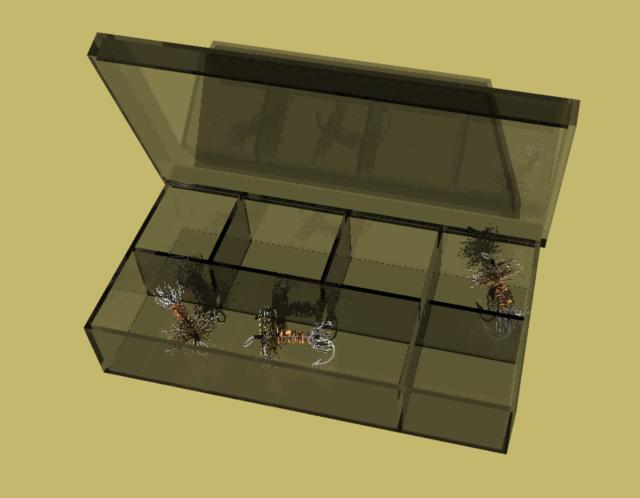
I am very happy with Architools. It is easy and useful. Here is a simple, two min. box with lid. I have a shed in my yard with new shingles. Has anyone here used Photoshop to change colors on textures? I need a variety of colored shingles. It shouldn't be too difficult to replace color or change the color to create a variety of shingle colors. Also, any tips on making textures out of photos, that match up. Tessellations match, but I'm not sure how to go about making one from a photo, that comes out square. r.Never Give Up!