












Kenilworth by crommcruac

Close
Hover over top left image to zoom.
Click anywhere to exit.
Members remain the original copyright holder in all their materials here at Renderosity. Use of any of their material inconsistent with the terms and conditions set forth is prohibited and is considered an infringement of the copyrights of the respective holders unless specially stated otherwise.
No AI - This artwork was created entirely by hand or with traditional digital tools.
Description
My first attempt to digital matte painting.
Quick process description:
1. Photoshop
- Altering original shot taken at Kenilworth Castle (changing background, adjusting colours etc.)
- Breaking the image to separate layers (arcs, towers, walls)
2. 3DS Max
- Creating simple meshes to match the PS layers and camera to match the perspective
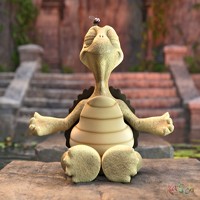
- adding ivy objects and the character.
- rendering basic image in VRay
- additional render passes for atmosphere
3. Photoshop (again)
- final compositing
- colour correction
- ageing
Below image are some screenshots from the process.
Update: nucks asked about time I spend on this. It took me about 16 hours to complete the image.


Comments (40)
Masterfull job :)
Nice job!
I am astounded by the fact that something as mesmerising as this only took 16 hours to create.
.:wow - lots of work. Well done putting it all together:.
A superb image and cool progression session, top notch.
Great composite! I agree with Fredy -- thanks for the step by step walkthrough!
Wonderful atmosphere and historical scene. Love seeing your process.
Wonderful and very beautiful image. Great work of art.
Excellent, fantastic portfolio..
Wow, the end result is incredible, and it's fascinating to see the interim steps to get there. Excellent work.