








Tutorial: Where and How to Install Poser Content for DS - Part 2
License: This is licensed for non-commercial use only.
Product Notes
This is part 2 in my series of tutorials for using V4, M4 and other older Poser content in Daz Studio (DS). As you may know, a lot of older Poser content works quite well in DS, but there are some challenges.
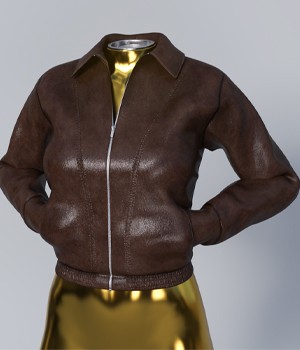
This PDF tutorial picks up where Part 1 left off. I guide you through the installation of a Poser outfit and demonstrate how to load a V4 figure with outfit. I also share a method for saving the character for future use and more!
I hope this is helpful!
On-Sale Items in the Marketplace




Comments
Very nice! Thank you very much!
Thank you!
@mrfixit002000 Thank you for your support and for taking the time to comment here. I am glad you enjoy my tutorials! I agree, obj props are powerful.
Boatloads of common sense. I use a similar system with OBJects folders in both Poser and DAZ libraries, as object files are easily imported into both programs. Hats, helmets, goggles, vehicles, any OBJ prop is universally usable on and with any character. Labeling every item with it's intended character code is an ABSOLUTE MUST! Poser Geometries files are mainly OBJect files, and so are a rich source of props for work in DAZ. We both manually break down each item purchased, stripping off unnecessary double foldering as needed to keep libraries as shallow as possible Example: "G8F/Clothes/Bottoms/ Pants, shorts, skirts. " Users should find anything quickly and nothing gets lost in obfuscating layers of whatever. Your first tutorial is solid gold. Anyone getting one should find getting both very worthwhile.
I accidentally left comments shut off. Thanks to @Wheatpenny for fixing it. If you enjoy my tutorials, please like, comment, and follow. I have more in the works.

Thank you to all who have downloaded and used my tutorials! Glad you find them helpful!