
Renderosity Forums / Poser - OFFICIAL
Welcome to the Poser - OFFICIAL Forum
Forum Moderators: RedPhantom Forum Coordinators: Anim8dtoon
Poser - OFFICIAL F.A.Q (Last Updated: 2026 Apr 10 4:02 pm)

Subject: Poser 11 - reinstall everything?


If the download manager lets you install the content then there is no need to re-install poser. (There have been some problems previously of download manager not recognising poser was installed and therefor not letting content and updates be installed) No, you don't have to delete any folders, the installers will simply over right files as necessary.
Thanks ! I reinstalled only the Content but, as suggested in other "topics" I created an external runtime and, after launching Poser 11, I imported it. Now I see Pauline but she continually asks me "Pauline.obj" that I do not have (I checked); while he was asking me this, I remembered that while I was moving the folders I had seen a "Pauline.obz" in a folder that did not seem appropriate to me as collocation: Librerie / Character / People / Pauline2 / Pauline2.obz. Should I move it? However at the launch of the program he asks me for infLite.obj and Construct.obz - I have heard that others have this problem too...
The Pauline.obz file is in the same folder as the Pauline cr2 file on my system. Did you load the posr support files? These might include the other 2 files (I don't know, just guessing) I always leave my main Poser runtime (eg Poser 11 content) in the default location, and have my other runtimes wherever I like. When you talk about moving folders I wonder if ythat has caused the problems. When I moved runtimes I've always moved the entire runtime, never moved individual folders as this is likely to cause problems.
Nails60, also in my Runtime the position of Pauline.obz is identical to yours. Also I have moved the entire Runtime. Regarding support files, do they have a name? Are they Poser files? Thank you
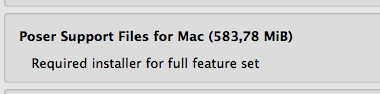
The construct and infinite light obz files should be in your poser 11 runtime, geometries. (obz files are compressed versions of the obj files). As I said I've always kept my main poser content runtime on my c drive, and in general haven't come across the problem with poser default content. You can of course always manually find the files when asked. Afraid I can't be of much more help.
I managed to find them with the Time Machine. Now I think Poser 11 do not ask me anything anymore .. :) Hopefully

Privacy Notice
This site uses cookies to deliver the best experience. Our own cookies make user accounts and other features possible. Third-party cookies are used to display relevant ads and to analyze how Renderosity is used. By using our site, you acknowledge that you have read and understood our Terms of Service, including our Cookie Policy and our Privacy Policy.
Hello everyone ! I also have Poser 11 on my Mac (in addition to 9 and 6) The other day I launched Poser 11 and on the right in the column showed me as usual the Runtime imported from Poser 6, while of Poser 11 the various folders were empty .... Not using it frequently I checked and I was told that in January 2018 I had done a test with Pauline.
Now I have downloaded everything from SmithMicro through the Download Manager - both installers and Updates. Download Manager is putting everything in a folder with the following path: user / my name / Smith Micro Download Manager / Downloads /
Below you can see the folder with things downloaded and not yet installed.
My questions are:
Thanks for every suggestion.
My Store
My Freestuff