
Renderosity Forums / Cinema 4D
Welcome to the Cinema 4D Forum
Forum Moderators: CHMedia Forum Coordinators: Kalypso
Cinema 4D F.A.Q (Last Updated: 2024 Aug 27 11:07 am)

| C4D Gallery | Speed Modeling Sessions | C4D Freestuff |

Subject: Normal channel?


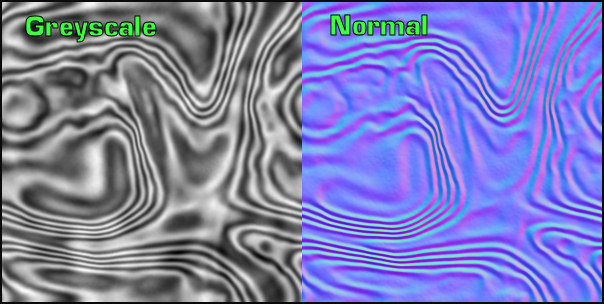
The greyscale map could be used in the materials bump or displacement channels (displacement maps work best on meshes with fairly uniform polygon sizes).
We can see that the normal map is really light source dependant - the normal map will work with incorrect scene lighting but not so good as a normal map made with scene lighting taken into account.
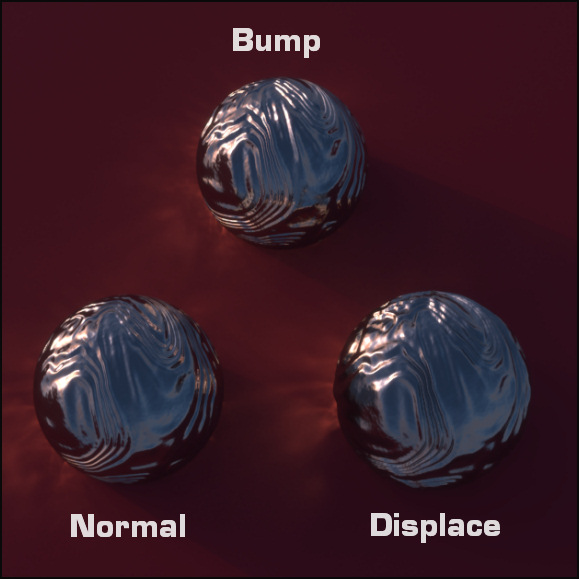
The bump and normal material values are set at 100%.
The displacement height is kept low to try and match the appearance of the other two spheres.
The normal mapped sphere looks to have a smoother surface than its bump mapped counterpart. The displaced (using smoothing) version is altering geometry and gives a realistic edge to the model. The edges of the bump and normal mapped spheres will always be circular.
The caustic patterns produced by the normal and displacement mapped spheres look better defined to me.
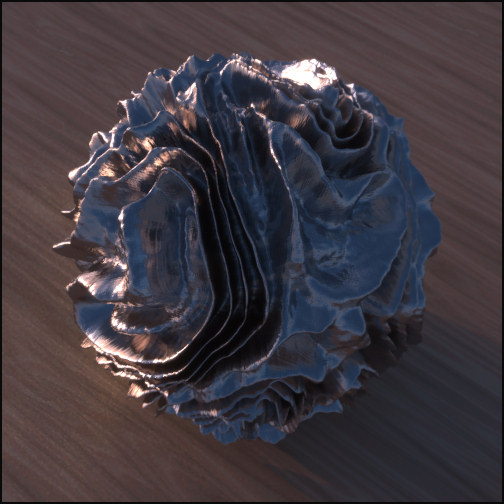
If you have PhotoShop Nvidia do a free normal map plugin:
http://developer.nvidia.com/object/photoshop_dds_plugins.html
There are others too, xNormal, Crazy Bump etc.

Peace,
Rich_Art. 
www.C4DLounge.eu Our
new Dutch/Belgium C4D forum.

Privacy Notice
This site uses cookies to deliver the best experience. Our own cookies make user accounts and other features possible. Third-party cookies are used to display relevant ads and to analyze how Renderosity is used. By using our site, you acknowledge that you have read and understood our Terms of Service, including our Cookie Policy and our Privacy Policy.
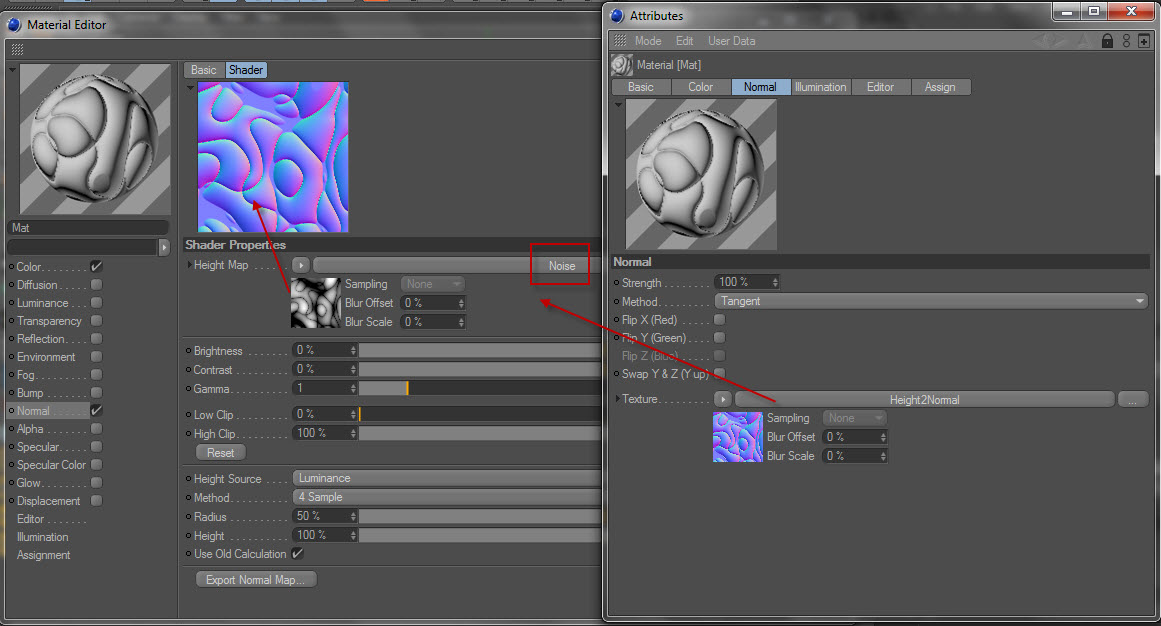
What is the normal channel used for?