
Renderosity Forums / Poser - OFFICIAL
Welcome to the Poser - OFFICIAL Forum
Forum Moderators: RedPhantom Forum Coordinators: Anim8dtoon
Poser - OFFICIAL F.A.Q (Last Updated: 2026 May 31 10:10 pm)

Subject: Changing the length of a bone via a pose file

A bit of background - I'm trying to create a stack of books as a figure, one bone per book, each bone having one child.
Here's the basic stack (there's a gap between books at present because I'm just trying things out)
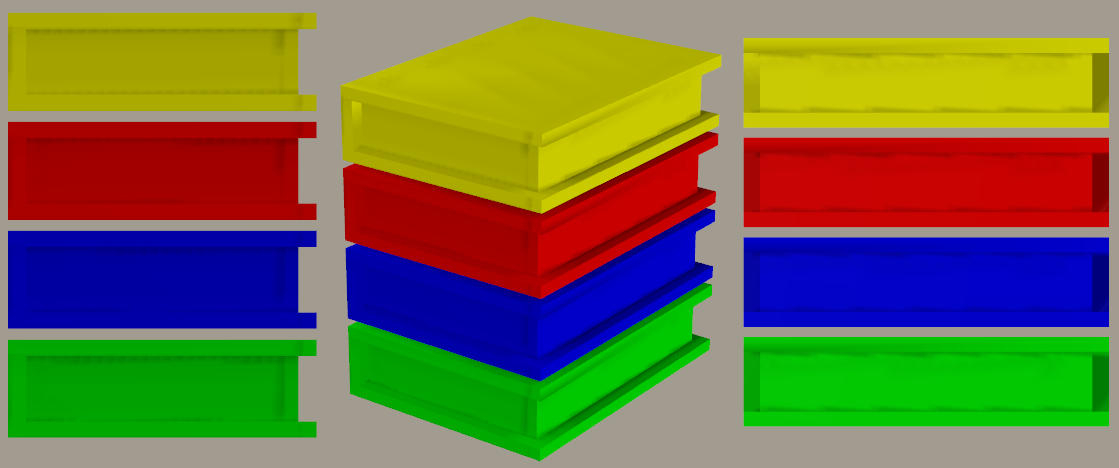
And here it is with each book having scaling, x and z translations, and x y and z rotations:

The 3Dcheapskate (also available in DAZ and HiveWire3D flavours) occasionally posts sensible stuff. Usually by accident.
And it usually uses Poser 11, with units set to inches. Except when it's using Poser 6 or PP2014, or when its units are set to PNU.

V4 has a legs lengthen morph in her morph++ under the legs folder if it helps for an example.
Available on Amazon for the Kindle E-Reader Monster of the North and The Shimmering Mage
Today I break my own personal record for the number of days for being alive.
Check out my store here or my free stuff here
I use Poser 13 and win 10

This looks like something that could be handled by the match centers to morph command. You want to change the origin of the child correct? You say that each book has one bone and each bone has one child, it's a chain of bones so each stack is a single figure with several bones. I'm assuming the bottom book is the base (basically the hip). Match centers will adjust each origin to reflect the changes you describe. It can also be applied as an inject pz2.
The physical changes to each book would have to be baked as morphs though.
RedPhantom: that sounds familiar - maybe that's what I was thinking of.
primorge: yes, bottom book is the base (hip equivalent) and it's a vertical chain of bones.
However, I just opened Poser, loaded my pile of books, and suddenly wondered "Am I overcomplicating this?" I twiddled the yScale dial of one of the books and applied some small x/y/zRotations to them, and that appears to do what I want !
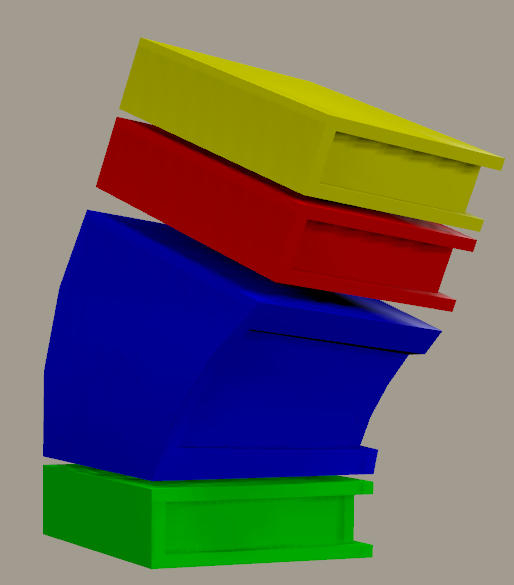
I think I should probably have explained in more detail what I'm actually trying to do. A couple of years ago I created some books as a prop, with morphs to make them different sizes. Here's some of the promo pics I did. Left is the default, mid and right are randomish size, spine-width, horizontal offset and rotation about vertical axis.

While I could make the books different sizes (cover size and spine width) with morphs, rotations were another matter. I managed to cheat by using linear morphs to produce small rotations about a vertical axis for the books in stacks, as shown above. But what I really wanted was some rotations that would tilt the covers of the books out of a horizontal plane, because that's what a real stack of books is like. I knew that I could do it by making a stack of books as a figure, but I spent ages trying to find a clever way to do it with a prop and eventually got fed up. A year and a half later I was looking at a stack of books and decided it was time to try the figure approach.
The 3Dcheapskate (also available in DAZ and HiveWire3D flavours) occasionally posts sensible stuff. Usually by accident.
And it usually uses Poser 11, with units set to inches. Except when it's using Poser 6 or PP2014, or when its units are set to PNU.
I'm still interested in fiddling with the bone length by non-scaling means (not so much for this book-stack now, but for a few other things) so I'll check out RedPhantom's and primorger's suggestions.
Firstly RedPhantom's, so back to that V4 lengthen legs in the Morphs++.
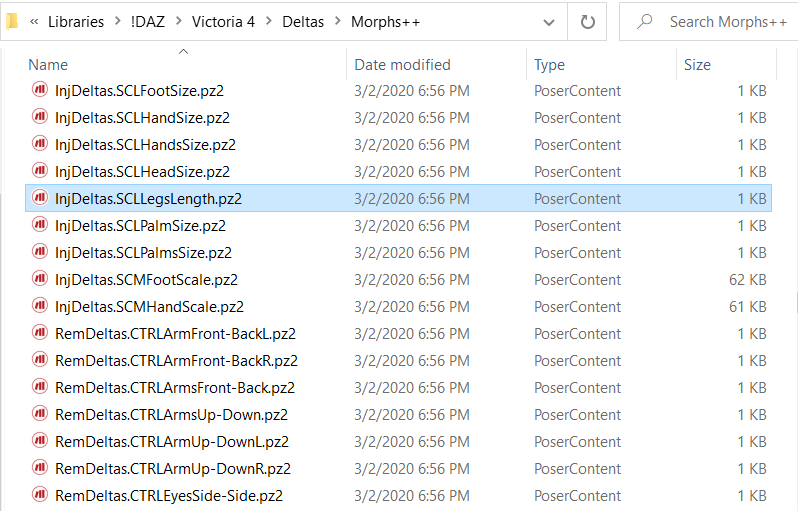
LegsLength.pz2, which is the pose file that injects the morph, is simply this (hoping the forum software doesn't screw up the formatting):
{
    version
    {
        number 4.01
    }

    readScript ":Runtime:libraries:!DAZ:Victoria 4:Deltas:Morphs++:InjDeltas.SCLLegsLength.pz2"
}
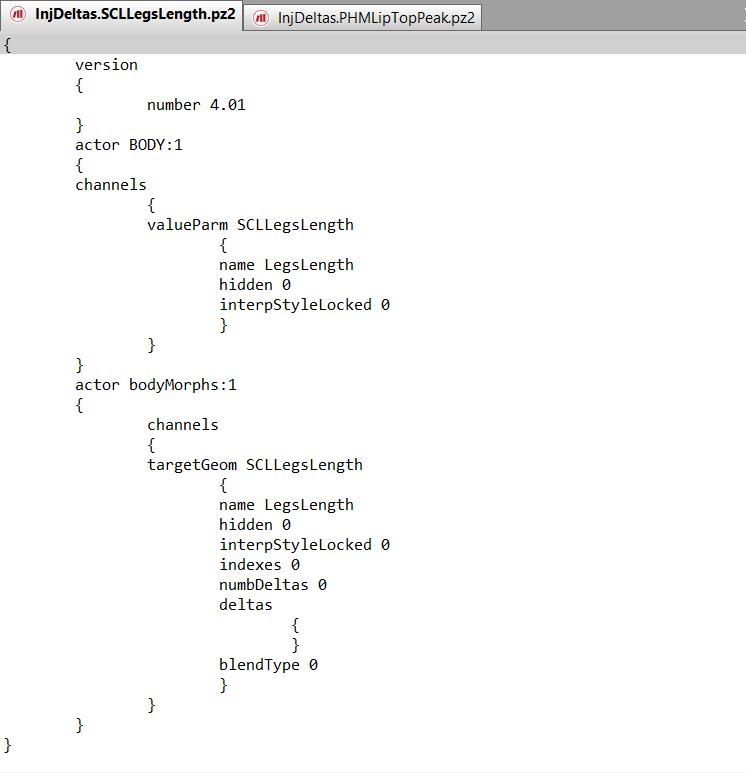
The pose file called up by the readScript,InjDeltas.SCLLegsLength.pz2, is this:
{
    version
    {
        number 4.01
    }
    actor BODY:1
    {
    channels
        {
        valueParm SCLLegsLength
            {
            name LegsLength
            hidden 0
            interpStyleLocked 0
            }
        }
    }
    actor bodyMorphs:1
    {
        channels
        {
        targetGeom SCLLegsLength
            {
            name LegsLength
            hidden 0
            interpStyleLocked 0
            indexes 0
            numbDeltas 0
            deltas
                {
                }
            blendType 0
            }
        }
    }
}
Not sure what the SCL stands for, but it's in the same place in the file/valueParm/targetGeom names as FBM (Full Body Morph), PBM (Partial Body Morph), etc would be - can anybody enlighten me ?
Since the targetGeom SCLLegsLength has no actual morph target (zero deltas) I'm guessing that it works via some ERC in the thighs and shins - off to have a look at that...
The 3Dcheapskate (also available in DAZ and HiveWire3D flavours) occasionally posts sensible stuff. Usually by accident.
And it usually uses Poser 11, with units set to inches. Except when it's using Poser 6 or PP2014, or when its units are set to PNU.
Ah yes, the yScale of the left/right thigh and shin are all slaved to it (i.e. the 'LegsLength' dial on V4s body):
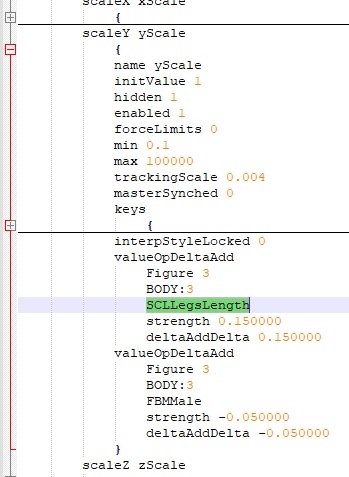
So it's basically the same as my "am I overcomplicating this?". Good to know I (eventually) got on the right track with that one.
Next, a look at primorge's suggestion.
The 3Dcheapskate (also available in DAZ and HiveWire3D flavours) occasionally posts sensible stuff. Usually by accident.
And it usually uses Poser 11, with units set to inches. Except when it's using Poser 6 or PP2014, or when its units are set to PNU.
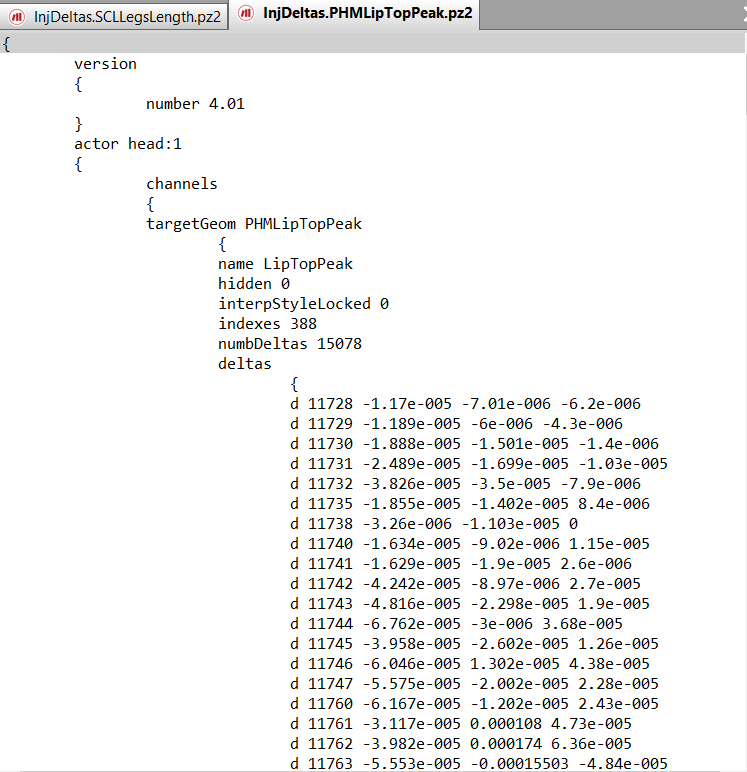
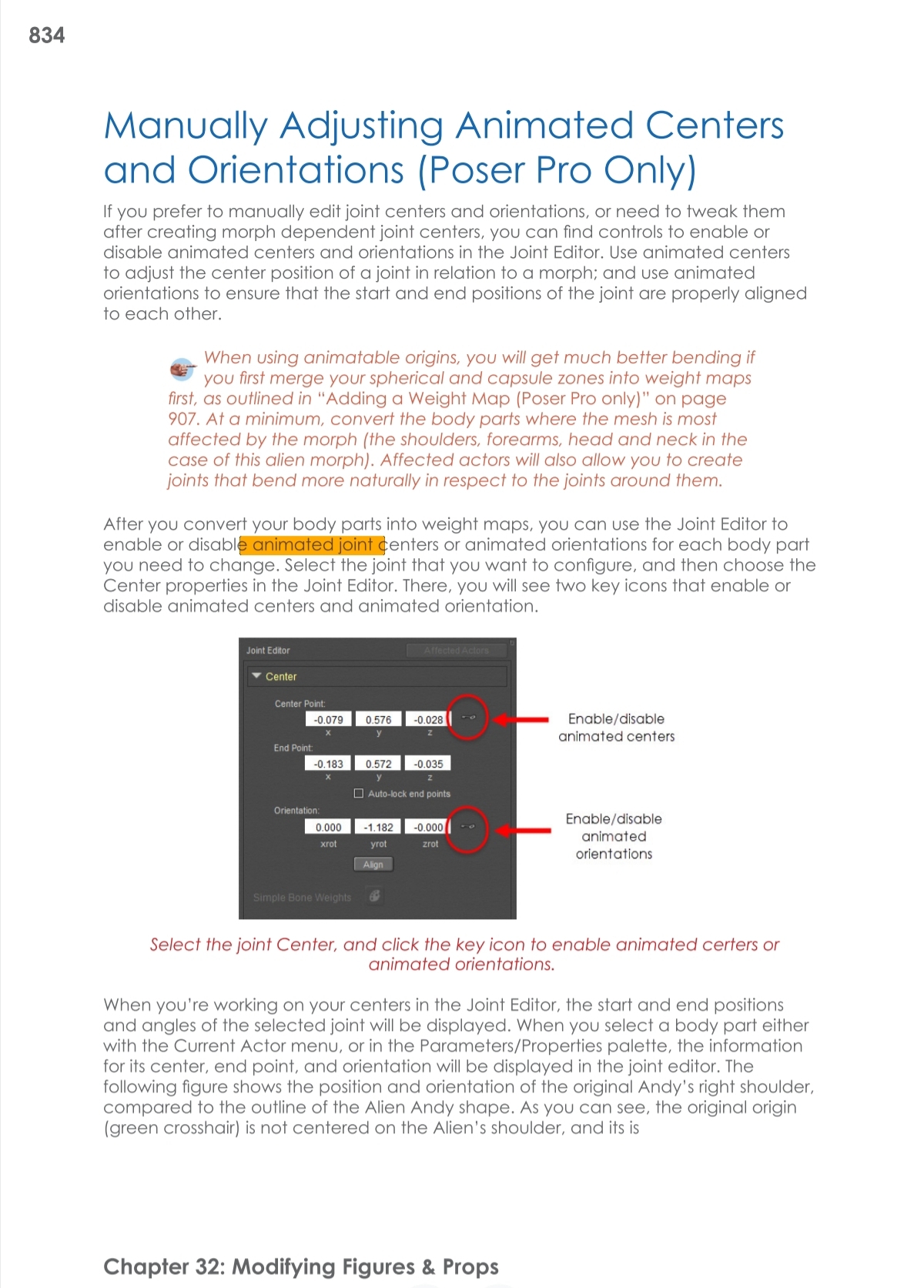
You can manually create valueOps via the value operations tab of the dependency editor, it involves some math. I usually use Netherwork's Spawn scripts to create such controllers. I stick mainly to keyed.
http://www.posersoftware.com/documentation/12/Poser_Reference_Manual/Tools/Modifying/Value_Operations.htm
Thanks primorge, SCL for scale - of course ! 
valueOps aren't a problem - I regularly (if you can call every couple of years regular) play around with them, my tool of choice being the brute force manual edit of a CR2.
Regarding the "Match centers to morphs" - just before reading your latest posts I'd actually gone and looked it up in the Poser 11 manual (I'm behind the times you see ;) ) and found the "Morph Dependent Joint Centers" section you pointed at. Good to know that Poser can do it automagically if you ask it to. :)
The 3Dcheapskate (also available in DAZ and HiveWire3D flavours) occasionally posts sensible stuff. Usually by accident.
And it usually uses Poser 11, with units set to inches. Except when it's using Poser 6 or PP2014, or when its units are set to PNU.
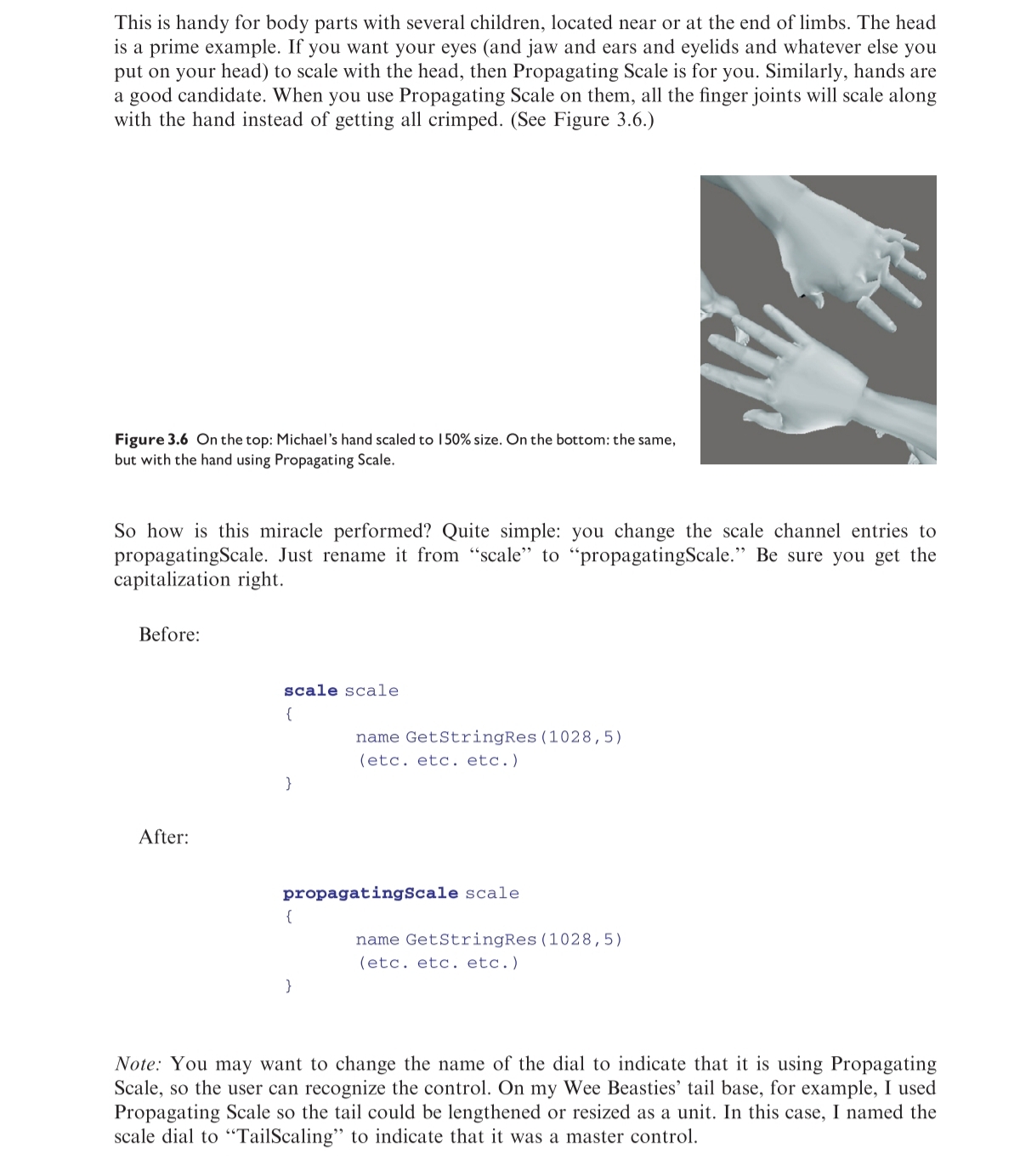
Sounds like a reasonable guess to me, although there's also SCM for foot/hand scaling - so SC for SCaling morph, and L/M for something else. And yes, using SCL/SCM, CTRL, and PHM as well as the standard FBM and PBM does seem to be simply a DAZ naming convention. I'll have a look at B.L.Render's still very useful book again. :)
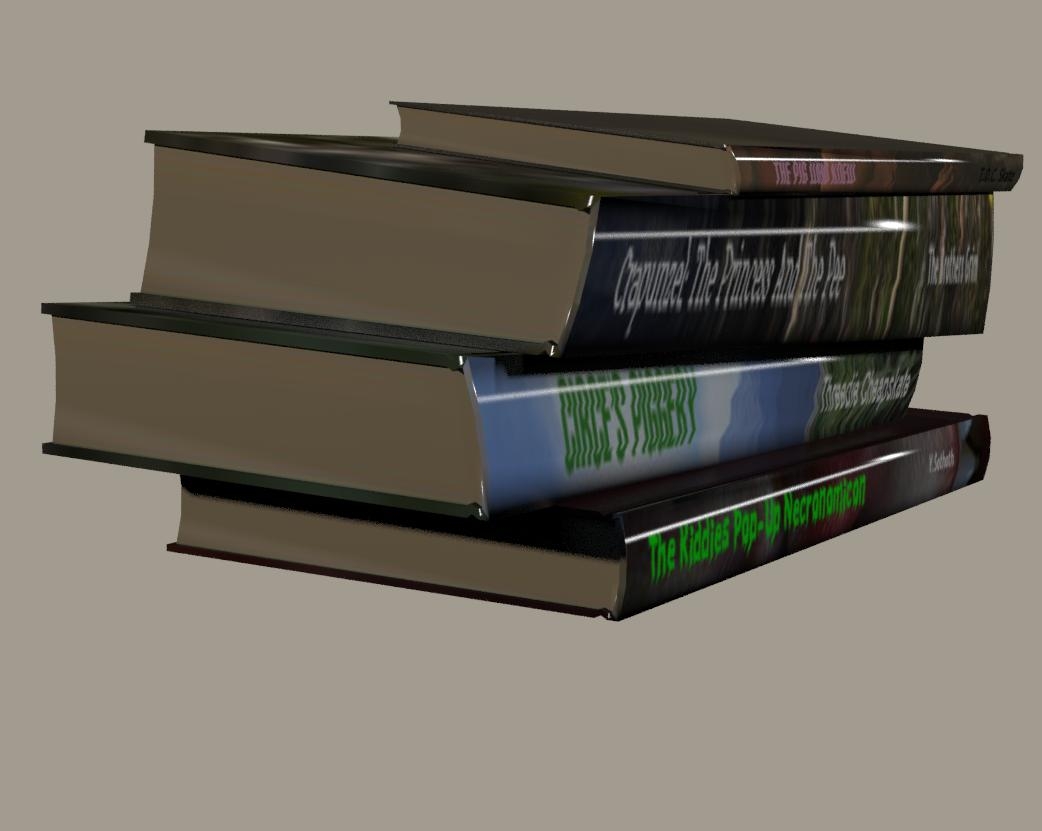
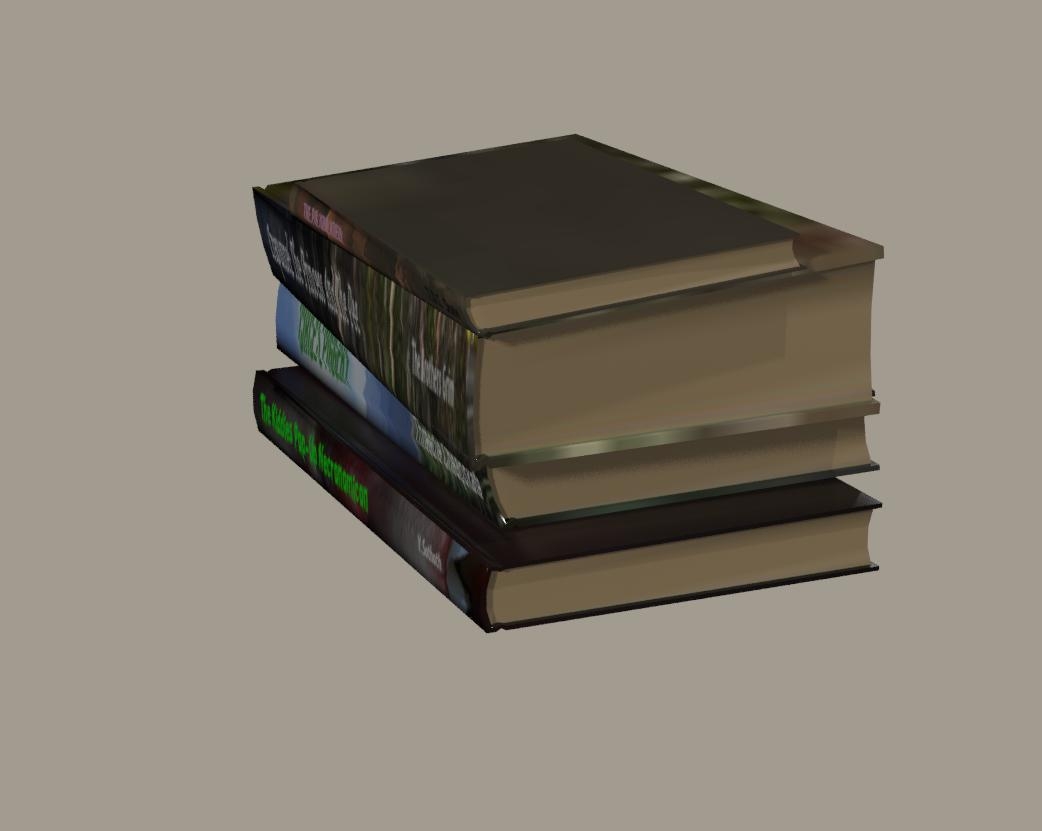
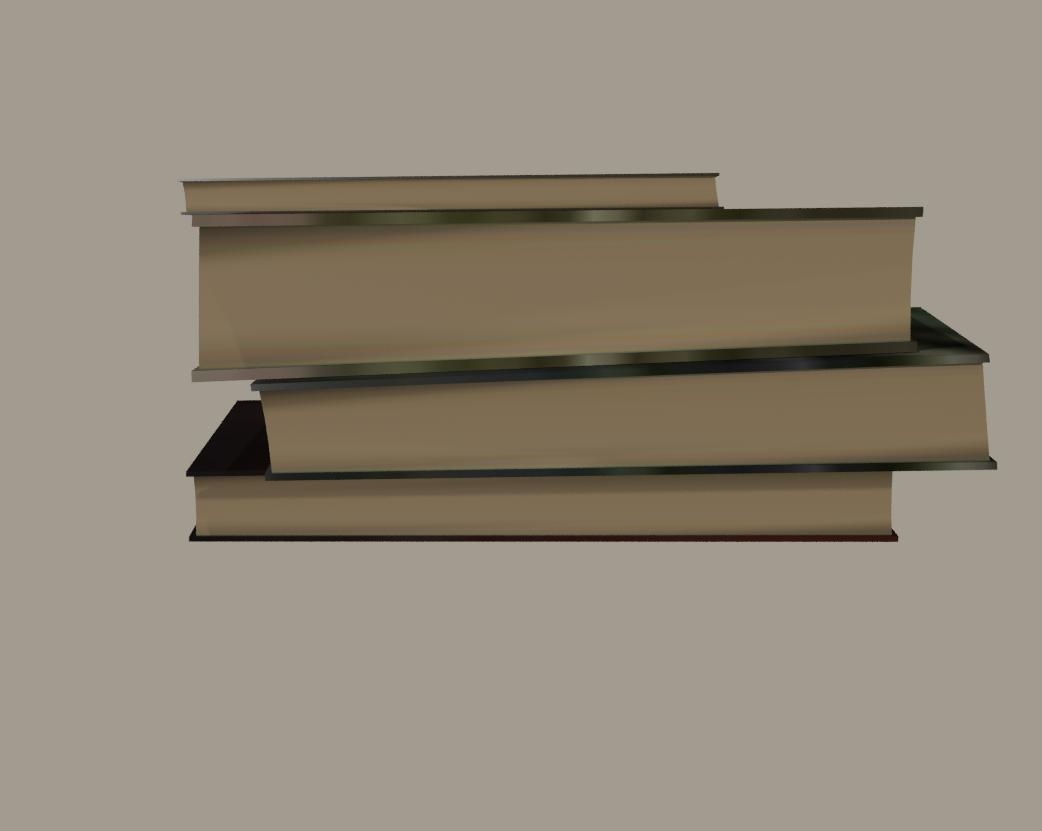
Meanwhile, I'm making some progress with the books figure by simply using yScale to alter the bone length (but I'm also running into several other minor problems - I think I need to create a new thread/topic somewhere for these books, since they're outside the scope of the title of this thread)

The 3Dcheapskate (also available in DAZ and HiveWire3D flavours) occasionally posts sensible stuff. Usually by accident.
And it usually uses Poser 11, with units set to inches. Except when it's using Poser 6 or PP2014, or when its units are set to PNU.
Funny story; Years and years ago I was a manager at a gas station and I was putting some gas in this very attractive woman's car, chatting. The owner of the station was there and whenever he would see a woman that was "easy on the eyes" he would immediately come out and walk up to the car and announce proudly that he was the owner of the station and start posturing and drooling. Anyway he asked the women what her name was and she looked at him sort of irritated and said "Circe", he responded "well that's a pretty name" flirting. She paused and replied "yeah, I turn men into pigs". He wasn't the most well read fellow so the jab was lost on him. :)
The stretching/distortion seems unavoidable with the simplistic mesh/mapping when combined with a simple yScale to make the books thicker, spinewise. To avoid drifting off-topic here I've started a new thread over on the HiveWire 3D Content Development forum for the book stuff - My rather infrequent, and possibly apocryphal, 'books project'..
I've also added 'Medea's Guide To Child Care' to an ever-growing list of book titles over on my Render A (Stupid) Story Title thread (at DAZ).
I like the story - the owner's surname didn't happen to be Bacon did it ?
The 3Dcheapskate (also available in DAZ and HiveWire3D flavours) occasionally posts sensible stuff. Usually by accident.
And it usually uses Poser 11, with units set to inches. Except when it's using Poser 6 or PP2014, or when its units are set to PNU.

Privacy Notice
This site uses cookies to deliver the best experience. Our own cookies make user accounts and other features possible. Third-party cookies are used to display relevant ads and to analyze how Renderosity is used. By using our site, you acknowledge that you have read and understood our Terms of Service, including our Cookie Policy and our Privacy Policy.
I'm fairly sure that I've seen this done a few times in the past, e.g. to make a figure's thighs shorter.
I've looked at various CR2 and PZ2 files and there's nothing obvious that strikes me.
So does anybody recall how this is done ?
The 3Dcheapskate (also available in DAZ and HiveWire3D flavours) occasionally posts sensible stuff. Usually by accident.
And it usually uses Poser 11, with units set to inches. Except when it's using Poser 6 or PP2014, or when its units are set to PNU.