
Renderosity Forums / Poser 11
Welcome to the Poser 11 Forum
Forum Moderators: nerd Forum Coordinators: Anim8dtoon, Digitell
Poser 11 F.A.Q (Last Updated: 2026 Jun 20 9:06 am)

Welcome to the Poser Forums! Need help with these versions, advice on upgrading? Etc...you've arrived at the right place!
Looking for Poser Tutorials? Find those HERE

Subject: Strange FF render issue with Poser Pro 11 SR8 on only one PC


oh sheet, so there is! Didn't notice it on the drop down.
Perhaps the moderator can move this post there?
"The fool is not the one that does something foolish, but the one that does nothing at all."

randym77 posted at 1:10PM Mon, 23 September 2019 - #4363525
Oh, wow, that's a different Poser Technical. I was thinking of this one:
https://www.renderosity.com/mod/forumpro/?forum_id=10139
They should probably combine the two.
Ohhh, I never knew this one existed. Most folks probably don't see it, which is why it doesn't get much use.
_______________
OK . . . Where's my chocolate?
So I seem to have fixed the issue by replacing the Poser.ini file with a backed up file. FF renders smoothly now.
The difference between the old ini file and the new ini file, besides the expected recent files and UI details, was a line saying 'MAT_WACROS_ON' and in the old file it was set to 0 whereas in the new one its set to 1. How did that ever get set to 0 I wonder? Is there a checkbox hidden somewhere?
"The fool is not the one that does something foolish, but the one that does nothing at all."

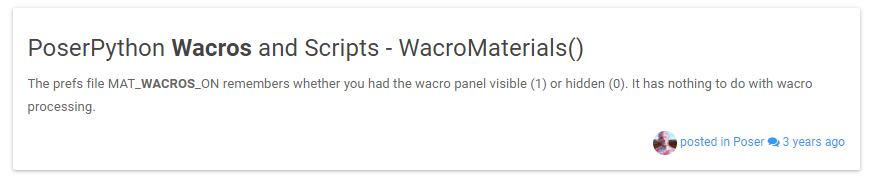 and the link:
https://forum.smithmicro.com/topic/179/poserpython-wacros-and-scripts-wacromaterials
and the link:
https://forum.smithmicro.com/topic/179/poserpython-wacros-and-scripts-wacromaterials @tsoren: ok, that is bizarre. Replacing the ini file did the job but that was the only significant difference between the two. the rest was UI dimensions and recent file references. I cannot see how those can have any effect on Firefly's performance (then again Poser is weird that way...). Maybe the replacing of the ini file forces Poser to re-calibrate other things behind the scenes?
"The fool is not the one that does something foolish, but the one that does nothing at all."

Privacy Notice
This site uses cookies to deliver the best experience. Our own cookies make user accounts and other features possible. Third-party cookies are used to display relevant ads and to analyze how Renderosity is used. By using our site, you acknowledge that you have read and understood our Terms of Service, including our Cookie Policy and our Privacy Policy.
Issue is that a scene that renders fine on four other, nearly identical, PCs, but on my fastest PC something weird happens with the firefly render. Only started a few days ago.
Setup:
Very random issue. Any ideas?
PS: I recommend a separate techical Poser forum, or is there one already?
"The fool is not the one that does something foolish, but the one that does nothing at all."