
Renderosity Forums / iClone: 3D real-time visualization and digital storytelling
Welcome to the iClone: 3D real-time visualization and digital storytelling Forum
iClone: 3D real-time visualization and digital storytelling F.A.Q (Last Updated: 2024 Aug 27 11:07 am)
 Different from other 3D tools, iClone is designed for instant visualization and digital storytelling. Its unique real-time animation engine gives you 10 x faster production speed by giving-what-you-see without having to wait. It's content-driven director layout is logically defined with Stage, Set, Actor, Animation, Media and Export tabs so that you may easily allocate resources during creation. iClone is not only the ideal tool for studios, live TV productions, and pre-vizualizations but it also allows anyone to be their own director by animating without any hassles of creating content from scratch! Be seen in the |
Checkout the Renderosity MarketPlace - Your source for digital art content!

Subject: iClone Character Creator Tutorial - Character Creator Basics & UI


Hi there Haziell,
With Character Creator, its easy to play around with cosmetics, eyeliners and such.
-
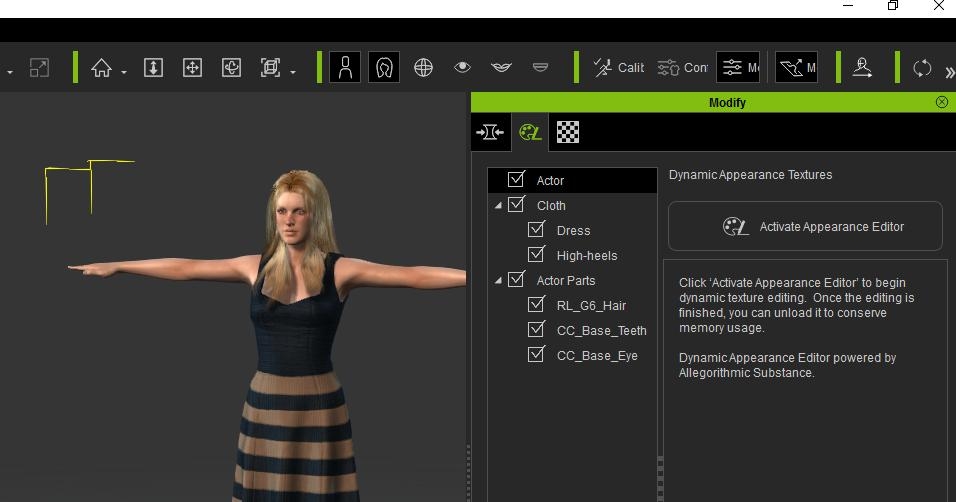
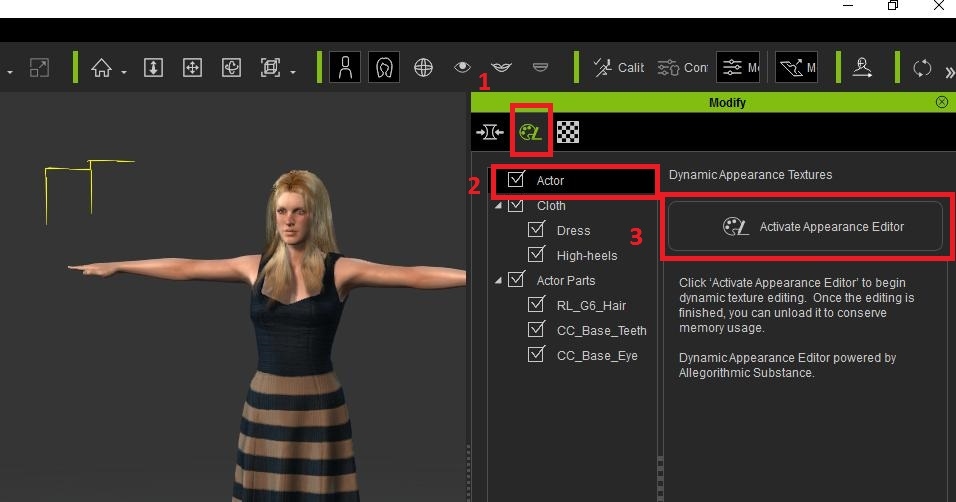
Select your Actor and to go the Modify column on the right. Then click on Activate Appearance Editor.
-
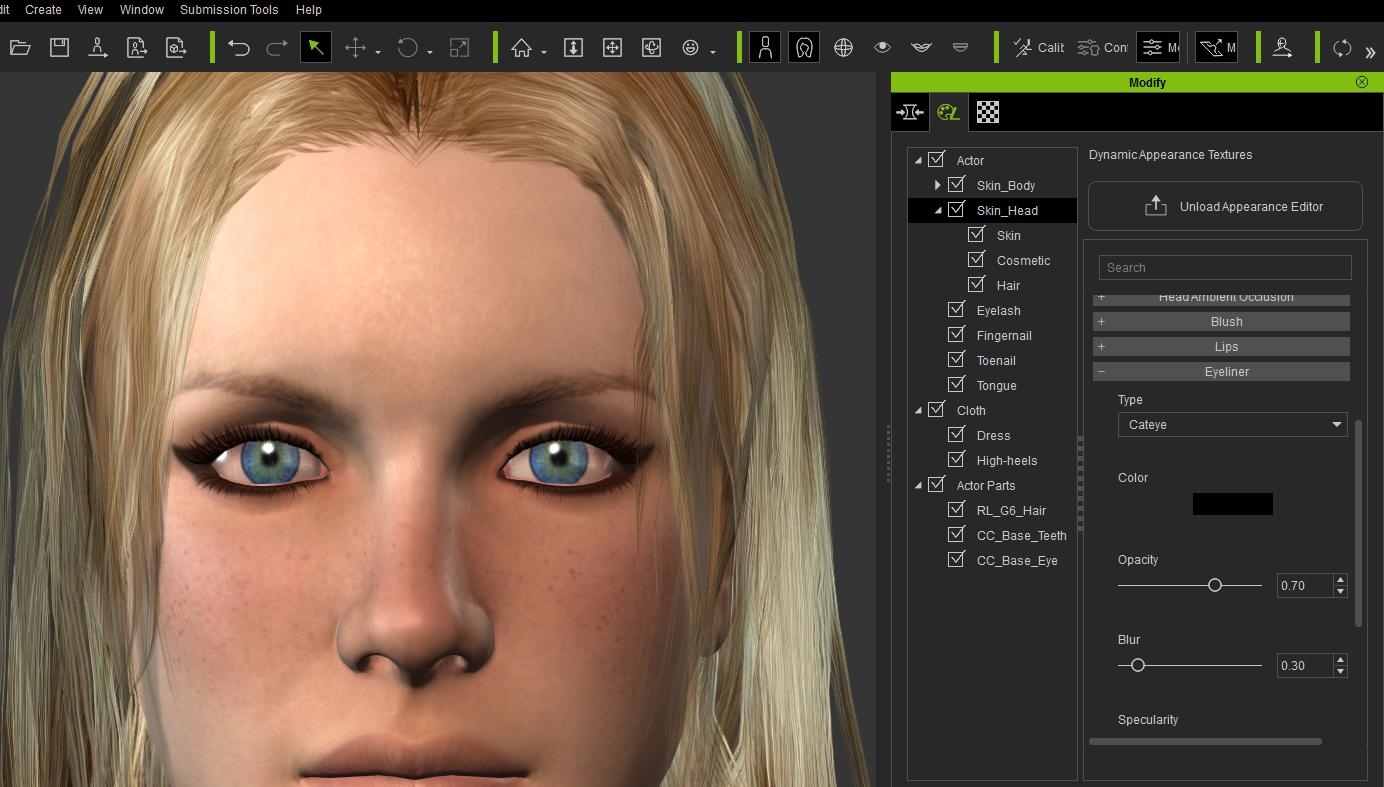
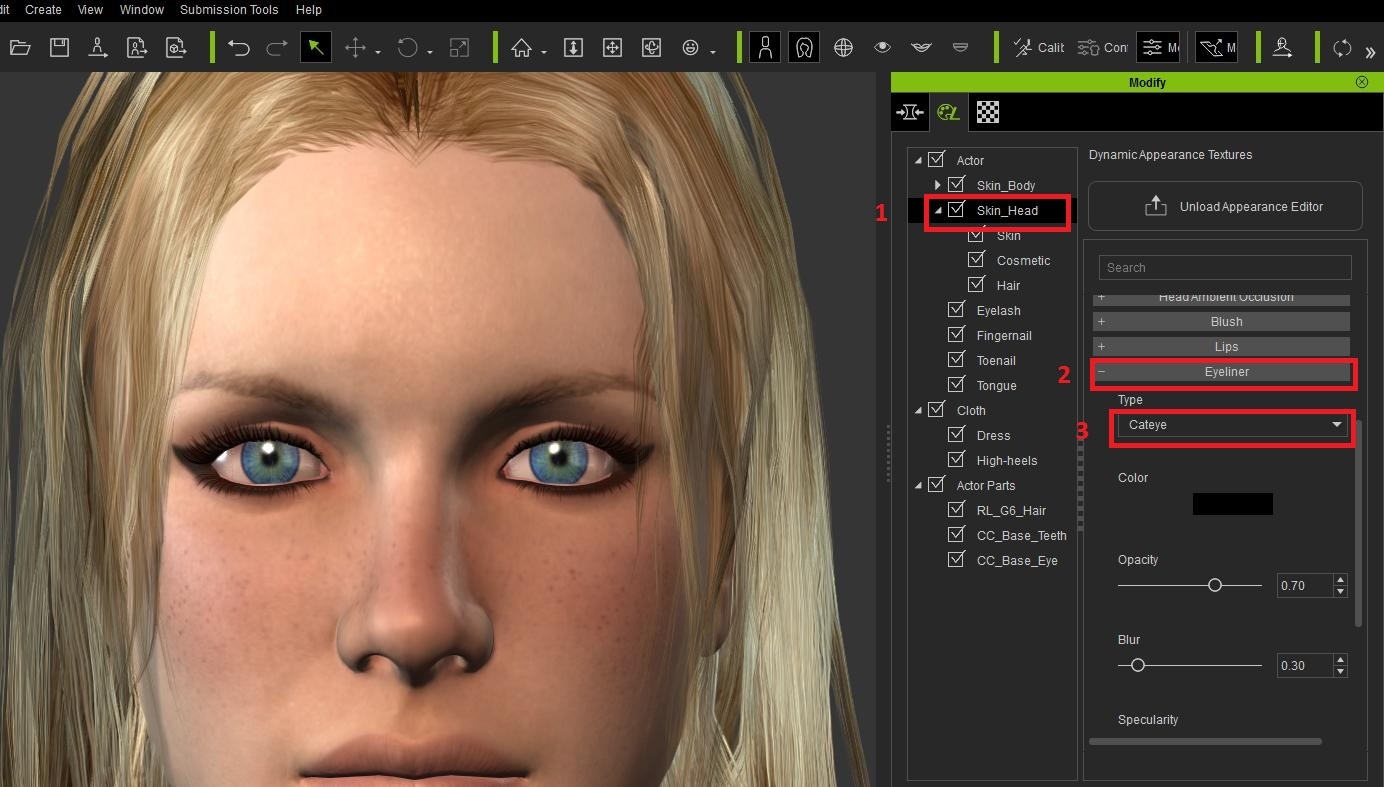
Next you will want to click on the Skin_Head segment, and on the right open the Eyeliner tab. Inside you should be able to use one of several pre-made mascara templates, along with color, opacity and others.
hope this helps!!
good night good I am Brazilian does not speak so ingles am using a translator, I do not know if you're understanding me I sent a photo with a red arrow on the arrow has a maskara option is this option that do not think the program understand why I'm asking It helps to know if it is a command understood
OK, primero seleccione un character femenino. Luego a la derecha, vaya a la columna de Modify. ( la opcion de enmedio) Despues seleccione "Actor", y seguidamente dele click en el "Activate Appearance Editor"
Al hacer eso, las opcines van a cambiar. Ahi es cuando usted selecciona "SKIN_HEAD", y despues a la derecha busca la opcion de "EYELINER" (esto es para la mascara) Uno puede expandir la opcion de Eyeliner al presionar el botton +. Luego adentro puede trabajar con el "Type" que son opciones pre-hechas de mascara. Tambien puede experimentar con el "Opacity", con el "Blur", y otras opcines adentro.
                       Espero que esto le sirva.

                                          Saludos!


Privacy Notice
This site uses cookies to deliver the best experience. Our own cookies make user accounts and other features possible. Third-party cookies are used to display relevant ads and to analyze how Renderosity is used. By using our site, you acknowledge that you have read and understood our Terms of Service, including our Cookie Policy and our Privacy Policy.
With the Character Creator, iClone 6 users can now create their own incredible custom characters and tweak and refine even the smallest details for skin, body shape, and clothing for unlimited character creation freedom!
This tutorial introduces the basics of the Character Creator, starting from a brief explanation of the UI and moving on to run through a load of the templates that Reallusion provides to create a rough-looking outdoorsy type of character.
Along the way, you'll learn about simple body morphing, modifying your character's skin using powerful substance materials, and then applying clothing and then completely destroying the clothing with procedural aging and dirt. Finally, the character will be exported into iClone and tested out with a couple of motion tools.
Find out more about the Character Creator here: http://www.reallusion.com/iclone/character-creator/default.html