Filter: Safe | Sat, Jun 6, 4:02 AM CDT

Product Thumbnails: Where to place text?

Apr 29, 2024 at 11:31 am by ashleyb


Here are some examples of bad placement of text on Product thumbnails:
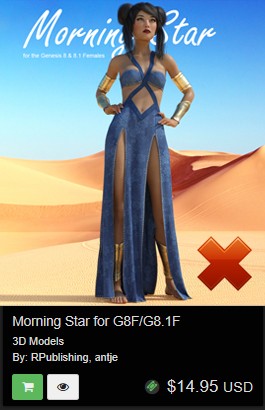
This thumbnail hides half the text behind the product. This will not work for good product promotions. 
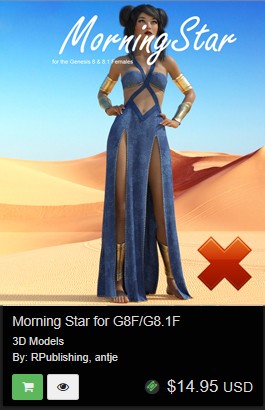
The text is covering the product itself. This will not work for good product promotions. The product should be the focal point of any promotional image. 

So, where do you place text on product thumbnails?
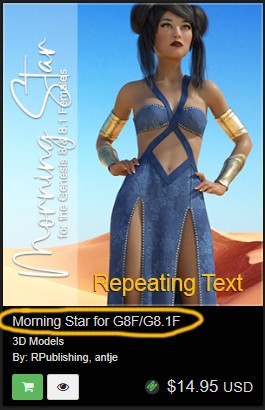
The text on the image is seen being done quite a lot in the MarketPlace, but there is a mistake in the thumbnail above. The image is repeating text information that is already being shown below in the product description. 
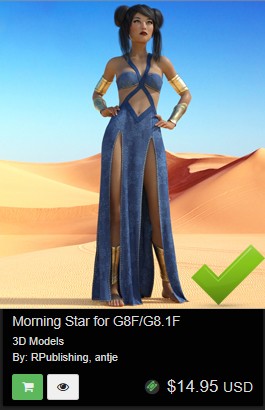
Based on our product description the thumbnail requires no text at all. The entire product is being shown, and the product itself is the main selling & focal point of the image.

Comments

Good tip - thank you!
Thanks for the tips, very cool! I like that you don't require a standard, in addition to giving us more freedom, I think it offers a greater variety of styles for those who visit the marketplace.
Is that a suggestion or a new rule ? I personally find that thumbnail with the "repeating text mistake" way more appealing than the "correct" one and often the text on the thumbnails is way more than just text. It's part of the Artwork and makes it unique and not just another pretty image among many. Also the first thing the viewer is looking at, is the thumbnail and not the text below. _ Danie
These are all just helpful tips when creating your thumbnails.
I agree with Danie (DM). The thumbnail is the first thing the customer sees. Also, the thumbnail will/should have information about "what" the product is. Looking at the sample thumbnail image above, my immediate questions as a customer are, "what" is the product? Is it the clothing, is it the character, is it the hair on the character, the jewelry? And "what" character is it for? G3, G8, G9, etc.? The text below the image can't always contain ALL that information, so the thumbnail should, imho. Same thing for banners on the site ... lately, all I see are a grouping of images on banners that don't tell me anything about what I'm seeing, with huge logos and text on them, and most of the time, the link attached to the banner doesn't easily accomplish that either. Too much guessing and clicking for our customers.
See more or post your comment...


Privacy Notice

This site uses cookies to deliver the best experience. Our own cookies make user accounts and other features possible. Third-party cookies are used to display relevant ads and to analyze how Renderosity is used. By using our site, you acknowledge that you have read and understood our Terms of Service, including our Cookie Policy and our Privacy Policy.