Graffiti in
Photoshop
Photoshop Tutorial
by Colin
Smith
Time to tag your screen! Here's the
tutorial on creating your own graffiti in Photoshop.
INGREDIENTS
- Layers
- Layer Masks
- Gradients
- Merging Images
- Opacity
- Difficulty 7/10
Â
Â
1
 Start
with an appropriate font. Here I used Tag Extreme. Download it here Start
with an appropriate font. Here I used Tag Extreme. Download it here
Right click on the name on the layers pallett and select
"rasterize type"
Â
Â
2
 Create a new custom blend similar to this.
Â
Â
Â
Â
Â
3

Â
Â
 Ctrl/Cmd
click on the layer to select it. Ctrl/Cmd
click on the layer to select it.
With the gradient tool set to linear draw the blend by dragging
the gradient tool from top to bottom.
Â
4
 Don't
deselect. Don't
deselect.
Create a new layer
Edit>stroke
Add a 2 pixel gray stroke to the "outside"
Â
Â
Â
5
 Filters>blur>gaussian
blur Filters>blur>gaussian
blur
Add a .08 gassian blur to the new layer with the outline on
it.
Â
Â
6
 Merge
the outline area with the graffiti layer by clicking Ctrl/Cmd+E or
select "merge down" Merge
the outline area with the graffiti layer by clicking Ctrl/Cmd+E or
select "merge down"
Â
Â
7
 Select
the layer again. Cmd/Ctrl+Click on the layer thumbnail. Select
the layer again. Cmd/Ctrl+Click on the layer thumbnail.
Add another stroke, this time make it black and put it right on
the graffiti layer.
Â
Â
Â
Â
Â
8
  Looking
good! Now for the shadow. Looking
good! Now for the shadow.
Duplicate the layer by dragging it to the new layer icon on the
layers pallette.
Select the new layer and Fill with black.
Â
Â
9
 Drag
the black layer behind the graffiti layer and move down and to the
left a little bit. Drag
the black layer behind the graffiti layer and move down and to the
left a little bit.
Â
Â
Â
10
 Here
I added a background and changed the layer blending mode of the
graffiti to Hard light. See how it blends nicely to the background
like it was painted on. Here
I added a background and changed the layer blending mode of the
graffiti to Hard light. See how it blends nicely to the background
like it was painted on.
Download
the PSD|Download
the layerstyle
Come and visit us at the cafe and discuss
photoshop techniques.
Â
Â
Â
Visit the
Renderosity Photoshop Forum for fantastic
monthly challenges and knowledgeable support from retrocity and
fellow Photoshop artists!
Â
 If
you're interseted in learning more cool type effects, be sure to
check out Colin's new "Photoshop
CS2 Type Effects" training
video, available as a CD ROM or
download. If
you're interseted in learning more cool type effects, be sure to
check out Colin's new "Photoshop
CS2 Type Effects" training
video, available as a CD ROM or
download.
Lessons include:
- Chrome
- Double
Glow
- Graffiti
- Light Ray
- Grunge
- And more...
Â
Â
Â
All content and supporting images are
copyright, and cannot be
copied, printed, or reproduced in any manner without written
permission.
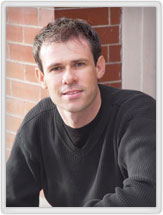 Colin Smith is a
best-selling author, trainer, and award-winning new-media designer
who has caused a stir in the design community with his stunning
photorealistic illustrations composed entirely in Photoshop. He is
founder of the world’s most popular Photoshop resource site,
PhotoshopCAFE.com, which boasts over three million visitors. Colin Smith is a
best-selling author, trainer, and award-winning new-media designer
who has caused a stir in the design community with his stunning
photorealistic illustrations composed entirely in Photoshop. He is
founder of the world’s most popular Photoshop resource site,
PhotoshopCAFE.com, which boasts over three million visitors.
More...
|


Comments