














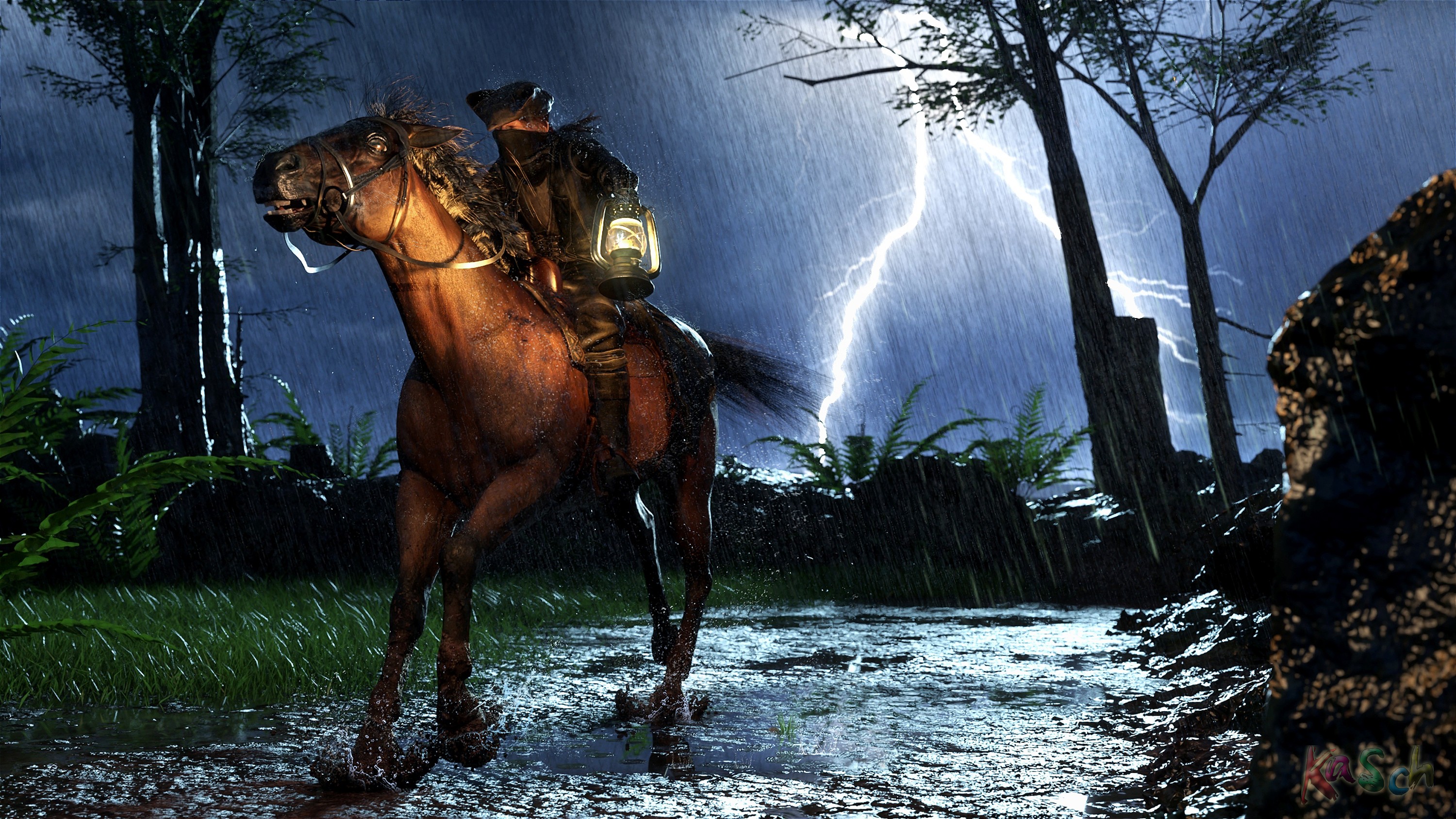
Stormrider by lordi
Close
Hover over top left image to zoom.
Click anywhere to exit.
Members remain the original copyright holder in all their materials here at Renderosity. Use of any of their material inconsistent with the terms and conditions set forth is prohibited and is considered an infringement of the copyrights of the respective holders unless specially stated otherwise.
No AI - This artwork was created entirely by hand or with traditional digital tools.
Description
Render in DAZ. No AI

Comments (11)
Very nice action shot
Many thanks, radioham
A nicely atmospheric image, you could give lessons in how to use DAZ Studio lighting.
High praise, but I really don't think I'm that good. Thanks for watching, fireangel.
Absolut klasse! Mal wieder bis ins kleinste Detail, z.B. die zusammen gekniffenen Augen, wie bei einem wilden Ritt in so einem Wetter zu erwarten.
Du hast echt ein Adlerauge. Freut mich immer wieder wenn jemand diese kleinen Details bemerkt. Vielen Dank, NenaLu
Ich wuenschte, ich haette noch meine Adleraugen, doch zum Autofahren brauche ich inzwischen eine Brille.
Aber die feinen Details, die fallen mir garantiert noch auf, selbst wenn ich dicke Blockglaeser brauchen muesste :D
lach Respekt :D
Wer reitet so spät durch Nacht und Wind ... Richtig geile Szene mit vielen Details!
Vielen Dank, lonely_wolf
Ein Panne im Leuchtturm vom anderen Bild? Er bringt die Ersatzlampe?
lach Vielleicht will er dem Leuchtturmwärter sagen, das Schlechtwetter ist. Ist selbst keine Leuchte dieser Reiter bei dem Wett unterwegs zu sein :D
Excellent
many thanks, anitalee
How do you do it? Please explain!! The lightning is impressive enough, but the rain effect is totally killer! I have yet to get that down. Great scene, wonderful use of light to create lots of drama. Simply wonderful!
Thanks a lot, gmvgmvgmv. The lightning comes from an HDRI, and the rain is just planes with the right texture. A bit of Photoshop for the splashes on the horse and rider—nothing too magical :D
By planes, is this something native to the DAZ app, or is it layers in Photoshop? When I do my snow scenes, I create lots of layers in Paint Shop Pro using gray-scale noise over the main image and then set the layers to "screen." Works well with snow, but I don't manage as well with the rain effect. Also, ground surfaces are tough to get that wet look.
The rain here was created using the planes from the "Iray Storm" set for Daz. I had to tweak the material a bit so it wouldn't glow too intensely in the light. Near the lightning bolt in the background, I overlaid a single Photoshop brush stroke because that area was too bright for the Daz rain, causing it to get washed out. I saw your snow effects—they look incredibly realistic. Really great work there.
Thanks for the information.
Cheers
Super !
thanks, water