
Renderosity Forums / Poser - OFFICIAL
Welcome to the Poser - OFFICIAL Forum
Forum Moderators: RedPhantom Forum Coordinators: Anim8dtoon
Poser - OFFICIAL F.A.Q (Last Updated: 2026 Oct 03 4:20 pm)

Subject: Tip: Making Yuki's Red hair Brown with HSV node.

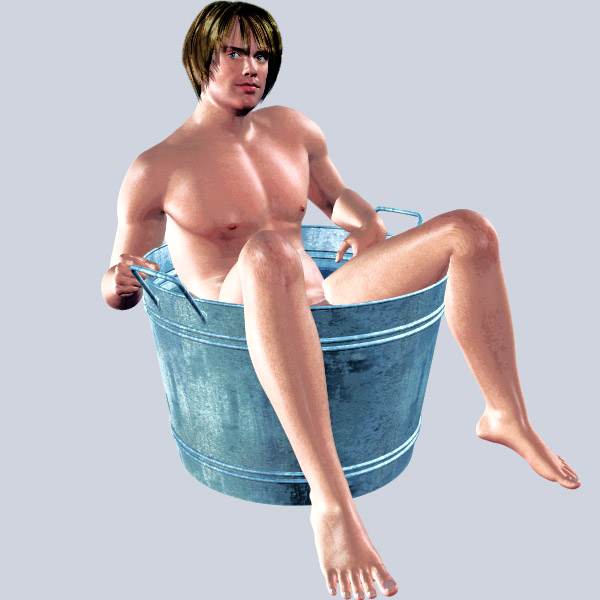
Again, Blonde hair textures allow a greater array of color choices. I have always been of the opinion that all Hairstyles maps should be blonde by default. Everything else can be done with Mats.
-Anton, creator of Apollo Maximus
"Conviction without truth is denial; Denial in the
face of truth is concealment."

-Anton, creator of Apollo Maximus
"Conviction without truth is denial; Denial in the
face of truth is concealment."

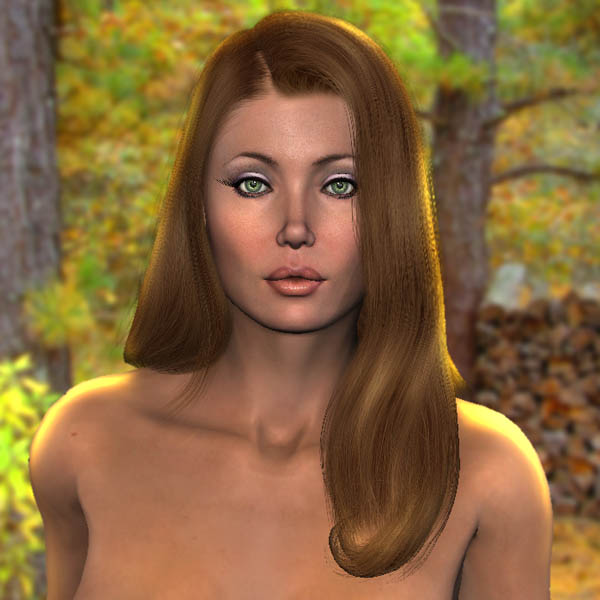
Xqantor is right in that there is still color value. You really don't want greyscale. I removed much of the color but the node can be used to adjust existing hues too.
-Anton, creator of Apollo Maximus
"Conviction without truth is denial; Denial in the
face of truth is concealment."

Now, why didn't I think of that? 'cos I'm stupid, of course! For some time now I've been extracting the R,G,B values via a component node then re-combining them (with different values) in a User-Defined colour node to get the same type of effect. Using byAnton's method I save 3 nodes..:-)) Cheers, Diolma

I have done this with a couple of math nodes, but I can see the advantage of a touch of underlying colour. Just running through Add+0 made things too dark. I used Multiply0.5 followed by Add0.5 but I think it also depend on the target colour. The darker the colour, the lighter the minimum needed in the texture-derived input. I'm afraid I struggle a little with Hue changes using the HSV node. Is there some simple way of reintroducing a tint to a greyscale which would let me use the color-picker?
Related threads including this one.
Normalizing Highlights with nodes
http://market.renderosity.com/mod/forumpro/showthread.php?thread_id=2643355&page=1
Making Black Hair a new color with nodes
http://market.renderosity.com/mod/forumpro/showthread.php?message_id=2385752
Changing Yuki's red hair into Brown with nodes
http://market.renderosity.com/mod/forumpro/showthread.php?message_id=2384534
-Anton, creator of Apollo Maximus
"Conviction without truth is denial; Denial in the
face of truth is concealment."

Privacy Notice
This site uses cookies to deliver the best experience. Our own cookies make user accounts and other features possible. Third-party cookies are used to display relevant ads and to analyze how Renderosity is used. By using our site, you acknowledge that you have read and understood our Terms of Service, including our Cookie Policy and our Privacy Policy.
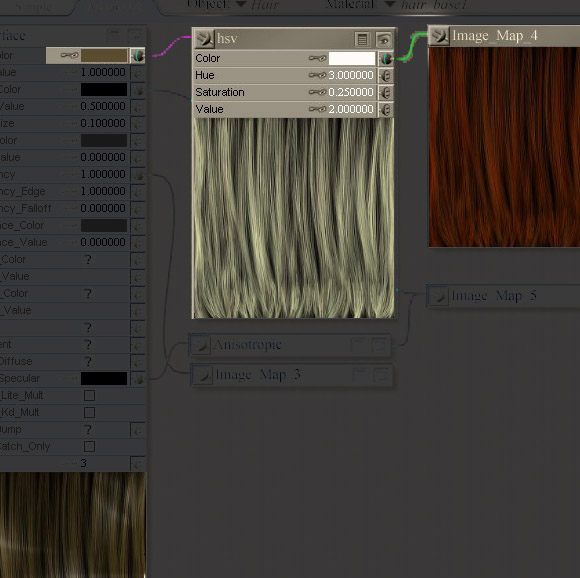
I did this rather quick to show off Sam3D's new countryShower Freebie. But I thought I would share how I changed Yuki's haircolor by: inserting a HSV node between Diffuse Color and the texture map. Then I just edited the diffuse color. With this node insert, you should be able to make her hair any color you want.-Anton, creator of Apollo Maximus
"Conviction without truth is denial; Denial in the face of truth is concealment."
Over 100,000 Downloads....