
Thursday, May 24, 2012 4:27 AM
3713 artists currently online
User Name Password Forgot Password | Register
Shop | Search | Account | Cart | Check Out 

SV Painterly Tutorial

SV Painterly Tutorial

Price:$14.95


Bookmark and Share

You must login to purchase this item.
After registering or logging in, please return to the store to place your order.

All form fields are required.

Username:
Password:
Email:
Vendor: 
  • Sveva

  • Product Requirements: PDF Viewer (or Doc/Word viewer), Adobe Photoshop 7+ (cs3 AND ps7 brushes are included)

    Departments

    2D / Brushes / SV Painterly Tutorial
    2D / PhotoShop Layers / SV Painterly Tutorial
    Software / Tutorials / PhotoShop / SV Painterly Tutorial

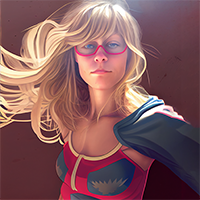
    The Second Official Tutorial by Sveva... Due to popular demand, the second installation in tutorials is here! The perfect "next step" from the Blending Tutorial! In this "Painterly Tutorial" I cover everything from smoothing out a character or photos skin, painting hair, modifying existing hair, adding highlights, and more! Here is what you get: 50 Page Tutorial in both .PDF & .DOC Formats 10 Brushes for Painting (all the brushes you need are here!) 02 Layered Files with my very own work to compare to and practice with! There are Photoshop CS3 brushes AND Photoshop 7 Brushes! All the steps I take to make my characters look more "painted" and less photographed or rendered is in these 50 pages! Read through my steps as I take you from basic render/photo to finished artwork! Enjoy the easy to use and easy to read PDF (or Word/Doc) tutorial, as you can easy jump to each section and pick up where you left off! If you liked my Blending Tutorial you will love my Painterly Tutorial! I have been in the digital arts field for almost 10 years, with 2 years of formal traditional art training. During my years as a digital artist I cannot tell you how many times I have been asked "how do you do that!?" or "how did you get the skin like that?" "how do you paint hair?" Well here it is, every. single. step. Everything I have done to get from the basic render you see in the promotional image to the final image next to it is in this tutorial. Not enough of an example? You can even browse through my gallery and see these techniques in use on a regular basis. Go ahead, grab your pen/tablet or your mouse - its time to experiment, learn, create art, and have fun while doing it!


    Related Products


    Customers Who Bought This Item Also Bought:  

    DM's Fantasy Musings

    India Bath

    SV Magical Effects Tutorial

    SV Blending Tutorial


    Report This Product


    Facebook Features


    Powered by Bondware
    Newspaper Software | Email Marketing Tools | E-Commerce Marketplace