

| Shop | Search | Account | Cart | Check Out |
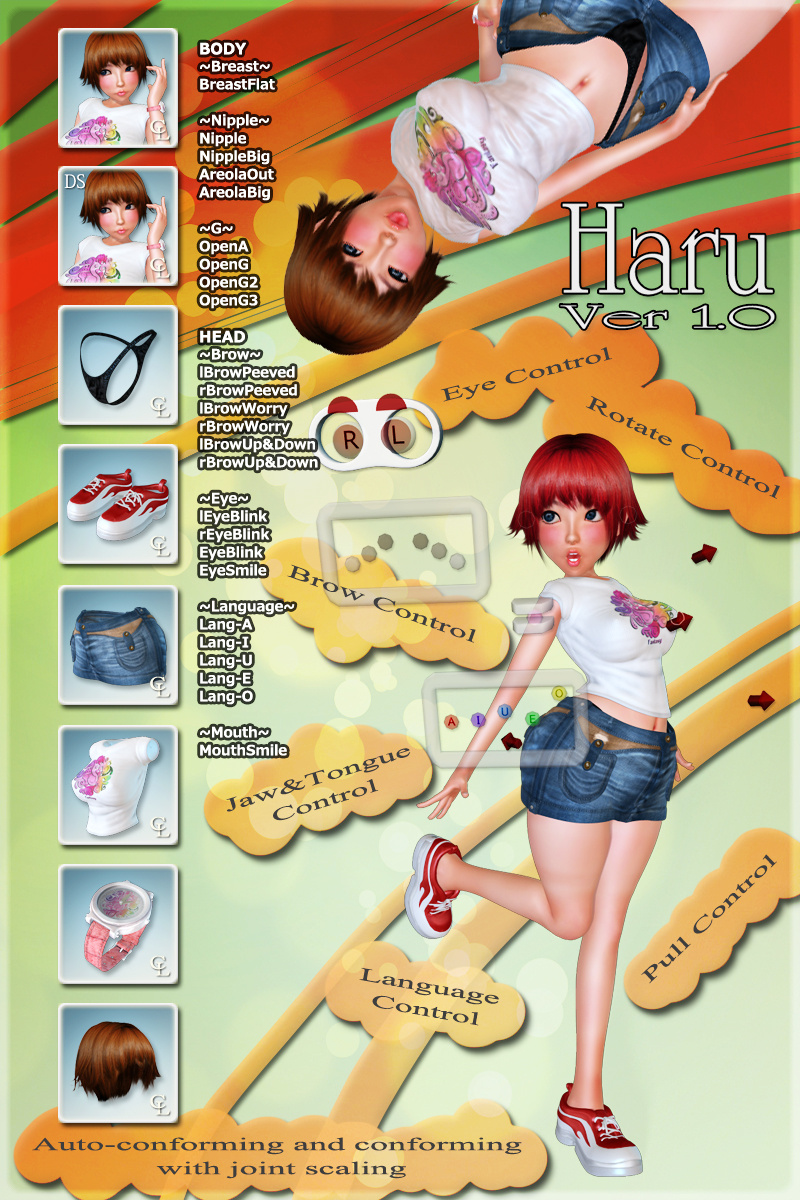
Haru Ver 1.0 SET

|
Vendor: |
||
|
Product Requirements: Poser8ESR3 or Poser Pro 2010,Daz Studio 3. Departments Poser / Original Figures / Humanoid / Haru Ver 1.0 SET |
|||
----English----
The operation was confirmed with Poser7,Poser Pro 2010,DAZ Studio 3.
This product doesn't correspond to Poser9/Poser Pro 2012.
When the weight map of Bulge of lThigh and rThigh is corrected by hand power, it is possible to use it with Poser9/Poser Pro 2012.
This problem may be solved by SR1.
A detailed description.
http://youtu.be/iDqjXPfDb7c
Notes.
When Haru is selected, and the control and clothes are read, it operates normally.
In Poser7, the reaction of the control is delayed a little.
In DAZStudio, the abdomen Pull control of clothes doesn't operate normally.
- Solution -
1. Conforming clothes to Haru.
2. Hip of clothes is selected in the Scene tab.
3. The D-Form tab is opened, the "Add Node(s)" button is clicked, "abdoemnPull Mag" is selected in an open list window, and Accept.
DAZ Studio moves normally by this, too.
The update will be done in the near future. Please wait for a while.
- About the use of Inverse kinematics for DAZ Studio -
1. lFoot or rFoot is selected.
2. The Translate parameter is double-clicked from the Parameters tab.
3. Hidden from the opened set window to Yes.
Haru and clothes were made to correspond to Auto-conforming and conforming with joint scaling.
This operates by Poser8ESR3, PoserPro2010, and DAZ Studio3.
----日本語----
Poser7、Poser Pro2010、DAZ Studio3で動作を確認しました。
この製品はPoser9/Poser Pro 2012に対応しておりません。
lThighとrThighのBulge(脹らみ)のウェイトマップを手動で修正するとPoser9/Poser Pro 2012で使用できます。
この問題はSR1によって改善されるかもしれません。
詳しい説明はこちら。
http://youtu.be/iDqjXPfDb7c
注意事項
Haruを選択し、コントロールと衣服を読み込んで下さい。
Poser7では、コントロールの反応が少し遅れます。
DAZStudioでは、服のabdomen Pullコントロールが正常に動作しません。
~解決法~
1. Haruに服を着用。
2. Sceneタブで服のhipを選択。
3. D-Formタブを開き、「Add Node(s)」ボタンをクリックし、開いたリストウィンドウで「abdoemnPull Mag」を選択しAccept。
これでDAZ Studioも正常に動きます。
時期、アップデートが行われるでしょう。しばらくお待ち下さい。
~DAZ StudioでのInverse kinematicsの使用について~
1. lFoot、又はrFootを選択。
2. ParametersタブからTranslateパラメータをダブルクリック。
3. 開かれた設定ウィンドウからHiddenをYesに。
Haruと衣服は「Auto-conforming and conforming with joint scaling」機能がついていますが、
これはPoser8ESR3、PoserPro2010、およびDAZ Studio3で動作します。
Related Products
Customers Who Bought This Item Also Bought:
SHOOTBabes Nikita | Midnight Obsession | Haru Ver 1.0 SET -Expansion Morph Bundle- | NATU Ver 3.1 SET |
Report This Product
Facebook Features