Filter: Safe | Tue, Aug 4, 8:30 AM CDT

Renderosity Forums / Carrara


Welcome to the Carrara Forum

Forum Coordinators: Kalypso, Anim8dtoon

Carrara F.A.Q (Last Updated: 2026 Jul 30 8:26 pm)


Visit the Carrara Gallery here.

Carrara Free Stuff here.

 
Visit the Renderosity MarketPlace - Your source for digital art content!


Subject: Modeling with Transparencies


Angelouscuitry ( ) posted Sat, 27 January 2007 at 11:48 PM ยท edited Fri, 31 July 2026 at 10:46 PM

In Poser you can add a transparency to make certain areas of a Square Plane prop invisible.

What I'd actually like to do is remove the invisible vertexs all together. 

Would this be possible from Carrara 5 Pro?


bwtr ( ) posted Sun, 28 January 2007 at 6:20 AM

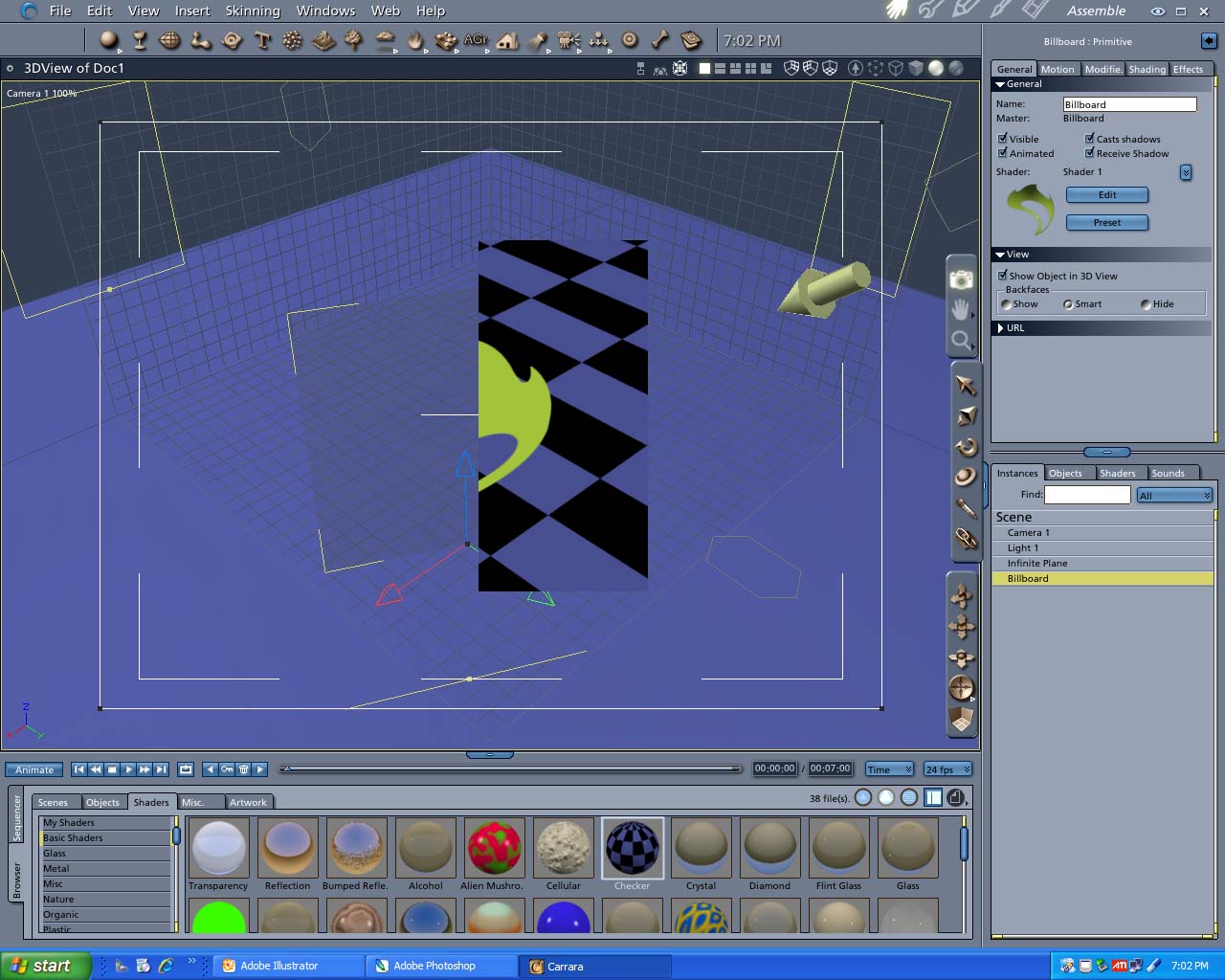
Adding png files which contain transparent parts are very succesfully used on Billboards. These, normally made to face the camera and sized, shaped, located where required in the scene. Don;t forget to click light through transparency in the Render Room.

Hope that helps.

bwtr


cjd ( ) posted Sun, 28 January 2007 at 8:02 AM

There may be other methods to do this in C5Pro; however, the only way I know how to do this is by using the AnythingGrooves plugin from Digital Carvers Guild http://www.digitalcarversguild.com/plugin.php?ProductId=4

The "Zero is empty" option will not create vertices/polygons where the map is black. You would use a map with a solid color where you want to keep polys and black where you wanted to remove them. Varying the solid color (darker is better but you still may need to see it for reference) and the height values should allow you to remove the areas in black without displacing the other areas.

I'll do something later today to show this.

Chris

bwtr ( ) posted Sun, 28 January 2007 at 8:24 AM

file_367136.jpg

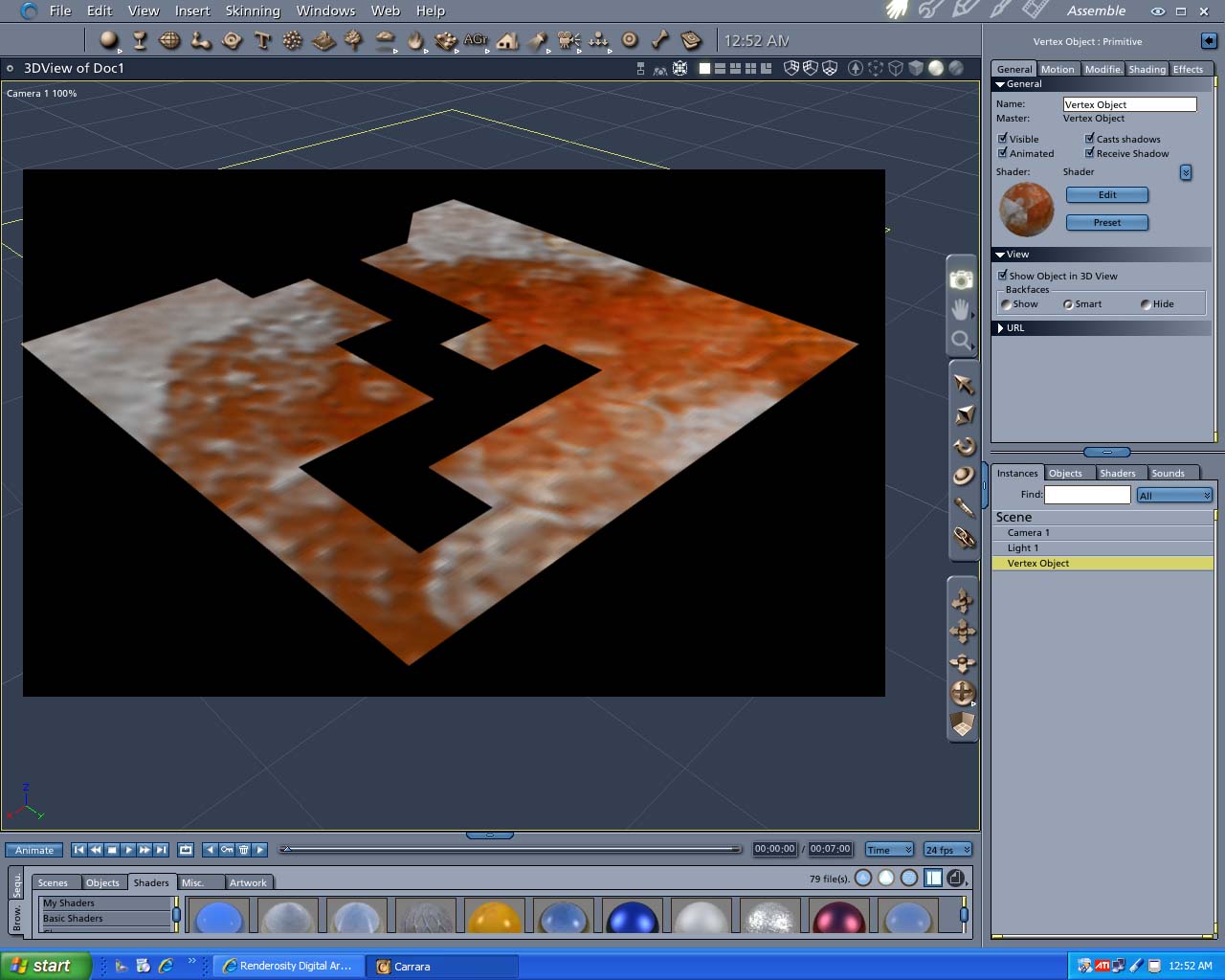
This is what you can do to a Vertex Plane. Is that what you mean?

bwtr


bwtr ( ) posted Sun, 28 January 2007 at 8:50 AM

file_367138.jpg

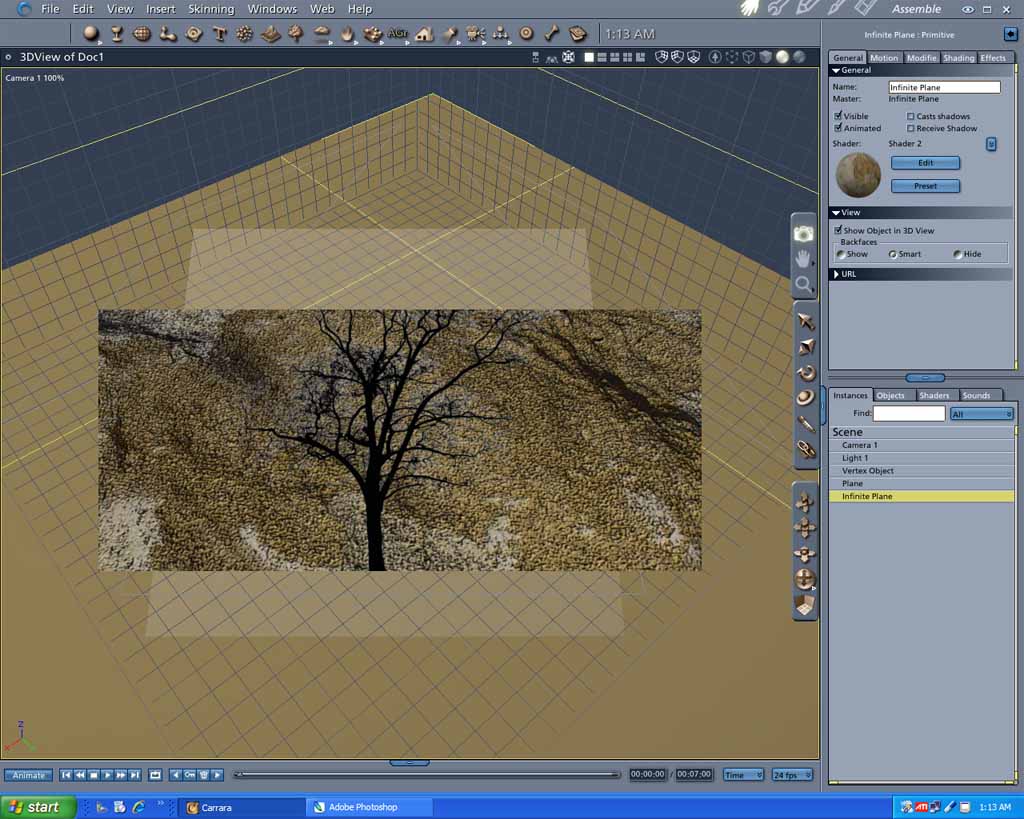
This is .png image of a tree, with a transparent background, placed on a plane.

(The plain is above a textured  infinite plane)

This is as would be the Billboard approach suggested before.

bwtr


Angelouscuitry ( ) posted Sun, 28 January 2007 at 1:02 PM ยท edited Sun, 28 January 2007 at 1:12 PM

file_367163.jpg

Thanks,

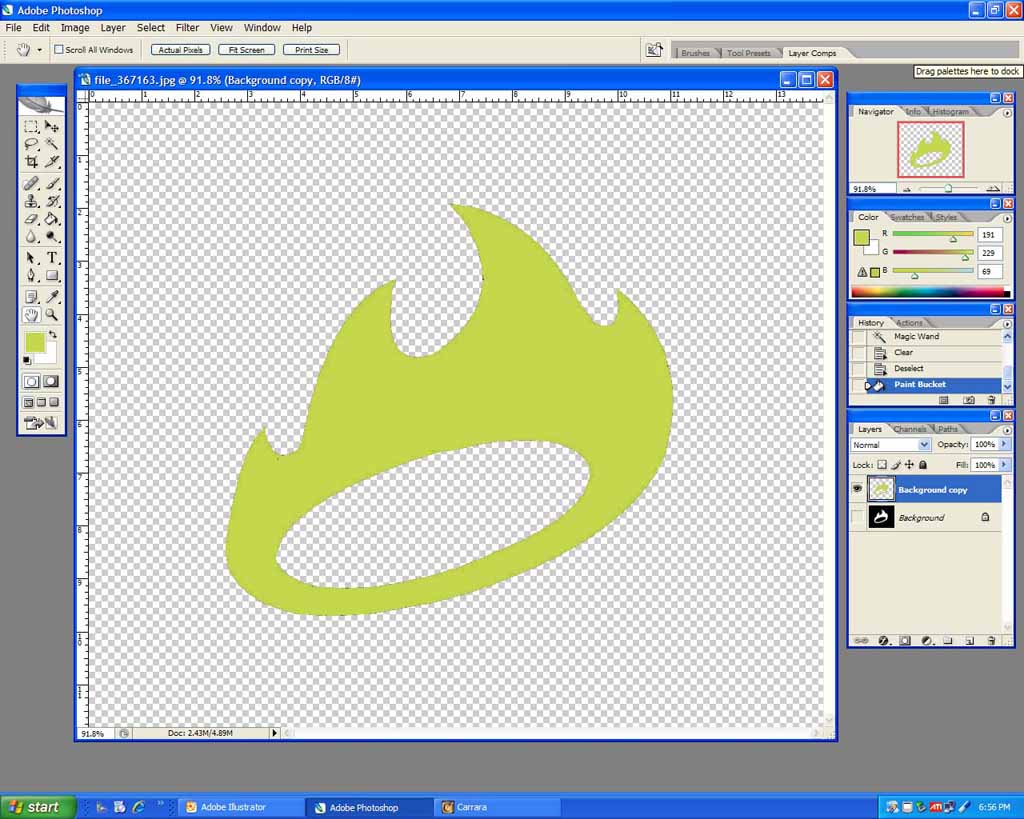
I'd like to create an Object.OBJ, from this this image.  It was the very small logo found on angelfire.com's homepage; that I've enlarged, and re-pathed with photoshop.

I'm thinking I may need to start with somewhat of a dense plane, maybe  > 1000 verts.  This image is 1000 x 850.  I was going to say 1000 x 850 verts, but that's like 850, 000 verts,(Not so many Polys', but...) and am not sure if this would Choke bad.

I've purposely not asked to just up and try this on a Cube, or a Sphere, but this is just to keep my question simple.  Once the "invisible" verts. of the plane have been deleted; I'm thinking I could easily Multi-Replicate(Bryce term,) another set of the existing verts., behind the originals, in order to give the object depth on all axis'.(So, truthfully if anyone has any use to show us an example of this nature I would readily appreciate that also!)

Regards!


Angelouscuitry ( ) posted Sun, 28 January 2007 at 1:22 PM

Actually, now that I'm thinking of not even having enough hardware resources to start with as high resolution a plane as I'm interested in, there is probably not much in beginning the editing process with a cube, or sphere, especially for this example.


hdaggers ( ) posted Sun, 28 January 2007 at 2:08 PM

Read this custom leaf tutorial. It shouldn't be too difficult to apply the same method to your shapes.

holly
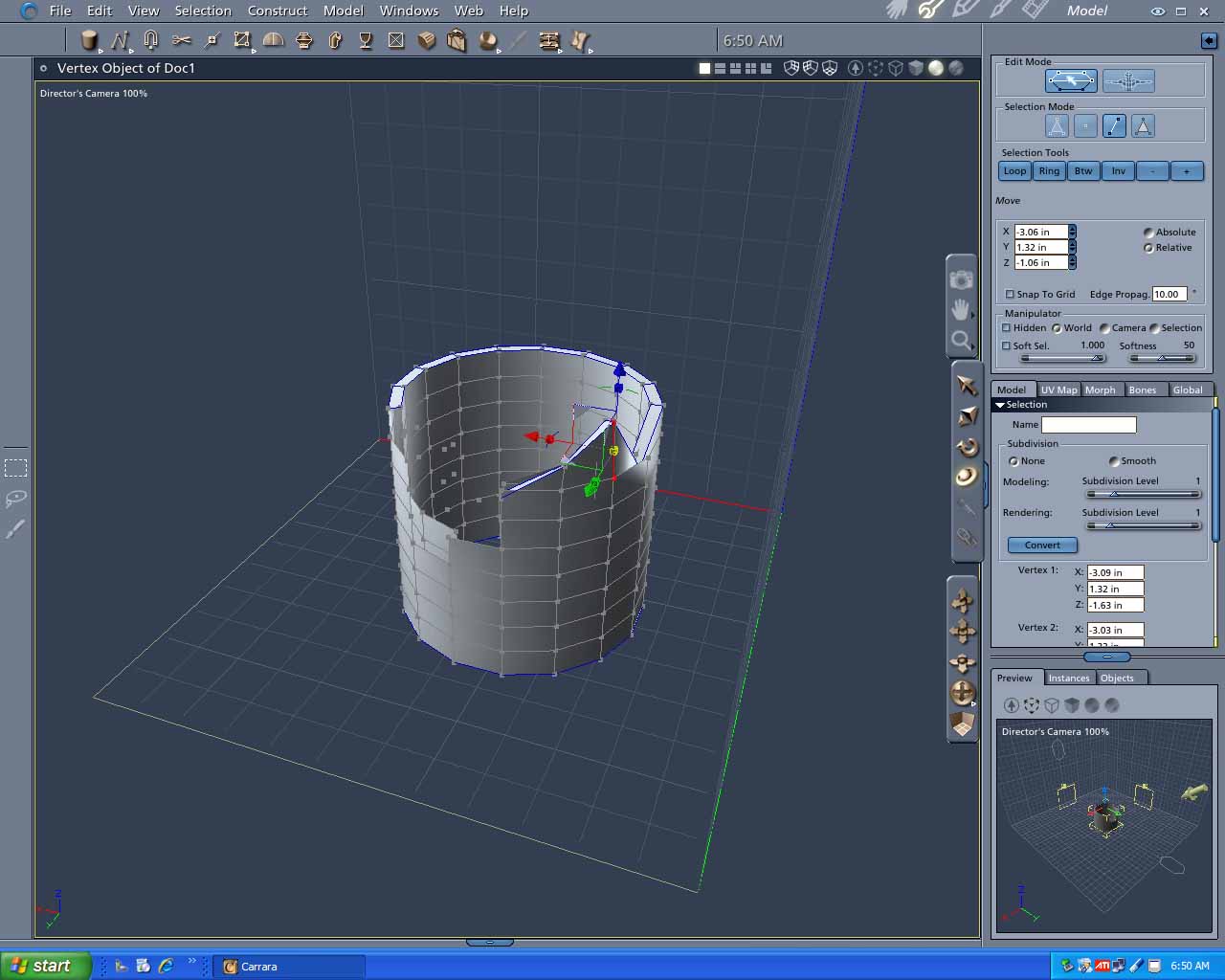

Angelouscuitry ( ) posted Sun, 28 January 2007 at 2:21 PM ยท edited Sun, 28 January 2007 at 2:26 PM

hdaggers - Nice Tut. Holly, but the point of this thread would be to avoid drawing and dragging vertexs into place, %100; as easily as transparencies are to use(When in Poser.)


bwtr ( ) posted Sun, 28 January 2007 at 2:26 PM

file_367176.jpg

I really can not follow how you would  easily make an .obj by your suggested idea. Would like to see it done.

Making what you want seems so simple and easy to do in the Vertex room. (Very rough quick example)

bwtr


Angelouscuitry ( ) posted Sun, 28 January 2007 at 8:26 PM

file_367204.gif

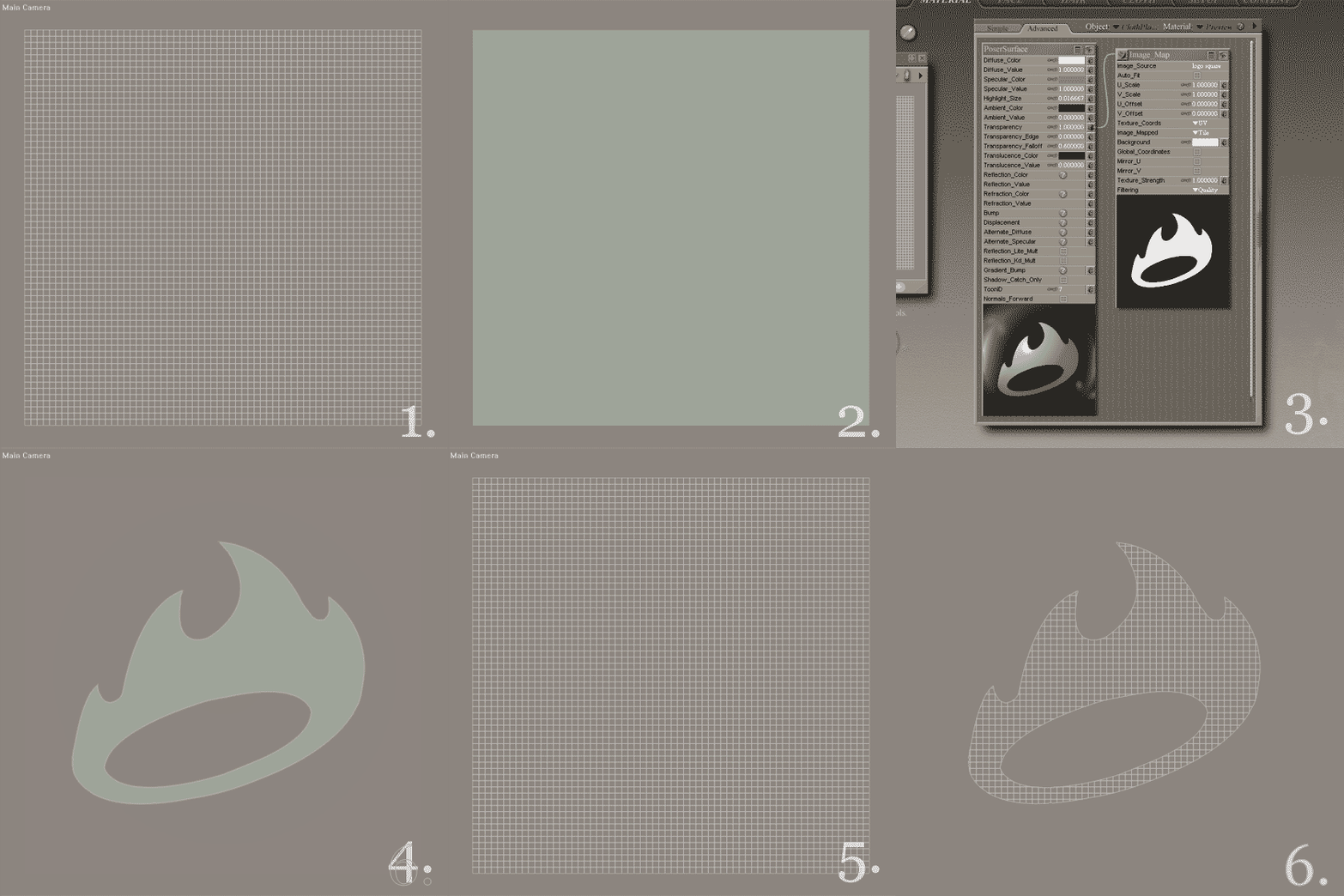
Here we are in Poser 7:

1.) Here is a simple scene with just a High Resolution Plane, in Wireframe mode/view.

2.) Render the scene and this is what you see.

3.) Here we are in the Poser Material Room, having applied a Transparency.

4.) Render, now with the transparency applied, and this is what is seen.

5.) But if you leave the Render Window; and go to the Preview Window, and you still see this, because the "Transparency is really just a Render Engine Trick, that just hides some of the Plane's vertexs(During the render process)

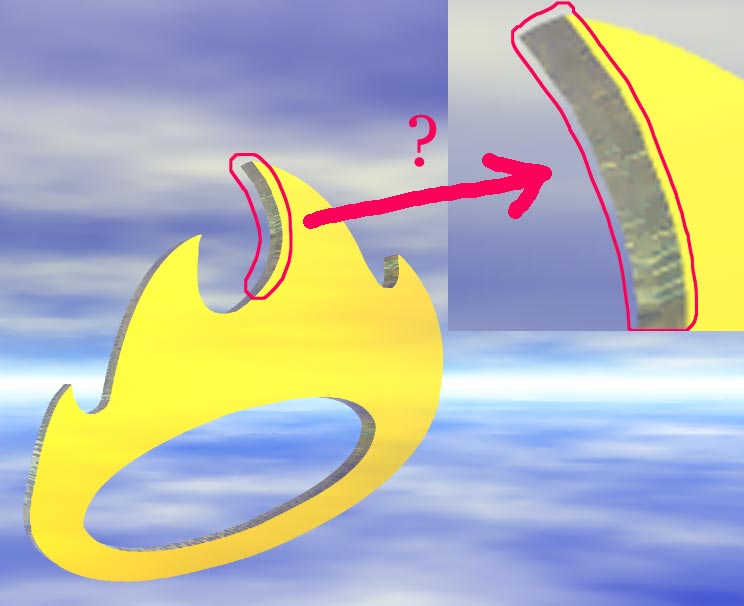
6.) Rather than have the Render Engine Hide some Vertexs; I'd like the program actually delete the "Hiden" vertexs from the Plane, and  leave an image like this, in the Preview window.


bwtr ( ) posted Sun, 28 January 2007 at 11:40 PM

I can't follow in what you show which seems to have anything to do with true 3d vertices or resembling anything which could end up with  making a 3d .obj file?

Awaiting enlightenment.

bwtr


Angelouscuitry ( ) posted Mon, 29 January 2007 at 12:25 AM ยท edited Mon, 29 January 2007 at 12:26 AM

bwtr - I thought your first and second posts were on to something.  Would you post a view, of either image, that shows vertexs?


danamo ( ) posted Mon, 29 January 2007 at 12:58 AM

file_367229.jpg

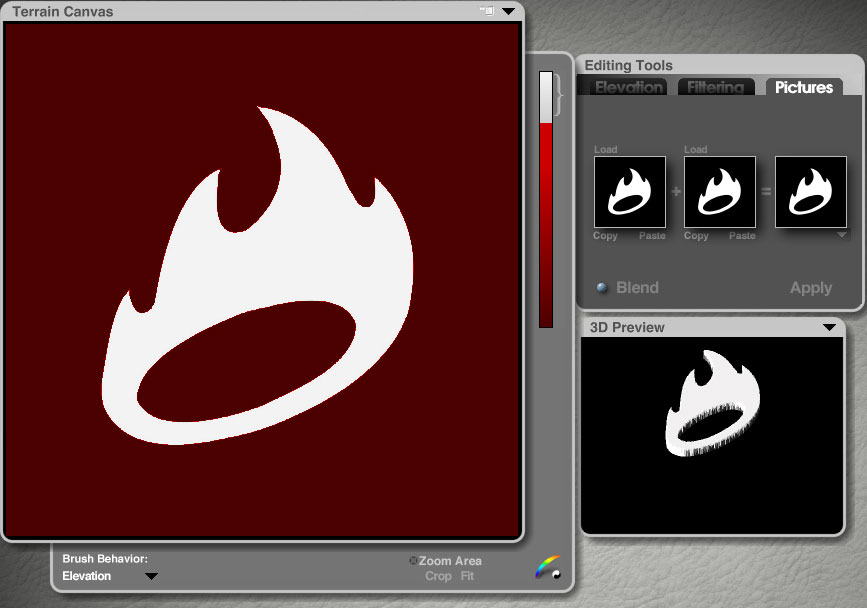
I  use a lot of apps, so I don't believe in being a "purist" in any particular 3d software. Whatever is the easiest tool to use for a task. In Bryce (I still use it) it would be dead-simple to import your B&W pic into the terrain lab, apply it as a heightmap in the picture section, drag the clipping-plane tool upward to clip off any black parts, and then export the terrain as an object. I have done this for logos quite a few times for use in other 3D apps, including Poser.  Bryce5 is still a free D/L if you don't have it. I still find it useful for shaping terrains and making greyscale animations to import into Carrara. Good luck,  Dan


danamo ( ) posted Mon, 29 January 2007 at 1:18 AM

file_367230.jpg

I would still recommend Carrara5 Pro, especially at its current price. If I didn't already have it I would jump at the current pricing. Here's a quick render of the results in Bryce since I already had it opened, and I'm lazy,lol.


bwtr ( ) posted Mon, 29 January 2007 at 1:30 AM

file_367236.jpg

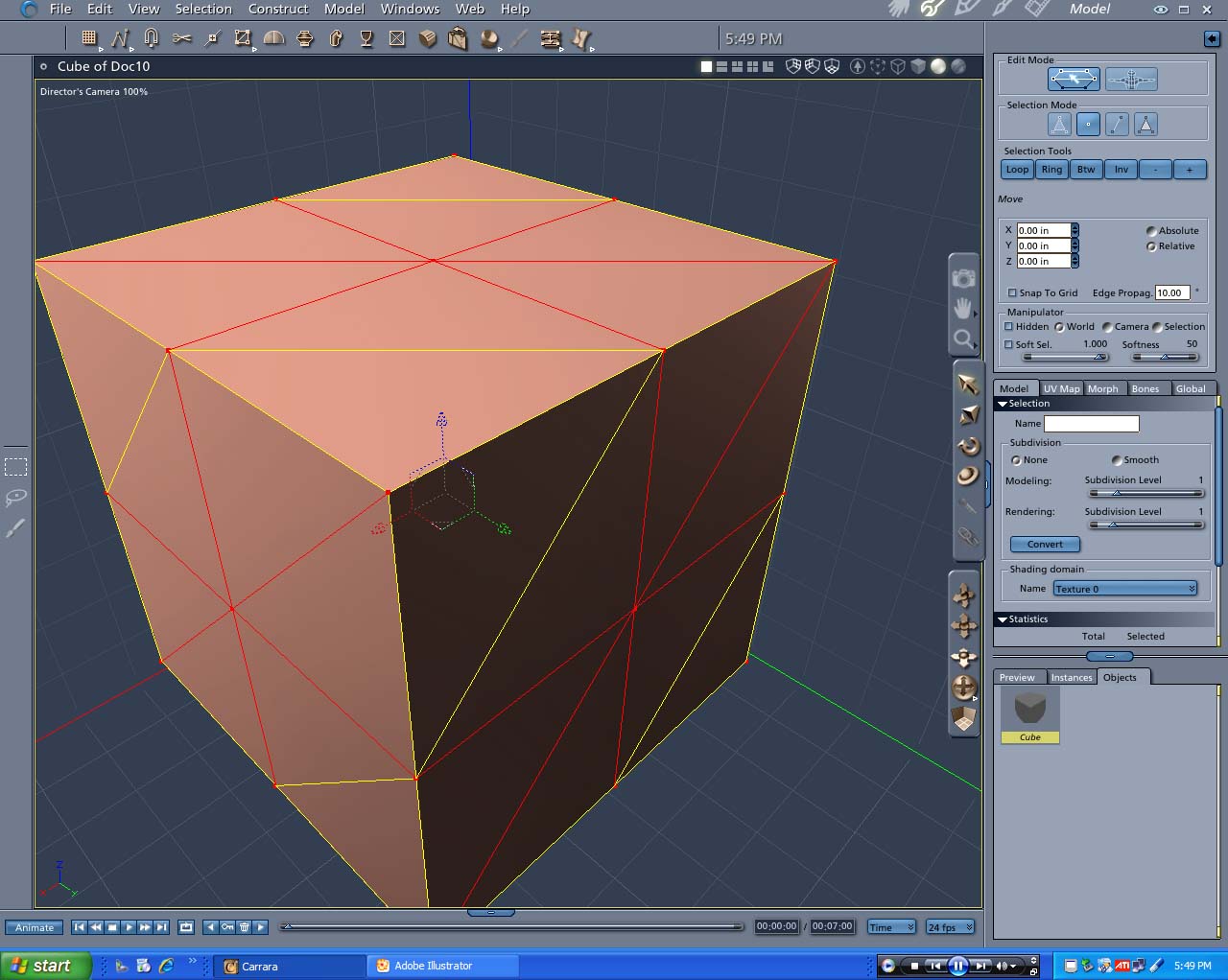
In this screen shot, all the little red squares on the cube where the edges and polygons (facets) connect are the vertices.  Each of these vertices can be individually sellected and manipulated/moved in 3d space.

Edges, polygons and vertices can be deleted as required.  This is all in the Carrara Vertex Modelling Room.

bwtr
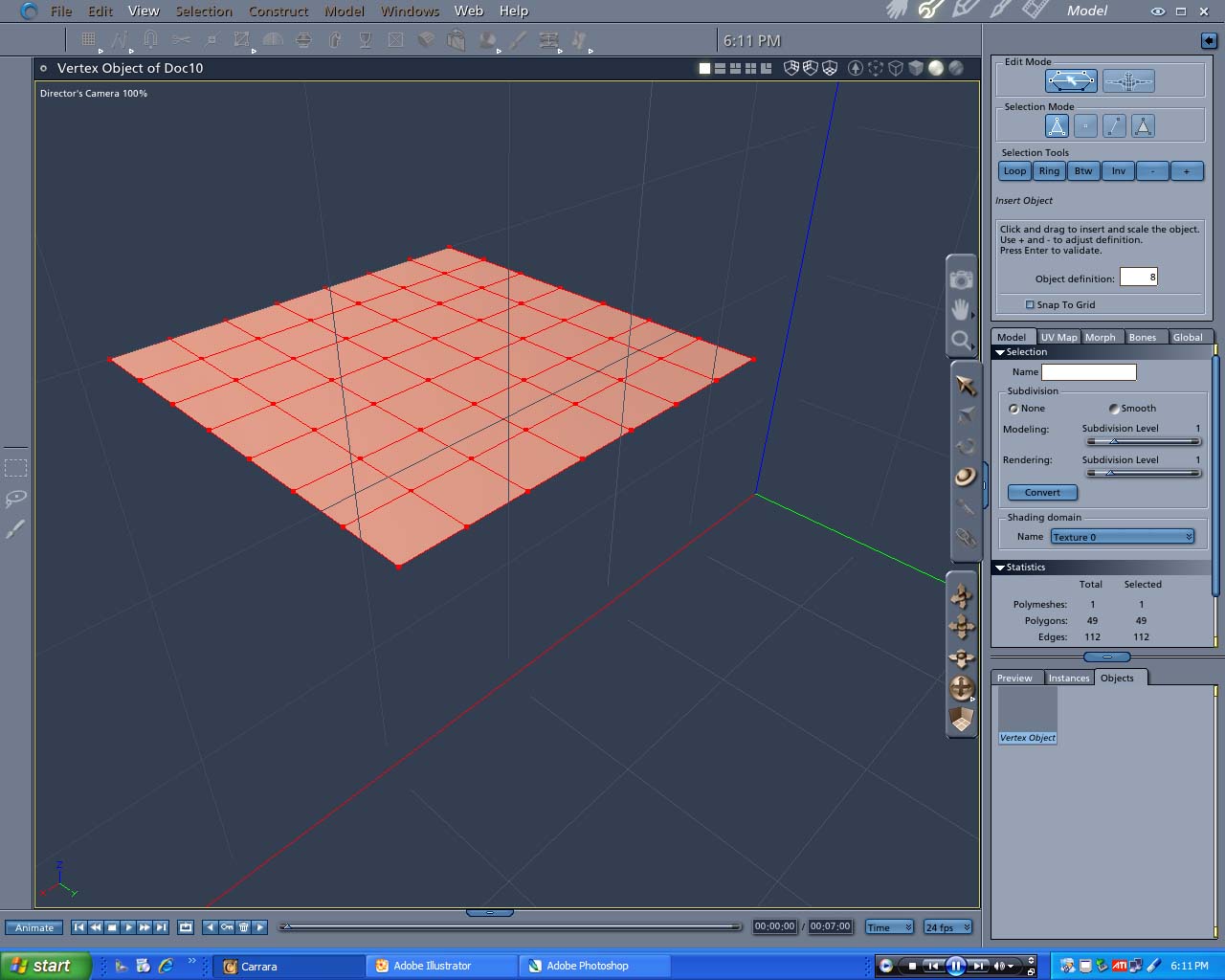

bwtr ( ) posted Mon, 29 January 2007 at 1:55 AM ยท edited Mon, 29 January 2007 at 2:00 AM

file_367240.jpg

The first images of mine on this thread related to planes or billboards. These are in effect a single polygon and, whilst they can be sized, bent, twisted etc  being just the one you can not  delete parts of it.(And they are in effect only 2d not 3d--no "thickness")

My screen shot is of a Grid  (In the vertex model room) which could be used as a plain and have deletable polygons.

If you had a plan ai layout of the crown you could extrude it in the Spline moddeler and then curve into shape.

Using the crown black and white image to use in constructing a terain I understand but that this would  then be a true 3d image of a crown is outside my understanding.

bwtr
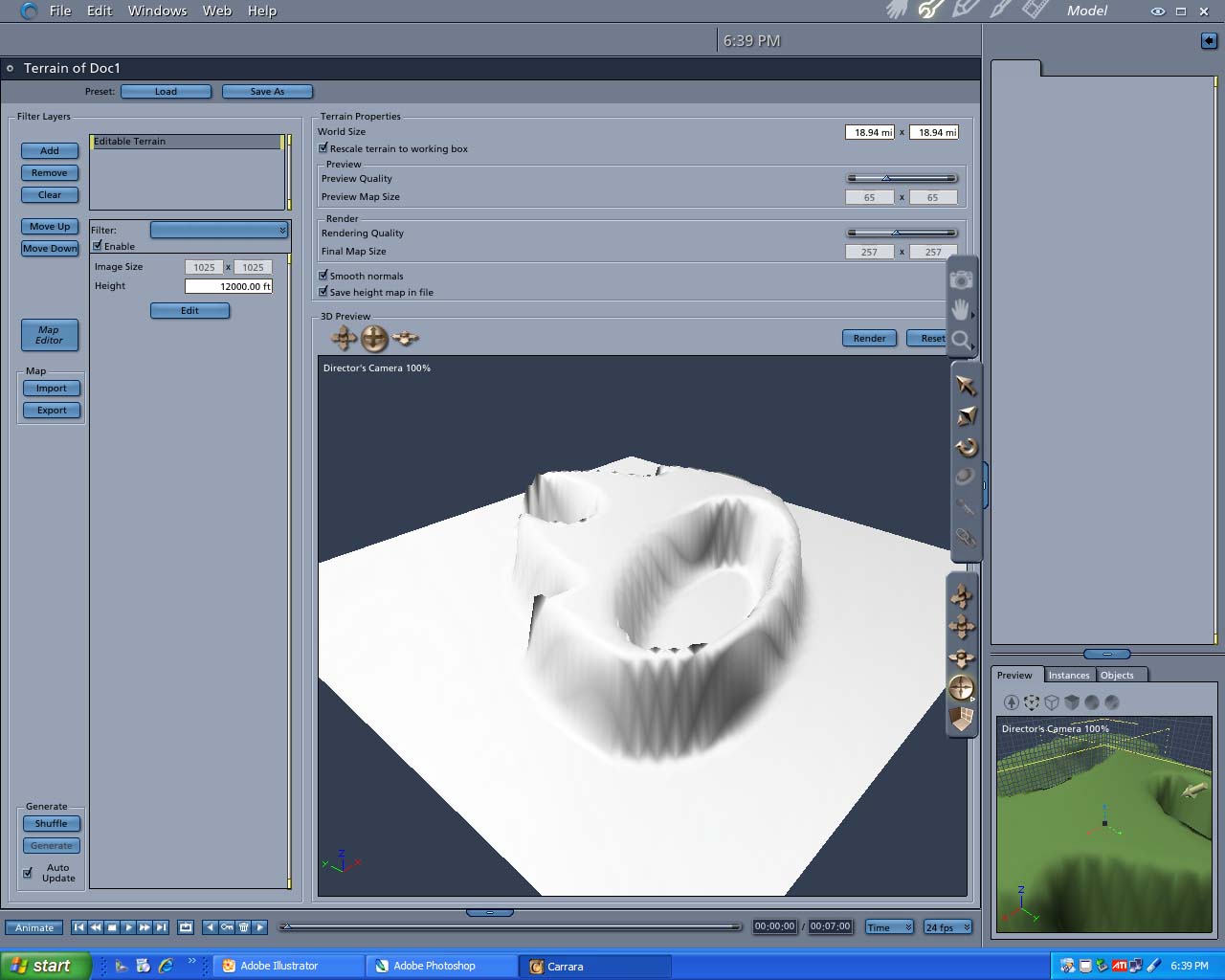

bwtr ( ) posted Mon, 29 January 2007 at 2:12 AM

file_367241.jpg

Could not see this ever becoming a wearable crown?

bwtr


bwtr ( ) posted Mon, 29 January 2007 at 2:35 AM

The making of the crown png image.

bwtr


bwtr ( ) posted Mon, 29 January 2007 at 2:39 AM

file_367244.jpg

The making of the crown png image.

bwtr


bwtr ( ) posted Mon, 29 January 2007 at 2:40 AM

file_367245.jpg

And applied to a Billboard.

bwtr


Angelouscuitry ( ) posted Mon, 29 January 2007 at 4:29 AM

file_367280.jpg

bwtr - Ok, I see your billboard and terrain approaches, and appreciate the heads up, thanks! 

I've also been told, by the Maya Forum Moderator, that AI and Spline Modeling would be a good way to approach this.  Spline Modeling is definitely something I'd like to pick up with Carrara, and I've started a new thread just for that!

danamo - Nice Bryce!  I too have had past experience with Bryce.  Even with Bryce's new 4000 vertex terrains, there is still a huge problem with using the terrain editor to create object; and this is that the edges of the objects always look rough.  I'm not sure why this happens, but it has been a problem since Bryce 3!  I've been told that this is something that can be smoothed in a Modeler application, but if that's where this'd be headed I may as well just start there(Err...here!)


cjd ( ) posted Mon, 29 January 2007 at 7:56 AM

Angelouscuitry,

I agree, spline modeling is the best way to go for this shape.

I did play a bit with Anything Grooves, but when increasing the resolution to 1024 and beyond there is a significant slowdown. (I was using a sphere instead of a plane.)

Chris


bwtr ( ) posted Mon, 29 January 2007 at 4:30 PM

Perhaps someone can help me withai file making (Iam very backward with Illustrator and Photoshop in this regard)

I have been trying to make an ai file of the crown image WITH the hole cut out! 

Help--I can not succeed!

bwtr


Privacy Notice

This site uses cookies to deliver the best experience. Our own cookies make user accounts and other features possible. Third-party cookies are used to display relevant ads and to analyze how Renderosity is used. By using our site, you acknowledge that you have read and understood our Terms of Service, including our Cookie Policy and our Privacy Policy.